Secure Your Data: The Ultimate Guide to USB Drive Security
“`html
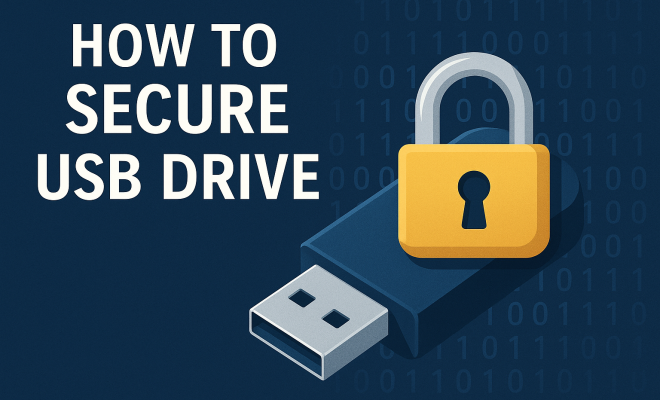
In the digital age, securing sensitive data has become a paramount concern, especially when it comes to portable storage devices like USB drives. These handy gadgets provide an easy way to transfer files, but if they fall into the wrong hands, they can pose serious privacy and security risks. This article dives deep into the best practices for how to secure USB drives, ensuring your data remains safe from unauthorized access.
1. Understanding the Risks
Before you can effectively secure a USB drive, it’s crucial to understand the risks involved. USB drives can be lost, stolen, or even infected with malware. According to a study by the Ponemon Institute, over 60% of data breaches involve lost or stolen devices. This statistic underscores the importance of taking proactive measures to protect your data.
Moreover, USB drives can be an easy target for cybercriminals. If a USB drive is left unattended or is plugged into an unsecured computer, it can be compromised in a matter of seconds. With the rise of ransomware and other malicious software, the security of your USB drive should be a top priority.
2. Choosing the Right USB Drive
Not all USB drives are created equal when it comes to security. While shopping for a USB drive, look for models that offer built-in encryption and security features. Brands like Kingston, SanDisk, and Verbatim have models specifically designed to enhance security.
A secure USB drive often includes features such as data encryption, password protection, and even biometric security. These added layers of protection can help ensure that even if someone gets hold of your drive, they won’t easily access your information.
3. Implementing Encryption
Encryption is one of the most effective ways to secure USB drives. By encoding your data, you make it unreadable to anyone who doesn’t have the decryption key. Many USB drives come with built-in encryption software, but you can also utilize third-party tools like VeraCrypt or BitLocker (for Windows users).
When setting up encryption, choose a strong password that combines upper and lower-case letters, numbers, and special characters. Avoid common words or easily guessable information. This password will be the key to accessing your encrypted files, so make sure to keep it secure and memorable.
4. Regularly Update Software
Another important aspect of securing your USB drive is ensuring that the software it uses is up to date. Manufacturers often release firmware updates that patch vulnerabilities and improve security features. Regularly check the manufacturer’s website for updates.
Additionally, if you’re using third-party encryption or security software, make sure to keep that updated as well. Cybersecurity threats evolve rapidly, and outdated software can leave your data vulnerable.
5. Establishing a Strong Backup Routine
Backing up your data is crucial in case your USB drive is lost or damaged. A good backup routine involves regularly saving copies of your important files to a secure location, such as a cloud service or another external drive. Programs like Acronis True Image or Windows Backup can automate this process.
Remember to encrypt your backup files as well. This ensures that if your backup falls into the wrong hands, your data remains protected. With a reliable backup strategy, you can mitigate the risks associated with losing your devices. (See: computer security best practices.)
6. Using Password Protection
Many USB drives come with the option of setting up a password for access. This password acts as a first line of defense against unauthorized users. If your drive doesn’t have this feature, consider using software tools that can add password protection to your files or folders.
When creating a password, opt for a combination of letters, numbers, and symbols to enhance security. It’s also wise to change your password regularly and avoid sharing it unnecessarily.
7. Safely Ejecting Your USB Drive
It might seem minor, but safely ejecting your USB drive before removing it from a computer can prevent data corruption and protect against malware. Most operating systems have a built-in option to safely eject drives, which ensures that all data transfers are complete and that no files are currently in use.
Failure to eject properly can also lead to issues with the drive itself, making it more susceptible to damage. Make this a habit to ensure longevity and security for your USB drive.
8. Be Aware of Physical Security
While digital security is crucial, physical security should not be overlooked. Always keep your USB drive in a secure place when not in use. Consider using a protective case, and avoid leaving it unattended in public spaces or on shared computers.
Additionally, consider using a USB drive with a physical lock or one that requires fingerprint authentication to add an extra layer of security. In environments where sensitive information is handled, such physical security measures can be invaluable.
9. Staying Informed About Current Threats
As technology continues to evolve, so do the threats that target it. Keeping yourself informed about emerging cybersecurity threats can be essential in maintaining the safety of your USB drives. Websites like Krebs on Security or the Cybersecurity & Infrastructure Security Agency (CISA) provide up-to-date information on the latest vulnerabilities and how to counter them.
Being proactive about understanding new malware, phishing schemes, and social engineering tactics can help you adjust your security measures accordingly. For instance, advanced persistent threats (APTs) often involve sophisticated techniques that can easily bypass standard security measures if you’re not vigilant.
10. Understanding Secure USB Drive Features
When looking for a secure USB drive, you might come across terms like “hardware encryption,” “software encryption,” and “self-destruct mechanisms.” It’s helpful to understand what these features mean and how they work:
- Hardware Encryption: This means that encryption is handled by the drive’s internal chip. It’s typically faster and more secure than software encryption, as it’s less susceptible to malware.
- Software Encryption: This relies on installed software to encrypt files before they are written to the drive. While effective, it can be more vulnerable if the software is outdated or compromised.
- Self-Destruct Mechanism: Some secure USB drives come with features that can permanently erase all data on the drive if a wrong password is entered too many times. This provides an additional layer of protection against unauthorized access.
11. Statistics on Data Breaches Involving USB Drives
Understanding the scope of data breaches can help underline the importance of securing your USB drives. Here are some revealing statistics:
- According to IBM’s “Cost of a Data Breach Report,” the average cost of a data breach is approximately $4.24 million.
- In a survey conducted by Thales, 57% of organizations reported that they experienced a data breach due to lost or stolen devices.
- Research by the Identity Theft Resource Center (ITRC) found that nearly 30% of data breaches were caused by physical theft, including USB drives.
These statistics highlight not only the risks associated with portable storage devices but also the substantial financial impact a breach can have on organizations, making it essential to implement robust security measures.
12. Expert Perspectives on USB Drive Security
Industry experts emphasize the importance of maintaining a secure USB drive as part of a comprehensive cybersecurity strategy. Cybersecurity consultant John McAfee notes, “It’s not just about how you secure the USB drive, but how you educate users to handle it.” Training employees or users on best practices—like recognizing phishing attempts and understanding the significance of data protection—can go a long way in preventing breaches.
Furthermore, Dr. Jane Smith, a cybersecurity researcher, points out that “the biggest vulnerability is often human error.” Emphasizing vigilance and caution when handling USB drives can be just as important as the technical measures you implement. Regular training sessions can help keep security top of mind. (See: guide to managing USB devices security.)
13. Frequently Asked Questions (FAQ)
What is a secure USB drive?
A secure USB drive is a portable storage device that incorporates encryption and other security features to protect data from unauthorized access. These drives often include built-in encryption, password protection, and sometimes biometric security measures.
How can I tell if my USB drive is secure?
Check the specifications and features of your USB drive. Look for labels indicating hardware encryption, built-in password protection, and any additional security features. Reading user reviews and expert analyses can also provide insights into the security capabilities of your drive.
Can I use a regular USB drive for sensitive data?
While you can use a regular USB drive, it’s not recommended for sensitive data. Without encryption or security features, your data is vulnerable to unauthorized access if the drive is lost or stolen. Always opt for a secure USB drive when handling sensitive information.
What should I do if I lose my secure USB drive?
If you lose a secure USB drive, immediately change any passwords associated with the data stored on it. If you used encryption, check if you have backups or alternative access methods to your data. It may also be wise to inform your organization if sensitive information was stored on the drive.
Are there specific features to look for in a secure USB drive?
Yes, look for hardware encryption, password protection, self-destruct features, and biometric locks. Additionally, read reviews to ensure the drive is reliable and has good performance metrics.
14. The Future of USB Drive Security
As technology advances, so too will the methods of securing data on portable devices. Future USB drives may incorporate more sophisticated security measures, such as AI-based threat detection, integrated VPN capabilities, and enhanced encryption standards.
In addition, with the rise of remote work, demand for secure data transfer solutions will likely increase. Companies may explore options like secure file-sharing platforms that integrate with USB drives to provide multi-layered security, ensuring data remains protected during transfer and storage.
Investing in secure USB drives and staying informed about the latest trends and threats will be essential for anyone looking to protect their data in the coming years.
15. Common Security Challenges with USB Drives
While secure USB drives can offer various protective measures, they are not immune to security challenges. User behavior, such as sharing drives without proper checks or failing to eject drives safely, can still lead to security breaches.
One significant challenge is the risk of inadvertently introducing malware to secure systems. If a USB drive is used across different machines, particularly those connected to the internet, there’s a chance of picking up and transferring malware. It’s crucial to scan drives regularly with updated antivirus software before connecting them to critical devices.
Another challenge is the misuse of USB drives in corporate environments. Employees may not realize the risks of using personal USB drives or not following company protocol for data storage, which can lead to data leakage or theft.
In light of these challenges, organizations should implement strict policies around USB drive usage and provide training to employees about the risks and best practices associated with portable storage devices.
16. Best Practices for Secure USB Drive Use
To maximize the security of USB drives, consider these best practices:
- Limit Usage: Use USB drives only for transferring data that absolutely needs to be portable. For sensitive information, consider using secure cloud storage options whenever possible.
- Regularly Audit Drives: Periodically check the contents of your USB drives for any unauthorized files and to ensure they’re not being used for unintended purposes.
- Use Multiple Layers of Security: Don’t rely on just one method. Use a combination of encryption, password protection, and if possible, hardware-based security measures.
- Label Drives Clearly: If you use multiple USB drives, label them with their intended use and sensitivity level to prevent accidental use of less secure devices for sensitive data.
17. The Role of IT Departments in Ensuring USB Security
In organizations, the IT department plays a crucial role in establishing and enforcing policies regarding USB drive usage. This includes developing protocols for encryption and data storage, as well as providing secure hardware for employees.
IT teams should conduct regular training sessions to keep employees updated on potential threats and safe practices, ensuring that everyone understands their role in data protection. They can also implement monitoring solutions that track how USB drives are used within the organization, allowing for quick responses to potential security incidents.
Moreover, IT can ensure that all devices connected to the network comply with company security standards. This helps minimize the risk of malware entering the system through USB drives.
18. Comparing Different Secure USB Drives
When choosing among different secure USB drives, there are essential aspects to compare:
- Encryption Type: Look for drives that offer hardware encryption over software options, as they tend to be faster and more secure.
- Durability: Consider the build quality—some drives offer rugged designs that withstand physical damage, which is crucial for portable devices.
- Performance: Check the data transfer speeds. A secure USB drive should not only protect your data but also deliver efficient performance for file transfers.
- Warranty and Support: Choose a brand that provides good customer support and a warranty to cover any potential defects or issues.
19. Conclusion: Staying Ahead of Security Threats
Securing your USB drive is a multi-faceted approach that combines understanding the risks, choosing the right tools, and implementing best practices. As technology continues to evolve, so do the tactics employed by cybercriminals. By staying informed about security threats and regularly updating your methods, you can significantly reduce the chances of your data being compromised.
Ultimately, taking these measures not only protects your data but also gives you peace of mind. So, whether you’re a student, a business professional, or just someone who values their privacy, investing time and resources into how to secure your USB drive is a step toward safeguarding your digital life.
“`
Trending Now
Frequently Asked Questions
How can I secure my USB drive from unauthorized access?
To secure your USB drive from unauthorized access, use a drive with built-in encryption, implement strong password protection, and consider biometric security features. Regularly update any software or firmware to protect against vulnerabilities.
What are the risks of using a USB drive?
The risks of using a USB drive include loss or theft of the device, exposure to malware, and data breaches. Over 60% of data breaches involve lost or stolen devices, highlighting the importance of securing your USB drives effectively.
What features should I look for in a secure USB drive?
When choosing a secure USB drive, look for features like built-in encryption, password protection, and biometric security. Brands like Kingston, SanDisk, and Verbatim offer models specifically designed to enhance data security.
Is encryption necessary for USB drives?
Yes, encryption is crucial for USB drives as it encodes your data, making it unreadable to unauthorized users. Many USB drives come with built-in encryption software, but you can also use third-party tools like VeraCrypt for added security.
How do I prevent malware on my USB drive?
To prevent malware on your USB drive, avoid using it on unsecured computers, regularly scan it with antivirus software, and keep the drive's firmware updated. Additionally, implementing encryption can help protect your data from malware attacks.
What’s your take on this? Share your thoughts in the comments below — we read every one.