How to schedule Facebook posts
“`html
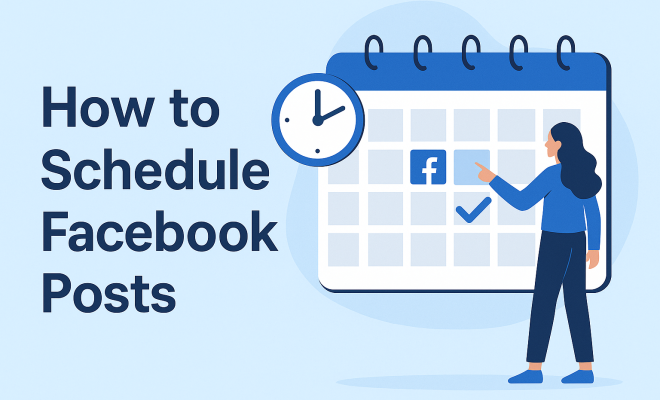
Managing a Facebook page can be a daunting task, especially if you’re trying to keep your audience engaged while juggling other responsibilities. That’s where the ability to schedule Facebook posts comes into play. This powerful feature can save time, ensure consistency, and maximize your reach. In this guide, we will explore everything you need to know about scheduling posts on Facebook, from the basics to advanced strategies.
1. Why Schedule Facebook Posts?
Scheduling Facebook posts is not just a convenience; it’s a strategic move. With over 2.8 billion active users, Facebook has become an essential platform for businesses and individuals alike. By scheduling your posts, you can ensure that your content goes live at the most optimal times, even when you’re not available to hit the “publish” button.
Imagine being able to set your content ahead of time for when your audience is most active, which is often during peak hours when you’re likely busy doing other things. This approach not only improves engagement rates but also maintains a steady flow of content on your page. In a world where consistency is key, being able to schedule posts allows you to stay relevant and visible.
2. The Benefits of Scheduling Posts
Beyond just convenience, there are multiple benefits to scheduling your Facebook posts. Here are some of the most notable:
- Time Management: Automating your posts frees up your time for other important tasks, allowing you to focus on strategy and engagement.
- Consistency: Regular posting keeps your audience engaged and can help you maintain a professional presence.
- Engagement: Posts published at the right time can lead to more likes, shares, and comments, enhancing your reach and visibility.
- Analytics: Scheduling allows you to analyze the performance of different posts and times, helping you refine your strategy over time.
These benefits combine to create a robust social media strategy that can significantly impact your overall marketing efforts. By planning your posts, you’re not just filling a content calendar; you’re crafting a compelling narrative that resonates with your audience.
3. Getting Started: Setting Up Your Facebook Account
Before you can start scheduling posts, you need to ensure your Facebook account is set up properly. If you’re managing a business page, make sure you have admin privileges. Here’s how to get started:
- Log into your Facebook account.
- Navigate to your business page.
- Ensure you have the latest version of the Facebook app if you’re using a mobile device.
With your page ready, you can access the tools needed for scheduling. For a streamlined experience, consider using Facebook’s Creator Studio or Business Suite, which are designed specifically for managing posts.
4. How to Schedule Facebook Posts Using Facebook’s Native Tools
Facebook provides an easy way to schedule Facebook posts directly through its platform. Here’s a step-by-step guide:
- Create your post as you normally would by clicking on the “Create Post” button.
- Once your content is ready, look for the “Publishing Options” or “Schedule” button (the exact wording may vary depending on updates).
- Choose the date and time you want your post to go live.
- Click “Schedule” to confirm.
Using these built-in tools not only simplifies the process but also ensures your posts are published at the right time without any hassle. You can edit or delete scheduled posts if your plans change, which offers flexibility.
5. Using Facebook Creator Studio for Advanced Scheduling
If you’re looking for more features beyond basic scheduling, Facebook’s Creator Studio is a robust tool that offers further enhancements. This platform allows you to manage all your content in one place, schedule posts across multiple Facebook pages, and even manage Instagram accounts.
To schedule posts using Creator Studio, follow these steps: (See: Learn about Facebook's user statistics.)
- Go to Creator Studio and select your Facebook page.
- Click on the “Create Post” button.
- After composing your post, click on the arrow next to the “Publish” button, and select “Schedule”.
- Pick your desired date and time, then click “Schedule”.
This platform also provides insights into how your posts are performing, which can help you optimize future content. Plus, it’s a one-stop-shop for all your social media needs.
6. Best Practices for Scheduling Facebook Posts
Simply scheduling posts isn’t enough; applying best practices can significantly enhance your results. Here are some tips to keep in mind:
- Know Your Audience: Understanding when your audience is most active is crucial. Use Facebook Insights to analyze engagement patterns.
- Vary Your Content: Mix up the types of posts you schedule. Include images, videos, polls, and links to keep your audience engaged.
- Use Scheduling Tools: Besides Facebook’s native options, consider third-party tools like Hootsuite or Buffer for even more features.
- Review and Adjust: Regularly check the performance of your scheduled posts and adjust your strategy accordingly.
By following these practices, you can maximize your engagement and ensure that your scheduled posts effectively reach your target audience.
7. Common Mistakes to Avoid
Even seasoned marketers can slip up when it comes to scheduling posts. Here are some common pitfalls to watch out for:
- Ignoring Time Zones: If your audience spans multiple time zones, be mindful of when you schedule posts.
- Over-Scheduling: While consistency is key, bombarding your audience with too many posts in a short period can lead to disengagement.
- Lack of Interaction: Scheduling posts should not mean neglecting real-time engagement. Be available to interact with your audience when your posts go live.
Avoiding these mistakes can lead to a more effective social media strategy, allowing you to build a more engaged community around your brand.
8. Analyzing Your Scheduled Posts
Once you’ve started scheduling your posts, it’s essential to analyze their performance. Facebook Insights provides valuable information about how your posts are performing. You can track metrics such as reach, engagement, and click-through rate to get a clearer picture of what is resonating with your audience.
Look for patterns in the data. For example, are your posts performing better on certain days or at specific times? Are videos generating more engagement than images? This information is crucial for refining your scheduling strategy and optimizing future content.
9. Leveraging Third-Party Tools for Enhanced Scheduling
If you’re looking for additional functionality, several third-party tools can help you schedule Facebook posts more effectively. Tools like Buffer, Hootsuite, and Sprout Social offer features like content curation, multiple platform scheduling, and detailed analytics.
These platforms enable you to manage your entire social media presence from one dashboard and often provide insights that can help you improve your engagement rates. They also allow you to schedule posts for multiple platforms at once, saving you even more time.
10. Staying Ahead of the Curve: Future Trends in Social Media Scheduling
The landscape of social media is constantly evolving. Staying updated on trends in scheduling can give you a competitive edge. Artificial intelligence (AI) is increasingly being integrated into scheduling tools, offering features like optimal posting times based on audience behavior and predictive analytics for future posts.
Moreover, as video content continues to dominate social media, scheduling tools will need to adapt to prioritize this format. Embracing these changes will ensure your strategy remains effective and your engagement rates continue to grow.
11. Creating a Content Calendar
One of the best ways to manage your scheduled posts is to develop a content calendar. This tool helps you plan out your posts in advance, ensuring a balanced mix of content types and topics. Here’s how you can create an effective content calendar: (See: Explore social media's impact on youth.)
- Define Your Goals: What do you want to achieve with your posts? Is it increased engagement, higher sales, or brand awareness? Knowing your goals will guide your content decisions.
- Choose Your Themes: Assign themes for different days or weeks. For instance, you could have “Motivation Monday,” “Tip Tuesday,” or “Throwback Thursday” to keep content fresh and engaging.
- Plan Ahead: Schedule your posts a month in advance if possible. This not only saves time but allows for better strategic planning.
- Include Key Dates: Mark holidays, product launches, or other important events that should be acknowledged in your posts.
A content calendar helps you visualize your posting strategy and can significantly improve your overall effectiveness on Facebook.
12. Using Facebook Insights for Better Scheduling
Facebook Insights is a powerful tool that provides a wealth of data about your audience and their interaction with your posts. Here’s how you can use this data to improve your posting schedule:
- Identify Peak Engagement Times: Insights will show you when your fans are online. Schedule your posts to coincide with these times to maximize visibility.
- Analyze Post Performance: Look at which posts received the most engagement. Was it a particular type of post or content? Use this information to inform future scheduling.
- Monitor Audience Growth: Pay attention to how your audience grows over time. If you notice spikes, investigate what content may have driven that growth and adjust your strategies accordingly.
Regularly checking Insights and adjusting your schedule based on this data can give you a significant edge over less data-driven competitors.
13. Engaging with Your Audience Post-Scheduling
While scheduling posts is effective, it’s equally important to engage with your audience after your content goes live. Consider these tactics:
- Respond to Comments: Make it a habit to check your posts shortly after they go live. Responding to comments in a timely manner encourages further engagement.
- Ask Questions: Posts that prompt your audience to share their thoughts or experiences can ignite conversations and increase interaction.
- Use Polls and Questions: Incorporating polls can be a fun and engaging way for your audience to interact with your content. It also provides valuable insights into their preferences.
Remember, social media is about building relationships. Engaging with your audience fosters loyalty and creates a strong community around your brand.
14. FAQ: Common Questions About Scheduling Facebook Posts
Q1: Can I edit or delete scheduled posts on Facebook?
Yes, you can. Simply navigate to the Publishing Tools or Creator Studio, find your scheduled posts, and select the option to edit or delete them.
Q2: Is there a limit to how far in advance I can schedule posts?
Facebook allows you to schedule posts up to six months in advance, which gives you plenty of flexibility for long-term planning.
Q3: Can I schedule posts for multiple Facebook pages at once?
Yes, if you use Facebook’s Creator Studio or third-party tools like Hootsuite, you can manage and schedule posts for multiple pages simultaneously.
Q4: Are there any best times to schedule posts?
The best times to post can vary based on your audience. Typically, weekdays around lunchtime and evenings see higher engagement rates, but it’s crucial to analyze your specific audience’s behavior through Facebook Insights.
Q5: What types of content should I focus on for scheduled posts?
Consider a mix of content types such as promotional posts, educational content, engaging questions, and community-focused posts. This variety keeps your audience interested and engaged. (See: Stay updated with social media trends.)
15. Advanced Strategies for Scheduling Facebook Posts
Once you’ve mastered the basics of scheduling posts, it’s time to explore advanced strategies to elevate your social media game. Here are some effective approaches:
- Utilize Audience-Specific Content: Create posts that cater to different segments of your audience. Use Facebook’s audience targeting features to ensure specific posts reach the right demographics.
- Incorporate User-Generated Content: Share content created by your audience. It shows appreciation and builds community. Schedule these posts at times when engagement is typically high.
- Experiment with Formats: Don’t stick to one type of post. Experiment with videos, live streams, stories, and carousel posts to see what resonates most with your audience.
- Leverage Seasonal Trends: Plan your content around seasonal trends and events relevant to your brand. This can include holidays, industry events, or even viral trends that align with your message.
16. Case Studies: Successful Facebook Post Scheduling
To understand the impact of effectively scheduling Facebook posts, let’s look at a couple of case studies:
Case Study 1: A Local Coffee Shop
A local coffee shop began using Facebook scheduling tools to post daily specials and engaging content. By analyzing insights, they discovered that their audience was highly active in the afternoon. They started scheduling posts featuring their daily brews at 2 PM, resulting in a 40% increase in engagement rates within the first month.
Case Study 2: An E-commerce Brand
An e-commerce clothing brand used scheduled posts to promote upcoming sales events. They utilized audience insights to target posts about specific products to different customer segments. This tailored approach led to a 25% increase in click-through rates and a 15% increase in sales during promotional weeks.
17. Integrating Social Media with Other Marketing Efforts
For a comprehensive marketing strategy, integrating Facebook scheduling with other channels is vital. Here’s how:
- Email Marketing: Share your scheduled Facebook content in newsletters. This drives traffic to your Facebook page and encourages your email audience to engage with your social media content.
- Blog Content: Promote blog posts on your Facebook page by scheduling posts that link to new articles. This drives traffic to your website while providing value to your audience.
- Cross-Promotion: Promote your Facebook posts on other social platforms like Instagram or Twitter. This can create a cohesive brand message and draw in followers from different platforms.
18. Conclusion
In the end, mastering the art of scheduling Facebook posts is not just about saving time—it’s about making smart, strategic choices that position you for success in a competitive digital landscape. By understanding the tools available, applying best practices, and continually analyzing your performance, you can turn scheduling into a powerful component of your social media strategy.
“`
Trending Now
Frequently Asked Questions
How do I schedule posts on Facebook?
To schedule posts on Facebook, go to your Facebook page, create a new post, and then click on the arrow next to 'Publish'. Select 'Schedule' from the dropdown menu, choose your desired date and time, and click 'Schedule'. Your post will automatically publish at the selected time.
What are the benefits of scheduling Facebook posts?
Scheduling Facebook posts offers several benefits, including improved time management, consistent posting schedules, increased engagement during peak hours, and the ability to analyze post performance. This strategic approach can help maintain a professional presence and maximize your reach.
Can I edit a scheduled post on Facebook?
Yes, you can edit a scheduled post on Facebook. Go to your 'Publishing Tools', find the scheduled post, click on it, and select 'Edit'. You can change the content, date, or time before it goes live.
Is there a limit to how far in advance I can schedule Facebook posts?
Facebook allows you to schedule posts up to six months in advance. This flexibility enables you to plan your content strategy effectively, ensuring you maintain a consistent posting schedule.
What is the best time to schedule Facebook posts?
The best time to schedule Facebook posts varies by audience, but generally, weekdays between 1 PM and 3 PM are considered optimal. Analyzing your audience's engagement patterns can help you determine the most effective posting times.
What did we miss? Let us know in the comments and join the conversation.