How to use Google search within site
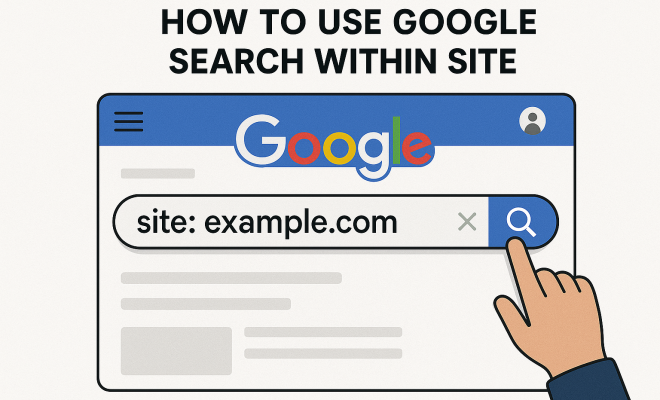
“`html
Understanding how to effectively use site search Google can significantly enhance your browsing experience, whether you’re a researcher, a student, or simply someone who wants to find information quickly. Often, we type our queries into the Google search bar without realizing the power of utilizing site-specific search functions. This comprehensive guide will delve into the nuances of using Google search within specific sites, providing you with practical insights and tips to streamline your search efficiency.
1. Understanding Site-Specific Searches
When we talk about site search Google, we’re referring to the ability to limit your search results to a specific website or domain. This can be incredibly useful when you’re looking for particular information that is buried deep within a site. By using the site: operator, you can filter out irrelevant results from other domains, honing in on content that’s directly related to your query.
For example, if you wanted to find articles related to climate change on the NASA website, you would type climate change site:nasa.gov into the Google search bar. This method not only saves time but also increases the relevancy of the results, ensuring you find exactly what you’re looking for without sifting through unrelated pages.
2. Why Use Google Site Search?
The primary reason to use site search Google is efficiency. If you’ve ever tried to navigate through a large website, you know it can be a tedious process. Sometimes you may not even know which section of the site holds the information you seek. With site-specific searches, you can drastically reduce the time spent searching.
Moreover, many websites house a wealth of information that may not be easily accessible through their navigation menus. Using Google to search within a site ensures that you access all relevant content, including blog posts, articles, product information, and FAQs that might otherwise go unnoticed.
3. How to Conduct a Site Search
Conducting a site search using Google is straightforward. Begin by entering the desired search term followed by the site: operator and the website’s domain. For instance, to search for recipes on Food Network, input: recipes site:foodnetwork.com.
For more targeted searches, you can combine multiple operators. For example, if you’re looking for vegetarian pasta recipes on the same site, you can refine your search to vegetarian pasta recipes site:foodnetwork.com. The more specific your search query, the more relevant the results will be.
4. Advanced Search Operators
Beyond the basic site: operator, Google offers several advanced search operators that can enhance your experience. Here are a few you should consider:
intitle:– This operator allows you to search for keywords in the title of the page. For example,intitle:recipe site:bbc.comwill show pages with ‘recipe’ in the title from BBC.inurl:– Use this to find keywords specifically in the URL. For example,inurl:blog site:techcrunch.comwill provide results from blogs on TechCrunch.filetype:– If you’re looking for specific file types, like PDFs or DOCs, this operator is invaluable. For instance,marketing filetype:pdf site:harvard.edulocates PDF documents related to marketing on Harvard’s site.
By combining these operators with the site: command, you can conduct highly targeted searches that yield precise results.
5. Case Study: Academic Research
For students and researchers, using site search Google can be a lifesaver. Imagine you’re writing a thesis on renewable energy and need to find scholarly articles. Instead of wading through vast databases, you can directly search a trusted domain like JSTOR by entering renewable energy site:jstor.org.
This method not only provides access to peer-reviewed articles but also saves hours of combing through irrelevant information. Additionally, it helps in uncovering articles that might not show up in a broader search, as they are tucked away in specific archives.
6. Finding Images and Videos
Google’s site-specific search isn’t just for text-based content; it extends to images and videos as well. If you’re looking for specific images on a website, you can search using site: in Google Images. For example, to find photos of the Amazon rainforest on National Geographic’s site, you would search: amazon rainforest site:nationalgeographic.com. (See: NASA official website.)
Similarly, if you want videos from a particular source, switch to Google Video or YouTube and apply the site: operator to filter results. This is particularly useful for educators and content creators looking for visual resources on specific topics.
7. Tips for Effective Site Search
To make the most out of your site searches, consider the following tips:
- Be Specific: The more specific your query, the better your results. Instead of searching for ‘technology’, try ‘artificial intelligence in healthcare’.
- Check for Updates: Websites often update content. If you haven’t found what you need, consider altering your search terms or visiting the site directly.
- Utilize Keywords: Identify the keywords most relevant to your search. Think about synonyms or related terms to broaden your search.
By applying these strategies, you can improve the relevancy and efficiency of your searches.
8. Common Mistakes to Avoid
Even seasoned internet users can make mistakes with site searches. Here are some common pitfalls to avoid:
- Using Incorrect Syntax: Ensure you’re using the correct operator syntax. A common mistake is forgetting to include the colon (:) after
site. - Too Broad of Searches: Searching for a very general term on a large site may yield too many results. Narrowing down your terms can save time.
- Ignoring Mobile vs. Desktop: Some sites display different content on mobile versus desktop. Make sure you’re checking the right version of the site.
Avoiding these mistakes can significantly enhance your search experience and lead to better results.
9. The Future of Search: AI and Beyond
As technology progresses, the way we search for information is evolving as well. AI-driven algorithms are beginning to change how search engines interpret and prioritize information. Google’s search algorithms are being designed to understand user intent better, which could impact how site-specific searches are conducted.
In the coming years, we might see enhancements in semantic search capabilities that will allow Google to understand the context behind your queries even more deeply. This means that using site search Google could become even more intuitive, providing users with results that are increasingly refined and relevant.
10. Leveraging Google Site Search for SEO
For website owners and marketers, understanding site search Google is critical for improving site visibility and user experience. By analyzing how users conduct site-specific searches, you can optimize your content to match their queries. This involves identifying popular search terms that lead users to your site, honing in on specific keywords, and placing them strategically throughout your content.
Moreover, implementing effective internal linking can enhance user navigation on your site. When users can quickly find related content through links, it not only improves their experience but also increases the likelihood of them staying on your site longer. Google takes into account user engagement metrics, so a lower bounce rate can positively impact your search ranking.
11. Examples of Practical Applications
Understanding the practical applications of site search Google can help you grasp its importance better. For example, if you’re a job seeker, searching for job postings on a company’s website using jobs site:company.com can help you uncover opportunities that might not be advertised on job boards. Similarly, researchers can search for specific studies or publications within academic institutions to access invaluable resources quickly.
In the field of e-commerce, customers often want to locate specific products. For instance, searching for “wireless headphones site:bestbuy.com” can lead to more accurate results compared to a general Google search. This not only enhances the shopping experience but also increases the chances of making a sale.
12. Statistics on Google Search Usage
Understanding the usage statistics of Google searches can highlight the importance of site-specific searches. According to recent data, over 3.5 billion searches are conducted on Google every day. This staggering number underscores the need for effective search strategies, especially when narrowing results to specific sites.
Moreover, studies show that about 50% of users prefer site-specific searches when looking for information about a brand. This indicates that many consumers find direct access to information on the official website more trustworthy and reliable compared to broader searches.
13. Frequently Asked Questions (FAQ)
What is site search in Google?
Site search in Google refers to the ability to limit search results to a specific website or domain using the site: operator. This helps users find relevant content without sifting through unnecessary results from other sites. (See: CDC official website.)
How can I perform a site search?
To perform a site search, type your search term followed by the site: operator and the website’s URL. For example, latest news site:cnn.com will show news articles specifically from CNN’s site.
Can I search multiple sites at once?
Google does not allow you to search multiple sites at once using the site: operator directly. However, you can use the OR operator to include multiple sites in your query. For example, climate change site:nasa.gov OR site:earthobservatory.nasa.gov will return results from both specified sites.
What are some benefits of using Google site search?
The benefits include increased efficiency in finding information, access to site-specific content that may not appear in broader searches, and saving time by filtering out irrelevant results.
Are there any limitations to using site search?
One limitation is that not all content on a website may be indexed by Google, especially if it’s behind a paywall or in restricted areas. Additionally, some sites may use different structures that could affect search results.
How can businesses use site search to improve user experience?
Businesses can analyze site search data to find popular terms and optimize their content accordingly. By ensuring that information is easily accessible and that relevant pages are linked, businesses can enhance user navigation and satisfaction.
Is there a way to improve my site’s visibility in Google site searches?
Yes! Regularly updating your content and ensuring that it aligns with the keywords users are searching for can improve your site’s visibility. Additionally, optimizing page load speed and mobile responsiveness can help maintain user engagement, which is crucial for SEO.
What should I do if my site isn’t appearing in site searches?
If your site isn’t appearing in search results, check for any technical issues such as robots.txt files that may block indexing or ensure that your site isn’t penalized for any SEO practices. Furthermore, submitting your site to Google Search Console for indexing can help improve visibility. Related reading: search tips for students.
14. Final Thoughts on Site Search Google
Harnessing the power of site search Google can dramatically change the way you find information online. By utilizing specific search operators, understanding their functions, and avoiding common mistakes, you can become a more efficient and effective searcher. As the digital landscape continues to evolve, staying informed about these tools will empower you to navigate the vast ocean of information with ease.
So, the next time you need to find information buried deep within a website, remember these tips and techniques. They could turn a frustrating search into a seamless experience, providing you with the information you need quickly and efficiently.
15. Exploring the Importance of User Intent
To use site search Google effectively, understanding user intent is key. When you search for something, you aren’t just looking for keywords; you’re looking for answers that meet your specific needs. Google’s algorithms are designed to interpret these intents, but as a user, you can enhance your search by being clear about what you want.
For example, if you’re looking for recent news articles, adding the year can refine your search even further. Instead of searching simply for “COVID-19 vaccine site:npr.org”, try “COVID-19 vaccine news 2023 site:npr.org”. This way, you’re not only specifying the site but also the type of information you’re interested in, which can lead to more precise results.
16. Impact of Site Structure on Search Results
The structure of a website can significantly affect how well results appear in site-specific searches. Websites with a clean, organized structure often yield better search results because Google can crawl them more efficiently. For instance, if a website has a well-defined hierarchy with relevant keywords in URLs and headers, it’s more likely that a search query using the site: operator will yield favorable results. (See: New York Times articles.)
Conversely, if a site has poor navigation or lacks relevant metadata, it can be difficult for Google to index the content effectively. This is why maintaining a website’s architecture is crucial, not only for user experience but also for improving visibility in site searches.
17. Using Site Search for Competitive Analysis
Another interesting use of site search Google is for competitive analysis. Marketers can leverage site-specific searches to gain insights into their competitors’ content strategies. For instance, if you’re interested in a competitor’s blog posts, you can search site:competitor.com blog to see what types of articles they’re producing, how frequently they post, and the topics they cover.
By analyzing their content, you can identify gaps in your own strategy, discover new topics, and even see which articles are attracting the most engagement. This can inform your content creation efforts, helping you to stay ahead in your field.
18. International Considerations for Site Search
When using site search Google in an international context, it’s important to consider language and regional differences. If you’re searching for information on a site that’s primarily in another language, using the appropriate language for your query can yield better results. For example, searching for “meilleures pratiques site:fr.wikipedia.org” will lead to more relevant content on the French Wikipedia site compared to an English query.
Additionally, different regions may have varying content regulations, which could affect the availability of certain information on websites. Understanding these factors can enhance your ability to find the right content regardless of geographic barriers.
19. Incorporating Site Search into Everyday Tasks
Incorporating site search Google into your daily tasks can save you a lot of time and frustration. For instance, if you’re a student, utilizing site searches can help you quickly locate textbooks or study materials on your university’s website. You might use a query like course materials site:university.edu to directly access essential resources without navigating through multiple menus.
Similarly, professionals can streamline their work processes. By searching for specific policies or documents on their company’s intranet, they can find crucial information much faster, increasing productivity and reducing downtime.
20. Conclusion: Empowering Your Search Skills
In a world where information is vast and often overwhelming, mastering site search Google is an invaluable skill. By applying the techniques discussed here, you can turn the chaos of web searching into an organized and efficient process. Whether for academic, professional, or personal use, the ability to find precise information swiftly will empower you in all your endeavors.
Remember, the digital landscape is always evolving, and with it, the tools and strategies for effective searching. Staying informed and adaptable will ensure you leverage the full potential of site-specific searches, ultimately leading to enhanced productivity and knowledge acquisition.
“`
Trending Now
Frequently Asked Questions
How do I search a specific website on Google?
To search a specific website using Google, use the 'site:' operator followed by the website's domain and your search term. For example, type 'climate change site:nasa.gov' to find relevant articles on the NASA website.
What is the benefit of using Google site search?
The benefit of using Google site search is efficiency. It helps you quickly find specific information within a website without sifting through unrelated content, saving you time and increasing the relevancy of your results.
Can I search for images on a specific site using Google?
Yes, you can search for images on a specific site by using the 'site:' operator along with your search term and selecting the 'Images' tab on Google. For example, 'cats site:example.com' will show images of cats from that specific site.
What does the site search operator do?
The site search operator, 'site:', allows you to limit your Google search results to a specific website or domain. This is useful for finding information that may not be easily accessible through the site's navigation.
Is there a way to refine my Google site search results?
Yes, you can refine your Google site search results by combining the 'site:' operator with additional keywords or phrases. This will help you narrow down the results to find the most relevant content on the specified site.
Agree or disagree? Drop a comment and tell us what you think.