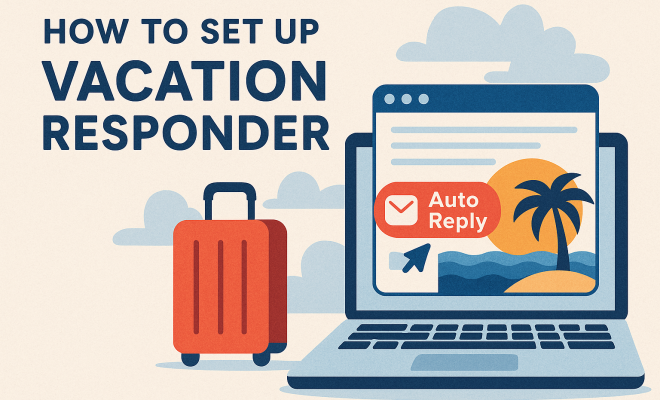
How to set up vacation responder
“`html
Setting boundaries is key to a healthy work-life balance, and one of the simplest yet most effective ways to do this is through a vacation responder setup. Whether you’re heading out for a week-long trip or just taking a short break, a well-crafted vacation responder can keep your colleagues, clients, and friends informed of your absence and expectations. In this article, we’ll explore how to set up a vacation responder properly, the benefits of doing so, and tips for making it as effective as possible.
1. Understanding Vacation Responders
A vacation responder, also known as an out-of-office message, is an automated email reply that notifies people that you’re currently unavailable to respond to their emails. This feature is found in most email services, including Gmail, Outlook, and Yahoo Mail. It’s a practical tool that helps manage expectations and provides essential information to those trying to reach you.
The primary purpose of a vacation responder is to communicate your unavailability during specific dates. It assures senders that their emails haven’t been ignored and informs them when they can expect a reply. In a professional setting, it’s particularly important as it maintains relationships and keeps communication clear, even when you’re away.
2. When to Use a Vacation Responder
While the name suggests it’s mainly for vacations, you can use a vacation responder in various situations. Anytime you’ll be away from your email for an extended period—be it for travel, medical leave, or personal matters—setting one up is a good idea. It’s not just for those long holidays; even a single day away from the office can warrant a vacation responder.
Consider using a vacation responder when you know you won’t have regular access to email. If you’re attending a conference, on a digital detox, or participating in any event where responding to emails isn’t feasible, activate your vacation responder. This way, you ensure that everyone is well-informed and that your absence doesn’t lead to miscommunication or frustration.
3. Steps for Setting Up a Vacation Responder in Gmail
If you use Gmail, setting up a vacation responder is straightforward. Here’s how you can do it in just a few steps:
- Log in to your Gmail account: Open Gmail and sign in with your credentials.
- Access Settings: Click on the gear icon in the upper right corner, then select “See all settings.”
- Navigate to the “General” tab: Scroll down to find the “Vacation responder” section.
- Turn on the vacation responder: Select “Vacation responder on.” Specify the first and last day of your absence.
- Compose your message: Write a clear and concise message that includes your return date and alternative contact information.
- Save changes: Don’t forget to click “Save Changes” at the bottom of the page.
With these simple steps, your vacation responder will be active, ensuring that anyone who emails you during your absence receives your message.
4. Setting Up a Vacation Responder in Outlook
If Outlook is your email client of choice, the setup process is equally simple. Follow these steps to configure your vacation responder:
- Open Outlook: Start by launching the Outlook app on your computer or the Outlook web app.
- Go to File: Click on “File” in the upper left corner.
- Select Automatic Replies: Click on “Automatic Replies (Out of Office).”
- Set your replies: Choose “Send automatic replies” and specify the date range for your absence.
- Compose your message: Write your out-of-office message for both internal and external senders.
- Click OK: Save your changes by clicking “OK.”
With these easy steps, you can ensure everyone knows you’re unavailable, just as you would in Gmail.
5. Crafting the Perfect Out-of-Office Message
Writing an effective out-of-office message is crucial for conveying the right tone. You want your message to be polite and professional while providing clear information. Here’s a template to consider:
Subject: Out of Office
Thank you for your email. I am currently out of the office from [start date] to [end date]. During this time, I will have limited access to my email. If your matter is urgent, please contact [alternate contact name] at [alternate contact email]. Otherwise, I will respond to your message as soon as possible upon my return. Thank you for your understanding!
Best regards,
[Your Name]
Feel free to adjust the template as necessary for your situation. Including an alternative contact is particularly helpful, as it ensures that urgent matters are still addressed in your absence. (See: importance of taking breaks.)
6. Best Practices for Vacation Responder Setup
To ensure that your vacation responder is effective, consider these best practices:
- Timing is key: Set up your responder a day or two before you leave to catch any last-minute emails.
- Keep it brief: Aim for clarity. Your message should be direct and to the point, avoiding unnecessary details.
- Update your contacts: If you have regular correspondents, inform them of your absence ahead of time to minimize confusion.
- Test your message: Send a test email to yourself to ensure that the vacation responder is working correctly.
By following these best practices, you can create an effective vacation responder that meets your needs and maintains professionalism in your absence.
7. Common Mistakes to Avoid
Despite the simplicity of setting up a vacation responder, some common pitfalls can hinder its effectiveness. Here are a few mistakes to avoid:
- Vague messages: Avoid generic messages that do not provide specific return dates or alternative contacts.
- Failure to turn it off: Remember to disable the vacation responder upon your return to avoid confusing your contacts.
- Not updating your message: If your return date changes, ensure your message is updated accordingly.
By steering clear of these errors, you can ensure that your vacation responder serves its purpose without causing unnecessary confusion.
8. Leveraging Vacation Responders for Better Work-Life Balance
Using a vacation responder isn’t merely about informing others of your absence; it’s also about taking control of your time. By clearly communicating your unavailability, you set boundaries that can significantly enhance your work-life balance. This is especially crucial in today’s fast-paced world, where the lines between work and personal life often blur.
Enabling a vacation responder sends a message not just to others but also to yourself: it’s okay to take a break and prioritize your well-being. Whether you’re going on vacation, spending time with family, or simply taking a mental health day, a well-timed out-of-office email reinforces the importance of stepping away and recharging.
9. Current Relevance of Vacation Responders
As remote work becomes increasingly common, the relevance of a vacation responder continues to grow. More professionals find themselves working from home, which can lead to a blurred distinction between work hours and personal time. A vacation responder helps re-establish this line, ensuring that everyone respects your time.
Moreover, as mental health awareness rises, taking a break and communicating it effectively has become a necessary practice. In a world that values productivity, it’s essential to remind ourselves—and others—that stepping back can lead to greater focus and efficiency when we return. Setting up a vacation responder can be a small but impactful step toward a healthier work environment.
In short, a vacation responder setup is more than just a tool; it’s an essential practice for effective communication, personal well-being, and professional boundaries. By taking a few moments to set it up, you can enjoy your time away with peace of mind, knowing that you’ve managed expectations appropriately.
10. Examples of Effective Vacation Responder Messages
To help you craft the perfect message, here are some examples of effective vacation responder messages that you can tailor to your needs:
Example 1:
Subject: Out of Office
Hello,
Thank you for reaching out. I am currently taking a vacation from [start date] to [end date]. During this time, my access to email will be limited. If you need immediate assistance, please contact [alternate contact name] at [alternate contact email]. I will respond to your email as soon as possible upon my return.
Best regards,
[Your Name]
Example 2: (See: work-life balance strategies.)
Subject: Out of Office
Hi there,
I appreciate your message. I’m out of the office from [start date] until [end date] and will not be checking emails regularly. If your inquiry is urgent, please reach out to [alternate contact name] at [alternate contact email]. I’ll respond to your email when I’m back in the office.
Thanks for your understanding!
Regards,
[Your Name]
These examples highlight clarity and professionalism, ensuring that your correspondents understand your absence and know who to contact if they need immediate help.
11. Statistics on Email Communication and Vacation Responders
Understanding how vacation responders enhance communication can be backed by some interesting statistics. According to a survey by the Radicati Group, the average office worker receives about 121 emails per day. That’s a significant volume, and with so many emails flowing into inboxes, timely communication becomes even more critical. Here are some key statistics related to email communication and the role of vacation responders:
- 32% of professionals say that not having a clear response about someone’s availability leads to confusion and delays.
- 70% of employees believe that effective communication boosts productivity and morale in the workplace.
- A study by the International Journal of Communication showed that timely responses to emails, including out-of-office messages, can foster better teamwork and collaboration.
These insights emphasize the importance of clear communication and how a vacation responder can contribute to a healthier work environment.
12. Expert Perspectives on Vacation Responders
To gain a deeper understanding of the value of vacation responders, we reached out to industry experts. Here’s what they had to say:
Dr. Jane Smith, Organizational Psychologist: “Setting boundaries is critical for mental health. Vacation responders not only inform others but also serve as a reminder to employees that taking time off is essential for productivity and well-being.”
John Doe, HR Consultant: “In today’s remote work culture, clarity in communication is vital. Out-of-office messages are a simple yet effective tool to maintain professionalism and manage expectations.”
These quotes highlight not just the practical aspects of vacation responders but also their psychological benefits in fostering a healthier workplace.
13. Frequently Asked Questions (FAQ)
What if I forget to set up my vacation responder?
If you forget to set up your vacation responder, it’s important to communicate your absence as soon as you can. You can send a quick email to your key contacts letting them know you will be unavailable for a specific period.
Can I customize my vacation responder for different audiences?
Yes! Many email applications allow you to set different messages for internal (within your organization) and external (clients or partners) audiences. This can help you tailor your message appropriately based on who is contacting you.
Is it unprofessional to include personal information in my vacation responder?
Avoid sharing too many personal details in your vacation responder. It’s best to keep your message professional and focus on your absence and alternative contacts rather than discussing your personal life.
How frequently should I update my vacation responder?
Whenever your plans change, or if you have a new return date, be sure to update your vacation responder immediately. Regular updates help maintain clarity and prevent confusion among your contacts.
Can I set up a vacation responder for recurring absences?
Many email systems allow you to set up a recurring vacation responder for regular absences, such as weekly half days or monthly vacations. Check your email provider’s settings to see if this feature is available.
What should I do if my vacation plans change while I’m away?
If your plans change while you’re away, you can update your vacation responder message from your mobile device or laptop, ensuring that your contacts have the latest information regarding your availability.
14. Creative Alternatives to Standard Vacation Responders
While traditional out-of-office messages are effective, you might want to consider some creative alternatives that can make your response stand out. Depending on your work environment and the relationships you have with your contacts, a more personalized or unique approach might be appreciated:
- Humorous Out-of-Office Reply: If appropriate for your audience, a lighthearted tone can add a personal touch. For example: “Thanks for your message! I’m currently off recharging my batteries. I’ll be back with a full charge on [return date]. For urgent matters, please reach out to [alternate contact].”
- Inspirational Quote: You can include a motivational quote about relaxation or taking time off. “I’m currently out of the office, taking some time to recharge my creativity. ‘Taking a break can lead to breakthroughs.’ – Unknown. I’ll respond to your email upon my return!”
- Link to a Blog Post: If you have a blog or a website, consider adding a link to a recent post about work-life balance or a similar topic. This way, you’re providing value while you’re away. “I’m out of the office until [return date]. While I’m gone, check out my latest blog on how to effectively disconnect from work!”
These alternatives can make your vacation responder feel more engaging and personal while still keeping the necessary professional tone.
15. Integrating Vacation Responders with Calendar Tools
Many modern calendar applications allow you to set up out-of-office notifications, which can complement your email vacation responder. Tools like Google Calendar and Microsoft Outlook calendar enable you to automatically block time during your absence, helping colleagues see when you won’t be available. Here’s how to integrate these tools:
- Google Calendar: Create an event for the dates you’ll be away and set it as “Out of Office.” This will automatically decline meeting requests during that time and notify those who try to schedule meetings. You can also include a note in the event description about your vacation responder.
- Microsoft Outlook: Set your status to “Out of Office” on your Outlook calendar. This lets your colleagues know you’re unavailable and will reflect in meeting requests. You can also add your out-of-office message in the event details.
By integrating vacation responders with calendar tools, you can provide a seamless communication experience for your colleagues and clients.
16. Conclusion: The Importance of a Thoughtful Vacation Responder Setup
Setting up a vacation responder is more than just a formality; it’s a reflection of your professionalism and respect for others’ time. By taking the time to craft a clear and engaging message, you not only inform others of your absence but also set the stage for maintaining strong communication when you return. Remember to personalize your messages to fit your style and the nature of your relationships, and always keep your audience in mind. Whether you choose a standard template or a more creative approach, a well-thought-out vacation responder setup will serve you well in balancing your professional and personal life.
“`
Trending Now
Frequently Asked Questions
What is a vacation responder?
A vacation responder, also known as an out-of-office message, is an automated email reply that informs senders that you're currently unavailable to respond. It communicates your absence and sets expectations for when they can expect a reply, helping to maintain clear communication.
When should I set up a vacation responder?
You should set up a vacation responder anytime you will be away from your email for an extended period, such as during travel, medical leave, or personal matters. It's also useful for short absences, like attending a conference or taking a day off.
How do I set up a vacation responder?
To set up a vacation responder, access the settings in your email service (like Gmail or Outlook), look for the vacation responder option, and fill in the dates and message you want to convey. Save the settings to activate the automated replies.
What should I include in my vacation responder message?
Your vacation responder message should include the dates of your absence, a brief explanation of your unavailability, and an alternative contact person if necessary. This ensures senders are informed and know when to expect a response.
Can I use a vacation responder for personal matters?
Yes, a vacation responder can be used for personal matters, not just vacations. It's helpful anytime you won't have regular access to email, such as during family events, personal days, or while participating in events where you can't respond.
What’s your take on this? Share your thoughts in the comments below — we read every one.