Mastering Jira: How to Assign Issues Effectively
“`html
When it comes to project management, few tools have made as significant an impact as Jira. Designed by Atlassian, this tool is a favorite among software development teams for its flexibility and powerful features. One of the most crucial tasks in Jira is how to assign issue in Jira. Understanding this process can greatly enhance your team’s workflow and efficiency. In this guide, we’ll break down the steps, best practices, and tips for effectively assigning issues in Jira.
1. Understanding Jira: A Brief Overview
Jira, introduced in 2002, is not just a bug-tracking tool; it’s a comprehensive project management platform. It caters to Agile methodologies, allowing teams to customize workflows, plan sprints, and manage releases. Its core functionality revolves around issues, which can represent tasks, bugs, or even features. To maximize productivity, assigning these issues correctly is vital.
Jira’s interface can be daunting for newcomers, especially with its myriad options and features. However, once you’re familiar with the basic navigation and functions, assigning issues becomes intuitive. The ability to assign tasks ensures accountability and enhances communication within the team, making it a cornerstone of effective project management.
2. Types of Issues in Jira
Before diving into the assignment process, it’s essential to understand the different types of issues you might encounter in Jira. The default issue types include:
- Task: A standard issue that represents work that needs to be done.
- Bug: An issue that indicates a defect or problem in the software.
- Story: A feature that provides a user-centric view of a task.
- Epic: A larger body of work that can contain multiple stories or tasks.
Each type serves a unique purpose, and understanding them helps in assigning the right person to the right task. For instance, a developer might be assigned to fix a bug, while a product manager could oversee a story’s development. Thus, knowing the issue type assists in streamlining workflows and improving collaboration.
3. Setting Up Your Team in Jira
Before you can assign issues, your team must be set up correctly within Jira. This involves adding team members, defining roles, and setting permissions. Here’s how to do it: (better project management tips)
- Adding Team Members: Navigate to the ‘User Management’ section in your Jira settings. Here, you can invite team members by entering their email addresses. Ensure they have the necessary permissions to access projects.
- Defining Roles: Jira allows you to create roles such as Developer, Tester, or Project Manager. Assign roles based on team members’ responsibilities. This helps in ensuring that only the appropriate individuals can assign issues.
- Setting Permissions: Permissions control what users can see and do within Jira. Make sure team members have the right permissions to view and edit issues relevant to their roles.
By establishing a well-defined team structure, you set the foundation for efficient issue assignment and management.
4. How to Assign an Issue in Jira
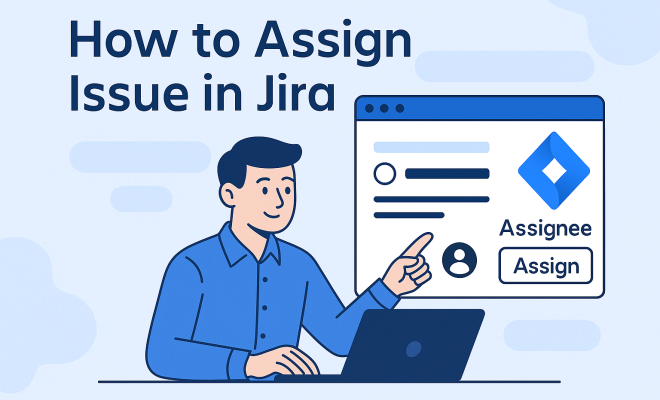
Now that your team is set up, let’s get to the heart of the matter: assigning an issue. The process is quite straightforward: (See: Jira overview on Wikipedia.)
- Open the Issue: Start by navigating to the issue you want to assign. You can do this by using the search bar or by browsing through your project’s backlog.
- Locate the Assignee Field: Once you have the issue open, look for the ‘Assignee’ field in the issue details section. This is where you’ll select who will take on the task.
- Select the User: Click on the ‘Assignee’ field, and a dropdown menu will appear, showing all team members eligible to be assigned. Choose the appropriate individual.
- Save Changes: After selecting the assignee, ensure you save the changes. Depending on your workflow, you may also want to transition the issue through different statuses (e.g., from ‘To Do’ to ‘In Progress’).
This simple process allows for clear accountability and helps prevent tasks from falling through the cracks. If a team member is overloaded, you can quickly reassign the issue to someone else, ensuring that work continues smoothly.
5. Best Practices for Assigning Issues
While the mechanics of how to assign issue in Jira are straightforward, applying best practices can enhance your team’s efficiency. Here are some techniques to consider:
- Be Specific: Always provide clear instructions and context when assigning an issue. This includes defining the task’s scope, urgency, and desired outcomes.
- Consider Workload: Be mindful of each team member’s current workload. An overburdened developer might struggle with new tasks, while someone with fewer assignments might take on more.
- Use Labels and Components: Utilize labels and components to categorize issues. This makes it easier for assignees to understand the context and relevance of their tasks.
- Regular Check-Ins: Schedule regular stand-up meetings or check-ins to evaluate team progress. This fosters accountability and encourages team members to voice any challenges they may be facing.
Following these practices not only streamlines the assignment process but also helps cultivate a productive team environment.
6. Tracking Progress and Reassigning Issues
Once issues are assigned, tracking their progress becomes crucial. Jira offers tools to monitor how each task is progressing, allowing you to make informed decisions. Here’s how to track and, if necessary, reassign issues effectively:
- Use Dashboards: Create customized dashboards to visualize the status of issues across your projects. This gives you a quick snapshot of what’s on track and what may require attention.
- Monitor Activity Logs: Activity logs provide insights into who made changes to an issue and when. This can help identify bottlenecks in the process.
- Reassign When Needed: If an assignee is struggling or if priorities shift, don’t hesitate to reassign the issue. This can be done using the same steps as the initial assignment process.
By actively tracking issues, you ensure tasks are completed on time and that your team remains aligned with project goals.
7. Common Challenges and Solutions
Even with the best intentions, issues can arise when assigning tasks in Jira. Here are some common challenges and their solutions:
- Miscommunication: Sometimes, the assignee may not fully understand the task. To prevent this, always attach detailed descriptions, acceptance criteria, and relevant documents.
- Overlapping Assignments: It’s possible that multiple team members might be assigned the same issue if proper checks aren’t in place. Utilize Jira’s permissions to control who can assign issues.
- Stale Issues: Issues that remain unassigned for too long can lead to project delays. Implement a policy for regular review to ensure all tasks are actively managed.
Recognizing and addressing these challenges proactively can significantly improve your team’s efficacy and overall project outcomes.
8. The Importance of Training and Continuous Improvement
Assigning issues in Jira is not just a one-time task; it’s part of an ongoing process that can benefit from training and development. Consider the following:
- Conduct Training Sessions: Regular workshops can help team members become more familiar with Jira’s features and best practices for issue assignment.
- Encourage Feedback: After issues are assigned, ask team members for feedback on the clarity of assignments and any challenges they encountered. This can lead to continuous improvement.
- Stay Updated: Jira frequently updates its software with new features. Keeping abreast of these changes can help you leverage the tool effectively.
By fostering a culture of learning and adaptability, your team can continually improve how they assign and manage issues in Jira. (See: Harvard University resources.) See also top project management apps.
9. Advanced Features for Issue Assignment
Jira is packed with advanced features that can enhance how you assign issues. Here are a few of the standout options that teams often overlook:
- Automation Rules: Jira allows you to set up automation rules that can trigger actions based on specific events. For instance, you can automate issue assignments based on certain criteria, such as the type of issue or the workload of team members. This helps to streamline the assignment process and ensures that tasks go to the most appropriate team members.
- Workload Management: Use the Workload Pie Chart or the Workload Report to visualize team members’ workloads. This can help managers make informed decisions when assigning new issues, ensuring that no one is overwhelmed while others are underutilized.
- Custom Fields: Consider creating custom fields that can help provide additional context for the assignee. Whether it’s priority level, estimated time to complete, or dependencies on other tasks, these fields can enhance clarity and improve task management.
10. Integrating Jira with Other Tools
Many teams use additional tools to complement their project management needs, and fortunately, Jira integrates seamlessly with various applications, enhancing the assignment process. Here are some notable integrations:
- Confluence: By integrating Jira with Confluence, teams can link issues to documentation and project notes. This makes it easier for assignees to access relevant resources and understand the context of their tasks better.
- Slack: Integrating Jira with Slack can facilitate real-time communication. Team members can receive notifications about assigned issues directly in their Slack channels, keeping everyone updated without having to switch back and forth between platforms.
- GitHub: For development teams, linking Jira with GitHub can connect code changes with assigned issues. This helps developers see the relationship between their code and the tasks they are working on, fostering a more streamlined workflow.
11. Measuring the Effectiveness of Issue Assignment
Once you’ve implemented a system for assigning issues, it’s essential to measure its effectiveness. Here are some key metrics you might consider tracking:
- Time to Resolution: Measure the time it takes from assigning an issue to its resolution. This can help you understand how effectively tasks are being handled and may indicate whether further training or resources are needed.
- Assignment Load Balance: Track how many issues are assigned to each team member over a specific period. This can help identify any imbalances in workload, enabling you to distribute tasks more evenly.
- Quality of Work: Gauge the quality of work done based on assigned issues. For example, you might measure the number of bugs reported after a feature is completed to assess whether the assignee’s work met the project’s standards.
12. FAQ: Assigning Issues in Jira
Here are some frequently asked questions regarding the issue assignment process in Jira:
What happens if I forget to assign an issue?
If an issue is not assigned, it could lead to confusion and delays in project timelines. It’s best practice to have a system in place for periodically reviewing unassigned issues and assigning them to the appropriate team members.
Can I assign issues to multiple people?
By default, Jira allows only one assignee per issue to maintain accountability. However, you can use sub-tasks or labels to indicate multiple contributors for a task if collaboration is needed.
How can I quickly reassign multiple issues at once?
Jira provides bulk change capabilities, allowing you to select multiple issues and change their assignee in one go. Use the search function to filter the issues you want to reassign, select them, and choose ‘Bulk Change’ from the options.
What if the assigned user is out of the office?
If a team member is out, you can either reassign their issues temporarily or use the ‘Watcher’ feature to keep others informed. It’s also helpful to have a backup plan in place for task assignments during such times.
Is there a way to automate the assignment of issues based on specific criteria?
Yes, Jira’s automation features allow you to set rules for automatic assignment based on criteria such as issue type, components, or labels. This can save time and ensure that issues are assigned to the most suitable team members.
13. Handling Conflicts and Prioritization
In any project, conflicts can arise when multiple team members have competing priorities or when deadlines overlap. It’s essential to develop strategies to handle these situations effectively. Here are some approaches:
- Prioritization Frameworks: Utilize frameworks like MoSCoW (Must have, Should have, Could have, Won’t have) to categorize tasks and determine their urgency. This helps teams make informed decisions about which issues to tackle first.
- Conflict Resolution Meetings: When conflicts arise, convene a brief meeting to discuss the issues at hand. Allow team members to voice their concerns and collaboratively decide on the best course of action.
- Transparent Communication: Maintain open lines of communication about workloads and deadlines. Encouraging team members to share their capacity helps prevent conflicts from escalating.
14. Encouraging Accountability Through Assignments
Accountability is critical in any team environment. By clearly assigning issues, you foster a culture of responsibility. Here are ways to enhance accountability in your Jira assignments:
- Define Success Criteria: For each assigned issue, clearly outline what success looks like. This not only provides clarity but also helps assignees understand the expected outcomes.
- Regular Updates: Encourage team members to provide regular updates on their assigned issues. This can be through daily stand-ups or status reports, ensuring everyone is aware of progress and potential roadblocks.
- Acknowledge Contributions: Recognize team members who consistently meet their commitments. This boosts morale and encourages others to take ownership of their assigned tasks.
15. Conclusion: Mastering Jira for Enhanced Collaboration
In today’s fast-paced project environments, mastering how to assign issue in Jira is paramount for success. By understanding the nuances of Jira, establishing structured team practices, and embracing continuous improvement, you position your team for optimal performance. Remember, an efficiently assigned and managed issue translates into timely project delivery and a collaborative team atmosphere. Related reading: software for improved project management.
So, the next time you log into Jira, take a moment to reflect on your assignment strategies and consider how they contribute to your project’s success. With the right approach, Jira can be a powerful ally in achieving your project goals.
“`
Trending Now
Frequently Asked Questions
How do I assign an issue in Jira?
To assign an issue in Jira, open the issue you want to assign. Find the 'Assignee' field, click on it, and select the team member you wish to assign the task to. Ensure that the person you assign has the appropriate permissions to work on the issue for effective collaboration.
What are the different types of issues in Jira?
Jira categorizes issues into several types: Task (standard work), Bug (defect in the software), Story (user-centric feature), and Epic (larger body of work containing multiple stories or tasks). Understanding these types helps in assigning the right issues to the appropriate team members.
Why is assigning issues important in Jira?
Assigning issues in Jira is crucial for accountability and communication within the team. It ensures that tasks are clearly allocated to individuals, enhancing workflow efficiency and helping teams track progress effectively throughout the project lifecycle.
Can I change the assignee of an issue in Jira?
Yes, you can change the assignee of an issue in Jira. Simply open the issue, click on the 'Assignee' field, and choose a different team member from the dropdown menu. This flexibility allows for adjustments as project needs evolve.
What should I consider when assigning issues in Jira?
When assigning issues in Jira, consider each team member's workload, expertise, and availability. Ensure that the person assigned has the skills necessary to complete the task effectively, and communicate clearly about expectations and deadlines.
Agree or disagree? Drop a comment and tell us what you think.