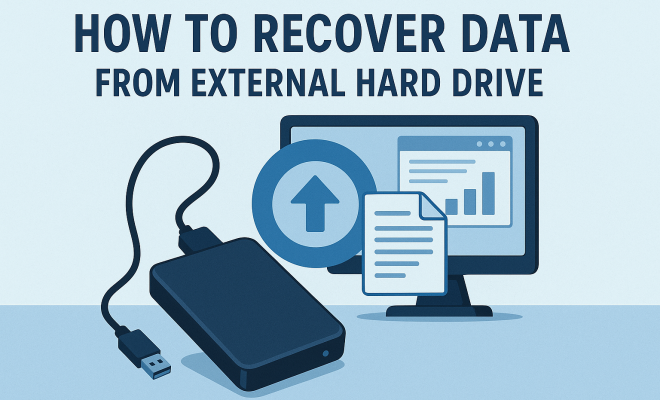
How to recover data from external hard drive
“`html
External hard drives have become an essential part of our digital lives, providing a convenient means to store and transfer large quantities of data. However, like any electronic device, they are susceptible to failure, accidental deletion, or corruption. If you’ve ever found yourself in a situation where important files seem lost forever, you know the emotional rollercoaster that accompanies data loss. In this comprehensive guide, we’ll explore the ins and outs of data recovery from external hard drives, covering everything from prevention tips to step-by-step recovery methods.
1. Understanding External Hard Drives
Before diving into recovery methods, it’s crucial to understand what external hard drives are and how they function. Essentially, these devices are portable storage solutions that connect to your computer via USB or other interfaces. They are widely used for backup purposes, transferring files between computers, and freeing up space on internal drives.
External hard drives come in two main types: HDDs (Hard Disk Drives) and SSDs (Solid State Drives). HDDs use spinning disks to read and write data, making them more prone to mechanical failure. On the other hand, SSDs have no moving parts, which makes them faster and more durable, but they can still suffer from data corruption in certain conditions.
2. Common Causes of Data Loss
Understanding the reasons why data loss occurs can help you take proactive steps to prevent it. Here are some of the most common causes:
- Accidental Deletion: One of the simplest yet most devastating ways to lose data is through accidental deletion. Whether it’s hitting the delete button or formatting the entire drive, these actions can lead to irreversible loss.
- Physical Damage: External hard drives are portable, which makes them susceptible to drops, spills, and other forms of physical damage. Even a small impact can damage the internal components.
- Corruption: File system corruption can occur due to improper ejection, power failures, or software glitches. When the drive’s file system becomes corrupted, the data may become inaccessible.
- Malware and Viruses: Cyber threats can compromise your data, leading to loss or corruption. Malware can corrupt files or even render a drive unusable.
- Drive Failure: Every hard drive has a lifespan. Over time, HDDs and SSDs can fail due to wear and tear, leading to data loss.
3. Prevention Strategies
While data recovery is possible, it’s always best to prevent data loss in the first place. Here are some practical prevention tips:
- Regular Backups: Always maintain multiple copies of your important data. Use a combination of cloud storage and physical backups to secure your files.
- Safely Eject Drives: Make it a habit to properly eject your external hard drive before disconnecting it. This helps prevent file corruption.
- Protect from Physical Damage: Use protective cases, keep the drive in a safe place, and avoid exposing it to extreme temperatures or liquids.
- Antivirus Software: Install reputable antivirus software to protect against malware that might corrupt your data.
4. Initial Troubleshooting Steps
If you find that your external hard drive is not functioning properly, there are a few troubleshooting steps to try before considering professional recovery options:
- Check Connections: Ensure that the USB or power cable is securely connected. Sometimes, a loose connection can be the root of the problem.
- Try a Different Port or Computer: Test the drive on another USB port or a different computer to rule out issues with your original setup.
- Listen for Sounds: If your HDD is making unusual clicking or grinding noises, it may indicate physical damage, which requires immediate attention.
5. Software Solutions for Data Recovery
In many cases, you can recover lost data using specialized software designed for data recovery from external hard drives. Here are some popular options:
- Recuva: A user-friendly option that can recover files from hard drives, memory cards, and other storage media. Its simple interface makes it a go-to for many.
- EaseUS Data Recovery Wizard: This powerful tool supports a wide range of file types and can recover data from formatted drives. While it has a free version, advanced features require a paid subscription.
- Disk Drill: Available on both Windows and macOS, Disk Drill offers a range of recovery features, including deep scanning for lost files.
To use these applications effectively, follow these general steps:
- Install the chosen software (on a different drive than the one you’re recovering data from).
- Launch the program and select the external hard drive.
- Run a scan to find recoverable files.
- Select the files you wish to restore and follow the prompts to recover them.
6. Professional Data Recovery Services
If software solutions fail or your drive has suffered significant physical damage, it might be time to consider professional data recovery services. These experts utilize advanced techniques and equipment to retrieve lost data. Here’s what to expect:
Professional services often have a cleanroom environment to open up hard drives without risking contamination. They can address issues like head crashes, motor failures, and circuit board damage that average users can’t fix. However, be prepared for the cost; recovery can range from a few hundred to several thousand dollars, depending on the complexity of the problem. (See: Understanding external hard drives.)
When considering a service, look for reputable companies with solid reviews and success rates. It’s also wise to inquire about their data privacy policies to ensure your sensitive information remains safe.
7. After Recovery: Best Practices
After successfully recovering your data, take steps to ensure that it remains secure moving forward. Implementing best practices can prevent future incidents:
- Organize Your Files: Maintain a well-organized file structure to make backups easier and quicker in the future.
- Automated Backups: Use automated backup solutions to regularly back up your data without the hassle of manual interventions.
- Periodic Checks: Regularly check the health of your external hard drives using diagnostic tools to anticipate potential issues.
8. Understanding Data Recovery Options
When you realize that data loss has occurred, the immediate instinct might be to jump into recovery mode. However, understanding the range of data recovery options available can better equip you for the situation.
DIY Recovery: If you’re tech-savvy, DIY methods can often be a cost-effective first step. There are extensive online resources and forums that provide guidance on recovering lost data. Just remember, if you’re unsure, it’s better to consult professionals to avoid exacerbating the issue.
Data Recovery Software: As mentioned, software tools can be incredibly effective in many situations. They’re designed to retrieve data by scanning the storage medium for lost files. Before using these tools, it’s crucial to stop using the drive to prevent overwriting data.
Hardware Repair: Situations involving physical damage might need hardware repairs. Opening the drive should only be done by professionals unless you have experience. Often, a minor issue like a faulty connection can be resolved without much cost.
9. Cost Considerations for Data Recovery
The cost of data recovery can vary widely based on several factors. Here’s a breakdown of what influences pricing:
- Type of Data Loss: Accidental deletion might cost less to recover than physical damage.
- Service Provider: Different recovery services charge varying rates. Researching and comparing is essential.
- Data Importance: If the data is critical, investing in a reliable service might save you more in the long term.
- Location: Services located in major cities may charge more due to higher operational costs.
10. The Role of Cloud Storage in Data Recovery
Cloud storage has gained immense popularity as a backup solution, and for good reason. It provides an additional layer of security and easy access to your files across devices.
One significant benefit of cloud storage is its ability to act as a fail-safe against local data loss. If your external hard drive fails, you can still access your files from the cloud. Services like Google Drive, Dropbox, and OneDrive often come with automatic syncing features that ensure your data is continually backed up.
However, while cloud storage is a convenient option, it’s crucial to remember that it’s not infallible. Data breaches and service outages can happen, so having a hybrid approach—combining both cloud and physical backups—provides the best protection. (See: Preventing data loss and injuries.)
11. Frequently Asked Questions (FAQ)
What should I do immediately after losing data from my external hard drive?
First, stop using the drive to prevent overwriting any recoverable data. Then, assess the situation and consider using data recovery software or seeking professional help.
Is data recovery guaranteed?
No, there’s no guarantee that data recovery will always succeed. It largely depends on the extent of the damage or the circumstances of the data loss.
Can I recover data from a formatted external hard drive?
Yes, in many cases, data recovery software can help retrieve files from a formatted drive, as long as new data hasn’t overwritten the old data.
How can I tell if my external hard drive is failing?
Common signs include unusual noises, slow performance, frequent disconnections, or the drive not appearing in your file explorer. If you suspect failure, act quickly.
Are there risks involved in using data recovery software?
While most reputable software is safe to use, downloading unverified tools can expose your system to malware. Always choose well-reviewed applications from trusted sources.
How often should I back up my external hard drive?
It’s recommended to back up important data at least once a week. If you frequently add or modify files, consider daily backups.
12. Advanced Recovery Techniques
If standard recovery methods don’t yield results, there are advanced techniques that can be employed. These methods are often used by professionals but can be helpful to understand for those who are technically inclined.
Disk Imaging: This technique involves creating a complete image of the failing hard drive. By working from this image rather than the original drive, you can prevent further damage. Tools like ddrescue can be used for this purpose.
Hex Editors: For those adept in data analysis, hex editors can be used to access raw data on the drive. This method is useful for retrieving files that might be recoverable outside standard file systems. (See: Cybersecurity and data protection.)
File Carving: This process scans the drive for known file signatures and attempts to recover files based on their structure rather than their file system. It can be particularly useful in cases of severe corruption.
13. Data Recovery Success Stories
Hearing about real-life success stories can be reassuring when faced with data loss. Consider the case of a small business owner who accidentally formatted their external hard drive, which contained months of vital client data. Utilizing data recovery software, they managed to retrieve nearly all files, demonstrating the effectiveness of these tools when used promptly.
Another example involves an amateur photographer who thought they’d lost precious images from a vacation after their hard drive began making strange noises. After seeking help from a professional recovery service, they were able to retrieve not only the vacation photos but also work from prior assignments. These stories highlight the importance of acting quickly and exploring all available recovery options.
14. The Future of Data Storage and Recovery
As technology evolves, so do storage solutions and data recovery methods. With the rise of cloud computing and enhanced SSD technology, the landscape of data management is changing. SSDs are becoming more mainstream due to their speed and reliability, but they are not impervious to data loss.
Emerging technologies, such as AI-powered recovery software, are beginning to enhance recovery processes, making them faster and more efficient. These tools may leverage machine learning algorithms to better predict and manage data corruption and loss, providing users with more effective recovery solutions.
15. Final Thoughts on Data Recovery
Data recovery from external hard drives is a critical skill in today’s digital age. By understanding the common causes of data loss, employing effective prevention strategies, and knowing how to recover lost data, you can significantly reduce the stress associated with data loss. Remember, the best approach to data management is always being prepared.
In the end, it’s not just about recovering the lost pictures of your family vacation or that important work document; it’s about safeguarding your memories and work. Embrace the technology available to you, and you won’t have to face the heartbreak of data loss in silence.
“`
Trending Now
Frequently Asked Questions
How can I recover data from an external hard drive?
To recover data from an external hard drive, first check if the drive is recognized by your computer. If so, use data recovery software to scan for lost files. If the drive is not recognized, consider professional data recovery services. Always ensure to back up important data to prevent future loss.
What causes data loss on external hard drives?
Data loss on external hard drives can occur due to several reasons, including accidental deletion, physical damage from drops or spills, and file system corruption. Understanding these causes can help you take preventive measures to protect your data.
Can I recover deleted files from an external hard drive?
Yes, deleted files can often be recovered from an external hard drive using data recovery software. The success of recovery depends on whether the data has been overwritten. It's important to stop using the drive immediately after deletion to maximize recovery chances.
What are the differences between HDD and SSD external hard drives?
HDDs (Hard Disk Drives) use spinning disks and are more prone to mechanical failure, while SSDs (Solid State Drives) have no moving parts, making them faster and more durable. However, both types can suffer from data corruption under certain conditions.
How can I prevent data loss on my external hard drive?
To prevent data loss on your external hard drive, regularly back up your files, safely eject the drive before disconnecting, avoid physical damage, and use reliable software to manage your data. Keeping your drive in a safe environment also helps reduce risks.
What did we miss? Let us know in the comments and join the conversation.