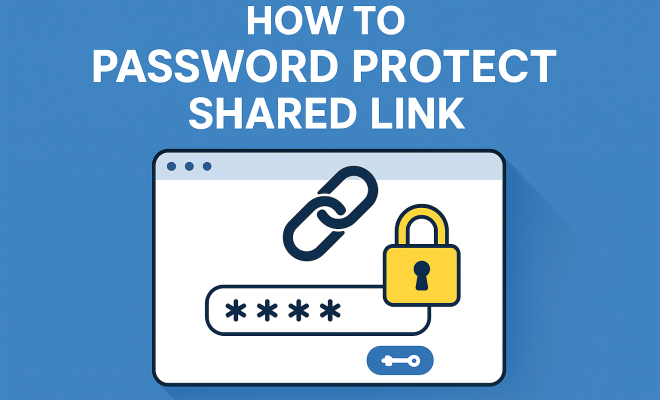
How to password protect shared link
“`html
In an age where data breaches and unauthorized access to sensitive information are rampant, understanding how to password protect shared links is more crucial than ever. Sharing files online—whether for business collaboration, personal projects, or educational purposes—often requires a balance between accessibility and security. But how do you ensure that only the right people can access the information you’re sharing? This article explores various strategies and tools available for password-protecting shared links, ensuring your digital assets remain secure.
1. Understanding the Importance of Link Security
Link security is paramount in today’s digital landscape. With the increase in remote work and online collaboration, sensitive documents are often shared through cloud storage services, email, and messaging apps. Without proper security measures, anyone with access to a link can view or download confidential data.
When files are shared without adequate protection, you risk not only data theft but also potential legal issues, especially if the information shared includes personal data regulated by laws like GDPR or HIPAA. Implementing a password for shared links helps to create a barrier, limiting access to authorized users only.
2. Common Platforms Offering Password Protection
Many popular file-sharing platforms now offer built-in options to password protect shared links. Here are some of the most common services that provide this feature:
- Google Drive: Offers the option to set a password when sharing files through third-party apps.
- Dropbox: Allows users to create password-protected shared links for files and folders, ensuring only those with the correct password can access the content.
- OneDrive: Similar to Dropbox, OneDrive enables users to set passwords for shared links, enhancing security.
- Box: Known for its enterprise-level security features, Box provides robust options for password protection.
Choosing the right platform that meets your security needs is essential. Consider factors like the sensitivity of the information shared, the user interface, and the specific security features each platform offers.
3. How to Set Up Password Protection on Google Drive
If you’re using Google Drive, setting up a password for your shared links involves a few steps. First, you’ll need to create a shareable link for your file:
- Right-click the file you want to share.
- Select ‘Get link’ from the context menu.
- Choose ‘Anyone with the link’ access option.
While Google Drive itself does not provide a native password-protection feature, you can use third-party tools like LinkLock or Getlink to create a password-protected version of the link. This adds a layer of security, as only those with the password can access the file.
4. Securing Links via Dropbox
Dropbox makes it straightforward to password protect shared links. Here’s how to do it:
- Log in to your Dropbox account and select the file you wish to share.
- Click on the ‘Share’ button, then ‘Create a link.’
- Select ‘Link settings’ where you can set a password for added protection.
With Dropbox’s Business plans, you can also set an expiration date for the link, which automatically makes it inaccessible after a specified period. This is another useful feature for added security, particularly for sensitive documents. (See: importance of data security measures.)
5. Utilizing OneDrive for Enhanced Security
OneDrive also provides options to password protect shared links. Here’s how to secure your files:
- Navigate to the file you want to share and click on ‘Share.’
- Choose ‘Anyone with the link’ and click on ‘Link settings.’
- Here, you can set a password and expiration date for the link.
OneDrive’s integration with Microsoft Office applications also allows for seamless collaboration while maintaining security. This is particularly beneficial in corporate settings where document security is paramount.
6. Best Practices for Password Creation
When creating a password for shared links, it’s essential to use strong and unique passwords. Here are some best practices:
- Length and Complexity: Aim for at least 12 characters, incorporating uppercase letters, lowercase letters, numbers, and special characters.
- Avoid Common Passwords: Stay clear of easily guessable passwords, such as ‘123456’ or ‘password.’
- Use a Password Manager: Consider using a password manager to generate and store complex passwords securely.
Strong passwords not only lower the risk of unauthorized access but also provide peace of mind when sharing sensitive information.
7. Third-Party Applications for Link Protection
If your primary file-sharing platform does not support password protection, there are third-party applications designed specifically for this purpose. Tools like ShareFile and WeTransfer Plus allow users to create password-protected links for file sharing.
Using third-party applications can be beneficial as they often come with additional features, such as tracking link activity, setting expiration dates, and providing detailed access logs. This not only secures your shared links but also gives you insights into how your files are being accessed.
8. The Future of Link Security
As digital sharing becomes even more prevalent, the need for robust security measures will only increase. Password protection for shared links is just one aspect of a comprehensive security strategy. Emerging technologies such as blockchain and advanced encryption methods are beginning to play a more significant role in ensuring data integrity and confidentiality.
Staying informed about the latest security trends and tools is essential for individuals and organizations alike. As user awareness of cyber threats grows, the demand for secure file sharing solutions will likely drive innovations in link protection and data security.
9. Advanced Security Measures Beyond Passwords
Password protecting shared links is a crucial step, but it’s not the only measure you should consider. Here are some advanced security practices that can further protect your data:
- Two-Factor Authentication (2FA): Implementing 2FA adds an extra layer of security by requiring users to provide two forms of identification before accessing shared links.
- IP Whitelisting: For businesses, allowing access to shared links only from pre-approved IP addresses can significantly reduce the risk of unauthorized access.
- File Encryption: Encrypting files before sharing them ensures that even if a malicious user gains access to your link, they cannot read the content without the appropriate decryption key.
- Audit Trails and Access Logs: Monitoring who accesses your shared links and when can help you identify any suspicious activity early on.
10. Real-World Examples of Data Breaches Due to Inadequate Link Security
To emphasize the importance of password protection for shared links, consider these real-world examples where inadequate security led to significant data breaches: (See: data breaches and security risks.)
- Dropbox Data Breach (2012): In 2012, Dropbox suffered a significant breach due to a stolen password of an employee. While this incident didn’t involve shared links directly, it highlighted the dangers of weak security practices in file-sharing environments.
- Yahoo Data Breach (2013-2014): This massive breach affected billions of accounts and was partly due to inadequate security protocols around shared links and file sharing.
- Google Docs Phishing Attack (2017): A sophisticated phishing scheme exploited Google’s shared documents feature, allowing attackers to gain access to numerous accounts by tricking users into clicking on malicious links.
These incidents illustrate the potential risks associated with sharing files without robust security measures. Implementing password protection and other advanced security measures can help prevent similar occurrences.
11. Statistics on Data Breaches and File Sharing
Understanding the risks associated with data sharing can help underscore the necessity of password protection for shared links. Here are some eye-opening statistics:
- According to a report from Cybersecurity Ventures, cybercrime is expected to cost the world $10.5 trillion annually by 2025.
- The 2021 Verizon Data Breach Investigations Report found that 43% of data breaches involved small businesses, showcasing that all organizations are vulnerable.
- A survey by the Ponemon Institute revealed that the average cost of a data breach in 2021 was $4.24 million, highlighting the financial impact of inadequate security.
- Research by McAfee determined that 64% of employees have shared sensitive information via personal email or cloud storage services, increasing the risk of data exposure.
These statistics emphasize the critical need for businesses and individuals to adopt secure file sharing practices, including the use of password protection for shared links.
12. Frequently Asked Questions (FAQ)
What is password protection for shared links?
Password protection for shared links is a security measure that requires users to enter a password before accessing a file shared via a link. This ensures that only authorized individuals can view or download the content.
How do I know if my shared link is secure?
To ensure that your shared link is secure, check if the platform you are using allows for password protection and confirm that you’ve set a strong password. Additionally, look for features like expiration dates and viewing permissions to further enhance security.
Can I password protect a link shared via email?
Yes, if you are sharing a file through a service that supports password-protected links, you can set a password before emailing the link to the intended recipients. Make sure to communicate the password securely to avoid unauthorized access.
What should I do if I forget the password for a shared link?
If you forget the password, you typically need to generate a new link and set a new password. Be sure to communicate the new link and password to the authorized users.
Are there any limitations to password protection for shared links?
Yes, some platforms have limitations on the number of times a password-protected link can be accessed or may restrict the types of files you can share. Always review the terms of service for the platform you’re using. (See: data privacy and security guidelines.)
13. Additional Security Considerations for Shared Links
While password protection is key for securing shared links, there are other considerations worth noting:
- Education and Awareness: Educate all users involved in sharing files on the importance of maintaining security protocols, including recognizing phishing attempts and using secure passwords.
- Regular Audits: Conduct routine audits of shared links to ensure that passwords are strong and still in use, and verify who has access to these links.
- Revoking Access: If you suspect unauthorized access, promptly revoke access to the shared link and change the password to prevent further breaches.
14. How to Choose the Right Password Management Tool
Choosing a password management tool can significantly enhance the security of your shared links. Here are factors to consider:
- Compatibility: Ensure the password manager works seamlessly with the platforms you use for sharing files.
- Security Features: Look for tools that offer encryption, biometric access, and two-factor authentication to safeguard your passwords.
- User Experience: A good password manager should have an intuitive interface, making it easy for you to manage passwords without hassle.
- Support and Updates: Choose a tool that provides regular updates and customer support to address any security vulnerabilities that may arise.
15. Case Studies: The Impact of Strong Security Measures
To further illustrate the importance of securing shared links, let’s look at some organizations that successfully implemented strong security measures:
- Healthcare Organization: A healthcare provider implemented stricter password policies for file-sharing systems, resulting in a 30% reduction in data breaches over one year. They also educated staff on recognizing phishing attempts, which further enhanced their security posture.
- Financial Services Firm: After experiencing a minor data breach, this firm adopted multi-factor authentication and improved their password protection measures for shared links. In the following year, they reported zero incidents of unauthorized access, demonstrating the effectiveness of these measures.
- Educational Institution: An educational institution noticed a surge in cyberattacks targeting their shared resources. By implementing password protection and regular audits of shared links, they reduced data security incidents by 40%, showcasing how proactive measures can lead to significant improvements.
16. The Role of Cybersecurity Training in Link Security
Investing in cybersecurity training for employees is a critical component of a comprehensive security strategy. Training should cover the following aspects:
- Recognizing Phishing Attacks: Teach staff how to identify suspicious emails and links that could lead to data breaches.
- Safe Sharing Practices: Provide guidelines on how to securely share files, including the importance of using password protection.
- Incident Reporting: Encourage employees to report any suspected security incidents promptly to mitigate potential damage.
By fostering a culture of security awareness, organizations can significantly reduce vulnerability to attacks targeting shared links.
17. Conclusion
Ultimately, understanding how to password protect shared links is a vital skill in today’s digital age. By utilizing the features provided by various platforms, creating robust passwords, and considering third-party tools, you can ensure that your shared files remain secure and accessible only to the intended recipients. As the landscape of data security continues to evolve, staying informed and proactive about protecting your digital assets is essential for individuals and organizations alike.
“`
Trending Now
Frequently Asked Questions
How do I password protect a shared link?
To password protect a shared link, use a file-sharing platform that offers this feature, such as Google Drive, Dropbox, or OneDrive. When creating the link, look for the option to set a password, and share that password only with authorized users.
Why is it important to password protect shared links?
Password protecting shared links is essential to prevent unauthorized access to sensitive information. It minimizes the risk of data theft and ensures compliance with regulations like GDPR, making sure only intended recipients can view or download the files.
Which platforms allow password protection for shared links?
Several popular platforms allow password protection for shared links, including Google Drive, Dropbox, OneDrive, and Box. Each of these services provides options for users to secure their shared files with passwords.
Can I set a password for a link in Google Drive?
Yes, Google Drive allows users to set a password for shared links, but this feature is typically accessed through third-party applications. Ensure you enable this option when sharing files to enhance security.
What happens if I share a link without a password?
Sharing a link without a password exposes your files to anyone who has access to the link, increasing the risk of unauthorized viewing or downloading. This can lead to data breaches and potential legal issues if sensitive information is involved.
What did we miss? Let us know in the comments and join the conversation.