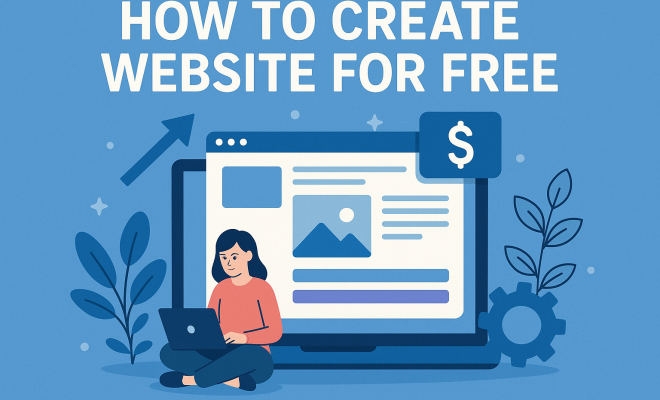
How to create website for free
“`html
Building an online presence has never been more accessible, especially with the rise of various tools that let you create a website for free. Whether you’re a budding entrepreneur, a passionate blogger, or simply want to share your personal interests, there are numerous platforms available that cater to all your needs without costing you a dime. In this article, we’re diving into eight effective steps to help you create your own website, all without breaking the bank.
1. Understand Your Purpose: Why Do You Want a Website?
Before diving into the nitty-gritty, it’s crucial to define your website’s purpose. What do you want to achieve? Is it to showcase your portfolio, sell products, or perhaps share your thoughts on a blog? Understanding your website’s goal will guide your decisions throughout the setup process. For instance, a business website will require different features than a personal blog.
Once you determine your purpose, you’ll also need to consider your target audience. Who will visit your site? Tailoring your content and design to appeal to your audience is essential for engagement. You might want to jot down ideas about how you wish to interact with your visitors as well.
2. Choose the Right Platform: Finding Your Fit
There are countless platforms available that allow you to create a website for free. Some of the most popular include WordPress, Wix, and Weebly. Each platform comes with its unique set of features, templates, and limitations. For instance, WordPress is known for its versatility and extensive plugin library, making it suitable for more complex sites. On the other hand, Wix offers a drag-and-drop interface that’s perfect for those who prefer a more hands-on approach without delving into technicalities.
When selecting a platform, consider your technical skills and the level of customization you desire. Some platforms are more user-friendly and come with built-in templates, while others may require a bit of a learning curve. Research each option and choose one that aligns with your comfort level and website goals.
3. Select a Domain Name: Making Your Mark
Your domain name is your website’s address on the internet, and choosing the right one is critical. It should reflect your brand, be easy to remember, and ideally be short. Many website builders offer free subdomains, like yoursite.wix.com, but investing in a custom domain (like yoursite.com) can enhance your credibility.
Consider using relevant keywords associated with your niche to optimize your site for search engines. For instance, if you’re a photographer, incorporating the word “photography” in your domain can help. Before finalizing your domain, ensure it’s not already in use by checking on domain registrars like GoDaddy or Namecheap.
4. Design Your Website: Crafting the Visuals
Once you’ve chosen your platform and secured your domain name, it’s time to design your site. Most website builders offer templates tailored for various industries, making it easier to create a professional-looking website without design expertise. Customize the template by adjusting colors, fonts, and layout to align with your brand.
A user-friendly design is paramount. Ensure that your navigation is intuitive — visitors should be able to locate information easily. Incorporate high-quality images, and pay attention to mobile responsiveness, as a significant percentage of users will access your site via mobile devices. Test your design on different screen sizes to guarantee a seamless experience.
5. Create Compelling Content: Engaging Your Audience
Content is king when it comes to websites. Whether it’s text, images, or videos, the information you present should resonate with your audience. Start by creating a homepage that clearly communicates your purpose. Include an about page that shares your story and values, and don’t forget to add a contact page so visitors can reach out.
When crafting your content, consider SEO best practices. Use relevant keywords naturally throughout your text, especially in headings and first paragraphs. This helps search engines understand your content better and improves your chances of being found online. Regularly updating content and adding blog posts can also keep your site fresh and engaging.
6. Integrate Essential Features: Functionality Matters
Depending on your website’s purpose, you may want to integrate various features to enhance user experience. For example, if you’re running an online store, consider adding e-commerce capabilities to facilitate transactions. Tools like Shopify or WooCommerce can be integrated into your website even when using free platforms.
You should also think about including social media buttons to foster community engagement. Enabling comments on blog posts can encourage interaction and feedback. Additionally, analytics tools, such as Google Analytics, can provide insights into your audience’s behavior, allowing you to refine your strategies over time. (See: Understanding what a website is.)
7. Optimize for SEO: Getting Found Online
Search Engine Optimization (SEO) is vital to ensure your website gets the visibility it deserves. Knowing how to create a website for free is just the first step; getting it seen is another challenge. Start with on-page SEO — this includes optimizing page titles, descriptions, and using alt text for images.
Off-page SEO is equally important. Promote your content through social media and networks to build backlinks that drive traffic. Regularly updating your site with fresh content, like blog posts, also signals to search engines that your site is active, which can boost your rankings.
8. Launch and Promote: Sharing Your Creation
After designing, populating, and optimizing your website, it’s time for the big reveal! Plan your launch carefully. Consider a soft launch first to gather feedback from friends and trusted users before announcing it to a wider audience. Use social media, email newsletters, and any existing networks to promote your site.
Post-launch, continue to engage with your audience through regular updates, social media interactions, and perhaps even an email list. Analyzing visitor data on your site will help you refine your strategies over time and ensure that your website continues to grow and meet your objectives.
9. Understanding Website Analytics: Measure Your Success
Once your website is live, it’s essential to track its performance. Tools like Google Analytics provide you with valuable insights about where your visitors come from, what content they engage with, and how long they stay on your site. Understanding these metrics can inform your future content and marketing strategies.
For example, if you notice a high bounce rate on specific pages, it may indicate that visitors aren’t finding what they expected. You can use this information to tweak your content or design. Additionally, tracking conversion rates can help you understand how well your website fulfills your goals, whether that’s gaining subscribers, selling products, or increasing brand awareness.
10. Common Mistakes to Avoid: Steering Clear of Pitfalls
While creating a website can be a straightforward process, there are common pitfalls many encounter. One of the most frequent mistakes is neglecting mobile optimization. With a significant portion of web traffic coming from mobile devices, a site that doesn’t perform well on smartphones can alienate a large audience.
Another mistake is overcomplicating the design. While it’s tempting to use numerous features and flashy designs, simplicity often leads to better user experiences. Ensure your site is easy to navigate and that information is presented clearly.
Lastly, don’t forget about website security. Even if you’re using free platforms, taking basic security measures, like using HTTPS and keeping your software updated, is crucial to protect your site and users.
11. Frequently Asked Questions: Your Queries Answered
Can I really create a website for free?
Yes! Many platforms allow you to create a website without any costs. However, free versions may have limitations, such as storage space or branding from the website builder.
Do free websites have ads?
Often, free websites come with ads placed by the hosting provider. If you want to remove ads, you might need to upgrade to a paid plan.
How do I choose the best platform for my needs?
Consider your goals, technical skills, and desired features. Look into reviews and comparisons of platforms like WordPress, Wix, and others to find what suits you best.
Do I need coding skills to create a website?
Most free website builders are designed for users without coding experience. They provide templates and drag-and-drop features, making it easy to create a site without programming knowledge.
How can I promote my free website?
Utilize social media, email marketing, and word-of-mouth. You can also consider collaborating with other bloggers or websites in your niche to reach a broader audience. (See: Data on youth online behavior.)
Is it worth it to invest in a custom domain?
Yes, purchasing a custom domain can enhance your site’s credibility and make it easier for users to remember your web address. It also looks more professional and can improve SEO.
12. The Future of Website Building: Trends to Watch
The landscape of website building is continuously evolving. One of the most notable trends is the rise of artificial intelligence. AI-driven tools are making it easier for anyone to create stunning websites with personalized features based on user preferences. As these technologies develop, expect to see more intuitive design processes and automated suggestions tailored to your content.
Additionally, the emphasis on user experience is growing. Websites that load quickly, offer seamless navigation, and provide valuable content will continue to dominate. With the increasing importance of UX design, understanding your audience’s needs and behaviors will be more critical than ever.
Another trend is the integration of e-commerce capabilities in free website builders. As more people turn to online shopping, expect to see enhanced features that allow even small websites to sell products effectively.
13. Choosing the Right Template for Your Website
When you’re ready to design your site, choosing the right template is essential. Most free website builders offer a range of templates designed for various purposes, such as blogs, portfolios, and e-commerce stores. Think about your brand and the message you want to convey. Are you looking for something sleek and modern, or do you prefer a more traditional layout? A template that resonates with your audience can enhance their experience and keep them engaged.
Consider testing multiple templates. Many platforms allow you to preview designs without committing to one. Ask for feedback from friends or potential users — their insights could be invaluable in selecting the best fit for your vision.
14. Enhancing Your Website with Multimedia
Incorporating multimedia elements like images, videos, and audio can significantly enhance user engagement. High-quality images are essential, especially for businesses or portfolios. Tools like Canva allow you to create stunning graphics without needing advanced design skills. Videos can also be a powerful tool for storytelling or explaining your services, as they often capture attention better than text alone.
Embedding YouTube videos or utilizing platforms like Vimeo can also help. Just ensure that any multimedia you choose aligns with your brand and website purpose. Too much can be overwhelming, so be selective and strategic in your choices.
15. Website Security Basics: Protecting Your Site
Even if you’re using a free website builder, security should be a priority. Start by ensuring that your platform has HTTPS enabled. This protocol encrypts data between your website and your visitors, ensuring a safer experience. Additionally, keep your software updated. Many website builders automatically manage updates, but if you’re using a platform like WordPress, ensure your themes and plugins are current to avoid vulnerabilities.
Consider using security plugins or services that can help monitor your site and protect against threats. Regular backups are also essential — in case something goes wrong, you want to make sure you can restore your site quickly.
16. Building a Community and Engaging with Your Audience
A website isn’t just a static display; it’s a platform for interaction. Consider adding features that promote community engagement, such as forums or comments sections. This allows visitors to share their thoughts and connect with one another, creating a sense of belonging around your content.
Regularly engage with your audience through comments, social media posts, and emails. Responding to inquiries and feedback shows that you value their input and encourages repeat visits. You might also consider running contests or polls to draw them in and encourage participation. (See: Creating an online business presence.)
17. Real-World Examples of Successful Free Websites
To inspire you, let’s look at a few successful websites built for free. A great example is “The Art of Manliness,” which started on a free platform and has grown into a reputable blog that covers a wide range of topics tailored for men. They effectively use a simple design, high-quality content, and community engagement to attract a dedicated following.
Another example is “Spoon Fork Bacon,” a food blog that features stunning photography and recipes. They started with a free site and have grown significantly by focusing on quality content and engaging their audience through social media. Their visually appealing design and user-friendly navigation make it easy for visitors to explore and find inspiration.
18. Integrating Email Marketing: Staying Connected
Email marketing is a powerful tool to keep your audience engaged and informed. Consider integrating email sign-up forms directly on your website. Offering incentives, like exclusive content or discounts, can encourage visitors to subscribe.
Once you have a mailing list, use it wisely. Share updates, new blog posts, and promotional content that adds value to your subscribers. Tools like Mailchimp and Sendinblue offer free plans for beginners, making it easier to get started on your email marketing journey.
19. Unlocking Monetization Options: Earning from Your Free Website
If you’re looking to monetize your website, there are several avenues to explore, even if you started for free. Affiliate marketing allows you to earn commissions by promoting products or services relevant to your audience. Platforms like Amazon Associates or ShareASale can help you get started.
Additionally, consider sponsored content if your site gains traction. Brands may be willing to pay for exposure to your audience through guest posts or product placements. Just ensure that any monetization methods align with your site’s purpose and audience expectations to maintain trust and authenticity.
20. Staying Up-to-Date with Web Trends: Continuous Improvement
The digital landscape is always changing, and staying up-to-date with the latest trends is vital for your website’s success. Regularly check resources like blogs, online forums, and webinars focused on web design and digital marketing. Networking with other website owners can also provide valuable insights and help you learn from their experiences.
Consider attending workshops or online courses to improve your skills and knowledge. By continually refining your website and adapting to new trends, you’ll keep your content relevant and engaging for your audience.
Creating a website for free is an empowering process that allows you to express yourself, promote your business, or share your passions with the world. With the right tools, intentional planning, and a commitment to ongoing improvement, your online presence can flourish. So, what are you waiting for? Start your journey today!
“`
Trending Now
- this guide on 7 proven strategies to boost your brand visibility in chatgpt for 2026
- read the full story
- Why Official Development Assistance Is More…
- our breakdown of why iran oil prices aren’t spiking: the market’s surprising reaction explained
- The Hidden Importance of Legal Disclaimers: What You Need to Know
Frequently Asked Questions
What are the best free website builders?
Some of the best free website builders include WordPress, Wix, and Weebly. Each offers unique features, templates, and user experiences. WordPress is great for versatility, while Wix provides a user-friendly drag-and-drop interface, making it ideal for beginners.
How can I create a website without coding?
You can create a website without coding by using platforms like Wix or Weebly, which offer intuitive drag-and-drop interfaces. These tools allow you to customize your site easily, add content, and publish it without needing any technical skills.
What should I consider before creating a website?
Before creating a website, consider your purpose and target audience. Define what you want to achieve, whether it's showcasing a portfolio or sharing a blog. Tailoring your content and design to engage your intended visitors is crucial for success.
Is it really possible to build a website for free?
Yes, it is possible to build a website for free using various website builders. Many platforms offer free plans that include essential features, allowing you to create and launch a website without any upfront costs.
How long does it take to create a website?
The time it takes to create a website can vary greatly depending on your chosen platform and complexity. With user-friendly builders like Wix or Weebly, you can set up a basic site in just a few hours, while more complex sites may take longer.
Agree or disagree? Drop a comment and tell us what you think.