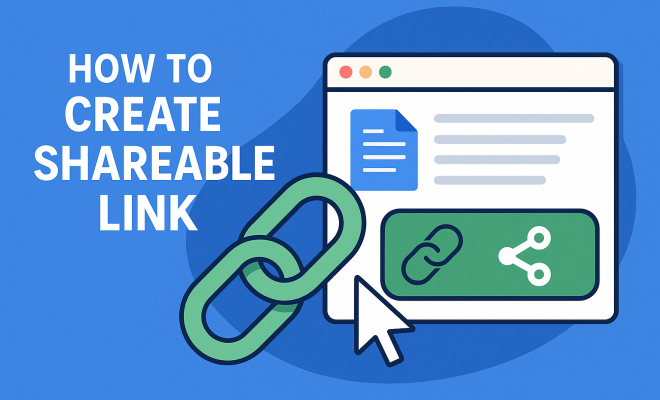
How to create shareable link
“`html
In our interconnected digital landscape, knowing how to create shareable link is crucial for effective communication and collaboration. Shareable links enable users to access, distribute, and collaborate on content easily, increasing engagement and outreach. From social media to cloud storage, the ability to create and share links is an essential skill that almost everyone needs today. In this article, we’ll explore the fundamentals of creating shareable links, the various platforms that utilize them, and tips to ensure your links are both functional and enticing.
1. Understanding Shareable Links
Before delving into how to create shareable links, it is essential to understand what they are. Shareable links are URLs that allow users to access specific files, folders, or webpages without requiring them to log in or have specific permissions. These links are often used in collaborative environments such as Google Drive, Dropbox, and various social media platforms. By simply clicking on the link, users can view or download the content, making it a powerful tool for sharing information quickly.
Moreover, shareable links can be customized or restricted based on the creator’s preferences. For example, Google Drive lets you decide whether the link should allow users to view, comment, or edit the document. Understanding these options can significantly enhance your sharing experience and control over your content.
2. Creating Shareable Links on Popular Platforms
Different platforms have unique methods for creating shareable links. Let’s take a look at how you can do this on some widely-used services:
- Google Drive: To create a shareable link in Google Drive, right-click on the file or folder you want to share, select ‘Get link,’ then choose the appropriate privacy settings. You can set the link to ‘Anyone with the link’ and choose whether they can ‘View,’ ‘Comment,’ or ‘Edit.’
- Dropbox: In Dropbox, hover over the file or folder, click on the ‘Share’ button, then select ‘Create link.’ You can adjust permissions similarly, allowing others to view or edit the content.
- Social Media Platforms: For platforms like Twitter or Facebook, you can create shareable links by copying the URL of your post or content. However, these are often tied to specific user permissions and may require accounts for interaction.
Each platform has its nuances, so it’s essential to familiarize yourself with their specific processes to maximize your sharing capabilities.
3. Customizing Your Shareable Links
Creating a direct link is only half the battle; customizing it can significantly improve its appeal and functionality. Consider using URL shorteners like Bitly or TinyURL to create concise and readable links. Shortened links are easier to share and can also mask lengthy URLs that may confuse or deter users.
Furthermore, many URL shorteners offer analytics features, allowing you to track how many times your link has been clicked and where the traffic comes from. This data can provide valuable insights into your audience engagement and help you optimize future link-sharing strategies.
4. Best Practices for Creating Shareable Links
While creating shareable links is relatively simple, there are several best practices to ensure they are effective:
- Clear Descriptions: Always provide context around the link. Tell users what they can expect when they click on it, whether it’s a document, a video, or an image gallery.
- Accessibility: Ensure the content behind the link is accessible to your audience. If it’s a collaborative document, ensure they have the necessary permissions to view or edit it.
- Test Your Links: Before sharing, test the links to ensure they work as intended. A broken link can lead to frustration and disengagement.
By adhering to these best practices, you increase the chances of your links being clicked and shared by others. (See: Understanding Uniform Resource Locators.)
5. Using Shareable Links for Marketing and Engagement
Shareable links are not only useful for collaboration; they can also be powerful marketing tools. Businesses and content creators utilize links to direct traffic to their websites, promote products, or share exclusive content. By embedding shareable links in emails, blogs, and social media posts, you can significantly enhance your content’s reach.
Consider creating an enticing call-to-action (CTA) alongside your shareable link. For example, instead of just sending a link to your latest blog post, you might say, “Click here to discover the secrets to successful marketing in 2023!” This approach encourages engagement and prompts users to take action.
6. Tracking and Analyzing Shareable Links
The ability to track the performance of your shareable links can provide crucial insights into user behavior. By utilizing analytics tools, you can monitor how many clicks your links receive, the demographics of your audience, and the time spent on the linked content. Google Analytics is a popular option for tracking link performance with its URL tracking capabilities.
Moreover, integrating UTMs (Urchin Tracking Module) into your links can help you better understand where your traffic is coming from. UTMs are tags added to URLs that provide crucial data when analyzed in Google Analytics. This data can help refine your marketing strategies and improve overall engagement.
7. Security Considerations for Shareable Links
As convenient as shareable links are, they can also pose security risks. If sensitive information is shared through a link without adequate restrictions, it could lead to unauthorized access. Always ensure that your links are set to the appropriate permissions: consider restricting access to specific individuals or groups rather than sharing openly.
Additionally, consider adding passwords or expiration dates for links when sharing confidential documents. For instance, Google Drive allows you to set a password for shared links and even limit the time period the link remains active. Implementing these security measures can help protect your information while still allowing for sharing.
8. Emerging Trends in Link Sharing
As technology evolves, so does the practice of link sharing. One trend is the increasing use of QR codes, which allow users to scan and access links easily. This approach is particularly effective in physical marketing materials, making it simple for users to connect with digital content.
Moreover, the rise of social media platforms has led to new ways of creating shareable links, such as link stickers on Instagram stories or the use of swipe-up links. Keeping up with these trends can help you stay ahead in your content-sharing strategies.
9. Final Thoughts on Creating Shareable Links
Understanding how to create shareable link is an essential skill in today’s digital age. Whether you’re collaborating on projects, marketing products, or sharing personal content, effective link-sharing practices can enhance engagement and communication. By following best practices, utilizing analytics, and staying aware of security considerations, you can ensure that your links not only reach your audience but resonate with them. So the next time you create a link, remember: it’s not just a URL; it’s an opportunity to connect.
10. Advanced Techniques for Creating Shareable Links
If you’re looking to take your link-sharing to the next level, consider exploring some advanced techniques that can make your links not only shareable but impactful. Here are a few methods to enhance your link-sharing approach: (See: Tips for Creating Shareable Content.)
- Dynamic Links: These links change based on the user’s context, such as device type or location. Platforms like Firebase Dynamic Links allow you to create links that seamlessly transition users to the right content, regardless of their device. This can help in directing traffic effectively and increasing user engagement.
- Rich Media Links: Instead of standard URLs, consider using links that lead to rich media content, like video previews or interactive infographics. These links can be more engaging than traditional links, capturing the audience’s attention right from the click.
- Social Proof Links: Include elements of social proof in your link-sharing strategy. For instance, when sharing a product link, include reviews or testimonials that users can see before they click. This builds trust and can significantly improve click-through rates.
11. Examples of Creative Link Usage
The way you present your shareable links can also influence how they are perceived and interacted with. Here are some imaginative examples of how various industries effectively use shareable links:
- Nonprofits: Many nonprofit organizations create compelling links to donation pages, often accompanied by stories of beneficiaries, making the cause relatable and encouraging contributions.
- Real Estate: Real estate agents often share links to virtual tours of properties. By integrating video tours with clickable links for more details, they enhance user experience and facilitate quicker decision-making for potential buyers.
- Software Companies: Tech companies commonly share links to webinars or tutorials on how to use their products. These links often include registration forms that capture user data for future marketing efforts.
12. Frequently Asked Questions (FAQs)
What is a shareable link?
A shareable link is a URL that provides access to specific online content such as documents, videos, or web pages without needing special permissions or logins. This makes it easy for users to view and share information.
How do I create a shareable link on Google Drive?
To create a shareable link on Google Drive, right-click on the file or folder, select ‘Get link’, and choose your preferred sharing settings to control who can view or edit the content.
Are there risks associated with shareable links?
Yes, there are security risks if sensitive information is shared without proper access restrictions. It’s important to configure privacy settings and consider password protection for confidential documents.
Can I track my shareable link performance?
Absolutely! You can use tools like Google Analytics or URL shorteners that offer analytics features to see how many clicks your links receive, where the traffic comes from, and how users engage with the content.
How can I make my shareable links more appealing?
Enhance your shareable links by providing clear descriptions, using visuals, and including strong calls to action. You can also utilize URL shorteners to create cleaner, more manageable links.
What are UTM parameters and how do they work?
UTM parameters are tags added to URLs that help track the performance of campaigns in analytics tools. You can use them to identify traffic sources and assess the effectiveness of your marketing efforts.
How can I ensure my links are accessible to everyone?
To ensure accessibility, always check the permissions settings when creating a link. If you want everyone to access it, set the link to ‘Anyone with the link’ and select appropriate permissions for viewing or editing. (See: How to Share Links Effectively.)
What is the best way to share links on social media?
When sharing links on social media, accompany them with engaging text, images, or videos that provide context and encourage clicks. Tailor your message to resonate with your audience and include hashtags when appropriate to increase visibility.
How can I create a dynamic link?
To create a dynamic link, you can use services like Firebase Dynamic Links, which allow you to create links that adapt based on user context. This is particularly useful for mobile apps where user experience can change based on the platform.
13. Tips for Creating Effective Shareable Links
To make your shareable links as effective as possible, consider the following tips:
- Use a Clear Call to Action: Your link should be accompanied by a clear and compelling call to action, prompting users to click. Phrases like “Download Now,” “Join Us,” or “Check It Out!” can help boost engagement.
- Optimize for Mobile: Ensure that the linked content is mobile-friendly, as many users access links via smartphones. This means your content should look good, load quickly, and be easy to navigate on smaller screens.
- Regularly Update Links: Ensure that any links you share are up-to-date. Broken links or outdated content can harm your credibility and frustrate users. Regularly auditing your links is a good practice.
- Consider Link Placement: The location of your link matters. Whether it’s in an email, blog post, or social media update, ensure it’s placed strategically within the content to catch the reader’s eye.
14. Case Studies: Successful Use of Shareable Links
To illustrate the power of shareable links, here are a couple of case studies showcasing how organizations effectively utilized them:
- Charity: Water created a shareable link for their campaign, allowing donors to contribute directly to specific projects around the world. By providing compelling visuals and stories linked to their mission, they saw a significant increase in donations and engagement from their audience.
- Airbnb has successfully harnessed shareable links for their referral program. They encourage users to share links to listings or experiences with friends. When a friend books through the shared link, both the referrer and the new user receive a discount. This has turned their customers into effective brand advocates.
15. Tools for Enhancing Shareable Links
There are numerous tools available that can help you create, customize, and analyze shareable links more effectively:
- Link Shorteners: Use Bitly or TinyURL to create short, manageable links that are easy to share across platforms.
- Analytics Tools: Google Analytics or Linkly provide insights into link performance, helping you understand user engagement.
- Content Management Systems: Platforms like WordPress often have built-in tools to create shareable links directly within posts, making it easier for bloggers and marketers to manage their content.
- QR Code Generators: Tools like QR Code Generator or QRStuff can transform your URLs into QR codes, making it easy to share links in print marketing materials.
16. Conclusion: Mastering Shareable Links
Creating shareable links is an essential skill in our digital environment. By mastering the art of link sharing, you can significantly enhance your communication, collaboration, and marketing strategies. Remember to follow best practices, leverage advanced techniques, utilize the right tools, and continually analyze your performance. The better your links are crafted, the more effective they’ll be at engaging your audience and promoting your content. So go ahead, start creating those shareable links, and watch your reach expand!
“`
Trending Now
Frequently Asked Questions
What is a shareable link?
A shareable link is a URL that grants users access to specific files, folders, or webpages without requiring them to log in. These links are commonly used in collaborative environments, allowing easy viewing or downloading of content.
How do you create a shareable link in Google Drive?
To create a shareable link in Google Drive, right-click on the desired file or folder, select 'Get link,' and adjust the privacy settings. You can set it to 'Anyone with the link' and choose permissions for viewing, commenting, or editing.
Can shareable links be customized?
Yes, shareable links can be customized based on the creator's preferences. For example, platforms like Google Drive allow you to set permissions, deciding whether users can view, comment, or edit the shared content.
What platforms support shareable links?
Many platforms support shareable links, including Google Drive, Dropbox, and various social media sites. These links facilitate easy access and collaboration on shared content across different users and devices.
Why are shareable links important?
Shareable links are crucial for effective communication and collaboration in the digital landscape. They simplify the process of distributing content, enhancing engagement and outreach by allowing users to access information quickly.
Agree or disagree? Drop a comment and tell us what you think.