Crafting Engaging Game Menus: Design & Trends
“`html
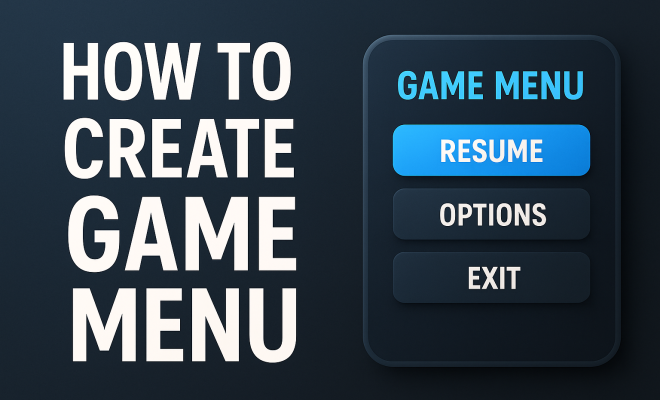
Creating an engaging game menu is more than just a cosmetic endeavor; it’s a vital component that can enhance user experience and retention in video games. A well-designed game menu serves as the gateway to the game’s world, offering players intuitive navigation while seamlessly integrating aesthetic and functional elements. In this article, we’ll explore the key steps in game menu design, provide practical insights, and discuss current trends that can elevate your game’s interface to the next level.
1. Understand Your Audience
Before diving into the aesthetics of your game menu design, it’s crucial to identify your target audience. Understanding who will be playing your game informs every decision you make in the design process. Are you targeting casual gamers who prefer simplicity, or hardcore gamers who might appreciate intricate, detailed interfaces? Conducting user research through surveys or focus groups can provide insights into player preferences, allowing you to design a menu that resonates with them.
Moreover, consider the demographics of your audience. Age, gaming experience, and preferences play significant roles in how users interact with menus. For example, younger players may be more accustomed to vibrant, dynamic interfaces, while older audiences might prefer more straightforward, traditional designs. Ultimately, the more you know about your audience, the better you can create a game menu that feels tailor-made for them.
2. Establish a Clear Hierarchy
Once you have a firm grasp of your audience, the next step in game menu design involves creating a clear hierarchy of information. This structure is essential for facilitating intuitive navigation. Players should be able to find what they’re looking for quickly, whether it’s starting the game, adjusting settings, or accessing help options. Organizing menu items by importance or frequency of use can significantly enhance user experience.
Use visual cues like size, color, and spacing to guide players’ focus. A larger, bolder font can denote primary actions, while secondary options can be smaller or lighter. Additionally, grouping related options together can help users intuitively scan through choices. For instance, all multiplayer options could be in one section while single-player modes are in another. This logical arrangement reduces cognitive load, making it easier for players to navigate your game.
3. Choose the Right Visual Style
The visual style of your game menu should align with the overall aesthetic and theme of your game. If your game is dark and atmospheric, a moody color palette and minimalist design can enhance immersion. On the other hand, a colorful, whimsical game might benefit from bright colors and playful typography. Striking a visual balance between functionality and style is key.
Consider using consistent branding throughout the menu. This includes logo placement, color schemes, and typography. Players should immediately recognize the game’s identity within the menu, reinforcing brand familiarity. Additionally, animations and transitions can add a layer of polish, but they should not distract from usability. Use these elements to create fluid interactions that feel intuitive and engaging.
4. Incorporate User-Friendly Controls
A great game menu design emphasizes user-friendly controls that accommodate various input methods. Whether players are using a keyboard, mouse, or game controller, the menu should be seamlessly navigable. Ensure that all interactions feel intuitive; for example, using the arrow keys or joystick to move through options, with clear visual feedback for selections.
Consider accessibility as a priority. Providing options like larger fonts, contrasting colors, or remappable controls can make your game menu more inclusive. This not only broadens your audience but also demonstrates a commitment to user-centric design. Testing your menu with a diverse group of players can uncover potential usability issues that need to be addressed.
5. Optimize Performance
Performance optimization is an often-overlooked aspect of game menu design. A well-designed menu should load quickly, even on lower-end hardware. Long load times can frustrate players and lead to disengagement before they even start playing. Reducing the complexity of background elements and optimizing assets can ensure that your menu runs smoothly without compromising on visual appeal.
Consider implementing loading screens that keep players informed while the game loads. This can be an opportunity to showcase game art, tips, or lore, maintaining engagement during wait times. Furthermore, ensure that transitions between different menu screens are seamless and quick to keep players immersed in the gaming experience. (See: User experience in game design.)
6. Test and Iterate
Testing is a fundamental part of any design process, and game menu design is no exception. After developing a prototype, gather feedback from players to identify pain points. Observing how users interact with the menu can reveal insights that you wouldn’t have otherwise considered.
Be prepared to iterate based on the feedback you receive. This might involve making minor tweaks, such as adjusting button sizes or reorganizing options, or larger changes, like overhauling the visual style. Continuous improvement is key to ensuring your game menu remains effective and engaging as your game evolves.
7. Stay Informed on Industry Trends
The gaming industry is constantly evolving, with new trends emerging regularly. Staying informed about the latest innovations in game menu design can inspire your own work and keep your designs relevant. For instance, the rise of touch interfaces in mobile gaming has shifted how menus are designed for handheld devices, emphasizing touch-friendly layouts and gestures.
Additionally, the popularity of live-service games has introduced dynamic menus that change based on in-game events or player choices. Observing successful titles and analyzing what works can provide valuable lessons for your own design. Always be open to experimenting with new ideas and technologies, as this will help your game menu stand out in an increasingly competitive landscape.
8. Utilize Feedback Mechanisms
Integrating feedback mechanisms directly into your game menu can enhance player engagement and satisfaction. For example, consider adding an area for players to report bugs or suggest features. This not only shows that you value player input but also provides insights into areas that may need improvement. In-game surveys or polls can also gather immediate feedback about menu usability and player preferences.
Engaging with your community is vital. Keeping players informed about updates and improvements based on their feedback can build a loyal following. This two-way interaction helps players feel part of the development process, which can strengthen their connection to the game.
9. Emphasize Accessibility in Game Menu Design
Accessibility in game design is paramount, ensuring that players of all abilities can enjoy and navigate your game menus. Implementing accessibility features can include screen reader compatibility, alternative text for images, and adjustable color palettes for those with color blindness. Not only does this broaden your audience, but it also facilitates an inclusive gaming environment.
According to a study by the International Game Developers Association (IGDA), approximately 20% of gamers identify as having a disability. This statistic alone highlights the importance of considering accessibility in your design. By proactively addressing these needs, your game menu can appeal to a wider audience and demonstrate a commitment to inclusivity.
10. Case Studies of Successful Game Menu Designs
Analyzing successful game menu designs can provide valuable insights into effective strategies. For instance, the menu design of “The Legend of Zelda: Breath of the Wild” exemplifies clarity and simplicity. The main menu allows for quick access to critical functions while maintaining an aesthetic that reflects the game’s art style.
Another example is “Fortnite,” which has continuously evolved its menu to accommodate seasonal updates and player feedback. The dynamic nature of its menu keeps players engaged and informed about the latest content, demonstrating how a responsive design can enhance user experience.
In contrast, the menu of “Dark Souls” is known for its minimalism, which reflects the game’s challenging nature. The stark design compels players to focus on gameplay rather than being distracted by a cluttered interface, showing that sometimes less truly is more.
11. Statistics and Trends in Game Menu Design
As the gaming landscape shifts, certain statistics highlight the evolution of game menu design. A survey by GameAnalytics revealed that 67% of players value a streamlined menu experience that allows them to jump into gameplay quickly. This preference underscores the importance of minimizing unnecessary clicks or complex navigation paths. (See: Trends in video game design.)
Moreover, a report from the Entertainment Software Association indicates that 75% of gamers appreciate interactive elements in menus, such as animated transitions or sound effects. This suggests that although players value efficiency, they also seek a degree of engagement that can enhance their overall experience.
12. Frequently Asked Questions (FAQ)
What are the key elements of a successful game menu design?
The key elements include understanding your audience, establishing a clear hierarchy for navigation, choosing an appropriate visual style, ensuring user-friendly controls, optimizing performance, and staying informed on industry trends.
How can I make my game menu accessible?
To enhance accessibility, include options for larger fonts, contrast adjustments, alternative text for images, and support for screen readers. Additionally, consider user testing with individuals who have disabilities to identify specific needs.
Why is user testing important in game menu design?
User testing provides insights into how actual players interact with your menu. It can reveal usability issues that you might not have anticipated and enables you to make informed decisions based on player behavior.
What are some current trends in game menu design?
Current trends include dynamic menus that change with player actions, touch-friendly designs for mobile devices, and an emphasis on minimalism. Being aware of these trends can help keep your design fresh and relevant.
How frequently should I update my game menu design?
It’s a good practice to evaluate your game menu design regularly, especially after major updates or feedback from players. Keeping it fresh and responsive to player needs can enhance user retention and engagement.
13. Exploring Cultural Influences in Game Menu Design
Game menu design is increasingly influenced by cultural trends. For instance, the rise of Japanese role-playing games (JRPGs) has brought unique aesthetic elements to menus, incorporating intricate artwork, character illustrations, and thematic backgrounds. Games like “Final Fantasy” series showcase how cultural storytelling can be integrated into menu design, enhancing the narrative experience even before the gameplay begins.
On the other hand, Western titles often emphasize clean lines and functionality. For example, games developed by companies like Bethesda or Ubisoft often favor user-friendly interfaces that prioritize ease of navigation, reflecting a cultural trend in gaming that favors accessibility over complexity. Understanding these influences can help developers craft menus that resonate not only with their target audience but with cultural gaming communities worldwide.
14. Comparative Analysis of Mobile vs. Console Game Menus
The difference between mobile and console game menus is substantial, primarily due to the variances in user interaction methods. Mobile menus must be touch-responsive, with larger buttons and simplified navigation to accommodate smaller screens. Games like “Among Us” illustrate this well, using simple tap controls and a minimalistic design that allows players to quickly access features without overwhelming them.
In contrast, console menus can afford to be more complex and visually rich since players are often using controllers and sitting at a distance. Titles like “Elden Ring” offer intricate menus filled with detailed graphics and information, capitalizing on the player’s ability to navigate with precision. Understanding these differences is crucial for developers when designing interfaces that suit their platforms effectively. (See: Research on user interface design.)
15. Future Directions in Game Menu Design
The future of game menu design is likely to continue evolving alongside technology. With advancements in artificial intelligence and machine learning, we might see adaptive menus that change based on player behavior. For example, systems could learn which options players use most frequently and prioritize those in the menu, providing a personalized experience.
Additionally, virtual reality (VR) and augmented reality (AR) games are pushing the boundaries of traditional menu design. In these environments, menus can be more immersive, allowing users to interact with options in 3D space. An example is VR games like “Beat Saber,” which have intuitive menus that make accessing features feel part of the game world rather than a separate experience.
16. User-Centric Design Principles in Game Menu Design
User-centric design principles are essential when creating effective game menus. These principles advocate for a design process that focuses on user needs and preferences. Start by developing personas that represent different user types, allowing you to visualize how various players might navigate through the menu. This approach can help identify pain points that you can address during the design phase.
Additionally, usability heuristics can guide your design decisions. For example, the principle of error prevention suggests that menus should be designed to minimize user errors, such as confirming actions before they are executed. By integrating these principles into your design process, you’ll create menus that not only look good but also enhance the overall user experience.
17. The Role of Sound Design in Game Menus
Sound design is a critical, yet often overlooked, aspect of game menu design. Sound effects can enhance the user’s experience by providing feedback during navigation. For instance, a subtle click sound when selecting an option or a soft background music track can make the menu feel more engaging and immersive.
Different genres of games may require different sound approaches. A horror game might opt for eerie soundscapes that set the tone right from the menu. On the other hand, a family-friendly game may use cheerful, upbeat music to create a welcoming atmosphere. Ultimately, sound should complement the visual design, creating a cohesive experience that draws players into the game world even before they begin playing.
18. Conclusion
In summary, creating an effective game menu design involves understanding your audience, establishing a clear hierarchy, selecting an appropriate visual style, ensuring user-friendly controls, optimizing performance, testing, and staying updated on industry trends. By meticulously crafting your game menu, you’ll not only enhance player experience but also foster a deeper connection between players and your game. It’s the first impression players receive, so make it count!
“`
Trending Now
Frequently Asked Questions
What are the key elements of a game menu?
Key elements of a game menu include intuitive navigation, clear hierarchy, aesthetic design, and functional features. A well-designed menu should guide players effortlessly through options while reflecting the game's theme and audience preferences.
How do I design a game menu for casual gamers?
To design a game menu for casual gamers, focus on simplicity and ease of use. Use straightforward navigation, bright visuals, and limited options to avoid overwhelming users. Conducting user research can help tailor the design to their preferences.
Why is user research important in game menu design?
User research is crucial in game menu design as it provides insights into player preferences and behaviors. Understanding your target audience helps create a menu that resonates with them, improving user experience and retention.
What role does visual hierarchy play in game menus?
Visual hierarchy in game menus helps players navigate quickly and intuitively. By organizing menu items by importance and using size and color as cues, players can easily locate options like starting the game or adjusting settings.
What trends should I consider in game menu design?
Current trends in game menu design include minimalistic interfaces, dynamic animations, and personalized experiences. Staying updated with design trends can enhance user engagement and make your game more appealing to players.
Have you experienced this yourself? We’d love to hear your story in the comments.