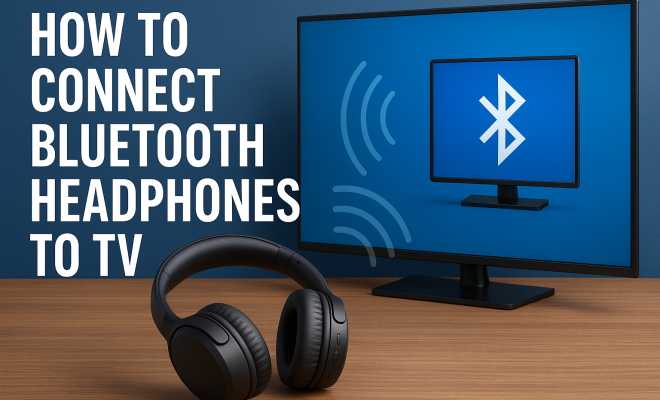
How to connect Bluetooth headphones to TV
“`html
Have you ever wanted to enjoy your favorite shows or movies without disturbing others around you? Connecting Bluetooth headphones to your TV is the perfect solution for immersive sound without the hassle of wires. In this comprehensive guide, we’ll explore everything you need to know about how to connect Bluetooth headphones to your TV, covering the benefits, steps, troubleshooting tips, and more.
1. The Rise of Bluetooth Technology
Bluetooth technology has revolutionized the way we connect devices. First introduced in 1994, Bluetooth has evolved significantly, enabling seamless communication between devices without the need for cables. With the increasing popularity of smart devices, Bluetooth has become a staple in our everyday lives, especially in audio devices like headphones.
As televisions have adapted to include Bluetooth capabilities, the convenience of connecting Bluetooth headphones to your TV has become a sought-after feature. This has made watching TV more enjoyable for everyone, allowing you to listen at a volume that’s comfortable for you while others go about their activities.
2. Benefits of Using Bluetooth Headphones with Your TV
Connecting Bluetooth headphones to your TV comes with a plethora of advantages. First and foremost, the freedom of movement is a game-changer. Without the constraints of wires, you can easily get up, stretch, or even grab a snack without the fear of yanking the headphones off your head.
Another key benefit is the enhanced sound experience. Many Bluetooth headphones come equipped with noise-canceling technology, allowing you to focus on the audio details of your favorite shows or films. Plus, if you have a late-night binge-watching habit, Bluetooth headphones can help you enjoy your shows without disturbing others in your household.
Additionally, many modern Bluetooth headphones support high-definition audio codecs like aptX and AAC. These codecs allow for better sound quality, making your viewing experience even more enjoyable. Such advancements in audio technology ensure that you don’t have to compromise on sound fidelity while enjoying the freedom of wireless listening.
3. Checking Your TV’s Bluetooth Compatibility
Before you can connect Bluetooth headphones to your TV, you’ll need to ensure your television supports Bluetooth connectivity. Most modern smart TVs come equipped with this feature, but it’s worth checking the specifications if you have an older model.
- Check the Manual: The user manual will typically indicate whether Bluetooth is supported and provide instructions on how to use it.
- Settings Menu: Navigate to the settings on your TV. If you see a Bluetooth option under the connections or sound settings, your TV can connect to Bluetooth devices.
- Manufacturer’s Website: If you’re still unsure, visiting the manufacturer’s website can provide clarity regarding Bluetooth support for your specific TV model.
- Bluetooth Logo: Look for the Bluetooth symbol on your TV. If it’s present, there’s a good chance your TV supports Bluetooth connectivity.
4. How to Connect Bluetooth Headphones to Your TV
The process of connecting Bluetooth headphones to a TV may vary slightly depending on the brand and model. However, here are the general steps you should follow:
- Put Your Headphones in Pairing Mode: Most Bluetooth headphones require you to press and hold the power button or a designated Bluetooth button until you see a blinking light, indicating that they’re in pairing mode.
- Access TV Settings: Go to your TV’s settings menu. Look for the ‘Sound’ or ‘Connections’ section.
- Select Bluetooth Devices: Choose the option that allows you to add a new Bluetooth device. Your TV will start searching for available devices.
- Select Your Headphones: Once your headphones appear on the list, select them. If prompted, confirm any pairing codes that may appear.
- Adjust Audio Settings: After connecting, check the audio output settings to ensure the sound is directed to your headphones.
- Test the Connection: Play a video or show to test the audio output. Make sure everything is working smoothly before getting comfortable.
In just a few minutes, you’ll be ready to enjoy your favorite shows with the sound quality you love. (See: Overview of Bluetooth technology.)
5. Troubleshooting Connection Issues
Sometimes, things don’t go as planned, and you may encounter issues when attempting to connect your Bluetooth headphones to your TV. Here are some common problems and solutions:
- Headphones Not Found: If your headphones don’t appear in the list of available devices, ensure they are in pairing mode. Try turning Bluetooth off and back on again on your TV.
- Audio Lag: If you experience a delay between the audio and video, this can often be due to the headphones or TV’s Bluetooth technology. Try decreasing the audio quality settings or check for firmware updates.
- Frequent Disconnections: This can happen if the headphones are too far from the TV or if there are multiple Bluetooth devices connected. Ensure a clear line of sight, and disconnect other devices if needed.
- Unstable Connection: If your headphones keep disconnecting intermittently, it may be worth checking the battery levels of your headphones. A low battery can lead to connection drops.
6. Alternative Connection Methods
If your TV doesn’t support Bluetooth, don’t worry! There are alternative ways to connect your headphones. Here are a couple of common methods:
- Bluetooth Transmitter: You can purchase an external Bluetooth transmitter that plugs into your TV’s audio output (like the headphone jack or optical audio output). This device can pair with your Bluetooth headphones, allowing you to enjoy wireless audio.
- Wired Connection: If you’re not opposed to using cables, you can always connect your headphones directly to the TV using a 3.5mm audio jack or an optical audio cable with a compatible adapter.
- Using a Soundbar: If you have a soundbar that supports Bluetooth, you can connect your headphones to the soundbar instead. This is a great way to improve sound quality while still enjoying the wireless experience.
These alternatives can help you achieve the desired audio experience without too much hassle.
7. Choosing the Right Bluetooth Headphones
When it comes to selecting Bluetooth headphones for your TV, several factors should be considered. Comfort is key; after all, you might end up wearing them for hours. Look for headphones with adjustable headbands and cushioned ear cups for the best fit.
Another significant aspect is battery life. Opt for headphones with a long battery life, especially if you plan on binge-watching your favorite series. Noise cancellation features can also enhance your listening experience, allowing you to fully immerse yourself in sound, cutting out any distractions.
Additionally, consider the type of headphones. Over-ear headphones typically offer better sound quality and comfort for prolonged use, while in-ear models are more portable. Each type has its own advantages, so think about what’s best for your viewing habits.
Lastly, check for compatibility with your TV’s audio codecs. Some headphones perform better with specific codecs, which can influence overall sound quality. Reading reviews and doing a bit of research can go a long way in ensuring you make the right choice.
8. Current Trends in Bluetooth Audio Technology
The world of Bluetooth audio is constantly evolving. Recent advancements have made connecting Bluetooth headphones to your TV even more user-friendly and performance-oriented. One notable trend is the introduction of Low Latency Audio, which drastically reduces audio lag between the TV and headphones, ensuring synchronization of sound and picture. This technology is particularly important for gaming or action-packed movies.
Additionally, the rise of smart headphones that offer voice assistant integration can enhance your experience further. Imagine controlling your TV through voice commands while wearing your headphones — it’s a game-changer for many users. These innovations make the experience of connecting Bluetooth headphones to your TV not just efficient but also incredibly enjoyable.
9. Frequently Asked Questions (FAQ)
What if my TV doesn’t have Bluetooth?
If your TV doesn’t support Bluetooth, you can use a Bluetooth transmitter that connects through the audio output. This device allows you to make your non-Bluetooth TV compatible with wireless headphones. (See: Importance of comfortable audio levels.)
Can I connect multiple Bluetooth headphones to my TV?
Most TVs only allow one Bluetooth device to connect at a time. However, some advanced models may support connecting multiple headphones. Check your TV’s specifications and user manual for details.
Will Bluetooth headphones work with my gaming console?
Yes, many gaming consoles offer Bluetooth connectivity, but you may need to check compatibility. Some gaming consoles may have latency issues with Bluetooth audio, so ensure your headphones support low-latency codecs for the best experience.
How do I improve audio quality when using Bluetooth headphones with my TV?
To enhance audio quality, ensure your headphones support high-definition audio codecs, minimize the distance between your headphones and TV, and check for any firmware updates on your headphones or TV that can improve performance.
Are there any specific brands of Bluetooth headphones that work best with TVs?
While many brands produce quality Bluetooth headphones, brands like Sony, Bose, and Sennheiser are often noted for their excellent sound quality and comfort. Reading user reviews and professional recommendations can help you make an informed choice.
Can I use wired headphones with my Bluetooth-enabled TV?
Absolutely! If your TV has a headphone jack, you can connect wired headphones directly. This option doesn’t require Bluetooth and often provides a more stable connection without latency issues.
How can I ensure my Bluetooth headphones maintain a strong connection to my TV?
To ensure a strong connection, keep your headphones within a reasonable distance from the TV and minimize obstacles like walls or other electronic devices that may interfere with the signal. Also, ensure your headphones and TV are fully charged for optimal performance.
10. Understanding Different Bluetooth Codecs
A key aspect of getting the best sound quality from your Bluetooth headphones involves understanding Bluetooth codecs. These determine how audio data is compressed and sent over Bluetooth. Some of the most common codecs include:
- SBC (Subband Codec): This is the standard codec for Bluetooth audio. While it’s widely supported, it may not deliver the best sound quality, especially when compared to other codecs.
- AAC (Advanced Audio Codec): Commonly used by Apple devices, AAC can provide better sound quality than SBC, especially at lower bit rates. If you have a compatible device, this is often the go-to choice.
- aptX: Known for its low latency and higher-quality audio, aptX is supported by many Android devices and provides a significant improvement over standard codecs.
- aptX HD: This offers even higher resolution audio, making it the preferred choice for audiophiles who want the best possible sound experience.
- LDAC: Developed by Sony, LDAC allows for high-resolution audio streaming over Bluetooth. If you’re using Sony headphones with a compatible device, you can take advantage of this superior codec.
Choosing headphones that support higher quality codecs can drastically improve your listening experience when connected to your TV.
11. Comparing Wired vs. Wireless Headphones for TV Viewing
When deciding between wired and wireless headphones for TV viewing, several factors can influence your choice. Let’s break down some of the pros and cons of each option: (See: Benefits of Bluetooth headphones.)
Wired Headphones
- Pros:
- Reliable Connection: Wired headphones typically provide a stable and uninterrupted audio experience.
- No Latency Issues: Since wired connections don’t suffer from latency, you won’t notice any delay between audio and video.
- Better Sound Quality: In general, wired headphones can deliver superior sound quality compared to many wireless options.
- Cons:
- Lack of Mobility: You’ll be tethered to your TV, limiting your ability to move around freely.
- Potential for Cable Damage: Wires can break or become tangled over time, leading to extra costs for replacements.
Wireless Headphones
- Pros:
- Freedom of Movement: No wires mean you can move around freely, making your TV watching experience more comfortable.
- Convenience: Easily store and transport wireless headphones without worrying about tangled cables.
- Advanced Features: Many wireless headphones come with features like noise cancellation and touch controls.
- Cons:
- Battery Life: Wireless headphones require charging, and battery life can vary between models.
- Latency: Some wireless headphones may experience slight delays in audio, which can be distracting during movies or gaming.
Your choice largely depends on how you plan to use your headphones. If you prioritize sound quality and don’t mind being tethered, wired headphones may suit you better. On the other hand, if mobility and convenience are more important, investing in a good pair of wireless headphones is the way to go.
12. Tips for Optimizing Your Bluetooth Audio Experience
To get the most out of your Bluetooth headphones when connecting to your TV, consider these optimization tips:
- Regularly Update Firmware: Both your TV and headphones might receive firmware updates that improve connectivity and performance. Keeping everything up-to-date can enhance your experience.
- Minimize Interference: Other electronic devices can cause Bluetooth interference. Try to keep your headphones and TV away from other devices like routers or microwaves.
- Use a Charging Dock: If your headphones support it, a charging dock can keep them charged and ready for use, eliminating concerns about battery life while watching TV.
- Adjust TV Settings: Explore your TV’s audio settings. Some TVs allow for audio enhancements like equalization, which can significantly improve the sound quality when using Bluetooth headphones.
By following these tips, you can ensure that your Bluetooth audio experience is as seamless and enjoyable as possible.
13. The Future of Bluetooth Headphones and TV Integration
As technology continues to evolve, we can expect even more innovations in Bluetooth headphone and TV integration. Developers are focused on enhancing user experience, so we may see improvements such as:
- Enhanced Battery Life: Future models may feature longer battery life, making it easier to enjoy extended sessions of TV viewing without recharging.
- Improved Sound Quality: Expect advancements in audio codecs that could provide near-lossless sound quality, making Bluetooth headphones comparable to premium wired options.
- Smart Integration: More headphones may come with built-in assistants or features that allow for direct communication with smart TVs, enhancing the overall user experience.
- Customization Options: Users might have the ability to customize sound profiles or adjust settings directly from their headphones, allowing for a more tailored listening experience.
With these developments, the future of connecting Bluetooth headphones to TVs looks promising, making it easier for users to enjoy their favorite content in the best audio quality available.
14. Conclusion
Connecting Bluetooth headphones to your TV is a smart way to enhance your viewing experience while providing the freedom of movement and convenience. With the right setup and understanding of your equipment, you can enjoy high-quality audio without disturbing those around you. Whether you’re watching a late-night movie or gaming with friends, Bluetooth headphones can elevate your entertainment experience to new heights.
“`
Trending Now
- our breakdown of 7 proven strategies to boost your brand visibility in chatgpt for 2026
- the complete explanation
- our breakdown of why official development assistance is more crucial than ever for global stability
- our breakdown of why iran oil prices aren’t spiking: the market’s surprising reaction explained
- read the full story
Frequently Asked Questions
How do I connect my Bluetooth headphones to my TV?
To connect Bluetooth headphones to your TV, first ensure that both devices are powered on. Navigate to the TV's settings menu, find the Bluetooth section, and put your headphones in pairing mode. Select your headphones from the list of available devices on the TV, and confirm the connection to start enjoying your audio wirelessly.
What are the benefits of using Bluetooth headphones with a TV?
Using Bluetooth headphones with your TV offers several benefits, including the freedom of movement without tangled wires, an enhanced sound experience with noise-canceling features, and the ability to watch shows without disturbing others. Additionally, many Bluetooth headphones support high-definition audio codecs for superior sound quality.
Can any Bluetooth headphones be connected to a TV?
Not all Bluetooth headphones can connect to every TV. Most modern smart TVs support Bluetooth connections, but it's essential to check the TV's specifications. Ensure your headphones are in pairing mode and compatible with the TV's Bluetooth version for successful connectivity.
What should I do if my Bluetooth headphones won't connect to my TV?
If your Bluetooth headphones won't connect to your TV, first ensure both devices are powered on and close to each other. Restart both the TV and headphones, check for any software updates, and make sure the headphones are in pairing mode. If issues persist, refer to the user manuals for troubleshooting tips.
Is there a delay when using Bluetooth headphones with a TV?
There can be a slight audio delay when using Bluetooth headphones with a TV, especially if the headphones do not support low-latency codecs like aptX Low Latency. To minimize this delay, choose Bluetooth headphones that are designed for watching TV and ensure your TV also supports these codecs for a better viewing experience.
What did we miss? Let us know in the comments and join the conversation.