Cancel YouTube Premium: Your Easy Guide to Ending Your Subscription
“`html
YouTube Premium has become a popular choice for many users who want to enjoy ad-free videos, music, and exclusive content. However, circumstances change, and you might find yourself wanting to cancel YouTube Premium for a variety of reasons. Whether it’s due to budget constraints, a lack of usage, or simply preferring the free version, knowing how to navigate the cancellation process is essential. In this article, we’ll go through the steps you need to take, along with useful insights and considerations.
1. Understanding YouTube Premium
YouTube Premium, launched in November 2015, transformed the way viewers interact with the platform. For a subscription fee, users gain access to ad-free content, YouTube Music, and original shows. The service also allows for offline viewing, letting you download videos to watch later without an internet connection. With millions of subscribers worldwide, it’s clear that many people see value in what YouTube Premium offers.
However, it’s not the perfect solution for everyone. Some users may feel overwhelmed by the cost, especially if they don’t utilize all the features. This leads to an increasing number of people considering how to cancel YouTube Premium effectively.
2. Evaluating Your Reasons to Cancel
Before diving into the cancellation process, it’s important to reflect on why you want to cancel YouTube Premium. Is it because you’re not using it enough? Or perhaps you prefer alternative streaming platforms? Whatever the reason, understanding it can help you make more informed decisions about your subscription choices moving forward.
Some common reasons for cancellation include:
- High subscription costs versus usage
- Preference for the free version with ads
- Switching to other services that provide similar benefits
- Change in lifestyle or viewing habits
If any of these resonate with you, it may indeed be time to cancel YouTube Premium.
3. How to Cancel YouTube Premium on Desktop
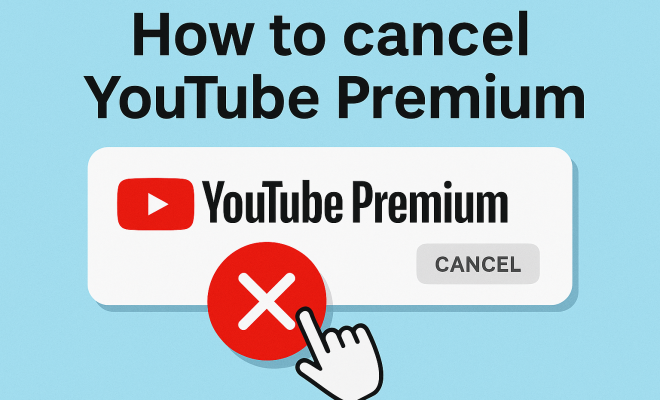
One of the most straightforward ways to cancel YouTube Premium is through a desktop browser. Here’s how:
- Log in to your YouTube account.
- Click on your profile icon located at the top right corner.
- Select ‘Purchases and memberships’ from the dropdown menu.
- Under the ‘Memberships’ section, find YouTube Premium and click on ‘Manage.’
- Choose ‘Cancel Membership’ and follow the prompts to finalize the cancellation.
It’s crucial to note that once you cancel, you’ll still have access to YouTube Premium features until the end of your billing cycle.
4. How to Cancel YouTube Premium on Mobile
If you prefer using your mobile device, the cancellation process is just as simple. Here’s how you can do it on both Android and iOS:
- Open the YouTube app and sign in to your account.
- Tap on your profile picture in the upper right corner.
- Select ‘Paid memberships.’
- Find YouTube Premium and tap ‘Manage.’
- Choose ‘Cancel Membership’ and confirm your choice.
This method is convenient for users on the go, ensuring you can manage your subscription wherever you are. (See: YouTube Premium overview on Wikipedia.)
5. Understanding Refund Policies
When considering to cancel YouTube Premium, it’s important to understand YouTube’s refund policy. Generally, YouTube does not offer refunds for partial months of service. However, if you’ve been charged for a month and cancel before the end of that month, you can still access the benefits until the next billing cycle begins.
It’s always a good idea to review the terms and conditions related to refunds before making any decisions. Knowing what to expect can prevent potential disappointments.
6. Alternatives to YouTube Premium
If you decide to cancel YouTube Premium but still want some of its features, consider these alternatives:
- YouTube Music: This standalone app offers access to millions of songs and playlists, though with ads in its free version.
- Ad Blockers: If ads are your primary concern, ad-blocking software or browser extensions can help mitigate interruptions.
- Other Streaming Services: Platforms like Spotify, Hulu, or Netflix may offer better value depending on your content preferences.
These options can provide a more tailored experience without the commitment of a subscription service.
7. Things to Consider Before Canceling
Before you finalize your decision to cancel YouTube Premium, think through any potential impacts. For instance, you will lose access to ad-free viewing, offline downloads, and YouTube Originals. If these features are critical to your viewing experience, it might be worth reconsidering your cancellation.
Additionally, if you enjoy music streaming, losing access to YouTube Music without a subscription could affect your music-listening habits. Make sure to weigh the pros and cons based on your individual usage patterns.
8. Post-Cancellation Steps
After you successfully cancel YouTube Premium, take some time to evaluate your viewing habits. You may find that you can adapt to the free version quite easily or discover new ways to enjoy content on the platform without a subscription. It’s also a good time to explore other avenues for entertainment and see what fits your lifestyle.
In case you ever decide to return to YouTube Premium, the process is simple, and your previous data may still be accessible, making reactivation easy. As technology and media consumption continue to evolve, staying flexible with your subscriptions ensures you get the best value for your money.
9. Impact of YouTube Premium on Content Creators
YouTube Premium isn’t just about enhancing the experience for viewers; it also significantly impacts content creators. With ad revenue being a primary income source for many creators, the introduction of a subscription model has its pros and cons. When viewers watch content through a YouTube Premium subscription, creators receive a share of the subscription fee rather than ad revenue.
While this might seem beneficial, it can lead to a change in how creators approach their content. For instance, some might feel pressured to produce content that appeals more to Premium subscribers at the expense of their traditional audience. YouTube’s move toward a subscription model also raises questions about fairness and diversity in content creation.
In terms of statistics, YouTube has reported that creators who opt into the YouTube Partner Program can receive a larger share of their income from Premium subscribers. This means that for creators, more subscribers could lead to increased revenue, even if fewer people are watching ads. According to a report, creators who earn from YouTube Premium can see up to a 30% increase in their monthly earnings compared to those relying solely on ad revenue. (See: CDC on media consumption and youth.)
10. Frequently Asked Questions about Canceling YouTube Premium
Can I still watch YouTube videos after canceling my Premium subscription?
Yes, you can continue to watch YouTube videos after canceling your Premium subscription. However, you will experience ads, and you won’t have access to features like offline viewing and YouTube Originals.
Will I lose all my downloaded videos if I cancel YouTube Premium?
Yes, any videos you downloaded for offline viewing will no longer be accessible once your subscription ends. Make sure to watch them before your membership expires!
Can I reactivate my YouTube Premium subscription after canceling?
Absolutely! If you decide to return to YouTube Premium, simply follow the same steps you used to sign up initially. Your account settings and preferences are usually retained, making the process seamless.
Is there a way to temporarily suspend my subscription instead of canceling?
YouTube does not currently offer a pause feature for Premium subscriptions. If you want to stop using it temporarily, you will need to cancel and resubscribe later.
Are there any promotions or discounts for YouTube Premium?
Occasionally, YouTube offers promotional rates for first-time subscribers, including free trials or discounted rates for the first few months. Keep an eye on official announcements or newsletters to catch any special offers.
What happens if I cancel during a free trial period?
If you cancel during your free trial, you will not be charged, and your access to Premium features will continue until the trial period ends.
11. Exploring the YouTube Ecosystem Post-Cancellation
After you cancel YouTube Premium, it’s essential to explore the broader YouTube ecosystem to maximize your experience. Even without a subscription, YouTube offers a plethora of free content. By discovering channels that cater to your interests, you can still enjoy substantial entertainment without the costs associated with Premium.
Consider diving into specific genres or communities that might have rich content available for free. Whether it’s educational channels, DIY projects, or gaming streams, there’s a vast array of content waiting to be explored. You can also utilize playlists and subscribe to channels that consistently produce videos that interest you.
12. Comparing YouTube Premium with Other Services
When considering a cancellation, it’s beneficial to compare YouTube Premium with other streaming services. Here’s a quick rundown:
- Netflix: While Netflix offers a robust library of movies and TV shows without ads, its subscription fees can be higher. The trade-off here is the quality and exclusivity of content.
- Spotify: If music is your main concern, Spotify provides both a free tier supported by ads and a premium experience. Users often find Spotify’s music library more extensive than YouTube Music.
- Hulu: Hulu offers a subscription model similar to YouTube Premium but focuses on TV shows and current episodes. It does have an ad-supported option, which is cheaper than the ad-free version.
By comparing these services, you can make an informed decision about where to allocate your entertainment budget. Each platform has its strengths and weaknesses, so think about what matters most to you. (See: New York Times article on YouTube Premium.)
13. Expert Opinions on Subscription Services
Industry experts often discuss the sustainability of subscription services like YouTube Premium. According to a media analyst, “As the streaming landscape becomes more crowded, companies must differentiate themselves not just through content, but also through user experience.” This highlights the importance of evaluating what you get from YouTube Premium versus what you would miss out on by switching back to the ad-supported version.
Additionally, digital marketing professionals suggest that with so many options available, users should regularly reassess their subscriptions. Conducting a monthly review of what you’re watching can help you decide if the service is worth its cost. It’s a practice that can lead to significant savings and a more tailored viewing experience.
14. Future of YouTube Premium
As media consumption trends evolve, so too will YouTube Premium. The platform continues to expand its offerings, including exclusive content and partnerships with popular creators. For instance, YouTube has announced upcoming original films and series, which may entice viewers to consider subscribing again in the future.
In the future, we might expect more interactive features and enhancements to the user experience. YouTube is known for adapting to trends, and implementing viewer feedback can lead to new features that enhance the overall experience. This adaptability might make a return to YouTube Premium more appealing as new offerings are introduced.
15. Tips for a Smooth Transition to Free YouTube
If you’ve decided to cancel YouTube Premium, here are some tips to ensure a smooth transition back to the free version:
- Curate Your Subscriptions: Take time to subscribe to channels that you enjoy and will watch regularly. This makes finding content easier.
- Explore YouTube’s Features: Use features like playlists, watch later, and notifications to keep track of content that interests you.
- Utilize YouTube’s Educational Content: There’s a wealth of free educational content available, from tutorials to lectures, that you can leverage.
- Engage with the Community: Join discussions in the comments or participate in community polls. Engaging with creators and other viewers can enhance your experience.
By implementing these strategies, you can continue to enjoy the vast range of content available on YouTube without a Premium subscription.
16. Conclusion: Making Informed Decisions
Deciding whether to cancel YouTube Premium is a choice that depends on various factors, including personal viewing habits, financial considerations, and preference for ad-free experiences. By understanding the intricacies of the service, evaluating your usage, and knowing the cancellation process, you can make the best decision for your entertainment needs. Remember, there are always other ways to enjoy content, and it’s okay to switch things up as your preferences evolve.
“`
Trending Now
- this guide on 7 proven strategies to boost your brand visibility in chatgpt for 2026
- Are You Missing Out? Top 10…
- Why Official Development Assistance Is More…
- our breakdown of why iran oil prices aren’t spiking: the market’s surprising reaction explained
- our breakdown of the hidden importance of legal disclaimers: what you need to know
Frequently Asked Questions
How do I cancel my YouTube Premium subscription?
To cancel your YouTube Premium subscription, go to the YouTube app or website, navigate to 'Paid memberships' in your account settings, and select 'Cancel membership'. Follow the prompts to complete the cancellation process.
What happens when I cancel YouTube Premium?
When you cancel YouTube Premium, you will lose access to ad-free videos, YouTube Music, and offline viewing after the current billing cycle ends. You can still use the free version of YouTube with ads.
Can I reactivate my YouTube Premium subscription later?
Yes, you can reactivate your YouTube Premium subscription at any time by visiting the YouTube app or website and selecting 'Join YouTube Premium' again.
Is there a cancellation fee for YouTube Premium?
No, there is no cancellation fee for YouTube Premium. You can cancel at any time without incurring additional charges.
Why would someone want to cancel YouTube Premium?
Common reasons for canceling YouTube Premium include high subscription costs, infrequent use, preference for the ad-supported free version, or switching to other streaming services.
What did we miss? Let us know in the comments and join the conversation.