How to align printer cartridges
“`html
Having a printer is an undeniable convenience, but dealing with misaligned printer cartridges can be a frustrating experience. If you’ve ever printed a document only to find it smudged or streaked, you’re not alone. One common cause of this issue is the misalignment of printer cartridges. But fear not! In this guide, we’ll cover everything you need to know about aligning printer cartridges effectively, ensuring crisp, clean prints every time.
1. Understanding Cartridge Alignment
Aligning printer cartridges is a vital maintenance step that helps your printer produce high-quality prints. When cartridges are misaligned, the ink nozzles don’t function correctly, leading to uneven ink distribution. This can result in faded prints, streaks, or color misrepresentation. Most modern printers have built-in alignment features that can help resolve these issues automatically or manually.
Understanding the mechanics behind this process is essential. Most inkjet printers use a series of cartridges, including black and color cartridges, which must work together seamlessly. If one is slightly out of alignment, it can affect the entire print job. Regularly checking and aligning your printer cartridges can enhance their lifespan and maintain print quality.
2. Signs Your Cartridges Need Alignment
Knowing when to align your printer cartridges is crucial for maintaining print quality. Here are some common signs that indicate alignment may be necessary:
- Print Quality Issues: If you notice streaks, smudges, or inconsistent ink distribution, this could be a sign that your cartridges are misaligned.
- Color Mismatch: When colors appear blended or incorrect, alignment may be necessary to ensure that each color is printed at the right time and position.
- Frequent Error Messages: Some printers will notify you if they detect alignment issues, so pay attention to any error alerts that pop up on your display.
By staying vigilant and addressing these signs promptly, you can save yourself from further print quality complications.
3. How to Prepare for Alignment
Before diving into the alignment process, it’s essential to prepare both your printer and the environment. Start by gathering the necessary materials: you’ll need plain printer paper and access to your printer’s software settings or control panel.
Ensure your printer is connected to your computer or network and that it has enough ink in the cartridges. Low ink levels can affect the alignment process, and it’s best to perform this maintenance when the cartridges are full. Additionally, make sure your printer is placed on a stable, flat surface to avoid any movement that could affect the alignment process.
4. Using Printer Software for Alignment
Most modern printers come with software that allows users to align cartridges easily. Begin by accessing your printer’s control panel or the software installed on your computer.
Navigate to the maintenance or tools section. Here, you should find an option labeled “Align Cartridges” or something similar. Follow the prompts to initiate the alignment process. This usually involves printing a test page with alignment patterns that help the printer calibrate its cartridges accurately. After printing, there may be additional instructions to follow to complete the alignment process.
5. Manual Alignment Techniques
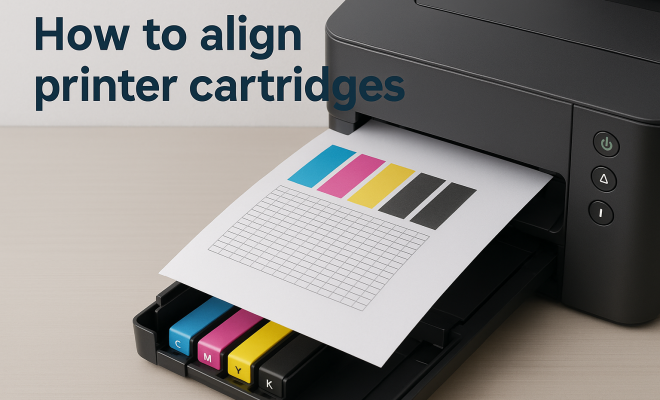
If your printer doesn’t have automatic alignment capabilities, you can still manually align the cartridges. Begin by printing a test page to identify the misalignment. Pay close attention to how the colors overlap and where gaps appear.
To manually align, you’ll need to access the cartridge settings in your printer’s menu. Adjust the horizontal and vertical alignment settings based on the test page results. This process may take a few attempts to perfect, but with patience, you’ll achieve the desired results. (See: Understanding water quality and printing.)
6. Common Printing Issues and Their Solutions
Even after aligning your cartridges, you might still encounter printing issues. Here are a few common problems and how to tackle them:
- Blurry Prints: If your prints are still unclear after alignment, consider cleaning the print heads. Most printers have a cleaning option in the maintenance menu that can help.
- Incorrect Colors: If the colors appear off, it might be time to check if your cartridges are filled and that you’re using the correct printer settings for your color profile.
- Frequent Paper Jams: Sometimes, misalignment can lead to improper paper feeding. Ensure that your paper is loaded correctly and that there are no obstructions in the printer path.
Being proactive about these common issues can save you both time and resources when printing.
7. Maintaining Your Printer for Optimal Results
Regular maintenance is key to ensuring your printer operates at its best. This includes not only aligning printer cartridges but also cleaning components and replacing cartridges when necessary. Create a routine check-up schedule for your printer, ideally every few months or after significant use.
In addition to alignment, consider cleaning the printer heads and checking for any software updates that could enhance performance. Keeping your printer’s firmware updated ensures that it continues to operate efficiently with the latest features.
8. Environmental Factors Affecting Print Quality
Your printing environment can significantly impact print quality and the need for alignment. Factors such as humidity, temperature, and dust can all affect how well your printer operates. Ideally, printers should be kept in a cool, dry space, away from direct sunlight.
Dust can clog the print heads and cause issues with ink flow, so regularly dusting your printer and ensuring it’s in a clean workspace can help in maintaining print quality. Additionally, avoid placing your printer near heating vents or windows, as fluctuations in temperature can also affect print performance.
9. Advanced Troubleshooting for Persistent Issues
If you’ve followed all the above steps and still experience issues, it may be time for advanced troubleshooting. Check your printer’s manual for specific error codes that can guide you in identifying the problem. It’s also a good idea to visit the manufacturer’s website for FAQs and troubleshooting resources.
If you find that cartridges are consistently misaligning, it could be a sign of hardware issues. In such cases, consider reaching out to customer support for more specialized help. Sometimes, it might even warrant a visit to a certified technician.
10. The Importance of Quality Cartridges
Lastly, don’t underestimate the impact of cartridge quality on your printer’s performance. Using high-quality, compatible cartridges can make a significant difference in print quality and longevity. Cheap, off-brand cartridges might save you money upfront, but they often lead to more frequent misalignments and print issues.
Investing in quality cartridges can ultimately save you time and frustration in the long run. Look for manufacturers that offer warranties or satisfaction guarantees to ensure you’re making a wise investment.
11. The Role of Printer Drivers
Another crucial aspect of maintaining printer performance is ensuring that your printer drivers are up to date. Printer drivers serve as a communication bridge between your computer and the printer, ensuring that print jobs are executed correctly. Outdated or corrupted drivers can lead to various printing issues, including misalignment.
To keep your drivers updated, visit the manufacturer’s website regularly. Most manufacturers provide software that automatically checks for updates, making it easy to maintain optimal performance. Regular driver updates can also introduce new features and fix bugs associated with earlier versions. (See: The importance of quality ink.)
12. How Often Should You Align Printer Cartridges?
There’s no one-size-fits-all answer to how often you should align your printer cartridges, as it largely depends on your printing habits and the type of printer you have. However, here are some general guidelines:
- After Cartridge Replacement: Always align your cartridges after replacing them, as new cartridges may not sit perfectly in place.
- Significant Changes in Print Quality: If you notice a decline in print quality, it might be time to check the alignment.
- Regular Maintenance Schedule: Set a reminder to align your cartridges every few months, especially if you print frequently.
By keeping track of these instances, you can ensure that your printer always delivers the best possible results.
13. Understanding Different Printer Types
Different types of printers may have varying methods for aligning cartridges. It’s essential to understand the nuances of your specific printer model. Here’s a breakdown of the most common printer types:
- Inkjet Printers: Most commonly used in homes and small offices, these printers typically feature built-in alignment tools. They may also require manual alignment in cases of severe misalignment.
- Laser Printers: While laser printers use toner instead of ink cartridges, they can still experience alignment issues. These printers often have calibration settings in their software.
- All-in-One Printers: Combining printing, scanning, and copying, these multifunction devices usually come with comprehensive software for alignment. However, they might also require manual adjustments at times.
Understanding your printer type can help you choose the best maintenance practices and troubleshooting methods.
14. Frequently Asked Questions (FAQ)
What should I do if my printer won’t align cartridges?
If your printer continues to have alignment issues, try performing a factory reset to refresh all settings. Refer to the user manual for specific instructions. You can also check online for any known issues with your printer model.
Can I align cartridges without software?
Yes, many printers allow you to align cartridges through their built-in control panel. Look for the maintenance or setup menu on the printer itself to find alignment options without needing software.
Is it safe to use third-party cartridges?
Using third-party cartridges can be a cost-effective solution, but they may not always provide the same level of quality as original cartridges. Be sure to research and choose reputable brands to minimize the risk of misalignment and other printing issues.
How can I improve print quality without aligning cartridges?
Besides aligning cartridges, you can improve print quality by cleaning the print heads, ensuring that the printer is using the correct paper type settings, and keeping the printer clean and free from dust.
Will aligning my cartridges use a lot of ink?
Aligning cartridges typically does use some ink, but the amount is generally minimal. Regular alignment should help maintain print quality, which can save ink in the long run by preventing wasted prints due to misalignment.
15. Common Misconceptions About Printer Cartridge Alignment
There are several misconceptions surrounding the alignment of printer cartridges that can lead to confusion. Here are some of the most common myths and the truths that debunk them: (See: Research on printer technology.)
- Myth 1: Alignment is Only Necessary for New Cartridges: While it’s essential to align new cartridges, misalignment can occur at any time due to various factors, such as changing environmental conditions or usage patterns.
- Myth 2: You Need to Align Cartridges Every Time You Print: This is not true. Regular alignments as part of your maintenance routine, rather than after every print job, are sufficient.
- Myth 3: All Printers Have the Same Alignment Process: Different printers have unique mechanisms and processes for alignment, which can vary greatly depending on the model and manufacturer. Understanding your specific printer’s requirements is crucial.
Addressing these misconceptions can help you better understand the importance of maintaining your printer and the best practices to employ.
16. Why Alignment Matters in Professional Settings
In professional environments, such as offices or print shops, the importance of aligning printer cartridges can’t be overstated. High-quality prints are crucial for maintaining a professional appearance in documents and marketing materials. Here’s why alignment is particularly important in these settings:
- Brand Image: Poor print quality can negatively impact your brand image. Ensuring that your materials are crisp, clear, and professional helps build trust with clients and customers.
- Cost Savings: Frequent misalignment can lead to waste through trial and error, using up paper and ink unnecessarily. Regular alignment ensures efficient use of resources.
- Time Efficiency: In a fast-paced work environment, time is money. Ensuring that your printer cartridges are properly aligned means fewer interruptions and less time spent troubleshooting printing issues.
For businesses that rely on printed materials, investing in regular maintenance, including cartridge alignment, is vital for overall success.
17. Advanced Techniques for Cartridge Alignment
For those who are tech-savvy or looking to ensure the utmost precision in print quality, there are advanced techniques you can utilize for cartridge alignment:
- Using Calibration Tools: Some printers come with advanced calibration tools that allow for more precise alignment adjustments. If available, take advantage of these features.
- Third-Party Software: There are third-party applications designed for printer management that can offer more detailed alignment options and diagnostics than standard manufacturer software.
- Consulting Forums and User Groups: Engaging with online forums dedicated to your printer brand or model can provide insights and tips from experienced users who have successfully navigated alignment challenges.
These advanced techniques can help you achieve the highest print quality possible, especially if you frequently produce high-stakes documents.
18. Final Thoughts on Printer Maintenance
Aligning printer cartridges is an essential part of maintaining your printer, but it’s just one piece of the puzzle. Regular maintenance, including cleaning the printer, updating software, and using quality supplies, all contribute to better printing performance. By staying informed about the needs of your printer and addressing issues proactively, you can ensure your printing experience is smooth and efficient.
Pay attention to the signs that your printer needs maintenance, and don’t hesitate to seek help or resources when needed. With the right approach, you can keep your printer running optimally for years to come.
“`
Trending Now
Frequently Asked Questions
How do I know if my printer cartridges are misaligned?
Signs of misalignment include print quality issues such as streaks, smudges, and inconsistent ink distribution. Additionally, if colors appear blended or incorrect, or if your printer displays frequent error messages, it may indicate that the cartridges need alignment.
What causes printer cartridges to become misaligned?
Printer cartridges can become misaligned due to physical movement, low-quality cartridges, or improper installation. Regular use and maintenance can also affect alignment, making it essential to check and align cartridges periodically to ensure optimal print quality.
How do I align my printer cartridges?
Most modern printers feature built-in alignment tools that can be accessed through the printer settings menu. You can choose to run an automatic alignment process or follow manual instructions provided in your printer's user guide to align the cartridges effectively.
Is cartridge alignment necessary for all printers?
While most modern inkjet printers come with automatic alignment features, it is still essential for all printers to ensure optimal print quality. Regularly checking and aligning cartridges can prevent print issues and enhance the lifespan of the cartridges.
What happens if I don't align my printer cartridges?
If you neglect to align your printer cartridges, you may experience poor print quality, including faded prints, streaks, and color misrepresentation. Over time, this can lead to increased wear on the printer and may require more frequent cartridge replacements.
What did we miss? Let us know in the comments and join the conversation.