The Tech Edvocate

Top Menu

  • Advertisement
  • Apps
  • Home Page
  • Home Page Five (No Sidebar)
  • Home Page Four
  • Home Page Three
  • Home Page Two
  • Home Tech2
  • Icons [No Sidebar]
  • Left Sidbear Page
  • Lynch Educational Consulting
  • My Account
  • My Speaking Page
  • Newsletter Sign Up Confirmation
  • Newsletter Unsubscription
  • Our Brands
  • Page Example
  • Privacy Policy
  • Protected Content
  • Register
  • Request a Product Review
  • Shop
  • Shortcodes Examples
  • Signup
  • Start Here
    • Governance
    • Careers
    • Contact Us
  • Terms and Conditions
  • The Edvocate
  • The Tech Edvocate Product Guide
  • Topics
  • Write For Us
  • Advertise

Main Menu

  • Start Here
    • Our Brands
    • Governance
      • Lynch Educational Consulting, LLC.
      • Dr. Lynch’s Personal Website
      • Careers
    • Write For Us
    • The Tech Edvocate Product Guide
    • Contact Us
    • Books
    • Edupedia
    • Post a Job
    • The Edvocate Podcast
    • Terms and Conditions
    • Privacy Policy
  • Topics
    • Assistive Technology
    • Child Development Tech
    • Early Childhood & K-12 EdTech
    • EdTech Futures
    • EdTech News
    • EdTech Policy & Reform
    • EdTech Startups & Businesses
    • Higher Education EdTech
    • Online Learning & eLearning
    • Parent & Family Tech
    • Personalized Learning
    • Product Reviews
  • Advertise
  • Tech Edvocate Awards
  • The Edvocate
  • Pedagogue
  • School Ratings

logo

The Tech Edvocate

  • Start Here
    • Our Brands
    • Governance
      • Lynch Educational Consulting, LLC.
      • Dr. Lynch’s Personal Website
        • My Speaking Page
      • Careers
    • Write For Us
    • The Tech Edvocate Product Guide
    • Contact Us
    • Books
    • Edupedia
    • Post a Job
    • The Edvocate Podcast
    • Terms and Conditions
    • Privacy Policy
  • Topics
    • Assistive Technology
    • Child Development Tech
    • Early Childhood & K-12 EdTech
    • EdTech Futures
    • EdTech News
    • EdTech Policy & Reform
    • EdTech Startups & Businesses
    • Higher Education EdTech
    • Online Learning & eLearning
    • Parent & Family Tech
    • Personalized Learning
    • Product Reviews
  • Advertise
  • Tech Edvocate Awards
  • The Edvocate
  • Pedagogue
  • School Ratings
  • A Visitors Guide to Long Beach (CA), United States

  • A Visitor’s Guide to Fresno (CA), United States

  • A Visitors Guide to New Orleans (LA), United States

  • A Visitors Guide to Sacramento (CA), United States

  • A Visitors Guide to Lyon, France

  • JisuLife Ultra2 Portable Fan: A Powerful Multi-Function Cooling Solution

  • A Visitors Guide to Viña del Mar, Chile

  • A Visitors Guide to Århus, Denmark

  • A Visitors Guide to Bakersfield (CA), United States

  • A Visitors Guide to Aurora (CO), United States

Digital & Mobile Technology
Home›Digital & Mobile Technology›Best Free iPad Note-Taking Apps

Best Free iPad Note-Taking Apps
By Matthew Lynch
June 23, 2023
0
Spread the love

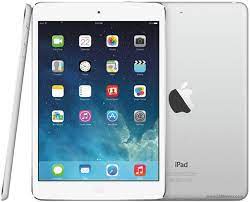
Note-taking is an essential part of the everyday routine of almost anyone who uses an iPad. Whether you’re taking notes during a lecture or meeting, planning your day, or simply jotting down your creative ideas, the iPad has numerous note-taking apps that can help you stay organized and efficient. If you want to take your note-taking experience to the next level, here are some of the best free iPad note-taking apps that you can try.

1. Evernote

Evernote is one of the most popular note-taking apps for the iPad, and for good reason. It offers a wide range of features, including the ability to make handwritten notes, insert photos and attachments, and sync your notes across multiple devices. You can also search your notes, create and organize notebooks, and tag your notes for better organization. Evernote’s free version has a monthly upload limit, but if you only take text notes, you’ll likely never hit the limit.

2. Google Keep

If you’re a fan of Google products and services, then Google Keep is an excellent option for you. This app is straightforward, comes with a clean interface, and offers a range of useful features. You can create both text and voice notes in Keep, as well as reminders, lists, and even drawings. Keep also allows you to collaborate on notes, which makes it a great choice for teams or groups.

3. Microsoft OneNote

OneNote from Microsoft is another popular note-taking app for the iPad, and with a few excellent features, it is easy to see why. With OneNote, you can make handwritten notes, add attachments and images, organize your notes using tabs, and even record audio notes. OneNote also offers seamless integration with Microsoft Office products like Outlook, Word, and Excel.

4. Notability

Notability is a great app for the iPad if you’re looking for advanced note-taking features like sketching, handwriting, and voice recording. You can also add photos, video, and PDFs to your notes, making it an ideal app for taking lecture notes or creating to-do lists. Notability includes a selection of note-taking templates, including graph paper, music paper, and blank sheets.

5. Simplenote

As the name suggests, Simplenote is a straightforward and elegant note-taking app for the iPad. It has a simple interface, but still offers useful features, such as syncing notes across devices, tag-based organization, and the ability to share notes with others. With Simplenote, you can also collaborate on notes with other users and share your notes via email or social media.


Previous Article

Ways to See if It’s Your Friend’s ...

Next Article

How to Download and Install Windows XP ...

Matthew Lynch

Related articles More from author

  • Digital & Mobile Technology

    Best Map and GPS Apps for Android

    September 8, 2023
    By Matthew Lynch
  • Digital & Mobile Technology

    How to Block and Unblock Contacts in Gmail

    September 8, 2023
    By Matthew Lynch
  • Digital & Mobile Technology

    The Best Terminal Emulator Apps for Android

    August 5, 2023
    By Matthew Lynch
  • Digital & Mobile Technology

    What Is a DEB File?

    June 10, 2023
    By Matthew Lynch
  • Digital & Mobile Technology

    Trackpad vs. Mouse: 6 Reasons to Ditch Your Mouse for Good

    June 6, 2023
    By Matthew Lynch
  • Digital & Mobile Technology

    How to Combine Photos on iPhone

    June 23, 2023
    By Matthew Lynch

Search

Login & Registration

  • Register
  • Log in
  • Entries feed
  • Comments feed
  • WordPress.org

Newsletter

Signup for The Tech Edvocate Newsletter and have the latest in EdTech news and opinion delivered to your email address!

About Us

Since technology is not going anywhere and does more good than harm, adapting is the best course of action. That is where The Tech Edvocate comes in. We plan to cover the PreK-12 and Higher Education EdTech sectors and provide our readers with the latest news and opinion on the subject. From time to time, I will invite other voices to weigh in on important issues in EdTech. We hope to provide a well-rounded, multi-faceted look at the past, present, the future of EdTech in the US and internationally.

We started this journey back in June 2016, and we plan to continue it for many more years to come. I hope that you will join us in this discussion of the past, present and future of EdTech and lend your own insight to the issues that are discussed.

Newsletter

Signup for The Tech Edvocate Newsletter and have the latest in EdTech news and opinion delivered to your email address!

Contact Us

The Tech Edvocate
910 Goddin Street
Richmond, VA 23231
(601) 630-5238
[email protected]

Copyright © 2025 Matthew Lynch. All rights reserved.