How to use Monday.com on mobile
“`html
The modern workplace is rapidly evolving, and collaboration tools are at the forefront of this transformation. Among them, the monday.com mobile app stands out as a dynamic platform designed to keep teams connected and productive, regardless of their location. Whether you’re managing projects, tracking tasks, or collaborating with colleagues, understanding how to fully utilize the features of the monday.com mobile app is essential for optimizing your workflow. In this article, we will explore the key functionalities, features, and practical insights to enhance your mobile experience on monday.com.
1. Introduction to Monday.com
Founded in 2012, Monday.com has grown into a robust project management tool that allows teams to manage their tasks, projects, and workflow collaboratively. What began as a simple task management platform has evolved into a comprehensive work operating system (Work OS) that integrates various aspects of project management, from tracking progress to setting deadlines. With the introduction of its mobile app, monday.com extends its functionalities beyond the desktop environment, enabling users to stay engaged and productive on the go. Related reading: great project management apps.
The monday.com mobile app is available for both iOS and Android devices, providing users with a user-friendly interface that mirrors its desktop counterpart. This accessibility allows teams to manage their projects anywhere, anytime, ensuring that work can continue seamlessly, whether in the office, at home, or on the road.
2. Getting Started with the Monday.com Mobile App
To begin using the monday.com mobile app, you’ll first need to download it from the App Store or Google Play Store. Once installed, you can log in with your existing account credentials. If you’re new to monday.com, signing up for an account is straightforward and can be done directly through the app.
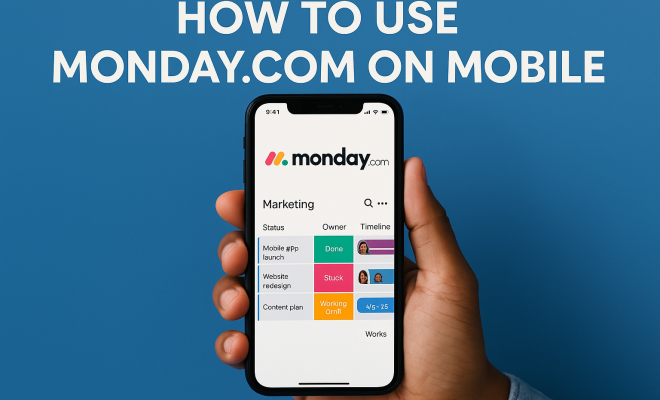
After logging in, you’ll be greeted with a dashboard that displays your boards and updates. The interface is designed to be intuitive, allowing users to navigate between different boards and projects effortlessly. This mobile-friendly design ensures that essential features are easily accessible, making it convenient for users to manage their tasks without the need for a computer.
3. Navigating the User Interface
One of the standout features of the monday.com mobile app is its streamlined user interface tailored for mobile use. The layout is organized into three primary sections: the dashboard, boards, and the updates feed. The dashboard provides an overview of your projects, while the boards section allows you to delve into specific projects and task lists.
The updates feed is particularly useful for staying informed about changes and progress made by team members. Notifications about updates or comments appear directly in this section, ensuring that you are always in the loop. Furthermore, the mobile app supports swipe gestures for quick navigation, which enhances the overall user experience.
4. Managing Your Tasks Effectively
Task management is at the heart of monday.com, and the mobile app provides several tools to help you manage your tasks effectively. You can create new tasks, assign team members, set deadlines, and add priority levels directly from your mobile device. This functionality ensures that you can remain productive, even when you’re not at your desk.
Additionally, the mobile app supports various task views, including Kanban, calendar, and list views, allowing you to choose the format that best suits your workflow. This flexibility means that no matter how you prefer to visualize your progress, you can do so conveniently from your mobile device.
5. Utilizing Notifications and Updates
Staying updated is crucial in any collaborative environment, and the monday.com mobile app ensures that you never miss an important notification. The app allows you to customize your notification settings, so you can choose what updates are sent to your mobile device. This feature is essential for maintaining clear communication with your team members.
Notifications can include reminders about deadlines, mentions from colleagues, or updates on changes made to tasks you’re assigned to. By tailoring your notification preferences, you can focus on what matters most, ensuring that your workflow remains uninterrupted.
6. Collaboration Made Easy
Collaboration is a key aspect of project management, and the monday.com mobile app facilitates seamless teamwork. Users can comment on tasks, upload files, and tag team members directly within the app. This allows for real-time collaboration, which is especially beneficial for teams that are working remotely or across different time zones. (See: Overview of project management practices.)
The ability to share documents and updates also means that all team members have access to the same information, reducing the chances of miscommunication. Whether you’re discussing project updates or brainstorming ideas, the mobile app provides the tools needed to keep the conversation flowing.
7. Integrating with Other Tools
A significant advantage of using the monday.com mobile app is its ability to integrate with other essential business tools. Whether you’re using Slack for communication, Google Drive for file storage, or Zoom for meetings, monday.com can connect with these applications to streamline your workflow. We covered improve your IT project skills in more detail.
By integrating your favorite tools, you can manage your projects and communicate with your team without switching between multiple apps. This integration not only saves time but also enhances productivity, allowing teams to focus on delivering results rather than getting bogged down by administrative tasks.
8. Best Practices for Using Monday.com on Mobile
To get the most out of the monday.com mobile app, consider these best practices: 1) Regularly update your tasks to maintain accurate project tracking. 2) Use the mobile app notifications to stay informed about deadlines and team updates. 3) Leverage the collaborative features by tagging team members in comments and updates. 4) Familiarize yourself with the app’s integrations to streamline your workflow. By following these practices, you can enhance your productivity and ensure that your team remains aligned regardless of location.
Moreover, don’t hesitate to explore the app’s capabilities. Take the time to learn about new features that may be rolled out, as monday.com consistently updates its platform to meet user needs. Embracing these updates can further optimize your workflow and improve your overall experience.
9. Advanced Features of the Monday.com Mobile App
The monday.com mobile app is packed with advanced features that can significantly enhance your project management experience. Let’s explore some of these features that not only boost productivity but also improve user engagement:
- Automations: Automate repetitive tasks directly from your mobile device. For instance, you can set up notifications to alert your team when a deadline is approaching or when a task is completed. This feature can save you time and keep your team on track, ensuring nothing slips through the cracks.
- Time Tracking: The app allows users to track the time spent on various tasks. This can be particularly useful for freelancers and teams that bill hours based on project work. By monitoring time directly through the app, you can gain insights into your productivity and identify areas for improvement.
- Customizable Dashboards: Just like on the desktop version, you can create dashboards on the mobile app that can be tailored to meet your specific project needs. This includes visualizing data through charts and widgets that reflect your team’s performance metrics.
- Templates: The mobile app offers a variety of templates that can help you get started on new projects quickly. Whether you need a template for marketing campaigns, product launches, or event planning, having access to these resources on your mobile device can streamline the setup process.
10. Real-World Examples of Successful Implementation
Many organizations have successfully implemented the monday.com mobile app to enhance their productivity and collaboration. Here are a few real-world examples:
Example 1: A Marketing Agency
A marketing agency that handles multiple client projects adopted the monday.com mobile app to manage its campaigns more efficiently. Team members used the app to track project timelines, deadlines, and client feedback in real time. This not only improved communication but also allowed team members to make quick adjustments to campaigns based on client input, resulting in increased client satisfaction.
Example 2: A Software Development Team
A software development team utilized the app for agile project management. Developers were able to create, update, and prioritize tasks while on the move, ensuring that everyone remained aligned despite being in different locations. The integration with tools like GitHub allowed seamless updates on code changes, which facilitated better collaboration and faster project delivery.
Example 3: An Educational Institution
An educational institution adopted monday.com to streamline its administrative processes. The mobile app enabled faculty and staff to manage schedules, track student progress, and collaborate on projects. This initiative not only improved task management but also fostered a sense of community among staff, leading to enhanced educational outcomes for students.
11. Statistics on Mobile App Usage in Project Management
The growth of mobile applications in project management has been remarkable. Here are some key statistics that highlight this trend:
- According to a survey by Statista, 54% of project managers report that mobile tools have improved their productivity.
- A report from McKinsey & Company indicates that productivity can increase by up to 20-25% when teams utilize collaboration tools effectively, including mobile applications.
- In a study conducted by Project Management Institute, organizations that implement mobile project management tools see a 40% increase in project success rates.
- Gartner predicts that by 2025, 70% of all project management will be performed on mobile applications as remote work continues to shape the industry.
12. Frequently Asked Questions (FAQ)
Q1: Is the monday.com mobile app free to use?
A: The monday.com mobile app is free to download, but you will need a subscription to access its full range of features. There are various pricing plans available to suit different team sizes and needs.
Q2: Can I access all features of monday.com on the mobile app?
A: While most core features are available on the mobile app, some advanced functionalities may be limited compared to the desktop version. However, monday.com continuously updates its app to include more features, so you can expect ongoing improvements.
Q3: How can I improve my team’s collaboration using the mobile app?
A: Encourage your team to use the commenting feature actively, tag each other in updates, and share files directly through the app. Setting up task assignments clearly also enhances accountability and communication amongst team members. (See: Workplace health and productivity resources.)
Q4: What devices are compatible with the monday.com mobile app?
A: The monday.com mobile app is compatible with both iOS and Android devices. You can download it from the App Store for iPhones and iPads or from the Google Play Store for Android devices.
Q5: Is there a way to sync my desktop and mobile app data?
A: Yes, the monday.com mobile app syncs seamlessly with the desktop version. Any changes made on one platform will automatically reflect on the other, ensuring you always have access to the most up-to-date information.
13. Common Challenges and Solutions When Using the Mobile App
While the monday.com mobile app is user-friendly and packed with features, some users may encounter challenges as they adapt to mobile project management. Here are some common hurdles and potential solutions:
Challenge 1: Limited Screen Space
Mobile screens are smaller than desktops, which can make navigation and task management a bit more challenging.
Solution: Familiarize yourself with the app’s shortcuts and use the filter and search functions to quickly find specific tasks or boards. This can significantly reduce the time spent scrolling through various lists.
Challenge 2: Connectivity Issues
Inconsistent internet connectivity can hinder the app’s performance, affecting task updates and team communication.
Solution: To combat this, ensure that you have a stable internet connection before heading into meetings or when you know you’ll be away from Wi-Fi. You can also save important documents and updates offline when possible, so you can access them without needing a connection. top institutions for project management offers useful background here.
Challenge 3: Notification Overload
With multiple tasks and projects, users might feel overwhelmed by constant notifications.
Solution: Customize your notification settings to prioritize essential updates. Consider setting specific times to check notifications rather than responding immediately, which can help manage distractions.
14. How to Train Your Team on the Monday.com Mobile App
To ensure everyone on your team is effectively utilizing the monday.com mobile app, consider implementing a training program. Here are some steps to create a successful training experience:
Step 1: Host an Introductory Session
Start with a meeting to introduce the app’s features and benefits. Highlight how it can help in their specific roles and workflows, showcasing real-life use cases relevant to your industry.
Step 2: Provide Resources
Share helpful resources such as tutorial videos, user guides, and FAQs. Consider creating a centralized document or intranet page where team members can easily access these materials. (See: Research on project management tools.)
Step 3: Encourage Hands-On Practice
Create opportunities for team members to explore the app on their own. Encourage them to set up personal tasks and projects to familiarize themselves with the interface and features.
Step 4: Offer Ongoing Support
Establish a channel (like a group chat or forum) where team members can ask questions and share tips. Regular check-ins can also help address any ongoing challenges and gather feedback on their experience.
15. Future Trends in Project Management Mobile Apps
The landscape of project management is constantly changing, driven by advances in technology. As we look ahead, several trends could shape the future of mobile apps like monday.com:
Trend 1: Increased Use of AI
Artificial intelligence will likely play a bigger role in project management apps, offering predictive analytics, automated reporting, and personalized recommendations based on user behavior.
Trend 2: Enhanced Integration Capabilities
As businesses adopt more specialized tools, the need for seamless integrations will grow. Future updates may focus on expanding the range of compatible applications to offer users a more comprehensive ecosystem.
Trend 3: Focus on User Experience
With user experience remaining a priority, expect to see continued improvements in app design, making it even easier to navigate and manage tasks efficiently on mobile devices.
Trend 4: Remote Work Adaptations
The rise of remote work will likely prompt additional features aimed at enhancing collaboration and communication among distributed teams. This could include advanced video conferencing tools and real-time document editing capabilities.
16. Conclusion: Making the Most of Monday.com
In a world that increasingly values flexibility and efficiency, the monday.com mobile app provides the tools needed for effective project management and collaboration. By mastering its features—ranging from task management to team collaboration—you can ensure that you and your team remain productive, regardless of your location. Whether you’re in a meeting, commuting, or working from home, the app empowers you to take control of your projects and communication on the go. (essential organization apps for teachers)
As you continue to explore the monday.com mobile app, keep in mind that effective project management is not just about the tools you use, but also about how you use them. With the right approach and best practices, you can transform the way your team collaborates, setting the stage for success in all your projects.
“`
Trending Now
Frequently Asked Questions
How do I get started with Monday.com on mobile?
To get started with Monday.com on mobile, download the app from the App Store or Google Play Store. After installation, log in with your existing account credentials, or sign up directly through the app if you're new. Once logged in, you'll access a user-friendly dashboard to manage your projects.
What features does the Monday.com mobile app offer?
The Monday.com mobile app offers features like task management, project tracking, and team collaboration. It mirrors the desktop interface, allowing users to manage projects, set deadlines, and communicate with colleagues seamlessly from anywhere.
Is Monday.com available for iOS and Android?
Yes, the Monday.com mobile app is available for both iOS and Android devices. This ensures that users can access their project management tools and stay productive, regardless of the device they are using.
Can I manage projects on Monday.com without a computer?
Absolutely! The Monday.com mobile app allows you to manage projects entirely from your mobile device. You can track tasks, communicate with team members, and update project statuses on the go, ensuring productivity anytime, anywhere.
How does Monday.com enhance team collaboration?
Monday.com enhances team collaboration by providing a centralized platform where members can share updates, assign tasks, and communicate directly within projects. The mobile app ensures that team members can stay connected and informed, even when they are not at their desks.
What did we miss? Let us know in the comments and join the conversation.