How to create away message in WhatsApp Business
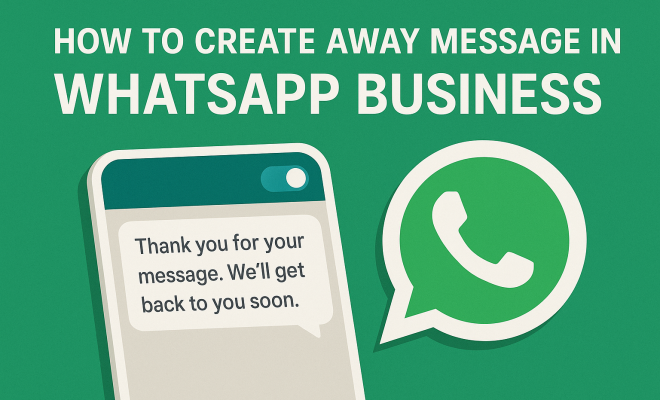
WhatsApp Business has become an indispensable tool for small businesses looking to maintain a professional presence while engaging with customers. One of the standout features in this app is the ability to create an away message. This feature is particularly useful when you’re unavailable to respond immediately, ensuring your customers know you’re still attentive and care about their inquiries. In this article, we’ll explore how to create an effective away message in WhatsApp Business, along with tips and best practices for maximizing its impact.
1. Understanding the Importance of Away Messages
Before diving into the technicalities of creating an away message, it’s important to understand why they are crucial for your business. An away message serves several functions:
- Customer Engagement: It communicates to customers that their queries are acknowledged, even if you’re not available at that moment.
- Professionalism: A well-crafted message portrays your business in a positive light, assuring clients that you are organized and responsive.
- Setting Expectations: By informing customers about your availability, you manage their expectations regarding response times.
With these points in mind, it’s clear that crafting the right away message can enhance customer satisfaction and trust, ultimately leading to better business relationships.
2. How to Enable Away Messages on WhatsApp Business
Setting up away messages in WhatsApp Business is a straightforward process. To start, ensure you have downloaded the WhatsApp Business app, as regular WhatsApp does not offer this feature. Here’s a step-by-step guide:
- Open the WhatsApp Business app.
- Tap on the three vertical dots in the top right corner to access the menu.
- Select Business Tools from the menu.
- Choose Away Message.
- Toggle the switch to enable away messages.
Congratulations! You’ve enabled the feature, but there are still a few more steps to personalize your message.
3. Crafting Your Away Message
Now that you’ve enabled the feature, it’s time to write your away message. Here are some tips to keep in mind:
- Be Clear and Concise: Your message should be direct and easy to understand. Avoid jargon or overly complicated phrases.
- Include Reason for Unavailability: If possible, mention why you are unavailable. This could be during off-hours, weekends, or holidays.
- Encourage Further Communication: If applicable, invite customers to leave a message or indicate when you will be back.
For example, a simple message could be: “Thank you for reaching out! I’m currently unavailable and will respond to your message during business hours. Please leave your name and number, and I will get back to you as soon as possible.” This template is effective because it communicates unavailability while also encouraging engagement.
4. Scheduling Your Away Message
WhatsApp Business allows you to schedule when your away message is active. This functionality is particularly useful if your business has set operating hours. To schedule your away message:
- In the Away Message settings, you can select Schedule.
- Choose the time frame for when the away message should be sent. You can set it for specific days and times to align with your business hours.
- Save your settings.
By scheduling your messages, you ensure that customers receive timely responses even when you are away, reinforcing your professionalism. (See: Learn more about WhatsApp.)
5. Using Quick Replies to Enhance Your Away Message
Another feature that complements away messages in WhatsApp Business is the use of quick replies. Quick replies allow you to save frequently used messages for easy access. This can be particularly helpful in conjunction with your away message.
To set up quick replies:
- Go to the Business Tools menu.
- Select Quick Replies.
- Tap on the + icon to create a new quick reply.
- Input your message and assign a shortcut for easy retrieval.
By combining your away message with quick replies, you can streamline your communication process, ensuring customers receive timely information even when you’re not available to chat directly.
6. Personalizing Your Away Message
A generic away message can feel impersonal, so consider personalizing it to reflect your brand’s voice. Whether your business is friendly, professional, quirky, or casual, your away message should resonate with your overall brand image. Here are a few tips to personalize your message:
- Use a Friendly Tone: Depending on your brand, consider using a conversational tone. For example, “Hey there! Thanks for your message. I’m currently away, but I promise to get back to you soon!”
- Branding Elements: Incorporate your business name or tagline to remind customers who they are engaging with.
- Emojis: If it aligns with your brand voice, using emojis can add a friendly touch to your message.
By personalizing your away messages, you strengthen your brand identity and create a more engaging experience for your customers.
7. Analyzing Customer Engagement with Away Messages
Once you’ve set up your away message, it’s essential to analyze its impact on customer engagement. WhatsApp Business does not provide robust analytics within the app, but you can track engagement using various methods:
- Monitor Response Times: Keep track of how quickly customers are responding to your messages. If you notice delays, you may want to adjust your messaging strategy.
- Customer Feedback: Encourage customers to provide feedback about their experience while interacting with your away message. Use their insights to improve your approach.
- A/B Testing: Experiment with different messages to see which resonates better with your audience. One message may encourage more engagement than another.
Understanding how your away message performs will give you vital insights into customer preferences and improve your overall communication strategy.
8. Common Mistakes to Avoid
Creating an effective away message isn’t just about what you say; it’s also about avoiding common pitfalls. Here are a few mistakes to watch out for:
- Vague Messages: Avoid ambiguous messages that don’t provide clear information about when customers can expect a response.
- Overly Long Messages: While it’s important to convey relevant information, keep your message succinct. Long messages may deter customers from reading the entire content.
- Ignoring Follow-Up: After receiving an inquiry, ensure to follow up promptly once you’re back and available. Failing to do so may frustrate customers.
Avoiding these mistakes will help you craft a more effective and customer-friendly away message.
9. Real-World Examples of Effective Away Messages
Sometimes the best way to learn is by example. Here are a few effective away messages used by businesses: (See: Effective communication guidelines.)
- Retail Store: “Thanks for reaching out! We’re currently closed but will be back tomorrow at 9 AM. Your message is important to us, and we’ll reply as soon as we can!”
- Freelancer: “I’m currently away from my desk until 3 PM. Please leave your name and contact info, and I’ll get back to you when I return!”
- Service Provider: “Hello! I’m out of the office right now. If you need immediate assistance, please contact our support team at [support email or phone number]. Otherwise, I’ll respond as soon as I can!”
These examples illustrate how to balance professionalism and warmth while providing essential information to customers.
10. Best Practices for Crafting Away Messages
To make the most of your away messages, consider these best practices:
- Regular Updates: Ensure your away message is updated regularly to reflect any changes in your schedule or business hours.
- Test Different Messages: As mentioned earlier, A/B testing can help identify which messages resonate best with your audience. Don’t hesitate to try different formats or tones.
- Utilize Call-to-Actions: Encourage customers to take action, whether it’s visiting your website, checking out your social media, or leaving a message. For instance, “Feel free to leave a message, or check out our latest offerings on our website!”
Implementing these practices can enhance the effectiveness of your away messages, making them not just informative but also engaging.
11. Statistics on Customer Expectations and Communication
Understanding customer behavior and expectations can significantly influence how you craft your away messages. Here are some statistics that highlight the importance of timely communication:
- According to a recent survey by HubSpot, 90% of customers expect an immediate response when they have a customer service question.
- Salesforce found that 76% of consumers say the most important thing a company can do is value their time, which often translates to timely communication.
- A study by Microsoft revealed that 61% of customers feel that businesses should be available 24/7, which reinforces the need for effective away messages during off-hours.
These statistics underscore the importance of clear communication and customer engagement, highlighting that a well-crafted away message is more than just a courtesy; it’s an essential component of good customer service.
12. Expert Perspectives on Messaging in Business
Industry experts often emphasize the value of effective messaging in customer interactions. For example, Mike Michalowicz, an entrepreneur and author, stresses that “businesses must communicate with customers in a way that makes them feel valued and respected.” This philosophy aligns perfectly with the concept of crafting away messages. Here are insights from several experts:
- Ann Handley, Marketing Expert: “Your messaging should feel like a conversation, not a corporate monologue.” This highlights the need for a human touch in away messages.
- Neil Patel, Digital Marketing Guru: “Your goal should be to reduce friction in customer interactions, and a clear away message does exactly that.” It’s about making things easier for your customers.
- Shep Hyken, Customer Service Specialist: “Communicating expectations is crucial. If a customer knows when they’ll hear back from you, they’re more likely to be patient.” This reinforces the value of setting clear expectations in your away messages.
13. FAQ: Creating Away Messages in WhatsApp Business
What is an away message in WhatsApp Business?
An away message is an automated response sent to customers when you’re not available to reply immediately. It lets them know you’ve received their message and when they can expect a response.
Can I customize my away message?
Yes! You can personalize your away message to reflect your brand’s voice and tone. This could include friendly greetings, business names, and even emojis if they fit your brand.
How do I schedule my away messages?
You can schedule away messages within the WhatsApp Business app by selecting the Schedule option in the away message settings. You can set specific times and days for when the message will be sent. (See: WhatsApp Business insights from NY Times.)
Are there any character limits for away messages?
WhatsApp does not specify a character limit for away messages, but it’s advisable to keep it concise—around 150-200 characters is often ideal for clarity and engagement.
Can I use away messages for different customers?
While you can create only one away message at a time, you can tailor it based on customer segments or types of inquiries. You might consider using quick replies in conjunction with your away message for more specific situations.
How can I measure the effectiveness of my away messages?
While WhatsApp Business does not provide analytics, you can measure effectiveness through customer feedback, monitoring response times, and experimenting with A/B testing on different messages.
14. Expanding Your Away Message Strategy Beyond WhatsApp
While WhatsApp Business provides specific features for away messages, it’s beneficial to consider a holistic approach across all your communication channels. Consistency in messaging can reinforce your brand’s professionalism. Here are some strategies to ensure your away messages align across platforms:
- Cross-Platform Integration: Whether you’re using email, social media, or your website, ensure your messaging is consistent. If a customer receives an away message on WhatsApp, they should expect similar communication when they reach out via email or other channels.
- Unified Branding: Keep your brand’s voice and tone consistent across platforms. This includes using similar language, visuals, and even emojis where appropriate for a cohesive experience.
- Automated Responses on Other Platforms: Just like WhatsApp Business, explore setting up automated responses on your email or social media. This ensures customers feel acknowledged wherever they reach out, enhancing overall satisfaction.
- Interactive Features: Use interactive features like chatbots on your website, which can guide users while you’re unavailable. This adds another layer of engagement and assistance.
15. Case Studies of Successful Away Message Implementation
Real-world examples can illustrate the powerful impact of well-crafted away messages. Here are a couple of case studies demonstrating successful implementations:
- Local Coffee Shop: After integrating an automated away message system, a local coffee shop reported a 30% increase in customer inquiries through WhatsApp. Their message read: “Thank you for your message! We’re currently brewing coffee but will respond as soon as possible. Don’t forget to check our daily specials on our website!” This not only acknowledged the inquiry but directed customers to their online offerings, increasing engagement and sales.
- Freelance Graphic Designer: A freelance designer reported improved client relationships after customizing their away message to reflect their fun brand personality. The message included, “I’m currently out gathering inspiration! Leave a message, and I’ll get back to you once I’m back in my creative zone!” They found that clients appreciated the personalization, leading to more referrals and business growth.
16. Final Thoughts on Creating Away Messages
In the fast-paced world of business communication, setting up an away message in WhatsApp Business can significantly enhance your customer service experience. By taking the time to create a thoughtful, responsive away message, you not only keep your customers informed but also build a foundation for positive interactions. Remember, the key is to be clear, concise, and true to your brand’s voice. With the tips and strategies outlined in this article, you’ll be well on your way to mastering the art of creating away messages in WhatsApp Business.
Trending Now
Frequently Asked Questions
How do I set up an away message in WhatsApp Business?
To set up an away message in WhatsApp Business, open the app, tap the three dots in the top right corner, select 'Business Tools', then choose 'Away Message'. Toggle the switch to enable it and personalize your message as needed.
What is the purpose of an away message in WhatsApp Business?
An away message in WhatsApp Business serves to acknowledge customer inquiries when you are unavailable, portray professionalism, and set expectations regarding your response times, enhancing customer satisfaction.
Can I customize my away message in WhatsApp Business?
Yes, you can customize your away message in WhatsApp Business. After enabling the feature, you can enter a personalized message that reflects your brand voice and informs customers about your availability.
Is WhatsApp Business different from regular WhatsApp for away messages?
Yes, WhatsApp Business offers features like away messages that are not available in the regular WhatsApp app. This makes it a valuable tool for businesses seeking to maintain a professional communication presence.
How does an away message improve customer engagement?
An away message improves customer engagement by acknowledging inquiries even when you are unavailable. It reassures customers that their messages are recognized and that you value their concerns, fostering trust and satisfaction.
What did we miss? Let us know in the comments and join the conversation.