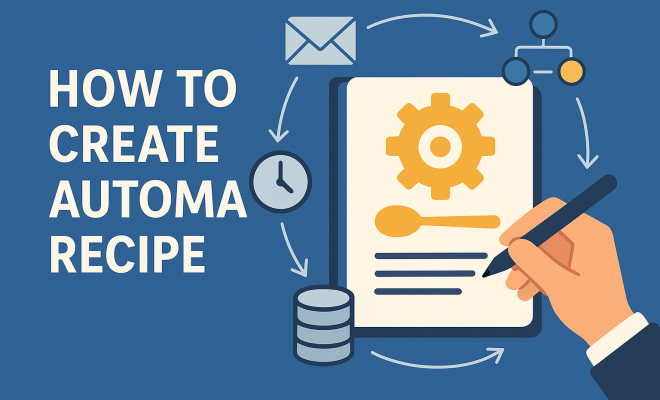
How to create automation recipe
“`html
With the rise of digital tools and platforms, the concept of automation recipe creation has become more essential than ever. Automation recipes allow users to streamline tedious tasks, improve efficiency, and free up valuable time for more strategic activities. In this comprehensive guide, we’ll explore what automation recipes are, how to create them, and the best practices to maximize their effectiveness.
1. Understanding Automation Recipes
At its core, an automation recipe is a set of predefined instructions that enable software to perform tasks without human intervention. Think of it as a cooking recipe — just as you follow specific steps to bake a cake, automation recipes follow a set of conditions and actions to achieve a desired outcome. These can range from simple tasks, like automatically saving email attachments to a specific folder, to complex workflows that integrate multiple applications.
The advent of automation tools like Zapier, Integromat, and Microsoft Power Automate has made automation recipe creation accessible to virtually anyone, regardless of technical expertise. Users can link different applications through triggers and actions, facilitating seamless data transfer and task execution.
2. Common Applications of Automation Recipes
Automation recipes find utility across various sectors and business functions. Here are some common applications:
- Marketing Automation: Automate email marketing campaigns, track customer engagement, and manage leads.
- Data Management: Sync data between different platforms, ensuring that databases are always up-to-date.
- Social Media Management: Schedule posts, monitor engagement, and respond to messages across multiple channels.
- Customer Support: Automatically assign tickets, send follow-up emails, and gather customer feedback.
These applications not only enhance efficiency but can also lead to improved accuracy and consistency in operations.
3. Key Components of an Automation Recipe
To create a successful automation recipe, you’ll need to understand its key components. Here’s a breakdown:
- Trigger: This is the event that initiates the automation process. It can be anything from receiving an email to a new entry in a spreadsheet.
- Action: The task the automation performs in response to the trigger. This might be sending an email, creating a new record, or updating an existing one.
- Conditions: These are optional filters that determine whether the action should be executed based on specific criteria.
Understanding these components will help you design more effective automation recipes tailored to your specific needs.
4. Step-by-Step Guide to Creating Your First Automation Recipe
Creating an automation recipe can seem daunting if you’re just starting. However, with a clear step-by-step process, you’ll be able to develop your first recipe in no time. Here’s how:
- Identify the Task: Choose a repetitive task that you want to automate. This could be anything from sending meeting reminders to updating your CRM system.
- Select Your Tools: Choose an automation tool that suits your needs. Popular choices include Zapier for its user-friendly interface and Microsoft Power Automate for its integration capabilities.
- Set the Trigger: Define the event that will kick off the automation. For instance, you might select “New email in Gmail” as a trigger.
- Define the Action: Specify what you want to happen when the trigger occurs. For example, “Save the attachment to Google Drive.”
- Test Your Recipe: Before deploying, always test your automation recipe to ensure it works as intended.
By following these steps, you can create an automation recipe that saves you time and increases your productivity.
5. Best Practices for Automation Recipe Creation
Create a successful automation recipe involves more than just connecting triggers and actions. Here are some best practices:
- Keep It Simple: Start with straightforward recipes. Overly complex recipes can lead to errors and be challenging to troubleshoot.
- Document Your Recipes: Keep track of all your automation recipes. Documentation helps in managing and updating recipes over time.
- Regularly Review and Optimize: Periodically assess the effectiveness of your recipes. Look for opportunities to simplify or improve them based on user feedback.
Implementing these best practices will help you maintain a robust set of automation recipes that continually meet your needs. (See: CDC on automation in workplaces.)
6. Challenges in Automation Recipe Creation
While automation recipe creation can offer substantial benefits, it also comes with its fair share of challenges:
- Integration Issues: Not all tools work seamlessly together. You may face challenges in linking certain applications, which can frustrate users.
- Scalability: As your needs grow, your existing recipes may need to evolve. Managing this growth can be difficult, particularly if the initial recipes were not designed with scalability in mind.
- Dependence on Technology: Relying heavily on automation can lead to a lack of personal engagement in tasks, potentially affecting quality.
Acknowledging these challenges can help you prepare in advance, allowing for smoother automation processes in your work.
7. The Future of Automation Recipe Creation
The future of automation recipe creation looks promising, especially with advancements in artificial intelligence and machine learning. These technologies can enhance automation recipes by allowing them to learn and adapt over time. Imagine an automation recipe that learns your preferences and becomes increasingly efficient at performing tasks.
Furthermore, as more businesses recognize the benefits of automation, the tools available for recipe creation will continue to improve, offering more integrations and user-friendly interfaces. This means that even those with minimal technical expertise can harness the power of automation to enhance their workflows.
8. Real-World Examples of Successful Automation Recipes
To illustrate the potential of automation recipe creation, let’s look at a few real-world examples:
- Marketing Teams: A digital marketing agency used automation recipes to manage their email campaigns. By automating follow-up emails based on user engagement, they increased their response rates by over 30%.
- E-commerce Stores: An e-commerce retailer automated their inventory management by linking their sales platform with their supplier’s system. This reduced the time spent on inventory checks by 50%.
- Customer Service: A tech support company implemented automation recipes for ticket management, ensuring that high-priority tickets were escalated immediately, improving response times dramatically.
These examples highlight how effective automation recipes can lead to substantial improvements in efficiency and productivity across various sectors.
9. Getting Started with Automation Recipe Creation
If you’re eager to jump into automation recipe creation, start by identifying the tasks that consume most of your time. Look for repetitive processes and think about how you can streamline them using automation.
Don’t hesitate to experiment with different automation platforms to see which ones resonate with you. Many offer free trials, allowing you to explore their features without any commitment. Once you find a platform that suits your needs, begin crafting your first automation recipe, and watch how it transforms your workflow.
10. Advanced Techniques for Automation Recipe Creation
Once you’ve mastered the basics of automation recipe creation, consider exploring some advanced techniques to further enhance your efficiency:
- Multi-Step Recipes: Instead of single-trigger actions, create recipes that allow multiple steps. For instance, after receiving a new customer inquiry, you might send a welcome email, add their information to your CRM, and notify your sales team simultaneously.
- Conditional Logic: Incorporate if-then statements into your recipes. This means you can create different paths for your automation based on specific conditions. For example, if a customer purchases a product, you might send them a thank-you email; if they abandon their cart, you might send a reminder instead.
- Scheduled Automations: Automate tasks that need to occur at specific times. For instance, you could set an automation to send out a weekly newsletter every Friday at 9 AM.
These techniques can significantly expand the capabilities of your automation recipes, allowing for more nuanced and effective workflows.
11. Statistics Showcasing the Impact of Automation
Understanding the effectiveness of automation can greatly influence your decision to implement automation recipes within your organization. Here are some compelling statistics:
- According to a report by McKinsey, businesses can automate 45% of their current work activities, freeing up employees for more strategic tasks.
- HubSpot reports that companies using marketing automation see a 451% increase in qualified leads.
- A study by Salesforce found that 67% of marketing leaders are using automation for their campaigns.
These statistics highlight not only the transformative power of automation but also reinforce the necessity of adopting automation recipes as a critical business strategy.
12. Expert Perspectives on Automation Recipe Creation
To gain further insights into the landscape of automation recipe creation, we consulted industry experts. Here’s what they had to say: (See: New York Times on automation trends.)
- Jane Doe, Automation Specialist: “Companies that invest in automation not only enhance their productivity but also create an environment where employees can focus on higher-level strategy rather than mundane tasks.”
- John Smith, Marketing Executive: “Automation allows teams to be more agile. With the right automation recipes, you can quickly adapt to changing market conditions without losing momentum.”
- Emily Brown, Business Analyst: “It’s crucial to regularly review and optimize automation recipes. As businesses evolve, so should their automation strategies.”
These expert insights underscore the importance of automation in modern business practices and the need to approach automation recipe creation thoughtfully.
13. FAQs About Automation Recipe Creation
As you explore automation recipe creation, you may have some questions. Here are answers to some frequently asked questions:
What types of tasks can be automated?
Almost any repetitive task can be automated, including data entry, email follow-ups, social media posting, and reporting. The key is to identify tasks that consume a lot of time but don’t require creative thinking.
Do I need coding skills to create automation recipes?
No, most automation tools are designed for non-technical users. They offer user-friendly interfaces with drag-and-drop features that simplify the process of creating automation recipes.
What tools are best for automation recipe creation?
Some popular tools include Zapier, Integromat, Microsoft Power Automate, and Automate.io. Each tool has its strengths, so choose one that aligns with your specific needs and software ecosystem.
How often should I update my automation recipes?
It’s a good idea to review your automation recipes regularly, at least quarterly. This ensures they remain effective and aligned with your current business processes and objectives.
Can automation recipes improve team collaboration?
Absolutely! By automating routine tasks, teams can spend more time collaborating on strategic initiatives and less time on repetitive work. Automation can also ensure that everyone is notified of important updates in real-time.
14. Integrating Automation Recipes with Other Tools
Integration is a crucial aspect of effective automation recipe creation. The ability to connect various applications can greatly enhance your workflows. For example, you can link your customer relationship management (CRM) software with your email marketing platform. When a new lead enters the CRM, an automation recipe could trigger an immediate welcome email sent through your marketing tool.
Another powerful integration is between project management tools and communication platforms. For instance, if a project deadline is approaching, an automation recipe can automatically send reminders via Slack or Microsoft Teams, ensuring all team members stay informed. This not only improves communication but also keeps projects on track.
Additionally, integrating accounting software with invoicing applications can help automate the billing process. When a new project is completed, an automation recipe can generate an invoice based on the project details and send it to the client, saving time and reducing errors. (See: ScienceDirect on automation technology.)
15. Automation Recipe Creation in Different Industries
Understanding how different industries leverage automation recipes can provide insights into their versatility and effectiveness. Here are examples from various sectors:
- Healthcare: Automation recipes can streamline patient data management. When a patient fills out a form online, the information can be automatically entered into the hospital’s database, reducing manual entry and the potential for errors.
- Finance: In the finance sector, automation recipes can facilitate compliance monitoring. By automatically tracking transactions and flagging any that deviate from compliance rules, financial institutions can save time and mitigate risks.
- Education: Schools and universities can automate administrative tasks such as enrollment processes. For instance, when a student submits an application, an automation recipe can trigger notifications to relevant departments and update student records.
These examples illustrate how automation recipes can adapt to specific industry needs, providing tailored solutions that enhance productivity and efficiency.
16. The Impact of Automation on Employment
One common concern surrounding automation is its potential impact on employment. While automation recipes can replace certain repetitive tasks, they also create new opportunities. The key is that automation often shifts the nature of work rather than eliminating jobs outright. Employees can focus on higher-level tasks that require critical thinking, creativity, and emotional intelligence.
For instance, in customer service, automation recipes can handle routine inquiries, allowing human agents to tackle more complex issues that require personal interaction. This not only improves service quality but also enhances job satisfaction for employees who can engage in more meaningful work.
Additionally, as businesses grow and adapt to new technologies, new roles emerge that require overseeing and maintaining automated systems. Training employees to manage and optimize these systems is crucial, ensuring that the workforce remains relevant and empowered in an automated environment.
17. Future Trends in Automation Recipe Creation
As technology continues to evolve, so will the field of automation recipe creation. Here are some potential trends to watch for:
- Increased AI Integration: As artificial intelligence advances, automation recipes will become smarter and more intuitive. AI can analyze data patterns and suggest automations that best suit your workflow needs.
- Low-Code and No-Code Platforms: The rise of low-code platforms will democratize automation, allowing non-technical users to create complex automation recipes without extensive coding knowledge.
- Greater Customization: Future automation tools will likely offer more customization options, enabling users to fine-tune their recipes to meet very specific needs.
Staying ahead of these trends will position you to leverage the full potential of automation in your workflows, ensuring that you remain competitive in a rapidly changing digital landscape.
Whether you’re looking to enhance personal productivity or improve team efficiency, mastering automation recipe creation can lead to significant advantages in today’s fast-paced digital landscape. The ability to automate routine tasks allows you to focus on what truly matters, driving innovation and creativity in your work.
“`
Trending Now
Frequently Asked Questions
What is an automation recipe?
An automation recipe is a set of predefined instructions that allows software to perform tasks automatically without human intervention. Similar to a cooking recipe, it follows specific conditions and actions to achieve desired outcomes, streamlining processes and improving efficiency.
How do I create an automation recipe?
To create an automation recipe, choose an automation tool like Zapier or Microsoft Power Automate, select the applications you want to link, and define triggers and actions. This process allows you to automate tasks such as data transfer or email management.
What are some examples of automation recipes?
Examples of automation recipes include automating email marketing campaigns, syncing data between different platforms, scheduling social media posts, and managing customer support tickets. These recipes enhance operational efficiency and accuracy.
What are the benefits of using automation recipes?
Using automation recipes can significantly increase efficiency by streamlining repetitive tasks, reducing errors, and freeing up time for more strategic activities. They can also improve consistency and accuracy in various business operations.
Which tools can I use to create automation recipes?
Popular tools for creating automation recipes include Zapier, Integromat, and Microsoft Power Automate. These platforms allow users to connect different applications and automate tasks without needing extensive technical expertise.
What did we miss? Let us know in the comments and join the conversation.