Master IFTTT: Automate Your Digital Life & Boost Productivity
“`html
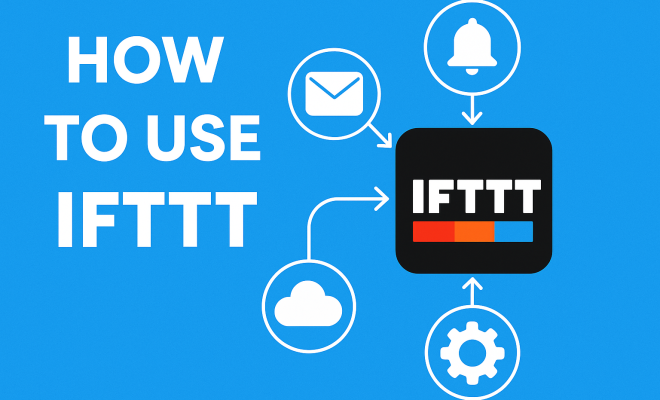
If you’ve ever wished for a personal assistant to streamline your online activities, you’re in luck. IFTTT, which stands for “If This Then That,” is a powerful tool that automates tasks between different web services and applications. Whether you want to sync your smart home devices, manage social media posts, or receive notifications about specific events, understanding how to use IFTTT can significantly enhance your productivity. In this article, we’ll explore the fundamentals of IFTTT, its practical applications, and tips to maximize its effectiveness.
1. Understanding IFTTT: The Basics
To grasp how to use IFTTT effectively, it’s essential to understand the platform’s core functionality. Launched in 2010, IFTTT allows users to create conditional statements, known as “applets,” that link various online services. Each applet consists of a trigger (the “If This” part) and an action (the “Then That” part). For example, you could set a trigger for when you upload a photo to Instagram, which then automatically saves the photo to your cloud storage. This simple yet powerful mechanism enables users to automate mundane tasks effortlessly.
IFTTT is compatible with a wide range of services, including social media platforms, smart home devices, and productivity tools. The platform’s versatility is one of its greatest assets. By using IFTTT, you can integrate apps that don’t typically communicate with each other, creating a seamless experience. This eliminates the need to perform repetitive actions manually, freeing up your time for more important tasks.
2. Creating Your First Applet
Now that you’ve grasped the basics, let’s look at how to use IFTTT by creating your first applet. The process is user-friendly, making it accessible even for those not particularly tech-savvy. Start by signing up for an IFTTT account. Once logged in, click on “Create” to start building your applet.
The first step is selecting a service for your trigger. For instance, if you want to receive an email every time a specific Twitter account tweets, you would select Twitter as your service and set the desired trigger (like “New Tweet by User”). Next, specify the action you want to take place, such as sending an email. After configuring the necessary settings, save your applet. Congratulations! You’ve just automated a task.
3. Exploring Pre-Made Applets
If you’re unsure where to start, IFTTT offers a library of pre-made applets created by other users. These applets can provide inspiration or fulfill your needs without any customization. Access the “Explore” section on the IFTTT website or app, where you can browse categories and popular applets.
For example, if you’re a fitness enthusiast, you might find applets that track your workouts on Google Sheets, or if you enjoy photography, there are applets that automatically back up your photos to cloud storage whenever taken. Pre-made applets are an excellent way to quickly enhance your workflow without having to delve deep into the intricacies of IFTTT.
4. Integrating Smart Home Devices
One of the most exciting aspects of IFTTT is its compatibility with smart home devices. By using IFTTT, you can create applets that allow your smart devices to work together seamlessly. For instance, you could set up a scenario where your smart lights turn on automatically when your smart doorbell detects motion.
To get started, connect your smart home devices to IFTTT and explore the available services. Popular brands like Philips Hue, Google Home, and Amazon Alexa have numerous applet integrations. The possibilities are nearly endless, allowing you to create a more responsive and efficient living space. Just imagine walking into a room and having the lights adjust to your desired brightness automatically — that’s the power of automation!
5. Enhancing Productivity with IFTTT
In a fast-paced world filled with obligations, staying organized and productive is more important than ever. IFTTT can help you manage your tasks by automating reminders and organizing information. For example, you could create an applet that adds tasks to your Google Calendar whenever you receive an email tagged with a specific label.
Additionally, you can connect IFTTT with project management tools like Trello or Asana. Automatically creating cards or tasks based on triggers can streamline your workflow. By linking your email, calendar, and task management systems, you can ensure nothing falls through the cracks. This interconnectedness promotes a cohesive approach to productivity, assisting in both personal and professional spheres. (See: Learn more about IFTTT on Wikipedia.)
6. Social Media Management Made Easy
If you’re active on social media, you understand the challenges of maintaining consistent engagement across multiple platforms. IFTTT can simplify this process. For instance, you can automatically share your Instagram photos on Twitter or post your blog updates directly to Facebook.
Using IFTTT for social media management can save you time and ensure that your content reaches a broader audience. However, it’s important to maintain authenticity. Oversharing can overwhelm followers and dilute your message. Therefore, carefully select which applets to activate and regularly assess their effectiveness. This strategy allows you to engage with your audience meaningfully while maximizing your online presence.
7. Security and Alerts: Staying Informed
In an age where cybersecurity is a top concern, leveraging IFTTT for security and alert systems can enhance your peace of mind. You can set up applets that notify you of suspicious activities, such as when someone accesses your home security camera or when your smart lock is activated.
For example, if you have a Ring doorbell, you could create an applet that sends a text message or an email alert whenever motion is detected. You might also connect IFTTT with weather alerts to receive notifications about severe weather in your area, ensuring you’re always prepared. This proactive approach to security can significantly increase your responsiveness to potential issues, allowing you to act swiftly when necessary.
8. Managing Notifications and Information Overload
While notifications can be incredibly useful, receiving too many can lead to information overload. IFTTT allows you to manage how and when you receive notifications, helping you maintain focus. You can create applets that filter and send only critical alerts to your phone or email, based on specific triggers.
For instance, you could configure a notification system so that you only receive alerts for urgent emails or messages from important contacts. By customizing your notification settings, you can cultivate a less distracting environment, allowing you to prioritize tasks without being overwhelmed by constant pings. This tailored approach to notifications can enhance your overall productivity and mental well-being.
9. Best Practices and Tips for Using IFTTT
To get the most out of IFTTT, consider these best practices: Start simple. It’s easy to get carried away with the endless possibilities IFTTT offers. Focus on automating a few processes that will make a tangible difference in your daily routine. As you become more familiar with applets, gradually add more complex integrations to your workflow.
Additionally, regularly review and update your applets. As your needs evolve, so should your automation strategies. Delete any applets that are no longer relevant, and experiment with new ones that might better serve your current lifestyle. Lastly, engage with the IFTTT community. Many users share their unique creations and insights, which can inspire new ways to use the platform. By participating in forums or social media groups, you can learn from others and discover innovative uses for IFTTT.
10. Advanced Uses of IFTTT
Once you feel comfortable with the basics, you might want to explore some advanced uses of IFTTT. For tech-savvy users, IFTTT offers a feature called Webhooks, which allows you to trigger applets from other systems or apps that support web requests. This can open up a myriad of possibilities, such as triggering an applet from your custom-built application or integrating with services that don’t have a pre-existing IFTTT connection.
For example, if you’re a developer, you could create a custom web service that sends a request to IFTTT every time a significant event occurs in your application, such as a user sign-up or form submission. This would allow you to automate notifications or actions based on specific events in your application, providing real-time updates and improving user engagement.
Another advanced option is to use IFTTT in conjunction with Google Assistant or Amazon Alexa for voice-activated automation. Imagine telling your smart speaker to “activate my morning routine,” which could trigger multiple applets to start your day off right — from turning on the coffee maker to setting your thermostat to the perfect temperature.
11. Statistics on IFTTT Usage
Understanding the impact of IFTTT can help you appreciate its value. According to recent statistics, IFTTT has over 18 million users who create and utilize millions of applets. This widespread adoption highlights its effectiveness in automating everyday tasks. (See: IFTTT applications in health communication.)
Moreover, it’s reported that users save an average of 30 minutes each day through automation, translating to about 182 hours annually! This time-saving potential is impressive, especially when you consider how it can free up time for more meaningful activities. Businesses have also adopted IFTTT in various sectors, from marketing to customer service, to streamline operations and enhance productivity.
12. Expert Perspectives on Automation
Industry experts frequently discuss the growing importance of automation tools like IFTTT. According to productivity consultant David Allen, “Automation is not just about saving time; it’s about being more effective.” He emphasizes that using tools like IFTTT allows individuals to focus on higher-level tasks while routine actions are taken care of automatically.
Another productivity expert, Laura Vanderkam, highlights the value of automating mundane tasks. “The less time you spend on repetitive tasks, the more you can devote to creative thinking and strategic planning.” This perspective underscores how integrating IFTTT into your daily routine can lead to greater innovation and success in both personal and professional endeavors.
13. Frequently Asked Questions About IFTTT
What is IFTTT used for?
IFTTT is used for automating tasks between different applications and devices. This includes actions such as posting to social media, managing smart home devices, receiving alerts, and organizing information.
Is IFTTT free to use?
Yes, IFTTT offers a free tier that allows users to create and use applets. There are also paid plans that provide access to additional features and capabilities.
Can IFTTT connect with other services not listed on its platform?
Yes! If a service supports webhooks or APIs, you can potentially connect it to IFTTT. This flexibility opens up a wealth of automation possibilities beyond the standard offerings.
How do I troubleshoot issues with my applet?
If an applet isn’t working as expected, check the following: ensure that your services are connected properly, verify that the trigger conditions are met, and review any error messages provided by IFTTT. The platform also provides a troubleshooting section for common issues.
Can IFTTT be used for business purposes?
Absolutely! Many businesses utilize IFTTT to automate workflows, manage customer interactions, and enhance productivity. This can include automating social media posts, syncing data from different applications, and more.
What are some examples of IFTTT applets for beginners?
For beginners, IFTTT offers several simple applets, such as:
- Save new email attachments to cloud storage (e.g., Google Drive or Dropbox)
- Get a daily weather forecast via email or notification
- Post your Instagram photos to your Twitter account
- Add new items from a specific RSS feed to a Google Sheet
- Receive a notification when a specific event occurs (like when a package is delivered)
How secure is IFTTT?
IFTTT takes security seriously. The platform uses encryption to protect user data and communications. However, it’s essential for users to be vigilant about the services they connect and the permissions they grant. Regularly reviewing connected services and applets can help maintain security. (See: Research on IFTTT in computer science.)
In a world where time is precious, knowing how to use IFTTT can be a game-changer. By automating tasks across various platforms, you can reclaim hours of your day, reduce stress, and enhance your productivity. Whether you’re managing smart home devices, organizing your schedule, or staying updated on important events, IFTTT stands out as an invaluable tool for modern living. So why not give it a try? Your future self might just thank you for it!
14. Real-World Case Studies of IFTTT in Action
To better understand the practical implications of IFTTT, let’s explore a few real-world case studies where individuals and businesses have harnessed this tool to improve efficiency.
**Case Study 1: A Freelance Writer** – Sarah, a freelance writer, faced challenges in managing her numerous deadlines and articles. By using IFTTT, she created applets that automatically added new article ideas collected from her Twitter feed into her Trello board. This streamlined her brainstorming process. Furthermore, she set up alerts to notify her whenever a submission deadline was approaching, ensuring she was never late on a project.
**Case Study 2: A Small Retail Business** – A small retail shop leveraged IFTTT to enhance customer engagement. They used applets to automatically post daily deals on their social media platforms and to save customer interactions on customer service platforms into their CRM. This dual approach not only kept their followers engaged but also ensured that they had a record of valuable customer interactions for future reference.
15. Future of Automation with IFTTT
The future of automation with IFTTT looks promising as advancements in technology continue to evolve. With the rise of smart home devices and the growing emphasis on the Internet of Things (IoT), IFTTT is poised to play a crucial role in creating more interconnected environments.
Moreover, as artificial intelligence becomes more integrated into daily life, the potential for IFTTT to facilitate advanced automation will likely expand. Imagine a scenario where your smart home system learns your preferences and automatically adjusts your environment based on your habits, all coordinated through IFTTT.
Businesses, too, are recognizing the value of automation. As more companies adopt IFTTT for their operational needs, we can anticipate a shift towards more automated customer service models, enhanced data management, and improved workflow efficiencies. The possibilities are vast, and those who embrace these technologies early will undoubtedly gain a competitive edge.
16. Conclusion: Embrace Automation Today
Understanding and implementing how to use IFTTT can drastically improve your daily life. Whether you’re automating personal tasks or enhancing business processes, IFTTT provides the tools and flexibility to create a more efficient workflow. Delve into the world of automation today and discover how simple applets can lead to significant changes in how you manage time and resources. Start small, experiment, and watch as these automated solutions transform your routine.
“`
Trending Now
Frequently Asked Questions
What is IFTTT and how does it work?
IFTTT, which stands for 'If This Then That', is an automation tool that connects different web services and applications. It works by creating conditional statements called 'applets', where a trigger (the 'If This' part) leads to an action (the 'Then That' part), allowing users to automate repetitive tasks effortlessly.
How do I create an applet on IFTTT?
To create an applet on IFTTT, sign up for an account, log in, and click on 'Create'. From there, select a service for your trigger and define the action you want to take place. The user-friendly interface makes it easy for anyone to build their first applet.
What are some practical uses for IFTTT?
IFTTT can be used for various practical applications, such as syncing smart home devices, managing social media posts, receiving notifications for specific events, and automating mundane tasks between different online services, enhancing overall productivity.
Is IFTTT easy to use for beginners?
Yes, IFTTT is designed to be user-friendly, making it accessible for beginners and those not particularly tech-savvy. The step-by-step process for creating applets ensures that anyone can automate tasks without needing advanced technical skills.
Can IFTTT connect different apps that don’t usually work together?
Absolutely! One of the greatest strengths of IFTTT is its ability to integrate apps and services that typically do not communicate with each other. This allows users to create a seamless experience and automate tasks across a diverse range of platforms.
What did we miss? Let us know in the comments and join the conversation.