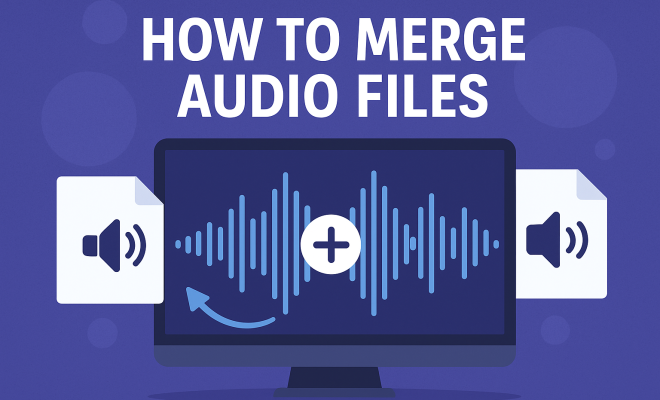
How to merge audio files
“`html
Merging audio files can be an essential task for anyone working with sound, whether you’re a musician, podcaster, or simply someone looking to combine favorite tracks into a playlist. But how do you actually merge audio files effectively? In this article, we’ll explore the ins and outs of merging audio files, including background information, practical advice, the latest tools available, and best practices to ensure your final product sounds polished and professional.
1. Understanding Audio File Formats
Before you start merging audio files, it’s crucial to understand the different audio formats available. Common formats include MP3, WAV, AAC, and FLAC, each with its own set of characteristics. For instance, MP3 files are compressed, making them smaller and easier to share, but with some loss in quality. In contrast, WAV files are uncompressed and retain high-quality sound but take up much more storage space.
Choosing the right format for your merged audio file can impact both the quality and file size. If you’re targeting online platforms, MP3 is often the go-to choice due to its good balance between size and quality. However, if you’re working on high-fidelity projects, consider using a lossless format like FLAC.
It’s also worth noting that some audio formats are more suitable for specific applications. For example, AAC is often used in streaming and broadcasting, while OGG is popular in gaming due to its open format. Understanding the nuances between these formats will help you make informed decisions about how to store and distribute your merged audio files.
2. Choosing the Right Software
There are numerous software options available for merging audio files, each with unique features. Some popular programs include Audacity, Adobe Audition, and GarageBand, which cater to various levels of expertise. Audacity, for example, is a free, open-source tool that’s great for beginners and professionals alike. It allows for multi-track editing, making it easy to align and merge different audio tracks seamlessly.
If you prefer more user-friendly options, online tools like Audio Joiner or Clideo can be effective for quick merges without the need to download software. However, these tools may not provide as much control over the audio quality or editing features as desktop applications.
For professionals, software like Pro Tools or Logic Pro X offers advanced editing options, plug-ins, and a range of effects that can elevate your final product. The investment in such software can pay off, especially if you frequently work on complex audio projects.
It’s also important to consider your own skill level when choosing software. Beginners may find Audacity’s user-friendly interface and extensive tutorials online particularly helpful while more experienced users may appreciate the advanced features of software like Logic Pro X.
3. Importing Your Audio Files
Once you’ve selected the right software, the next step is to import the audio files you wish to merge. Most applications allow you to simply drag and drop your files into the workspace. However, ensure your files are compatible with the application you’re using. If not, you might need to convert them to a supported format first.
While importing, consider organizing the files in the order you want them to be merged. This will save you time later on, as you won’t have to rearrange tracks after they’ve been placed onto the timeline.
Another tip during the import process is to check the sample rate of your audio files. Merging files with differing sample rates can lead to distortion or playback issues. It’s ideal to convert all your audio files to the same sample rate before merging to maintain audio fidelity.
Additionally, consider using metadata to help manage and identify your audio files. Tagging your audio with relevant information can help keep everything organized, especially if you are working on multiple projects.
4. Editing and Trimming Audio Tracks
Before merging, you may want to edit your audio files. This could include trimming unnecessary sections or adding fades for a smoother transition. Most editing software provides tools for cutting, copying, and pasting audio clips, allowing you to refine each track before merging. (See: Understanding audio file formats.)
If you’re merging tracks that flow into each other, consider using crossfades. This technique blends the end of one track into the beginning of another, creating a more fluid listening experience. Experiment with different fade lengths to achieve the right feel.
Additionally, you can use effects such as reverb or delay to enhance the overall sound. However, be cautious not to overdo it, as excessive effects can muddy the audio and detract from the original content. Striking the right balance is essential for a polished final product.
Another editing technique worth considering is the use of volume automation. By adjusting the volume levels of specific sections within your tracks, you can create a more dynamic listening experience, allowing certain parts to stand out while keeping others more subdued.
5. Adjusting Audio Levels
One common issue when merging audio files is inconsistent volume levels. To ensure a cohesive final product, you’ll want to adjust the audio levels of each track. Look for normalization features in your software that can help balance the volume across tracks.
Additionally, consider using compression to enhance the overall sound. This process reduces the dynamic range of your audio, making quieter sounds louder and louder sounds softer. Properly applied compression can provide a polished and professional sound.
It’s also beneficial to apply an EQ (equalization) to further refine your audio tracks. EQ can help to cut out unwanted frequencies and enhance certain aspects of the sound, giving you more control over how your final mix will sound. Remember, a well-balanced EQ improves clarity and ensures that each element in your audio is distinct.
For further refinement, consider using a limiter at the final stage of your mixing process. A limiter can help prevent clipping and distortion when the audio is played back at higher volumes, ensuring your merged track sounds its best no matter where it’s heard.
6. Previewing Your Merged Audio
Once you’ve completed your edits, it’s time to preview the merged audio. This step is crucial as it allows you to listen for any discrepancies or areas that might need further tweaking. Pay attention to transitions, volume levels, and any audio artifacts or glitches that may have occurred during the merge.
It’s also wise to play your merged audio on different devices or speakers. What sounds great on studio monitors may not translate well to earbuds or car speakers, so testing in various environments helps ensure a good listening experience across the board.
Moreover, consider getting feedback from others. Sometimes, a fresh pair of ears can catch issues that you might have missed. Friends, family, or colleagues can provide insights on how the audio flows and whether it resonates with the intended audience.
Taking notes during the preview process can be very helpful. List out any changes you want to make, and prioritize them based on how significant they are to the final product. This will help you streamline the editing process for your next pass.
7. Exporting Your Merged Audio File
After perfecting your merged audio, the next step is exporting the file. Most software offers multiple formats for export, and you should choose one that aligns with your intended use. For online sharing, MP3 is often advisable due to its compatibility and smaller file size.
Check the bitrate settings during export as well, as this can affect audio quality. A higher bitrate typically means better quality but also results in a larger file size. For most applications, a bitrate of 192 kbps is a solid compromise between quality and size.
Additionally, you may want to consider creating multiple versions of your audio file. For instance, having a high-quality WAV version for archival purposes and a compressed MP3 version for distribution can be a smart approach. This way, you’re prepared for various use cases without sacrificing quality.
Don’t forget to include metadata when exporting. Adding title, artist, album, and genre information can enhance the usability of your audio file, making it easier for listeners to locate and identify your work. (See: Best practices for audio quality.)
8. Using Online Tools for Quick Merges
If you’re looking for a fast and straightforward way to merge audio files without downloading software, online tools are a great option. Websites like Audio Joiner or Merge Audio allow you to upload your files, arrange them, and merge them with just a few clicks.
However, keep in mind that online tools may have limitations on file size and may not offer the same level of editing capabilities as desktop software. Nonetheless, they’re an excellent choice for quick tasks or when you’re on the go.
When using online tools, be cautious of the internet connection and ensure that the website is secure, especially if you’re uploading sensitive audio content. Make sure that the site does not retain your files after the merge, which can be a privacy concern.
Look for tools that offer features like previews and basic editing options, as these can enhance your experience and help you ensure quality before finalizing the merge.
9. Common Challenges When Merging Audio Files
Merging audio files might seem straightforward, but several challenges can arise. One common issue is the mismatch in formats, leading to complications during import or export. Always check the compatibility of your audio files before starting the merging process.
Another challenge can be achieving a uniform sound. Tracks recorded in different environments or with varying equipment can sound disjointed when merged. To counteract this, you may need to use equalization and effects to create a more consistent sound. Don’t hesitate to reach out to audio professionals for advice if you’re unsure how to proceed.
Additionally, be prepared for potential legal issues, especially if you’re using copyrighted material. Make sure you have the rights to the audio files you are merging, or consider using royalty-free music to avoid any complications.
Lastly, keep an eye on file size limitations. Whether you’re using software or online tools, large files can cause issues during the merging process or even lead to crashes. It’s often wise to compress audio files before you start merging to avoid these headaches.
10. Future Trends in Audio Merging
The future of merging audio files is likely to see significant advancements, especially with the rise of AI technology. Some emerging tools are beginning to leverage machine learning to automate the merging process, allowing for smoother transitions and intelligent volume adjustments based on the context of the audio.
Additionally, as streaming platforms continue to evolve, there’s a growing demand for more sophisticated audio editing and merging tools that can cater to content creators. This trend will likely lead to the development of more user-friendly applications that allow anyone to merge audio files like a pro, regardless of their technical skills.
Another exciting trend is the integration of cloud-based audio editing, where users can collaborate in real-time on audio projects. This could revolutionize how teams work together on podcasts, music tracks, and other audio content, simplifying the merging process significantly.
The rise of mobile devices is also influencing how we merge audio. With apps becoming increasingly capable, you can expect to see more powerful merging tools that cater specifically to mobile users, allowing for on-the-go editing and merging with just a few taps.
11. Frequently Asked Questions (FAQ)
Q1: What file formats can I merge using audio merging software?
A1: Most audio merging software supports a variety of formats, including MP3, WAV, AAC, and FLAC. However, it’s always good to check if your specific software has any restrictions on file types. (See: Latest tools in audio merging.)
Q2: Can I merge audio files on my smartphone?
A2: Yes! There are several mobile applications available for both iOS and Android that allow you to merge audio files. Apps like Hokusai Audio Editor or Lexis Audio Editor can be used for this purpose.
Q3: How can I ensure the best audio quality when merging files?
A3: To achieve the best audio quality, start with high-quality source files. Use lossless formats when merging and maintain consistent settings (like sample rate) across all files. Pay attention to your export settings, choosing higher bitrates to ensure the final product sounds great.
Q4: What should I do if my audio files are too large to upload to online merging tools?
A4: If your audio files are too large, consider compressing them or using desktop software that can handle larger files. Alternatively, you can split the audio files into smaller sections, merge them separately, and then combine the resulting files.
Q5: Is it possible to add effects while merging audio files?
A5: Yes, most desktop audio editing software allows you to add effects like reverb, EQ, or compression while merging files. However, be mindful of how these effects interact with the audio to avoid an overly processed sound.
Q6: Can I merge audio files without losing their individual characteristics?
A6: Absolutely! With careful editing, volume leveling, and appropriate transitions, you can merge audio files without losing their unique qualities. Using crossfades and maintaining a consistent audio level can help preserve the integrity of each track.
Q7: What are some best practices for merging audio files?
A7: Some best practices include organizing your files before merging, adjusting audio levels to ensure consistency, previewing your final product across different devices, and exporting in a format that suits your distribution needs.
Q8: How can I troubleshoot issues during the merging process?
A8: If you encounter problems, start by reviewing your audio file formats and sample rates. Ensure they are consistent. Check for any updates or patches for your software that may address bugs, and consult forums or user guides for specific troubleshooting steps.
Q9: Are there any online communities or forums for audio merging tips and tricks?
A9: Yes! Websites like Gearslutz, Reddit, and various audio production forums offer spaces where enthusiasts share tips, ask questions, and seek advice on all aspects of audio production, including merging files.
Q10: What are the legal implications of merging copyrighted audio files?
A10: Merging copyrighted audio files without permission can lead to legal issues. Always ensure you have the rights to any audio tracks you’re using. For safety, consider using royalty-free or Creative Commons licensed music when merging audio files for public use.
“`
Trending Now
Frequently Asked Questions
What is the best software to merge audio files?
Some popular software options for merging audio files include Audacity, Adobe Audition, and GarageBand. Audacity is particularly notable as a free and open-source tool that accommodates both beginners and professionals, offering features like multi-track editing.
How do I merge audio files without losing quality?
To merge audio files without losing quality, choose a lossless format like FLAC for the final output. Additionally, use software that allows for high-quality audio processing, ensuring that the original audio quality is preserved during the merging process.
What audio formats are best for merging?
The best audio formats for merging depend on your needs. MP3 is commonly used for its balance of size and quality, while WAV offers high fidelity but larger file sizes. For lossless quality, FLAC is an excellent choice, especially for high-fidelity projects.
Can I merge audio files online?
Yes, there are several online tools available for merging audio files. Websites like Audio Joiner and Bear Audio Tool provide user-friendly interfaces to upload and merge files directly in your browser without needing to install software.
Is it easy to merge audio files?
Merging audio files can be straightforward, especially with the right software. Many programs offer intuitive interfaces and step-by-step guides for beginners. Understanding your audio formats and choosing the appropriate tools can make the process even easier.
Agree or disagree? Drop a comment and tell us what you think.