Master Audio Editing: 7 Ways to Cut Audio Files
“`html
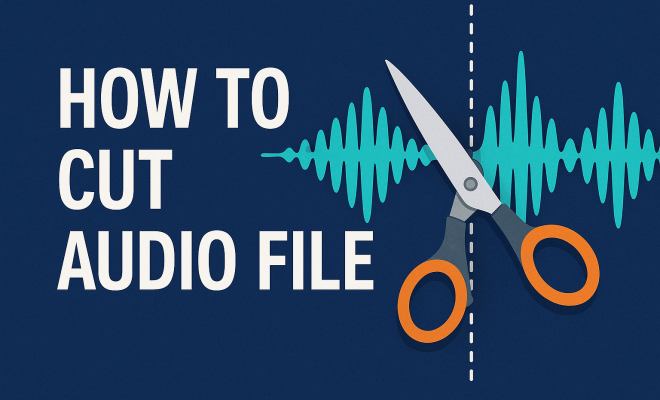
Whether you’re a budding podcaster, a seasoned musician, or someone tackling a personal project, knowing how to cut audio files is a crucial skill. In today’s digital age, audio editing isn’t just for the professionals; it has become increasingly accessible thanks to the wide array of software and tools available. This article explores seven key methods you can use to cut audio files effectively, ensuring that your audio content sounds just the way you want it to.
1. The Basics: Understanding Audio Formats
Before diving into the specifics of how to cut audio files, it’s essential to understand the types of audio formats you might be working with. Popular formats include MP3, WAV, and AAC, each having unique attributes regarding quality and file size. For instance, while WAV files offer high quality due to their uncompressed nature, they can occupy significant storage space. On the other hand, MP3 files are compressed, allowing for easier sharing and storage but may sacrifice some audio quality.
Knowing the format is vital since it can affect the tools you choose to cut your audio files. Some software might excel in editing specific formats, while others could struggle. Therefore, always confirm the compatibility of your audio file with the software you plan to use.
2. Using Free Online Tools to Cut Audio Files
If you’re looking for a quick and easy way to cut audio files without downloading software, online tools can be your best friend. Websites like Audio Cutter and TwistedWave offer user-friendly interfaces that allow you to upload your file, select the portion you want to keep, and download the trimmed audio in seconds. These tools typically support various formats, making them versatile choices for casual users.
However, while free online tools are convenient, they often come with limitations, such as file size restrictions or lack of advanced editing features. For simple tasks, they work well, but if you need more control over your audio, consider investing in dedicated software.
3. Exploring DAW Software for Advanced Editing
For those who need to engage in more sophisticated audio editing, Digital Audio Workstation (DAW) software is invaluable. Programs like Audacity, GarageBand, and Adobe Audition not only allow you to cut audio files but also provide a wealth of features such as multi-track editing, effects, and mixing capabilities. Audacity, for example, is a free, open-source option that many budding audio engineers swear by.
When working with a DAW, the process of cutting audio files typically involves importing your audio track, selecting the section you want to cut, and then using tools like the cut, copy, and paste functions. You can also apply fade-in or fade-out effects to ensure smooth transitions. The learning curve can be steeper with DAWs, but the end result is well worth the effort for more complex projects.
4. Mobile Apps for On-the-Go Editing
In our mobile-centric world, the ability to cut audio files directly from your smartphone or tablet can be very handy. Numerous apps are available for both iOS and Android that provide powerful audio editing features. Apps such as Hokusai Audio Editor and WaveEditor offer simple interfaces that allow you to cut audio files right from your device.
These mobile options can be particularly useful for podcasters or musicians who want to make quick edits on the fly. However, keep in mind that while mobile apps are convenient, they may not have all the features of their desktop counterparts. If your project requires intricate edits, you might still want to finish up on a computer.
5. Tips for Cutting Audio Files Like a Pro
Once you’ve chosen your method for cutting audio files, a few tips can help you refine your technique. First, always listen carefully to the sections before and after the cut. Ensuring a smooth transition can significantly enhance the audio’s flow. Consider using fade effects to prevent abrupt changes that may jar listeners. (See: Understanding audio file formats.)
Another helpful tip is to use markers in your editing software to help you keep track of important points in your audio track. This technique is especially useful when working with longer recordings. Additionally, don’t forget to frequently save your work, especially when making multiple edits. The last thing you want is to lose hours of work due to an unexpected crash!
6. Understanding Licensing and Copyright Considerations
When you cut audio files, particularly if you plan to share or publish your edited content, you must be aware of licensing and copyright implications. Using copyrighted music or audio snippets without permission can have legal ramifications. Always check the licensing agreements associated with the audio files you’re editing.
Consider seeking out royalty-free music or audio samples that allow for editing and redistribution. Websites like Free Music Archive and Incompetech offer a plethora of audio choices that can be modified without legal concerns, ensuring you stay on the right side of copyright laws.
7. Future Trends in Audio Editing
The landscape of audio editing is continuously evolving, with new technologies and methods emerging regularly. Artificial Intelligence (AI) is increasingly playing a role in audio editing, offering features like automatic noise reduction and even smart suggestions for cuts based on content analysis. This technology can streamline the editing process and improve sound quality.
Moreover, as remote collaboration becomes more common in creative fields, tools that allow multiple users to edit audio files simultaneously are gaining traction. These innovations are making it easier to work on projects from anywhere in the world, fostering a more collaborative environment.
8. Common Challenges When Cutting Audio Files
While cutting audio files can be straightforward, several common challenges can arise, especially for those new to audio editing. One significant issue is dealing with background noise or unwanted sounds. If you cut a portion of audio that contains background noise, the remaining audio can come across as jarring to the listener.
To address this, consider using noise reduction tools available in most DAWs to clean up your audio before making cuts. Additionally, pay attention to the overall volume levels. When you cut audio, you may inadvertently create sections that are too quiet or too loud compared to the surrounding audio. Use the normalization feature in your editing software to ensure consistent volume levels throughout your track.
9. Advanced Techniques for Cutting Audio Files
For users looking to take their audio editing skills to the next level, there are several advanced techniques worth exploring. One such method is the use of a spectral view, available in some DAWs, which allows you to visualize the frequencies present in your audio. This can help you identify specific sounds or noise you may want to cut or enhance.
Another advanced technique is the use of dynamic processing. This can help to even out the volume levels and ensure that your cuts blend seamlessly with the rest of the audio. Compression can help manage the dynamics of your audio, making softer sounds louder and louder sounds softer, thus creating a more balanced audio experience.
10. Integrating Music and Sound Effects
When working on projects such as podcasts, videos, or music tracks, integrating music and sound effects can enhance the overall quality of your audio. When cutting audio files, think about how these elements interact. For instance, you might want to cut sections of dialogue to allow for a smoother transition into background music or sound effects.
Make sure to choose music that complements the mood of your project. If you’re aiming for a professional sound, consider using licensed music or high-quality royalty-free tracks. Websites like Epidemic Sound or Artlist provide a wide range of music options that can be legally used for various projects. (See: Importance of file formats in digital media.)
11. FAQs about Cutting Audio Files
Q: What is the best audio format for cutting files?
A: The best audio format often depends on your needs. If you prioritize quality, WAV is excellent, while MP3 is better for smaller file sizes. Consider your project’s end requirements when choosing a format.
Q: Can I cut audio files on my phone?
A: Yes! There are numerous mobile apps available for both iOS and Android that allow you to cut audio files easily. Apps like Hokusai and WaveEditor are user-friendly options.
Q: How do I ensure smooth transitions when cutting audio?
A: Use fade-in and fade-out effects to soften transitions between cuts. Additionally, listen to the audio before and after the cut to ensure it flows naturally.
Q: Is cutting audio files legal?
A: Cutting audio files is legal as long as you’re using content that you own or have permission to edit. Always check licensing agreements if you’re using copyrighted material.
Q: What should I do if my audio is too quiet after cutting?
A: Use the normalization feature in your editing software to adjust the overall volume levels. This will help ensure consistent volume throughout your audio track.
Q: Are there any online tools for cutting audio files?
A: Yes, many online tools, such as Audio Cutter and TwistedWave, allow you to cut audio files quickly and easily without needing to download software.
12. Choosing the Right Software for Your Needs
With so many options available for cutting audio files, selecting the right software can be overwhelming. Consider your specific needs: are you a beginner looking for something straightforward, or do you need advanced features for professional projects? For beginners, free tools like Audacity offer a great starting point, while those in need of extensive features might prefer Adobe Audition or Logic Pro.
Additionally, think about whether you need a desktop application or a mobile app. If you plan to edit audio on the go, a mobile app might be more suitable. Conversely, if you’re working on detailed projects, a desktop DAW will typically provide more robust editing capabilities.
13. Understanding Audio Editing Workflows
Establishing a clear workflow can greatly enhance your efficiency when cutting audio files. Start by planning your project: define the purpose of your audio and outline the sections you want to keep or eliminate. This pre-editing phase helps to prevent unnecessary cuts and streamlines the editing process.
Organize your audio files logically in your DAW. Create folders for different tracks, and label them clearly. This organization can save time when navigating through multiple files, especially in larger projects. Moreover, consider creating a template in your editing software that includes your typical settings and effects, so you can streamline future projects. (See: Best tools for audio editing.)
14. Collaborating with Others
Audio projects often benefit from collaboration, whether you’re working with musicians, sound designers, or fellow podcasters. Tools that allow for shared access and editing can make this process smoother. Cloud-based DAWs like Soundtrap or Avid Cloud Collaboration allow multiple users to contribute to a project in real-time, offering the flexibility of working remotely.
When collaborating, establish clear communication channels. Discuss the project’s goals, and ensure everyone involved understands their roles. Regular check-ins can keep the project on track, allowing team members to provide feedback and suggestions as the editing progresses.
15. Audio File Management and Backup
As you become more familiar with cutting audio files, it’s essential to develop a system for managing your audio files and backups. Use a consistent naming convention for your project files, which can include the project name, date, and version number. This practice will help you locate the relevant files quickly, especially when working on multiple projects.
Additionally, consider setting up a regular backup schedule. Use cloud storage solutions, like Google Drive or Dropbox, to protect your files from accidental loss. Keeping backups of both raw audio and edited files ensures that you can always revert to earlier versions if necessary.
16. Additional Resources for Learning Audio Editing
If you’re eager to enhance your audio editing skills, many resources are available online. Websites like YouTube have countless tutorials that can guide you through the specifics of various software. Additionally, consider enrolling in online courses on platforms like Coursera or Udemy that focus on audio editing.
Books about audio production and editing can also provide in-depth knowledge. Titles like “The Art of Music Production” or “Mixing Secrets for the Small Studio” offer valuable insights into the audio editing process and are often recommended by professionals in the field.
In summary, mastering how to cut audio files, whether through online tools, DAWs, or mobile apps, is essential for anyone working with audio content today. By understanding the basics and exploring the best methods available, you can create polished, professional-sounding audio that meets your needs.
“`
Trending Now
Frequently Asked Questions
What is the best way to cut an audio file?
The best way to cut an audio file depends on your needs. For quick edits, free online tools like Audio Cutter are convenient. If you require more advanced features, consider using dedicated software like Audacity or Adobe Audition, which offer greater control over audio editing.
Can I cut audio files for free?
Yes, you can cut audio files for free using online tools such as TwistedWave or Audio Cutter. These platforms allow you to upload your audio, make cuts, and download the edited version without any cost, making them ideal for casual users.
What audio formats can I cut?
You can cut various audio formats including MP3, WAV, and AAC. Each format has its characteristics, so it's important to choose a cutting tool compatible with the specific format of your audio file to ensure optimal results.
Do I need software to cut audio files?
Not necessarily. While dedicated audio editing software provides advanced features for cutting audio files, you can also use free online tools if you prefer a quick and simple solution without installing any software.
What should I consider when cutting audio files?
When cutting audio files, consider the format of your audio, the software's compatibility, and whether you need advanced editing features. Understanding the file's quality and size can help you choose the right tool for your editing needs.
Have you experienced this yourself? We’d love to hear your story in the comments.