How to create social media calendar
“`html
In the fast-paced world of digital marketing, having a social media calendar template can be the difference between a chaotic online presence and a well-orchestrated social media strategy. If you’re looking to enhance your brand visibility, engage with your audience effectively, or boost your marketing results, a social media calendar is essential. Let’s dive into the details of how to create one that fits your needs.
1. Understanding the Importance of a Social Media Calendar
A social media calendar is more than just a schedule; it’s a strategic tool that helps you plan, organize, and execute your social media marketing. By laying out your content in advance, you can ensure consistency in your messaging, timing, and platform usage.
One of the key benefits of using a social media calendar is that it allows for better team collaboration. When everyone knows what content is going live and when, it minimizes the risk of duplicating efforts or missing opportunities. Plus, it enables you to take a step back and assess your overall strategy, making adjustments as necessary based on trends and audience engagement.
According to a study by CoSchedule, 72% of marketers say that a consistent social media presence is crucial for their brand. Having a calendar allows for this consistency, helping you stay organized while delivering quality content to your audience.
2. Gathering Your Resources
Before you start building your social media calendar template, gather all relevant resources. This includes your brand guidelines, content themes, and any upcoming events or promotions. Having a clear understanding of your goals and objectives is crucial. Are you aiming to increase brand awareness, drive traffic to your website, or engage your community? Knowing this will inform your content strategy.
Additionally, pull together insights from your past social media performance. What types of posts have generated the most engagement? Which platforms have yielded the best results? Tools such as Google Analytics or native platform insights will provide valuable data to guide your calendar’s content.
Consider conducting a competitive analysis as well. Look at what other brands in your industry are doing on social media. This can inspire you and highlight gaps in your own strategy.
3. Choosing the Right Tools for Your Calendar
There are numerous tools available to help you create a social media calendar, from simple spreadsheets to advanced project management software. Depending on your team’s size and needs, you might lean towards platforms like Google Sheets for simplicity or tools like Trello or Asana for a more visual project management approach.
Some dedicated social media management tools, such as Hootsuite or Buffer, offer built-in calendar features that allow for scheduling and tracking posts directly. These platforms often come with additional analytics tools that can help you measure the effectiveness of your content over time. It’s worth exploring a few options to find the best fit for your workflow.
Additionally, consider using design tools like Canva for creating visuals and Post Planner for content ideation. These tools can integrate with your calendar, streamlining the process further.
4. Defining Your Content Strategy
Your content strategy should be at the heart of your social media calendar. Start by determining your key content pillars—these are broad topics that reflect your brand’s voice and resonate with your audience. For instance, if you’re in the fitness industry, your pillars could include workout tips, nutrition advice, and motivation. (See: CDC Youth Risk Behavior Survey.)
Next, think about the formats of your content. Will you be using images, videos, blog posts, or user-generated content? Mixing up formats can keep your feed engaging and attract different segments of your audience. Aim for a balance between promotional posts and value-driven content that educates or entertains your followers.
Consider implementing a seasonal content theme that aligns with your brand. For example, a travel company might focus on summer destinations in June while sharing winter getaway ideas in December. This not only provides timely content but also keeps your audience interested.
5. Creating Your Social Media Calendar Template
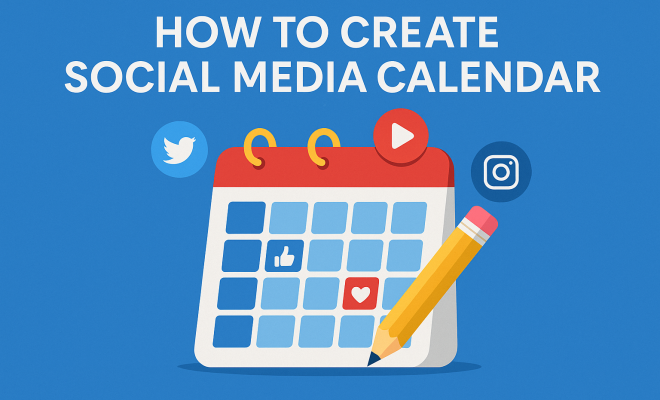
When it comes to building your social media calendar template, start with the basics: days of the week, dates, and platforms. Note down the key elements to include for each post, such as the content type, captions, visuals, and hashtags. You might also want to add columns for the post’s goals, such as engagement or traffic generation.
Make sure your template is easy to read and update. A color-coded system can help differentiate between content types or platforms at a glance. For example, you could use one color for promotional posts, another for engaging content, and a third for community management activities. This visual aid will help keep your calendar organized.
Consider adding a column for tracking performance metrics post-publishing. This allows you to quickly evaluate which types of content resonate with your audience the most and adjust future posts accordingly.
6. Filling Your Calendar with Content
Now it’s time to populate your calendar. Start by plotting out any major events, holidays, or product launches relevant to your brand. Then fill in regular posts, varying the content types and topics according to your strategy. Aim for consistency in posting frequency, whether that’s daily, weekly, or bi-weekly.
As you create each entry, be sure to include all necessary details. Write concise captions, select eye-catching visuals, and pair your posts with relevant hashtags. This will make it easier to execute your plan when the time comes to publish. Consider also allocating time for spontaneous posts in response to current events or trending topics, which can boost engagement significantly.
Don’t forget about cross-promotion. If you have new blog content, schedule posts that link back to it on your social media. This encourages traffic to your site while giving your followers valuable information.
7. Reviewing and Adjusting Your Strategy
Your social media calendar isn’t set in stone; it should be a living document that evolves with your strategy. Regularly review analytics to see which types of posts are performing best and which are falling flat. Are your engagement rates increasing? Is traffic to your website growing? Use this data to inform your future content.
Don’t hesitate to adjust your calendar as you go. If you notice a particular theme resonates with your audience, consider expanding on it. Alternatively, if certain types of posts aren’t performing well, reassess why that might be and pivot your strategy accordingly. Flexibility is key to maintaining a successful social media presence.
Incorporate feedback from your audience as well. Pay attention to comments and messages to understand what your followers want to see more of. This can guide future content and improve engagement rates.
8. Collaborating with Your Team
If you’re part of a larger team, collaboration is vital. Utilize your social media calendar template as a central point of reference where team members can add their input. Encourage your content creators, designers, and community managers to contribute ideas and feedback. This not only enriches your content but also fosters a sense of ownership among team members.
Regular check-ins can also be beneficial. Schedule weekly or bi-weekly meetings to review upcoming posts, discuss performance, and brainstorm new ideas. This keeps everyone aligned and ensures your social media efforts are cohesive and targeted. (See: Associated Press News.)
Consider using collaboration tools like Slack or Microsoft Teams for real-time communication, enabling your team to share ideas and updates quickly. This can significantly enhance your workflow, especially when working on time-sensitive campaigns.
9. Staying Updated with Trends and Best Practices
Finally, the social media landscape is always changing. Staying informed about the latest trends and algorithm changes is crucial for maintaining your relevance and effectiveness. Subscribe to industry blogs, follow thought leaders, and participate in webinars to keep your knowledge fresh.
Incorporate new trends into your calendar when appropriate, whether that’s a new platform emerging or a shift in user behavior. Experimenting with new features, like Instagram Reels or TikTok videos, can also help you stay ahead of the curve and engage your audience in innovative ways.
Participating in social media challenges or hashtag campaigns can also elevate your brand visibility and connect you with a broader audience. These trends often have high engagement rates, making them worth exploring.
10. Additional Tips for Optimizing Your Social Media Calendar
While you now have a solid foundation for creating a social media calendar template, there are additional tips to enhance your strategy:
- Repurpose Content: Don’t hesitate to reuse content across different platforms. For instance, a blog post can be transformed into a series of social media posts, infographics, or videos. This not only saves time but also maximizes the reach of your content.
- Engage with Your Audience: Schedule regular times to interact with your followers. Responding to comments, running Q&A sessions, or hosting live events can make your brand more relatable and increase follower loyalty.
- Utilize User-Generated Content: Encourage your audience to create content related to your brand. This can include testimonials, photos, or reviews. Sharing this type of content can foster community and provide authentic messaging.
- Track Competitors: Keep an eye on your competitors and note what works for them. Analyze their engagement tactics, content formats, and posting schedules to gather insights that can inform your own strategy.
- Analyze Peak Times: Research when your audience is most active on various platforms. Tailoring your posting schedule around these peak times can increase visibility and engagement.
11. Case Studies: Successful Social Media Calendar Implementations
To illustrate the effectiveness of a well-planned social media calendar, let’s look at a couple of case studies:
1. Brand X: Boosting Engagement through Consistency
Brand X, a health and wellness company, struggled with inconsistent posting and engagement levels. After implementing a structured social media calendar, they saw a 50% increase in engagement rates within three months. By planning their posts around health awareness days and utilizing themed content weeks, they were able to create a cohesive message while also keeping their audience informed.
2. Brand Y: Leveraging Seasonal Campaigns
Brand Y, a retail fashion brand, effectively utilized a social media calendar during the holiday season. By planning their posts weeks in advance, they were able to align their promotional campaigns with holiday trends, increasing sales by 30% compared to the previous year. Their calendar included not just product promotions, but also interactive content like polls and giveaways, enhancing customer interaction.
3. Brand Z: Maximizing User Engagement
Brand Z, a technology startup, harnessed the power of user-generated content through their social media calendar. By scheduling weekly themes that encouraged followers to share their experiences with their products, they boosted engagement by 75% over six months. They featured customer stories and feedback, which strengthened community bonds and built trust within their audience.
12. Statistics that Highlight the Need for a Social Media Calendar
Understanding the impact of a social media calendar can be backed by statistics: (See: New York Times.)
- Content Consistency: Brands that maintain consistency in their branding and messaging across social media can see a 23% increase in revenue (Lucidpress).
- Optimal Posting Times: Research shows that 60% of marketers believe that scheduling posts leads to better engagement (Buffer).
- Audience Engagement: 78% of social media marketers say that a content calendar helps them achieve their social media goals more effectively (Social Media Examiner).
- Visual Content: Posts with visuals receive 94% more views than those without (HubSpot). This emphasizes the importance of planning engaging visuals in your calendar.
- Frequency of Posting: Brands that post at least three times a week see 50% more engagement than those that post less frequently (Neil Patel).
13. Frequently Asked Questions (FAQ)
What is a social media calendar template?
A social media calendar template is a tool used to plan, schedule, and manage social media content across various platforms. It helps marketers maintain organization and consistency in their posts.
How often should I update my social media calendar?
Updating your social media calendar should be an ongoing process. Regular reviews (at least monthly) are essential to adapt to new trends and analyze performance data.
Can I use a social media calendar for multiple platforms?
Absolutely! A well-structured social media calendar can accommodate content planning for multiple platforms, helping you maintain a cohesive brand presence across all channels.
What types of content should I include in my social media calendar?
Your calendar should include a mix of promotional content, educational posts, user-generated content, and engagement-driven posts. This variety keeps your audience engaged and informed.
How can I measure the success of my social media calendar?
Track key performance indicators (KPIs) such as engagement rates, reach, website traffic, and conversion rates. Regularly analyzing these metrics will help you understand the impact of your social media efforts.
What are some common mistakes to avoid when creating a social media calendar?
Some mistakes to avoid include not allocating enough time for content planning, failing to analyze past performance data, and not allowing for flexibility in your calendar. Be sure to plan ahead but also keep room for spontaneity and adjustments based on real-time events.
Should I include analytics tracking in my social media calendar?
Yes, including a section for tracking analytics is highly beneficial. This allows you to evaluate the effectiveness of your posts over time and adjust your future strategies based on real data.
In summary, a well-crafted social media calendar can significantly streamline your marketing efforts, enhance audience engagement, and ultimately drive better results for your brand. By following these steps and continuously refining your approach, you’ll be well on your way to mastering your online presence.
“`
Trending Now
Frequently Asked Questions
What is a social media calendar?
A social media calendar is a strategic tool that helps you plan, organize, and execute your social media marketing. It lays out content in advance, ensuring consistency in messaging and timing, while also facilitating better team collaboration.
Why is a social media calendar important?
A social media calendar is crucial because it helps maintain a consistent online presence, enhances brand visibility, and allows for better assessment of overall strategy. It minimizes the risk of duplicated efforts and missed opportunities.
How do I create a social media calendar?
To create a social media calendar, start by gathering resources such as brand guidelines and content themes. Define your goals, analyze past performance, and then outline a schedule that aligns with your marketing objectives and audience engagement.
What should I include in my social media calendar?
Your social media calendar should include content themes, post timing, platform usage, relevant events, promotions, and insights from past performance. This helps ensure a well-rounded strategy that meets your marketing goals.
How can a social media calendar improve engagement?
A social media calendar improves engagement by allowing for the strategic planning of content that resonates with your audience. By understanding past engagement metrics and scheduling posts accordingly, you can enhance interactions and build a stronger community.
Have you experienced this yourself? We’d love to hear your story in the comments.