Master Video Editing: Free Software & Pro Tips (2024 Guide)
“`html
In today’s digital age, video content reigns supreme. Whether you’re a budding filmmaker, a social media influencer, or a business owner looking to promote your brand, knowing how to edit videos is a vital skill. Fortunately, with the advent of free video editing software, anyone can jump into the editing process without breaking the bank. Here’s a comprehensive guide that will show you how to edit videos for free effectively.
1. Understanding the Basics of Video Editing
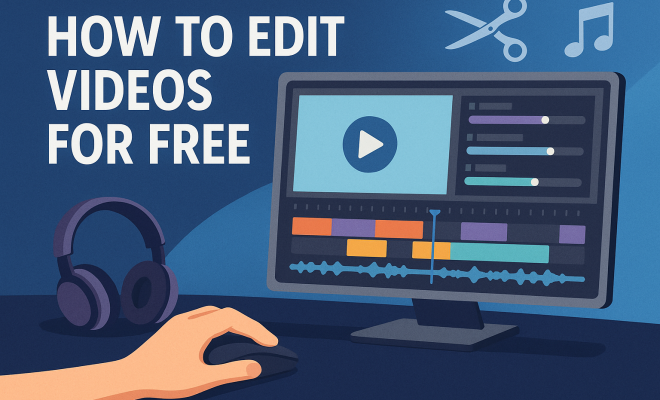
Before diving into specific tools, it’s essential to grasp the fundamentals of video editing. Video editing involves manipulating and rearranging video footage to create a new work. This process can encompass trimming, combining clips, adding effects, and including audio tracks. Understanding these basics will set a solid foundation for your video editing journey.
Familiarizing yourself with key terms is also crucial. For instance, know what a timeline is, as this is where you’ll arrange your clips, audio, and transitions. Familiarize yourself with terms like keyframes, overlays, and rendering. These will help you communicate effectively if you ever work with a team or seek help in forums.
2. Choosing the Right Free Video Editing Software
The first step in editing videos is selecting the right free video editing software that meets your needs. There are numerous options available, each with its strengths and weaknesses. Popular choices include:
- DaVinci Resolve: Known for its powerful color correction and professional-grade features, DaVinci Resolve is ideal for serious video editors.
- HitFilm Express: This software offers a robust set of features for both editing and visual effects, making it perfect for creating dynamic content.
- Shotcut: An open-source platform with a user-friendly interface, Shotcut is great for beginners looking to learn the ropes.
- Openshot: With a simple drag-and-drop interface, Openshot is perfect for quick edits and basic projects.
Choosing the right software is essential for a smooth editing experience. Consider your skill level, the features you need, and the type of videos you plan to create. Most importantly, ensure that the software runs well on your system to avoid frustrating crashes.
3. Importing Your Footage
Once you’ve chosen your software, the next step is importing your footage. Most video editing applications provide a straightforward importing process. You can usually drag and drop files directly into the software or use an import function to browse for files on your computer.
When importing your footage, it’s a good practice to organize your files in folders. Keep similar clips together (e.g., all your b-roll footage in one folder). This organization will save you time later when you’re searching for specific clips. Naming your files descriptively can also help you locate them quickly during the editing process.
4. Editing Basics: Cutting and Trimming
The heart of video editing lies in cutting and trimming your clips. You want to ensure your video flows smoothly and keeps the viewer engaged. Start by reviewing your footage and identifying the best parts of each clip. Use the cutting tool in your software to split clips and remove any unnecessary portions.
Don’t be overly critical; the first cut doesn’t have to be perfect. Once you have a rough cut, play through your timeline and make adjustments as needed. This is where you can fine-tune your edits, ensuring the pacing feels right and that the narrative remains cohesive. (See: Understanding video editing fundamentals.)
5. Add Transitions for a Professional Touch
Transitions can elevate your video by providing smooth shifts between clips. Rather than abruptly cutting from one scene to another, transitions help maintain flow and engage your audience. Most free video editing software includes a variety of transition effects.
Common transitions include fades, wipes, and dissolves. However, use them sparingly. Overusing transitions can distract viewers from the content itself. Aim for a balance where transitions enhance your video without stealing the spotlight.
6. Incorporating Audio: Music and Sound Effects
Audio plays a crucial role in video editing. The right music or sound effects can enhance the emotional impact of your video. Most free editing software allows you to import audio files easily. You can use royalty-free music from various online sources to ensure your videos aren’t flagged for copyright issues.
When selecting music, consider the mood you want to convey. Is it upbeat and energetic, or calm and reflective? Once you’ve selected your music, use audio controls to balance sound levels, ensuring that dialogue is clear and any background music complements rather than overwhelms the main audio.
7. Adding Text and Titles
Text and titles can provide essential context for your video. Whether you’re introducing a segment, displaying the video title, or including captions, most free video editing software includes text tools for adding titles. Choose fonts that are easy to read and align with your video’s theme.
Experiment with different placements and styles, but always prioritize clarity. You want your audience to grasp the message without straining to read. Consistency in font choice and color scheme throughout your video can also reinforce your brand identity if you’re creating content for business.
8. Exporting Your Final Video
Once you’ve completed your edits, it’s time to export your final video. This process can vary by software, but most will provide options for different resolutions and file formats. Consider where you plan to share your video when choosing settings—1080p is generally suitable for platforms like YouTube, while lower resolutions may suffice for social media posts.
Before hitting ‘export,’ review your settings to ensure everything is set as you want. Once it’s exported, don’t forget to watch the final product to catch any last-minute issues. This step is crucial, as it allows you to experience your video as your audience will and make any necessary adjustments.
9. Advanced Editing Techniques
Once you’re comfortable with the basics, it’s time to explore some advanced editing techniques that can take your videos to the next level.
Color Grading: This involves adjusting the colors in your footage to create a specific mood or atmosphere. Tools like DaVinci Resolve are particularly strong in this area, allowing you to manipulate brightness, contrast, and color hues to enhance the visual storytelling. (See: Tips for effective video communication.)
Slow Motion and Time-lapse: These techniques can add dramatic effects to your videos. Most video editing software allows you to adjust the speed of your clips. For a slow-motion effect, you can reduce the playback speed, while for time-lapse, you can speed up the footage considerably.
Green Screen Editing: Also known as chroma keying, this technique allows you to replace a solid color background with another image or video. This method is popular among content creators for creating fun and engaging videos. You’ll want to ensure even lighting on your subject and a uniform background for the best results.
10. Exploring Additional Resources
While you may have chosen a free video editing software, there are numerous online resources that can help you improve your skills. Websites like YouTube have countless tutorials on specific software features, while communities on forums like Reddit often share helpful tips and insights.
You can also consider online courses, which often provide structured learning and can cover everything from basic editing techniques to advanced strategies. Some platforms like Skillshare and Udemy offer free trials that enable you to explore their offerings without a financial commitment.
Don’t overlook social media platforms either; many creators share tips and tricks through short videos or live sessions. Engaging with these communities can provide you with different perspectives and techniques that can enhance your own editing style.
11. Common Mistakes to Avoid
As with any skill, video editing has its pitfalls. Here’s what you should watch out for:
- Over-Editing: It’s easy to get carried away with effects and transitions, but less is often more. Keep the focus on your content.
- Poor Audio Quality: Ensure that your audio is clear. Bad audio can ruin an otherwise great video. Invest time in audio editing.
- Neglecting the Audience: Always think about your audience’s experience. Create content that resonates with them rather than just what you find visually appealing.
- Ignoring the Importance of Organization: Keeping your project files organized is essential. Without a structured approach, you can waste time searching for clips, music, or assets during the editing process. Build a system that works for you.
12. Frequently Asked Questions (FAQ)
What is free video editing software?
Free video editing software are applications that allow users to edit videos without any cost. While they may not offer all the advanced features found in premium software, many provide robust tools suitable for casual and professional use.
Can I make professional videos with free software?
Absolutely! Many creators produce high-quality content using free video editing software. It often comes down to your skill level, creativity, and understanding of the tools at your disposal.
Are there limitations to free video editing software?
Yes, some free video editing software may have limitations such as watermarks on exported videos, fewer export options, or limited access to advanced features. It’s essential to choose software that fits your needs and provides the functionality you require. (See: Popular video editing apps reviewed.)
How do I choose the best free video editing software for me?
Consider your editing needs, your experience level, and the type of videos you plan to create. Research different software options and read user reviews to find one that suits your style and workflow. You can also try multiple options before committing to one to see which interface you prefer.
Is there a learning curve associated with free video editing software?
Like any new skill, there can be a learning curve. However, many free video editing software platforms strive to be user-friendly, and there are plenty of online tutorials to help you get started. Don’t hesitate to experiment with features, as hands-on practice is one of the best ways to learn.
What are some popular online resources for learning video editing?
Numerous resources are available online, including:
- **YouTube:** An extensive library of tutorials covering specific software and techniques.
- **Reddit:** Subreddits like r/VideoEditing can provide community support, tips, and feedback.
- **Skillshare and Udemy:** Offer structured courses that cater to various skill levels, often with free trials.
- **Online Forums:** Websites like Creative COW provide a platform for discussing video editing challenges and techniques.
13. Current Trends in Video Editing
The world of video editing is constantly evolving, and keeping up with current trends can help enhance your editing skills and make your videos more engaging. Here are a few trends to watch:
- Vertical Video: With the rise of platforms like TikTok and Instagram Stories, vertical video editing has become increasingly popular. Familiarize yourself with editing for this format to reach a broader audience.
- Integration of AR and VR: As augmented and virtual reality technologies become more mainstream, editors are experimenting with these formats to create immersive experiences.
- Short-form Content: The demand for quick, engaging content is rising, prompting editors to create shorter, punchier videos that convey messages rapidly.
- Interactive Videos: Viewers are looking for more engaging content, and interactive videos that allow them to make choices or explore different paths are gaining traction.
14. Case Studies of Successful Video Editing Projects
Exploring real-life examples can provide valuable insights into effective video editing practices. Here are a few case studies that highlight successful projects:
- Documentary Editing: A filmmaker created a documentary using Shotcut, highlighting local community stories. By utilizing effective storytelling techniques and a cohesive visual style, the final product received rave reviews at local film festivals.
- Social Media Campaign: A small business used HitFilm Express to edit a series of promotional videos for social media. By focusing on quick cuts and catchy music, they saw a 40% increase in engagement and shares compared to previous content.
- Educational Videos: A teacher used DaVinci Resolve to create tutorials for students. By incorporating clear visuals and engaging narration, the teacher significantly improved student comprehension and retention.
15. Final Thoughts
Editing videos for free is not only possible but also accessible to anyone willing to learn. With the array of free video editing software available, you can create professional-looking videos without a hefty price tag. By understanding the basics, selecting the right tools, and honing your editing skills, you’ll be well on your way to producing engaging video content. Remember, practice makes perfect—so keep experimenting and refining your techniques as you grow in your video editing journey.
“`
Trending Now
- our breakdown of 7 proven strategies to boost your brand visibility in chatgpt for 2026
- Are You Missing Out? Top 10 Amazon AI Tools for Sellers in 2026
- this guide on why official development assistance is more crucial than ever for global stability
- The Hidden Importance of Legal Disclaimers:…
Frequently Asked Questions
What is the best free video editing software?
The best free video editing software depends on your needs. Popular options include DaVinci Resolve for advanced color correction, HitFilm Express for visual effects, Shotcut for beginners, and Openshot for quick edits. Each software has unique features, so choose one that aligns with your editing goals.
How do I start editing videos for free?
To start editing videos for free, first choose a suitable video editing software like DaVinci Resolve or Shotcut. Familiarize yourself with the software’s interface, learn the basic editing techniques such as trimming and combining clips, and practice regularly to improve your skills.
What are the basics of video editing?
The basics of video editing include understanding key concepts like timelines, clips, audio tracks, and transitions. Familiarizing yourself with terms such as keyframes, overlays, and rendering is essential. These fundamentals will help you manipulate and rearrange footage effectively to create a polished final product.
Can I edit videos on my phone for free?
Yes, you can edit videos on your phone for free using apps like InShot, KineMaster, or Adobe Premiere Rush. These mobile applications offer user-friendly interfaces and essential editing tools, allowing you to create and edit videos directly from your smartphone.
Is there a free video editing software for beginners?
Yes, Shotcut and Openshot are excellent free video editing software options for beginners. Both offer user-friendly interfaces and essential features that make it easy to learn the basics of video editing without overwhelming complexity.
What did we miss? Let us know in the comments and join the conversation.