The Tech Edvocate

Top Menu

  • Advertisement
  • Apps
  • Home Page
  • Home Page Five (No Sidebar)
  • Home Page Four
  • Home Page Three
  • Home Page Two
  • Home Tech2
  • Icons [No Sidebar]
  • Left Sidbear Page
  • Lynch Educational Consulting
  • My Account
  • My Speaking Page
  • Newsletter Sign Up Confirmation
  • Newsletter Unsubscription
  • Our Brands
  • Page Example
  • Privacy Policy
  • Protected Content
  • Register
  • Request a Product Review
  • Shop
  • Shortcodes Examples
  • Signup
  • Start Here
    • Governance
    • Careers
    • Contact Us
  • Terms and Conditions
  • The Edvocate
  • The Tech Edvocate Product Guide
  • Topics
  • Write For Us
  • Advertise

Main Menu

  • Start Here
    • Our Brands
    • Governance
      • Lynch Educational Consulting, LLC.
      • Dr. Lynch’s Personal Website
      • Careers
    • Write For Us
    • The Tech Edvocate Product Guide
    • Contact Us
    • Books
    • Edupedia
    • Post a Job
    • The Edvocate Podcast
    • Terms and Conditions
    • Privacy Policy
  • Topics
    • Assistive Technology
    • Child Development Tech
    • Early Childhood & K-12 EdTech
    • EdTech Futures
    • EdTech News
    • EdTech Policy & Reform
    • EdTech Startups & Businesses
    • Higher Education EdTech
    • Online Learning & eLearning
    • Parent & Family Tech
    • Personalized Learning
    • Product Reviews
  • Advertise
  • Tech Edvocate Awards
  • The Edvocate
  • Pedagogue
  • School Ratings

logo

The Tech Edvocate

  • Start Here
    • Our Brands
    • Governance
      • Lynch Educational Consulting, LLC.
      • Dr. Lynch’s Personal Website
        • My Speaking Page
      • Careers
    • Write For Us
    • The Tech Edvocate Product Guide
    • Contact Us
    • Books
    • Edupedia
    • Post a Job
    • The Edvocate Podcast
    • Terms and Conditions
    • Privacy Policy
  • Topics
    • Assistive Technology
    • Child Development Tech
    • Early Childhood & K-12 EdTech
    • EdTech Futures
    • EdTech News
    • EdTech Policy & Reform
    • EdTech Startups & Businesses
    • Higher Education EdTech
    • Online Learning & eLearning
    • Parent & Family Tech
    • Personalized Learning
    • Product Reviews
  • Advertise
  • Tech Edvocate Awards
  • The Edvocate
  • Pedagogue
  • School Ratings
  • The Silent Crisis: Auto Loan Delinquencies Soar to Post-2008 Highs

  • One Glaring Flaw: Quantum Computers Could Obliterate Our Encryption — And We’re Not Ready

  • This Unexpected Drug Could Be Key to Alzheimer’s Prevention

  • This Is Why Millions Are Drowning In US Credit Card Debt

  • Autonomous AI Agents Just Breached Finance Systems: The Stunning Truth Revealed

  • Your State Farm Illinois Home Insurance Rate Just Spiked Again — Here’s Why You’re Paying More

  • The AI Self-Regulation Bet: Is Silicon Valley Playing With Fire?

  • The AI Legal Assistant That’s Causing Pure Panic Among Lawyers

  • QuantumInvest Data Breach: 10 Million User Records Exposed in Stunning Cyberattack

  • Shocking: Your Smart Ring Knows When You’re Having Sex

Digital & Mobile Technology
Home›Digital & Mobile Technology›Ways to Fix the “Compressed (Zipped) Folder Is Invalid” Error on Windows

Ways to Fix the “Compressed (Zipped) Folder Is Invalid” Error on Windows

By Matthew Lynch
September 8, 2023
0
Spread the love

If you’ve ever seen the “Compressed (zipped) folder is invalid” error on your computer, you’re not alone. This error occurs when you try to open a compressed folder that’s been corrupted or damaged. Fortunately, there are several ways to fix this issue on Windows. In this article, we’ll discuss some of the most effective methods for resolving this error.

1. Check the File Name

One common cause of the “Compressed (zipped) folder is invalid” error is an incorrect file name. If you’re trying to open a compressed folder and see this error message, it’s worth double-checking the file name. Make sure that the file name doesn’t include any special characters or symbols that could be causing the error. If you’re unsure, try renaming the file and see if that resolves the issue.

2. Use a Different Compression Program

Another way to fix the “Compressed (zipped) folder is invalid” error is to try using a different compression program. Windows has a built-in compression tool, but it’s not always the most reliable option. Instead, try downloading and using a third-party compression program like WinZip or 7-Zip. These programs are designed to handle a wider range of file types and are often more effective at compressing and extracting files.

3. Repair the Compressed Folder

If you suspect that the compressed folder is damaged or corrupted, you can try repairing it using a third-party tool. One popular option is the Free Zip Repair tool, which is available as a free download online. This tool can scan your compressed folder and repair any damaged or corrupted files, which can often fix the “Compressed (zipped) folder is invalid” error.

4. Check for Malware

In some cases, the “Compressed (zipped) folder is invalid” error could be caused by malware or a virus infecting your computer. If you suspect that this might be the case, run a virus scan using your antivirus program. Make sure to update your antivirus software to ensure that you have the latest virus definitions. If the scan detects any malicious files, follow the instructions provided to remove them.

5. Contact Microsoft Support

If none of the above methods work, you may need to contact Microsoft support for further assistance. The “Compressed (zipped) folder is invalid” error can be a tricky issue to resolve, and Microsoft support technicians may be able to provide additional guidance or troubleshooting steps. You can contact Microsoft support through their website, by phone, or through the support app on your Windows computer.


Previous Article

How “The Quick Brown Fox Jumps Over ...

Next Article

Check Which macOS Versions Your Mac Is ...

Matthew Lynch

Related articles More from author

  • Digital & Mobile Technology

    Android Touchscreen Not Working? Tips, Fixes, and Workarounds

    June 8, 2023
    By Matthew Lynch
  • Digital & Mobile Technology

    How to Prevent Strangers From Seeing Your Facebook Profile

    June 9, 2023
    By Matthew Lynch
  • Digital & Mobile Technology

    Useful Gmail Keyboard Shortcuts

    June 10, 2023
    By Matthew Lynch
  • Digital & Mobile Technology

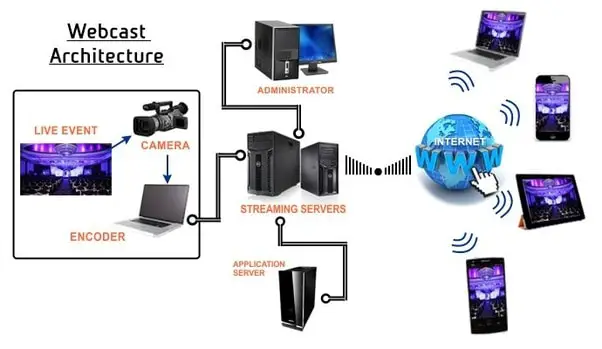
    What is push technology (Webcasting)?

    May 10, 2023
    By Matthew Lynch
  • Digital & Mobile Technology

    How to Root Your Android Phone with SuperSU

    May 5, 2023
    By Matthew Lynch
  • Digital & Mobile Technology

    Sony DSC-W800 Review

    July 27, 2023
    By Matthew Lynch

Search

Login & Registration

  • Log in
  • Entries feed
  • Comments feed
  • WordPress.org

Newsletter

Signup for The Tech Edvocate Newsletter and have the latest in EdTech news and opinion delivered to your email address!

About Us

Since technology is not going anywhere and does more good than harm, adapting is the best course of action. That is where The Tech Edvocate comes in. We plan to cover the PreK-12 and Higher Education EdTech sectors and provide our readers with the latest news and opinion on the subject. From time to time, I will invite other voices to weigh in on important issues in EdTech. We hope to provide a well-rounded, multi-faceted look at the past, present, the future of EdTech in the US and internationally.

We started this journey back in June 2016, and we plan to continue it for many more years to come. I hope that you will join us in this discussion of the past, present and future of EdTech and lend your own insight to the issues that are discussed.

Newsletter

Signup for The Tech Edvocate Newsletter and have the latest in EdTech news and opinion delivered to your email address!

Contact Us

The Tech Edvocate
910 Goddin Street
Richmond, VA 23231
(601) 630-5238
[email protected]

Copyright © 2026 Matthew Lynch. All rights reserved.