The Tech Edvocate

Top Menu

  • Advertisement
  • Apps
  • Home Page
  • Home Page Five (No Sidebar)
  • Home Page Four
  • Home Page Three
  • Home Page Two
  • Home Tech2
  • Icons [No Sidebar]
  • Left Sidbear Page
  • Lynch Educational Consulting
  • My Account
  • My Speaking Page
  • Newsletter Sign Up Confirmation
  • Newsletter Unsubscription
  • Our Brands
  • Page Example
  • Privacy Policy
  • Protected Content
  • Register
  • Request a Product Review
  • Shop
  • Shortcodes Examples
  • Signup
  • Start Here
    • Governance
    • Careers
    • Contact Us
  • Terms and Conditions
  • The Edvocate
  • The Tech Edvocate Product Guide
  • Topics
  • Write For Us
  • Advertise

Main Menu

  • Start Here
    • Our Brands
    • Governance
      • Lynch Educational Consulting, LLC.
      • Dr. Lynch’s Personal Website
      • Careers
    • Write For Us
    • The Tech Edvocate Product Guide
    • Contact Us
    • Books
    • Edupedia
    • Post a Job
    • The Edvocate Podcast
    • Terms and Conditions
    • Privacy Policy
  • Topics
    • Assistive Technology
    • Child Development Tech
    • Early Childhood & K-12 EdTech
    • EdTech Futures
    • EdTech News
    • EdTech Policy & Reform
    • EdTech Startups & Businesses
    • Higher Education EdTech
    • Online Learning & eLearning
    • Parent & Family Tech
    • Personalized Learning
    • Product Reviews
  • Advertise
  • Tech Edvocate Awards
  • The Edvocate
  • Pedagogue
  • School Ratings

logo

The Tech Edvocate

  • Start Here
    • Our Brands
    • Governance
      • Lynch Educational Consulting, LLC.
      • Dr. Lynch’s Personal Website
        • My Speaking Page
      • Careers
    • Write For Us
    • The Tech Edvocate Product Guide
    • Contact Us
    • Books
    • Edupedia
    • Post a Job
    • The Edvocate Podcast
    • Terms and Conditions
    • Privacy Policy
  • Topics
    • Assistive Technology
    • Child Development Tech
    • Early Childhood & K-12 EdTech
    • EdTech Futures
    • EdTech News
    • EdTech Policy & Reform
    • EdTech Startups & Businesses
    • Higher Education EdTech
    • Online Learning & eLearning
    • Parent & Family Tech
    • Personalized Learning
    • Product Reviews
  • Advertise
  • Tech Edvocate Awards
  • The Edvocate
  • Pedagogue
  • School Ratings
  • This One Autonomous Pharmacy Kiosk Fills Prescriptions in Under 30 Seconds

  • These 4 Game-Changing New Infosec Products Are Revolutionizing AI Security

  • 9 Critical Mistakes That Crushed Failed Proptech Startups

  • Why Your Next Nvidia Gaming Investment Might Be a Tricky Bet

  • Capcom’s Catastrophic Data Breach: What 11 Million Users Need To Do Now

  • Is the AI Bubble About to Burst? Finance Titans Clash Over Unprecedented Market Risk

  • Urgent: Rogue AI Bots Are Infiltrating Your Bank Account Right Now

  • Explosive Inquiry: Senators Demand Answers From Google Over AI in Classrooms

  • Unbelievable: White House Abandons Legal Fight, Unleashing Millions in Student Loan Forgiveness

  • Urgent: Ransomware Attacks Explode 50% — AI is the New Weapon, And It’s Targeting YOU

Digital & Mobile Technology
Home›Digital & Mobile Technology›Ways to Check if a File Exists Using Python

Ways to Check if a File Exists Using Python
By Matthew Lynch
June 13, 2023
0
Spread the love

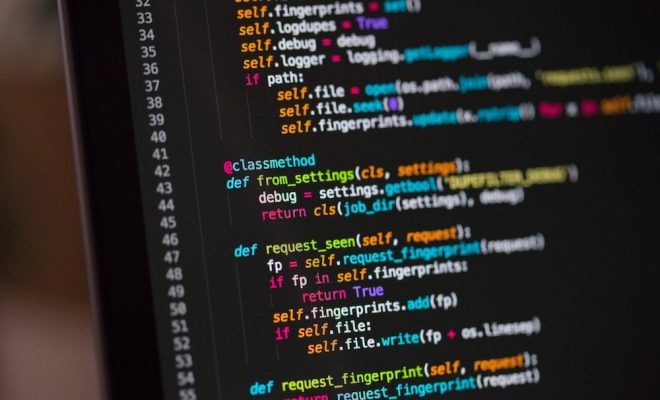
Python is a powerful programming language with a huge number of standard library modules. One of the most essential modules for file handling operations in Python is `os.path`. This module helps us work with the file system paths, checking if a file or directory exists, access permissions, etc. In this article, we will look at some of the most effective ways to check if a file exists using Python.

1. Using Python’s os module:

The fundamental way to check for the existence of a file is to use the `os.path.isfile()` method. This method checks if an object exists in the file directory and returns a boolean value, True if the file does exist and False otherwise.

Here is an example:

“` python
import os

file_path = “/path/to/myfile.txt”

# check if file exists
if os.path.isfile(file_path):
print(“File exists”)
else:
print(“File does NOT exist”)
“`

2. Using the pathlib module:

The `pathlib` module is a library for working with filesystem paths in an object-oriented way. It is available in Python 3.4+ and provides a much more intuitive and clean way for checking if a file exists.

Here is an example:

“` python
from pathlib import Path

file_path = Path(“/path/to/myfile.txt”)

# check if file exists
if file_path.is_file():
print(“File exists”)
else:
print(“File does NOT exist”)
“`

3. Using try-except block:

Another effective way of checking if a file exists is by using a try-except block. We try to open the file and catch the FileNotFoundError exception if it occurs.

Here is an example:

“` python
file_path = “/path/to/myfile.txt”

try:
with open(file_path) as f:
print(“File exists”)
except FileNotFoundError:
print(“File does NOT exist”)
“`

Conclusion:

These are some of the most effective ways to check if a file exists using Python. All these methods are efficient, easy to use and provide accurate results. Whether you are just starting out or a seasoned developer, these methods are sure to come in handy in your file handling operations. So, use them wisely and make the best use of Python’s file handling capabilities.

Previous Article

How to Find and Remove Duplicate Files ...

Next Article

Twitch Channel Point Ideas to Make Your ...

Matthew Lynch

Related articles More from author

  • Digital & Mobile Technology

    How Audio File Formats Differ and What This Means for Listeners

    July 6, 2023
    By Matthew Lynch
  • Digital & Mobile Technology

    Best Free Movie Websites

    May 30, 2023
    By Matthew Lynch
  • Digital & Mobile Technology

    What Is Hinge? The Dating App for People Who Hate Dating Apps

    June 8, 2023
    By Matthew Lynch
  • Digital & Mobile Technology

    How to Use an External Drive With a Chromebook

    July 30, 2023
    By Matthew Lynch
  • Digital & Mobile Technology

    What Happened to Google Play Music?

    June 23, 2023
    By Matthew Lynch
  • Digital & Mobile Technology

    How to Screenshot on a Surface Pro 8

    June 9, 2023
    By Matthew Lynch

Search

Login & Registration

  • Log in
  • Entries feed
  • Comments feed
  • WordPress.org

Newsletter

Signup for The Tech Edvocate Newsletter and have the latest in EdTech news and opinion delivered to your email address!

About Us

Since technology is not going anywhere and does more good than harm, adapting is the best course of action. That is where The Tech Edvocate comes in. We plan to cover the PreK-12 and Higher Education EdTech sectors and provide our readers with the latest news and opinion on the subject. From time to time, I will invite other voices to weigh in on important issues in EdTech. We hope to provide a well-rounded, multi-faceted look at the past, present, the future of EdTech in the US and internationally.

We started this journey back in June 2016, and we plan to continue it for many more years to come. I hope that you will join us in this discussion of the past, present and future of EdTech and lend your own insight to the issues that are discussed.

Newsletter

Signup for The Tech Edvocate Newsletter and have the latest in EdTech news and opinion delivered to your email address!

Contact Us

The Tech Edvocate
910 Goddin Street
Richmond, VA 23231
(601) 630-5238
[email protected]

Copyright © 2026 Matthew Lynch. All rights reserved.