The Tech Edvocate

Top Menu

  • Advertisement
  • Apps
  • Home Page
  • Home Page Five (No Sidebar)
  • Home Page Four
  • Home Page Three
  • Home Page Two
  • Home Tech2
  • Icons [No Sidebar]
  • Left Sidbear Page
  • Lynch Educational Consulting
  • My Account
  • My Speaking Page
  • Newsletter Sign Up Confirmation
  • Newsletter Unsubscription
  • Our Brands
  • Page Example
  • Privacy Policy
  • Protected Content
  • Register
  • Request a Product Review
  • Shop
  • Shortcodes Examples
  • Signup
  • Start Here
    • Governance
    • Careers
    • Contact Us
  • Terms and Conditions
  • The Edvocate
  • The Tech Edvocate Product Guide
  • Topics
  • Write For Us
  • Advertise

Main Menu

  • Start Here
    • Our Brands
    • Governance
      • Lynch Educational Consulting, LLC.
      • Dr. Lynch’s Personal Website
      • Careers
    • Write For Us
    • The Tech Edvocate Product Guide
    • Contact Us
    • Books
    • Edupedia
    • Post a Job
    • The Edvocate Podcast
    • Terms and Conditions
    • Privacy Policy
  • Topics
    • Assistive Technology
    • Child Development Tech
    • Early Childhood & K-12 EdTech
    • EdTech Futures
    • EdTech News
    • EdTech Policy & Reform
    • EdTech Startups & Businesses
    • Higher Education EdTech
    • Online Learning & eLearning
    • Parent & Family Tech
    • Personalized Learning
    • Product Reviews
  • Advertise
  • Tech Edvocate Awards
  • The Edvocate
  • Pedagogue
  • School Ratings

logo

The Tech Edvocate

  • Start Here
    • Our Brands
    • Governance
      • Lynch Educational Consulting, LLC.
      • Dr. Lynch’s Personal Website
        • My Speaking Page
      • Careers
    • Write For Us
    • The Tech Edvocate Product Guide
    • Contact Us
    • Books
    • Edupedia
    • Post a Job
    • The Edvocate Podcast
    • Terms and Conditions
    • Privacy Policy
  • Topics
    • Assistive Technology
    • Child Development Tech
    • Early Childhood & K-12 EdTech
    • EdTech Futures
    • EdTech News
    • EdTech Policy & Reform
    • EdTech Startups & Businesses
    • Higher Education EdTech
    • Online Learning & eLearning
    • Parent & Family Tech
    • Personalized Learning
    • Product Reviews
  • Advertise
  • Tech Edvocate Awards
  • The Edvocate
  • Pedagogue
  • School Ratings
  • A Visitors Guide to Long Beach (CA), United States

  • A Visitor’s Guide to Fresno (CA), United States

  • A Visitors Guide to New Orleans (LA), United States

  • A Visitors Guide to Sacramento (CA), United States

  • A Visitors Guide to Lyon, France

  • JisuLife Ultra2 Portable Fan: A Powerful Multi-Function Cooling Solution

  • A Visitors Guide to Viña del Mar, Chile

  • A Visitors Guide to Århus, Denmark

  • A Visitors Guide to Bakersfield (CA), United States

  • A Visitors Guide to Aurora (CO), United States

Digital & Mobile Technology
Home›Digital & Mobile Technology›Must-Have Magisk Modules for Your Android Device

Must-Have Magisk Modules for Your Android Device
By Matthew Lynch
June 23, 2023
0
Spread the love

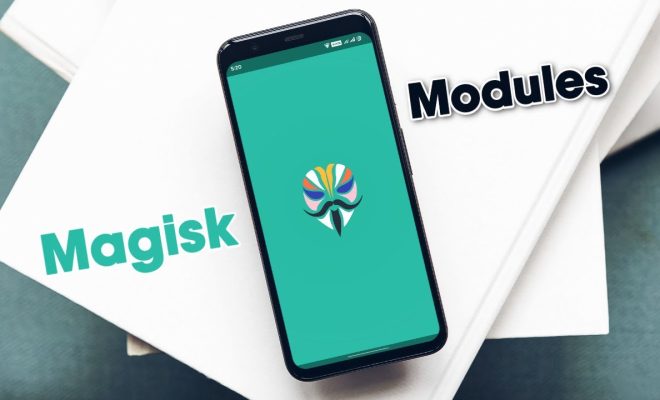
Magisk is an excellent tool for enthusiasts and advanced users to modify the Android operating system without almost any restrictions. Magisk modules, on the other hand, are zip files that can be flashed through the Magisk Manager app to add extra functionality or tweak specific system settings. In this article, we will be discussing the must-have Magisk modules for your Android device.

1. AdAway

AdAway is a free and open-source ad-blocking tool that blocks all kinds of ads across all the apps and browsers. It uses hosts files to block ad domains, which makes it more efficient than the traditional ad-blockers that run on the browser level.

2. Busybox for Android NDK

Busybox for Android NDK is a powerful module that includes a compact executable file capable of running various basic UNIX commands like ls, mv, rm, cp, and more. This module is essential if you require root access to your device and want to use command-line tools and scripts.

3. Google Framework and Play Services

Google Framework and Play Services are two essential modules that should be installed on your device if you want to use advanced Google services like Google Play Store, Google Assistant, and Google Play Games. These modules ensure that your device is compatible with the latest version of Google services.

4. Pixel Navigation Bar Animation

The Pixel Navigation Bar Animation module replaces the old navigation bar on your device with the new Android 10-inspired navigation bar, complete with the stunning Pixel animation. It is an excellent customization option for those who are looking for a refreshing look for their navigation bar.

5. QuickSwitch

QuickSwitch is a module that brings gesture navigation to third-party launchers like Nova, Lawnchair, or Action Launcher. This module is essential for users who want to experience the latest gestures on their devices without relying on the default launcher.

6. Viper4Android

Viper4Android is an audio enhancement module that provides better sound quality and richer audio experience. It allows users to tweak the sound output and apply audio effects for a better audio listening experience.

7. YouTube Vanced

YouTube Vanced is a modified version of the official YouTube app that comes with Ad-blocker, background play, and a few other features missing in the standard YouTube app.

8. Keyboard Master

Keyboard Master is a handy module that transforms your device’s keyboard into a full-fledged computer keyboard. It enables users to use arrow keys, control keys, function keys, and other keyboard shortcuts while typing.


Previous Article

What Are Video Frame Rates and How ...

Next Article

What Is Cross-Platform Play in Gaming and ...

Matthew Lynch

Related articles More from author

  • Digital & Mobile Technology

    How to Use Clone Phone to Transfer Data to a New OnePlus Phone

    June 12, 2023
    By Matthew Lynch
  • Digital & Mobile Technology

    How to Activate Windows 11 for Free: 2 Best Ways

    May 17, 2023
    By Matthew Lynch
  • Digital & Mobile Technology

    Should You Buy an Extended Warranty on Your New TV?

    June 12, 2023
    By Matthew Lynch
  • Digital & Mobile Technology

    How to Add Favorites on Mac

    July 6, 2023
    By Matthew Lynch
  • Digital & Mobile Technology

    5 Ways to Get the Most out of Your FM Transmitter

    June 12, 2023
    By Matthew Lynch
  • Digital & Mobile Technology

    How to Find Your Family and Friends Using Google Maps

    May 28, 2023
    By Matthew Lynch

Search

Login & Registration

  • Register
  • Log in
  • Entries feed
  • Comments feed
  • WordPress.org

Newsletter

Signup for The Tech Edvocate Newsletter and have the latest in EdTech news and opinion delivered to your email address!

About Us

Since technology is not going anywhere and does more good than harm, adapting is the best course of action. That is where The Tech Edvocate comes in. We plan to cover the PreK-12 and Higher Education EdTech sectors and provide our readers with the latest news and opinion on the subject. From time to time, I will invite other voices to weigh in on important issues in EdTech. We hope to provide a well-rounded, multi-faceted look at the past, present, the future of EdTech in the US and internationally.

We started this journey back in June 2016, and we plan to continue it for many more years to come. I hope that you will join us in this discussion of the past, present and future of EdTech and lend your own insight to the issues that are discussed.

Newsletter

Signup for The Tech Edvocate Newsletter and have the latest in EdTech news and opinion delivered to your email address!

Contact Us

The Tech Edvocate
910 Goddin Street
Richmond, VA 23231
(601) 630-5238
[email protected]

Copyright © 2025 Matthew Lynch. All rights reserved.