How to use polls in Zoom
“`html
In the era of remote work and virtual communication, Zoom polls have emerged as a powerful tool for fostering engagement and collaboration during online meetings. Whether you’re hosting a corporate webinar, a team meeting, or a casual catch-up, incorporating polls into your Zoom sessions can transform the way you interact with participants. This article dives deep into how to effectively use polls in Zoom, providing you with practical insights, best practices, and tips to enhance your virtual meetings.
1. Understanding Zoom Polls
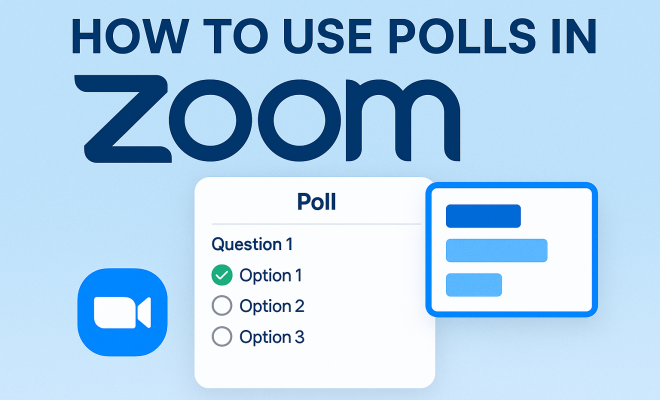
Before we get into the nitty-gritty of setting up and conducting polls, let’s clarify what Zoom polls are. Zoom polls are interactive surveys that participants can respond to during a meeting or webinar. They allow hosts to gather feedback, gauge understanding, and increase audience participation. Polls can be multiple-choice questions or open-ended, making them versatile for various contexts.
The primary purpose of these polls is to enhance engagement. In a traditional meeting, participants can nod or express agreement visually, but in a virtual space, these visual cues often get lost. Zoom polls provide a way to quantify opinions, track audience sentiment, and encourage active participation, even from those who might be less vocal.
2. Setting Up Zoom Polls
Getting started with Zoom polls is straightforward. To set up a poll, you need to be a meeting host or co-host. Here’s a step-by-step guide on how to create a poll:
- Step 1: Sign in to your Zoom account and navigate to the ‘Meetings’ tab.
- Step 2: Select the meeting you want to add a poll to.
- Step 3: Scroll down to find the ‘Poll’ option and click ‘Add.’
- Step 4: Enter your poll question and answer options.
- Step 5: You can also choose whether to make the poll anonymous and save your changes.
This process allows you to create multiple polls for a single meeting, making it easy to integrate feedback throughout your session. You can prepare these polls ahead of time to ensure they align with your meeting agenda.
3. Types of Polls You Can Create
Understanding the different types of polls you can create is essential for maximizing engagement. Here are the main types:
- Multiple Choice Polls: These are the most common type. You present a question with several predefined answer choices, and participants select one or more options.
- Quiz Polls: If you want to assess knowledge or comprehension, quiz polls are ideal. You can score responses, making them useful for educational sessions.
- Open-Ended Polls: These allow participants to type in their responses. While they are more challenging to analyze, they can provide valuable qualitative feedback.
- Rank Order Polls: Participants can rank multiple options in order of preference, which helps in decision-making processes.
By varying the types of polls you use, you can keep your audience engaged and obtain a range of feedback, catering to different information needs and preferences.
4. Best Practices for Using Zoom Polls
While creating polls is relatively simple, using them effectively requires a bit of strategy. Here are some best practices to consider:
- Keep Questions Clear: Your poll questions should be concise and easy to understand. Avoid jargon and keep the language simple to ensure that everyone can participate.
- Limit Answer Choices: When using multiple-choice polls, limit your options to 4-5 answers. Too many choices can overwhelm participants and lead to indecision.
- Timing is Key: Introduce polls at strategic moments during your meeting. For instance, after discussing a topic, use a poll to capture immediate reactions or opinions.
- Engage with Results: After participants respond, share the results in real-time. This not only validates their input but also encourages further discussion.
Implementing these practices can lead to more dynamic interactions and a more productive meeting atmosphere.
5. Analyzing Poll Results
After the polls are conducted, analyzing the results is crucial. Zoom provides a summary of poll results, showing how many participants answered each question and what responses were selected. Here’s how you can analyze these results effectively: (See: CDC Youth Risk Behavior Survey.)
- Review Immediately: Take a moment to discuss the poll results with participants while the information is still fresh. This can lead to spontaneous discussions and deeper insights.
- Identify Trends: Look for patterns in the responses. Are there clear areas of agreement or disagreement? Identifying these trends can guide your next steps or decisions.
- Use Feedback for Improvement: If you’re conducting regular meetings or webinars, use past poll results to inform future agendas. This can help you focus on topics that your audience cares about.
Analyzing poll results not only enhances the current meeting but also contributes to the continuous improvement of your future interactions.
6. Troubleshooting Common Issues
Even with excellent planning, you may encounter some hiccups while using Zoom polls. Here are common issues and how to address them:
- Participants Can’t See the Poll: Ensure that your meeting settings allow polling. Sometimes, this feature may not be enabled by default.
- Polls Not Showing Up: If polls aren’t appearing, double-check that they were saved correctly in the meeting setup and that you are sharing your screen properly.
- Technical Glitches: Encourage participants to refresh their browser or app if they encounter any technical issues. A quick reboot often resolves minor glitches.
Preparing for these potential issues can make your meetings flow more smoothly, allowing you to focus on content rather than technical difficulties.
7. Enhancing Engagement Beyond Polls
While polls are a fantastic way to engage your audience, they are just one tool in your toolkit. Here are additional strategies to enhance engagement:
- Use Breakout Rooms: Consider using Zoom’s breakout rooms for small group discussions. This encourages interaction among participants and allows for more in-depth conversations.
- Incorporate Interactive Activities: Icebreakers or quick games can energize your audience and create a more relaxed atmosphere.
- Q&A Sessions: Designate time for questions and answers. This not only engages participants but also provides opportunities for clarification and deeper understanding.
By combining these strategies with Zoom polls, you can create a more engaging and participatory environment, making your sessions more enjoyable and productive.
8. Current Relevance of Zoom Polls
In today’s world, where remote work and virtual events are becoming the norm, the relevance of Zoom polls cannot be overstated. As organizations and teams continue to adapt to this new landscape, the ability to connect, engage, and gather feedback remotely is essential.
According to a recent survey, 75% of professionals believe that engaging their audience during remote meetings is crucial for productivity. Zoom polls play a significant role in this engagement, allowing hosts to connect with participants in real-time, regardless of their physical location.
As more businesses recognize the importance of virtual communication, mastering tools like Zoom polls will become increasingly valuable for maintaining connection and collaboration in the digital age.
9. Best Practices for Creating Effective Polls
Creating effective Zoom polls goes beyond just formulating questions and answer choices. Here are additional practices to ensure your polls yield valuable insights:
- Test Your Polls: Before the meeting, run a practice session with a colleague or friend to ensure that the polls function as intended. This can help you identify any potential issues.
- Use Conditional Logic: For more complex meetings, consider using conditional logic where the next question depends on the participant’s previous answer. This can create a more personalized experience.
- Incorporate Multimedia: If applicable, consider using images or videos as part of your polling questions. This can help clarify your questions and make them more engaging.
- Follow-Up After the Meeting: Consider sending a follow-up email summarizing the poll results and any action items that will come from the feedback. This reinforces the value of participant input.
Implementing these best practices can help ensure that your polls not only gather data but also enhance the overall meeting experience for participants.
10. Innovative Uses of Zoom Polls
Zoom polls can be utilized in various innovative ways beyond traditional meetings and webinars. Here are some creative approaches: (See: Associated Press News.)
- Team Building Activities: Use polls during team-building sessions to understand team dynamics better. Questions about team members’ favorite activities or past experiences can help foster connections.
- Feedback on Products or Services: Conduct polls to gather instant feedback on new products or services from clients during presentations or pitch meetings. This allows for real-time insights that can guide decision-making.
- Event Planning: If you are hosting a larger event, use polls to gather preferences on topics, speakers, or even break times. This can increase participant satisfaction by aligning the agenda with audience interests.
- Brainstorming Sessions: During brainstorming sessions, use polls to capture ideas quickly. This can help in prioritizing which ideas to discuss further, keeping the meeting focused and productive.
By thinking outside the box, you can leverage Zoom polls in ways that enhance collaboration and creativity within your team or organization.
11. Zoom Polls in Educational Settings
In the educational landscape, Zoom polls have proven to be invaluable for both students and educators. They can be used to assess understanding, gauge student opinions, and even create an interactive classroom experience. Here are some specific applications:
- Check for Understanding: Educators can use polls to quickly assess students’ comprehension of a subject before moving on to new material. This immediate feedback can guide teaching strategies and content delivery.
- Engagement in Online Classes: Using polls throughout a lecture can sustain student interest and participation. For instance, asking students to weigh in on a controversial topic related to the lesson can spark lively discussions.
- Course Feedback: At the end of a course, educators can use polls to gather feedback on what worked well and what could be improved. This will help shape future courses and enhance the learning experience.
- Interactive Quizzes: Instead of traditional assessments, educators can incorporate quizzes as polls, making testing more engaging and less intimidating for students.
By integrating Zoom polls into educational practices, educators can create a more dynamic and responsive learning environment that caters to student needs.
12. Frequently Asked Questions (FAQ)
If you’re new to using Zoom polls, you might have some questions. Here’s a handy FAQ to help you get started:
- Can I create polls during a meeting? Yes, but you will need to be the host or co-host of the meeting. You can create polls on the fly, but it’s best to prepare them in advance.
- Are polls anonymous? Polls can be made anonymous if you check the appropriate option when creating them. This can encourage more candid responses from participants.
- How many polls can I create for a single meeting? You can create up to 25 polls for a single meeting, allowing for extensive interaction throughout your session.
- Can participants see each other’s responses? By default, participants cannot see each other’s responses during the poll. However, you can share the results after the polling is completed.
- Do I need a Zoom subscription to use polls? Yes, polling features are available on paid Zoom accounts. Free accounts do not have access to this functionality.
- Can I download poll results? Yes, after the meeting, you can download a report of poll results from your Zoom account dashboard for further analysis.
This FAQ section aims to clarify common concerns and encourage hosts to maximize their use of Zoom polls in various settings.
13. The Impact of Zoom Polls on Meeting Dynamics
Understanding the impact of Zoom polls on meeting dynamics is crucial for any host aiming to enhance their virtual gatherings. Research shows that meetings incorporating interactive elements like polls see a 50% increase in participation compared to traditional formats. This spike in engagement can often lead to more productive discussions and actionable insights.
Moreover, polls can serve as a barometer of participant understanding and interest throughout a session. For instance, if a specific topic generates a lot of questions in a poll, it may signal the need for further explanation or an adjustment to the meeting’s pace. This flexibility not only aids in better communication but also fosters a sense of inclusivity.
By acknowledging and reacting to real-time feedback, hosts can create a more dynamic and responsive meeting environment. In essence, Zoom polls facilitate a two-way conversation rather than a one-sided presentation, making everyone feel valued and heard.
14. Case Studies: Successful Use of Zoom Polls
Many organizations have adopted Zoom polls to great effect, enhancing their meetings’ interactivity and effectiveness. Here are a few case studies showing their successful application: (See: New York Times on Zoom polls.)
- Corporate Training Sessions: A multinational corporation implemented Zoom polls during their quarterly training sessions. By using polls to assess employee understanding of new compliance protocols, they reported a 30% increase in retention rates compared to previous years without polls. Employees felt more engaged and were able to provide immediate feedback that shaped future training content.
- Higher Education Institutions: A university used Zoom polls during remote classes to gauge student comprehension of complex topics. By tracking which topics students struggled with, instructors could adjust their teaching strategies in real-time, resulting in improved student performance in subsequent assessments. Feedback from students indicated greater satisfaction with the learning process when polls were employed.
- Non-Profit Organization Fundraising Events: A non-profit organization used Zoom polls during their virtual fundraising event to engage attendees and gain insights on potential project areas. Participants were able to vote on which initiatives they felt were most impactful. This engagement not only increased donations by 25% but also fostered a community spirit among participants who felt their voices were heard.
These case studies illustrate that when used thoughtfully, Zoom polls can lead to tangible benefits for various organizations, enhancing both engagement and outcomes in virtual settings.
15. The Future of Zoom Polls
The future of Zoom polls looks promising as technology continues to evolve. With the introduction of more advanced features and integrations, we can expect to see an even broader application of polls in various sectors. For example, the integration of artificial intelligence could enable predictive analytics based on poll responses, allowing hosts to tailor their meetings dynamically.
In addition, as the hybrid work model becomes more prevalent, tools like Zoom polls will be crucial in bridging the gap between in-person and virtual participants. Features that allow real-time interaction among both groups will enhance engagement and ensure that everyone feels included, regardless of their physical location.
Moreover, educational institutions are likely to adopt more sophisticated polling techniques to track student engagement and comprehension continuously. As remote learning tools advance, we can anticipate a more interactive and personalized learning experience driven by data collected from polls.
Overall, as virtual communication continues to be a staple in both corporate and educational settings, mastering tools like Zoom polls will be essential for fostering collaboration, enhancing engagement, and driving successful outcomes.
16. Conclusion: Making the Most of Zoom Polls
Incorporating Zoom polls into your meetings can significantly enhance engagement and interaction. By understanding how to set them up, analyze results, and troubleshoot common issues, you’ll be well-equipped to create a more vibrant online meeting environment.
Remember to explore various types of polls, implement best practices, and combine them with other engagement strategies for optimal results. As you refine your approach, you’ll find that Zoom polls not only gather valuable insights but also foster a more inclusive and participatory atmosphere for your team or audience.
“`
Trending Now
Frequently Asked Questions
How do I create a poll in Zoom?
To create a poll in Zoom, sign in to your account, go to the 'Meetings' tab, select your meeting, and click 'Add' under the 'Poll' option. Enter your poll question and answer choices, and decide if you want the poll to be anonymous before saving your changes.
What are Zoom polls used for?
Zoom polls are interactive surveys used during meetings or webinars to gather feedback, gauge understanding, and enhance audience participation. They can be multiple-choice or open-ended, making them versatile for various contexts and encouraging engagement from all participants.
Can I make Zoom polls anonymous?
Yes, when setting up a Zoom poll, you have the option to make it anonymous. This feature allows participants to respond without their identities being revealed, which can encourage more honest and candid feedback.
What types of questions can I ask in Zoom polls?
In Zoom polls, you can ask multiple-choice questions or open-ended questions. This versatility allows you to tailor the polls to your specific needs, whether you're seeking quick feedback or more detailed responses from participants.
How can polls improve engagement in Zoom meetings?
Polls improve engagement in Zoom meetings by providing a structured way for participants to express their opinions and feedback. They help quantify sentiments and encourage participation, especially from those who may be less vocal in virtual settings.
Agree or disagree? Drop a comment and tell us what you think.