How to use Monday.com for team collaboration
“`html
In an age where teamwork often transcends geographic boundaries, finding the right tools to foster collaboration is paramount for businesses. One platform that’s been making waves in this arena is monday.com, a work operating system that enables teams to manage their tasks, workflows, and projects efficiently. This article will explore how to effectively harness monday.com for team collaboration, taking you through its key features, practical applications, and tips to maximize its potential.
1. Understanding Monday.com: A Brief Overview
Before diving into the specifics of team collaboration, it’s important to understand what monday.com is all about. Founded in 2014, this innovative platform has rapidly evolved into a comprehensive solution for project management and collaboration. Its user-friendly interface allows teams to create and customize boards that reflect their unique workflows. Whether you’re managing a marketing campaign, software development, or event planning, monday.com offers the flexibility to adapt to your needs.
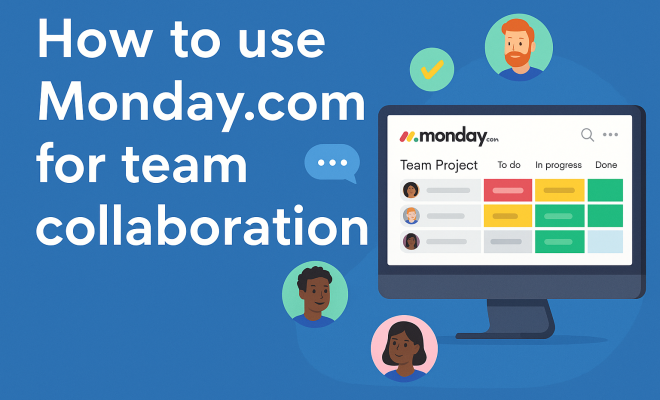
The platform operates on a visual board system, where each board represents a project or a process. Within these boards, teams can create items, which can be tasks, notes, or even files. Each item can be customized with various columns, including due dates, statuses, and assignees, making it easy to track progress and collaboration.
2. Setting Up Your Workspace for Team Collaboration
Getting started with monday.com for team collaboration requires a thoughtful setup of your workspace. Begin by inviting team members to join your board. This is an essential step, as collaboration thrives on communication and transparency. Each team member can be assigned specific roles and permissions, ensuring that everyone knows their responsibilities while maintaining control over sensitive information.
When setting up your workspace, consider creating different boards for various projects or teams within your organization. For instance, marketing teams might need boards dedicated to content calendars, while development teams can manage sprints and bug tracking. This segmentation allows for clearer focus and easier navigation, facilitating smoother collaboration across different sectors of your organization.
3. Utilizing Templates for Enhanced Collaboration
One of the appealing aspects of monday.com is its extensive library of templates. These templates can save teams a significant amount of time, enabling them to kick-start their projects without having to design boards from scratch. For team collaboration, using templates that cater to your specific needs can streamline workflows and ensure that all necessary components are considered from the beginning.
For example, the Project Management template helps teams visualize their tasks, while the Sales CRM template can assist in tracking leads, deals, and customer interactions more effectively. By using these templates, teams can focus on collaboration rather than getting bogged down by the logistics of setting up boards.
4. Task Management: The Heart of Team Collaboration
At its core, effective team collaboration hinges on seamless task management. In monday.com, task management is intuitive. You can assign tasks to team members, set deadlines, and even prioritize tasks based on urgency. This level of organization fosters accountability, as each member understands their responsibilities and timelines.
Additionally, the ability to comment directly on tasks creates a real-time feedback loop. Team members can ask questions, share updates, or highlight roadblocks, all within the context of a specific task. This feature minimizes the need for endless email threads or meetings, allowing teams to stay focused on what matters most.
5. Integrating Communication Tools for Enhanced Collaboration
Collaboration is not just about managing tasks; it’s also about communication. monday.com integrates with various communication tools, such as Slack, Microsoft Teams, and Zoom. By integrating these tools, teams can ensure that their conversations are connected to their tasks and projects, streamlining communication and reducing the chances of misalignment.
For instance, when a team member mentions a task in Slack, it can automatically link back to the corresponding item in monday.com. This not only keeps everyone on the same page but also creates a searchable history of discussions related to specific tasks, making it easier to reference past conversations when needed. (See: Understanding project management concepts.)
6. Automating Workflows for Efficiency
One of the standout features of monday.com is its automation capabilities. Automation can significantly reduce the manual workload, allowing teams to focus on more critical tasks. You can set up automated reminders for deadlines, notifications when tasks are completed, or even status updates that trigger alerts to team members.
By leveraging automation, teams can maintain momentum without the constant need for human intervention. For example, if a task is marked as complete, an automated message could notify the relevant stakeholders, ensuring that everyone is aware of progress without relying on individual follow-ups.
7. Tracking Progress with Dashboards and Reporting
Effective collaboration requires visibility into progress. monday.com provides customizable dashboards that allow teams to visualize their performance easily. Dashboards can be tailored to track specific metrics, such as task completion rates, project timelines, or team workloads. This visual representation makes it easier for teams to identify bottlenecks and areas for improvement. improve IT project management offers useful background here.
Furthermore, the reporting features enable teams to analyze historical data, helping them make informed decisions based on past performance. By regularly reviewing these dashboards and reports, your team can adjust strategies proactively, ensuring that collaboration efforts remain aligned with overall goals.
8. Encouraging Team Engagement and Feedback
Collaboration is more than just sharing tasks; it’s about fostering an engaged team environment. monday.com encourages this through its user-friendly interface and options for team feedback. Team members can express their thoughts or concerns about specific tasks directly within the platform, promoting an open dialogue.
Moreover, features like ‘pulse checks’ can be implemented to solicit regular feedback from the team regarding their workload and collaboration experience. This practice not only helps in identifying challenges but also cultivates a culture of continuous improvement and adaptation, where each member feels heard and valued.
9. Continuous Learning and Adaptation
Lastly, successful team collaboration on monday.com involves a commitment to continuous learning and adaptation. Encourage your team to explore new features and tools within the platform regularly. monday.com frequently updates its offerings, rolling out new integrations, templates, and features that can enhance collaboration further.
Organizing training sessions to familiarize team members with updates or sharing tips on best practices can significantly improve the overall collaboration experience. By fostering a mindset of learning, your team can stay ahead of challenges and adapt their workflows to meet changing demands effectively.
10. Real-World Success Stories with Monday.com
To truly appreciate the impact of monday.com on team collaboration, it’s helpful to look at some real-world examples. Numerous organizations have utilized this platform to enhance their project management and teamwork.
For instance, a marketing agency found that using monday.com helped them streamline their campaign management process. By creating boards for each client, the team could keep track of individual campaign tasks, deadlines, and communications in one place. This resulted in a 30% decrease in project turnaround time and significantly improved client satisfaction.
In the tech industry, a software development firm successfully adopted monday.com to manage their agile sprints. By visualizing their sprint tasks on the platform, team members could quickly adjust their workload based on real-time updates. This visibility led to a 25% increase in team efficiency, as developers could identify and address potential bottlenecks early on. This builds on top project management schools.
11. Statistics on Team Collaboration and Productivity
Understanding the effectiveness of team collaboration tools is vital in today’s business landscape. According to studies, organizations that leverage collaboration tools like monday.com can see productivity improvements of up to 30%. Additionally, research indicates that effective collaboration can boost team morale and job satisfaction, leading to a decrease in employee turnover rates by as much as 50%. (See: Importance of teamwork in organizations.)
Moreover, a survey conducted by McKinsey found that productivity improves by 20-25% in organizations with connected employees. This highlights the importance of integrating communication and task management platforms to foster collaboration.
12. Building a Culture of Collaboration
While monday.com provides the tools for collaboration, fostering a culture that embraces teamwork is equally important. Here are some strategies to build a collaborative culture within your team:
- Encourage Open Communication: Promote transparency and open dialogue among team members. Recognize that everyone’s input is valuable.
- Set Clear Goals: Clearly define team objectives and individual responsibilities to align efforts and minimize confusion.
- Celebrate Successes: Acknowledge both individual and team achievements to boost morale and motivate continued collaboration.
- Provide Opportunities for Team Building: Organize team-building activities, whether virtual or in-person, to strengthen relationships and improve collaboration.
13. FAQs About Monday.com and Team Collaboration
What features does monday.com offer for team collaboration?
monday.com provides a variety of features including customizable boards, task assignments, comment threads, integrations with communication tools, automation capabilities, and reporting dashboards. These features work together to streamline collaboration and enhance productivity.
Can monday.com be used for remote teams?
Absolutely! monday.com is designed to support remote teams by providing a centralized workspace where team members can access information, communicate, and collaborate effectively, regardless of their physical locations.
Is monday.com suitable for small businesses?
Yes, monday.com is highly adaptable and can benefit teams of all sizes. Small businesses can leverage its features to improve organization and communication without the need for extensive resources.
How does monday.com handle security and data privacy?
monday.com takes security seriously and offers various features to protect user data, including encryption, two-factor authentication, and regular security audits. Users have control over their data and can manage permissions to safeguard sensitive information.
What types of templates are available for team projects?
There’s a wide range of templates available on monday.com for different types of projects such as marketing, sales, project management, and more. These templates can be customized to fit specific team needs. See also leading IT project management programs.
How can I measure the success of my team’s collaboration on monday.com?
To measure collaboration success, regularly review metrics available in monday.com dashboards, such as task completion rates, team engagement levels, and project timelines. Gathering feedback from team members can also provide insights into areas for improvement.
14. Advanced Features of Monday.com for Enhanced Collaboration
Beyond basic functionalities, monday.com offers several advanced features that take team collaboration to the next level. These can be particularly beneficial for larger organizations or teams with complex needs.
Custom Automations
While basic automation can streamline workflows, monday.com allows for custom automations tailored to specific processes. You can create rules that automatically change the status of a task based on certain triggers, send notifications to team members when a deadline is approaching, or even create recurring tasks for regular activities. This level of customization ensures that your workflows remain efficient and tailored to your team’s unique needs. (See: Harvard's research on collaboration tools.)
Time Tracking
Time management is crucial in any collaborative environment. monday.com offers integrated time tracking features, allowing team members to log hours directly on tasks. This not only keeps everyone accountable but also provides valuable insights into how time is allocated across projects. Managers can review time reports to identify areas where resources may need to be adjusted or where productivity could be improved.
Dependencies
Understanding task dependencies is vital for effective project management. monday.com enables teams to set dependencies between tasks, showing which tasks must be completed before others can start. This visualization helps prevent delays and miscommunications, ensuring that everyone is aware of how their work fits into the larger project timeline.
15. Common Challenges in Team Collaboration and How to Overcome Them
Even with powerful tools like monday.com, team collaboration can face several challenges. Here are some common hurdles and tips on how to overcome them:
Miscommunication
Miscommunication can lead to errors and frustration. To combat this, encourage the use of comment sections within tasks on monday.com to clarify expectations and updates. Regular team check-ins can also ensure everyone is on the same page.
Resistance to Tools
Some team members may be resistant to adopting new tools. To ease this transition, provide training sessions and highlight the benefits of monday.com. Showcasing success stories and improvements can help motivate team members to embrace the platform.
Overwhelming Workloads
When team members feel overwhelmed, collaboration can suffer. Utilize monday.com to visualize workloads and redistribute tasks as necessary. Regularly checking in with team members can also help identify those who may need support or adjustments in their assignments.
16. Conclusion: The Future of Team Collaboration with Monday.com
As businesses increasingly turn to digital solutions for collaboration, platforms like monday.com are leading the charge. By offering an adaptable and robust environment for task management and team communication, it empowers organizations to enhance productivity and foster a collaborative culture. As you implement monday.com in your organization, remember that the success of your collaboration efforts hinges not just on the tools, but on the open communication, feedback, and adaptability of your team.
In summary, monday.com is a powerful tool for team collaboration when utilized correctly. By setting up your workspace effectively, leveraging templates, managing tasks, integrating communication tools, automating workflows, tracking progress, encouraging feedback, and committing to continuous learning, your team can unlock the full potential of this platform. As you embark on your journey with monday.com, remember that the key to successful collaboration lies not just in the tools you use, but in how you choose to use them.
“`
Trending Now
Frequently Asked Questions
How does Monday.com help with team collaboration?
Monday.com enhances team collaboration by providing a visual board system that allows teams to manage tasks, workflows, and projects efficiently. Each board can be customized to reflect unique workflows, enabling clear communication and progress tracking among team members.
What are the key features of Monday.com?
Key features of Monday.com include customizable boards, task assignment, due dates, status tracking, and file sharing. These tools facilitate organized project management and foster collaboration by allowing teams to visualize their tasks and workflows in an intuitive interface.
How do I set up Monday.com for my team?
To set up Monday.com for your team, start by creating boards for different projects. Invite team members to join, assign roles and permissions, and customize your boards to reflect your team's workflows. This ensures clear communication and accountability among team members.
Can I use Monday.com for remote teams?
Yes, Monday.com is ideal for remote teams as it provides a centralized platform for collaboration regardless of geographic boundaries. Its features support real-time updates and communication, ensuring that team members can work together effectively from anywhere.
Is Monday.com suitable for small businesses?
Absolutely, Monday.com is suitable for small businesses as it offers flexible plans and features that can be tailored to various needs. Its user-friendly interface and scalability make it a great choice for small teams looking to improve their project management and collaboration.
What's your take on this? Share your thoughts in the comments below — we read every one.