Unlock AutoCAD Online: Design Anywhere, Anytime
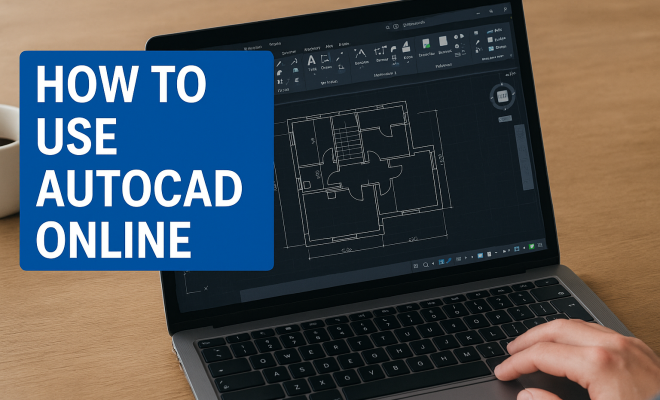
For decades, AutoCAD has been the undisputed heavyweight champion of computer-aided design (CAD). Architects, engineers, and product designers have relied on its powerful desktop software to bring their intricate visions to life. But the world of software, like everything else, is constantly evolving. Cloud computing has revolutionized how we access and use applications, and AutoCAD is no exception. If you’ve been tethered to a powerful workstation, you might be surprised to learn just how much you can accomplish with AutoCAD online.
The shift to web-based tools isn’t just a trend; it’s a fundamental change in how professionals work. Imagine accessing your most complex drawings from any device, collaborating in real-time with colleagues across continents, or making quick edits on a construction site with just a tablet. That’s the promise of AutoCAD online, and it’s a promise that Autodesk has largely delivered on. This isn’t a watered-down version of the desktop behemoth; it’s a remarkably capable platform designed to enhance flexibility and collaboration. Let’s dig into what makes this iteration of AutoCAD so compelling and how you can leverage its capabilities.
1. Accessibility from Anywhere: Your Designs, Unchained
One of the most immediate and impactful benefits of AutoCAD online is its unparalleled accessibility. Gone are the days when you needed a high-powered, dedicated workstation to even open a complex CAD file. With the web version, all you really need is an internet connection and a web browser – Chrome, Firefox, Edge, Safari, take your pick. This means you can view, edit, and even create designs from a laptop at a coffee shop, a tablet on a job site, or even a different computer in your office without needing to install any software.
Think about the implications for productivity. If you’re an architect visiting a client, you can pull up the latest blueprints on their screen directly from the cloud. If you’re an engineer needing to approve a minor change while traveling, you don’t have to wait until you’re back at your desk. This freedom from physical location isn’t just convenient; it fundamentally changes workflows, allowing for more agile responses and continuous progress, no matter where your work takes you. It’s a true democratizer of design access.
2. Real-time Collaboration: Working Together, Seamlessly
Collaboration has always been a challenging aspect of large design projects. Sharing files, tracking changes, and ensuring everyone is working on the most current version can be a logistical nightmare. AutoCAD online tackles this head-on with robust real-time collaboration features. Multiple team members can access and work on the same drawing simultaneously, seeing each other’s changes as they happen.
This isn’t just about avoiding version control headaches; it’s about fostering dynamic teamwork. Imagine an architectural team where one person is detailing the floor plan, another is adding electrical schematics, and a third is reviewing for compliance, all within the same drawing, in real-time. Comments and markups can be added directly to the design, creating a single source of truth and streamlining feedback loops. This capability alone can drastically reduce project timelines and miscommunications, making it a critical feature for modern design firms.
3. Simplified Sharing and Review: Feedback Made Easy
Beyond active collaboration, AutoCAD online makes sharing designs for review incredibly simple. You no longer need to export PDFs, attach large files to emails, or worry about whether the recipient has the right software to open a DWG file. Instead, you can generate a shareable link that allows stakeholders – clients, contractors, consultants – to view the drawing directly in their web browser.
This streamlined review process means feedback can be gathered much more efficiently. Reviewers can add comments, highlight areas, and make suggestions without needing any AutoCAD expertise themselves. This reduces friction in the approval process and ensures that everyone involved in a project can easily contribute their insights, regardless of their technical proficiency. It’s a huge win for project management and client satisfaction.
4. Basic Editing Capabilities: More Than Just a Viewer
While the desktop version of AutoCAD remains the powerhouse for complex 3D modeling and intricate detailing, the AutoCAD online version offers surprisingly capable editing tools for everyday tasks. You can perform common operations like drawing lines, arcs, and circles, moving and copying objects, trimming and extending, and adding text and dimensions. This means you’re not just limited to viewing or marking up; you can actually make meaningful changes on the fly.
For many professionals, the web editor is perfectly sufficient for minor revisions, quick sketches, or on-site adjustments. Picture an engineer needing to slightly modify a pipe length on a schematic while at a plant, or an interior designer quickly adjusting furniture placement during a client meeting. These aren’t trivial tasks, and having the ability to execute them without firing up a full desktop application is a significant productivity booster. It truly bridges the gap between a pure viewer and a full-fledged CAD workstation.
5. Integration with Cloud Storage: Your Files, Always Synced
AutoCAD online plays exceptionally well with major cloud storage providers. While Autodesk’s own cloud platform, Autodesk Docs, is deeply integrated, you can also connect to services like Google Drive, Dropbox, and Microsoft OneDrive. This integration is crucial because it ensures your DWG files are always accessible, synchronized, and backed up. (See: AutoCAD overview on Wikipedia.)
The benefit here is twofold: firstly, you gain the peace of mind that comes with automatic cloud backup, protecting your valuable designs from local hardware failures. Secondly, it makes opening and saving files within AutoCAD online a seamless experience. You don’t need to manually upload or download; you simply navigate your connected cloud drives directly from the application interface. This centralizes your project data and ensures everyone on a team is always working from the latest version of a file.
6. Cost-Effective for Casual Users: A Lower Barrier to Entry
For individuals or small businesses who only need occasional access to AutoCAD’s core functionalities, the online version can be a more cost-effective solution than a full desktop subscription. While the web app is often bundled with a full AutoCAD subscription, Autodesk also offers more flexible access options or lighter subscriptions that focus on the web and mobile experience. This lowers the barrier to entry for those who might not need the advanced features of the desktop software but still require the ability to interact with DWG files.
Consider a freelancer who primarily uses other design tools but occasionally needs to review or make minor edits to an AutoCAD drawing provided by a client. Paying for a full desktop license might be overkill. The web version offers a practical, budget-friendly alternative that still provides essential capabilities, preventing unnecessary expenditure on software that would largely go unused. It makes AutoCAD’s ecosystem more inclusive.
7. Mobile Accessibility: Design on the Go
Beyond web browsers, AutoCAD online extends its reach to mobile devices through dedicated apps for iOS and Android. This isn’t just a scaled-down browser experience; these apps are optimized for touch interfaces, allowing you to view, measure, and even make basic edits to your DWG files directly on your smartphone or tablet. Imagine walking through a construction site and being able to pull up detailed drawings, measure distances, or add quick notes right from your phone.
This mobile accessibility is particularly powerful for on-site inspections, client presentations, or impromptu meetings. It bridges the gap between the office and the field, ensuring that critical design information is always at your fingertips. The ability to make minor adjustments or annotations in the moment, rather than waiting to get back to a desktop, can save significant time and prevent costly errors down the line.
8. Version History and Tracking: Never Lose a Revision
Working on complex projects often involves numerous revisions and iterations. Keeping track of these changes and being able to revert to previous versions can be a lifesaver. AutoCAD online, especially when integrated with Autodesk Docs, offers robust version history tracking. Every time a drawing is saved, a new version is created, allowing you to see who made what changes and when.
This capability provides an invaluable audit trail and acts as a safety net. If an undesired change is made, or if you simply want to revisit an earlier design concept, you can easily browse through the history and restore a previous state. This not only mitigates the risk of losing work but also provides transparency and accountability within a design team, ensuring that everyone can understand the evolution of a project.
9. Access to Xrefs and Layers: Maintaining Drawing Integrity
For seasoned AutoCAD users, the ability to work with Xrefs (external references) and manage layers is fundamental to maintaining complex drawing structures. The good news is that AutoCAD online supports these crucial functionalities. You can view, toggle the visibility of, and even attach Xrefs within the web application, ensuring that your drawings remain cohesive and up-to-date even when components are referenced from other files.
Similarly, layer management is fully supported. You can turn layers on and off, change their properties, and control their visibility, just as you would in the desktop version. This means that the integrity and organization of your professional DWG files are preserved, allowing for effective navigation and modification of even the most intricate multi-layered designs, directly from your browser. It’s a clear indication that this isn’t just a simple viewer, but a truly functional editor. top CAD programs worldwide offers useful background here.
10. Secure Cloud Environment: Protecting Your Intellectual Property
Security is always a paramount concern when dealing with proprietary designs and intellectual property. Autodesk understands this, and the AutoCAD online platform is built with robust security measures. Your data is stored in secure cloud environments, often leveraging industry-standard encryption protocols both in transit and at rest. Access controls ensure that only authorized individuals can view or modify your designs.
While no system is entirely impervious, working with a reputable cloud provider like Autodesk means your data benefits from enterprise-grade security infrastructure that often surpasses what individual users or small businesses might implement locally. This provides peace of mind, knowing that your valuable designs are protected against unauthorized access, data loss, and cyber threats, allowing you to focus on your creative work rather than worrying about digital vulnerabilities.
11. Performance and Responsiveness: The Cloud Advantage
You might wonder about the performance of running a complex CAD application in a browser. Autodesk has invested heavily in optimizing the AutoCAD online experience. While the most intensive rendering and computational tasks still benefit from a local workstation, the web version is surprisingly snappy for viewing, navigating, and performing basic edits on large DWG files. This is largely thanks to efficient data streaming and server-side processing.
Modern web technologies and robust cloud infrastructure mean that opening and interacting with drawings is often faster than you’d expect. The browser leverages your device’s capabilities for display, but the heavy lifting of processing the DWG data happens in Autodesk’s data centers. This allows even less powerful devices to effectively work with professional CAD files, something that would have been impossible just a few years ago. It means you don’t need to shell out for top-tier hardware just to keep your projects moving. (See: New York Times article on AutoCAD cloud features.)
12. Streamlined Workflows with Autodesk Ecosystem: A Connected Experience
AutoCAD online isn’t a standalone island; it’s a vital part of the larger Autodesk ecosystem. This means it integrates smoothly with other Autodesk products and services. For instance, if your team uses Autodesk Construction Cloud for project management, your AutoCAD drawings can feed directly into that system, providing a continuous data flow from design to construction. This interconnectedness reduces manual data entry and minimizes errors. Related reading: rethinking online design education.
Consider a scenario where an architect designs a building in AutoCAD, then the structural engineer uses Autodesk Revit, and the project manager uses Autodesk Build. The online AutoCAD tool facilitates the sharing and viewing of these initial designs across the entire project lifecycle. This holistic approach to design and construction, powered by cloud connectivity, fosters a more cohesive and efficient project environment, breaking down traditional silos between disciplines.
13. 2D and Basic 3D Viewing: Visualizing Your Vision
While the heavy 3D modeling typically requires the desktop application, AutoCAD online offers excellent capabilities for viewing both 2D drawings and basic 3D models. You can pan, zoom, orbit, and even walk through 3D designs directly in your browser. This is invaluable for presentations, client reviews, or simply getting a better spatial understanding of your project without needing specialized software.
Imagine showcasing a building’s interior to a client, letting them virtually explore the space on their tablet during a meeting. Or an engineer reviewing a mechanical assembly in 3D to check for clearances. The ability to quickly load and manipulate 3D views in the browser democratizes access to these visualizations, ensuring that non-CAD users can also engage with the spatial aspects of a design. It adds a whole new dimension to client engagement and internal review processes.
14. Future-Proofing Your Workflow: Adapting to Change
The move to cloud-based software is not just a passing fad; it’s the direction the industry is heading. By embracing AutoCAD online, you’re essentially future-proofing your design workflow. Cloud platforms are inherently more adaptable, receiving continuous updates and new features without requiring manual installations. This means you always have access to the latest tools and security enhancements.
Furthermore, as new technologies emerge, such as augmented reality (AR) or more sophisticated AI for design analysis, cloud platforms are better positioned to integrate these innovations seamlessly. Your investment in AutoCAD online isn’t just for today; it’s a step towards a more agile, technologically advanced, and collaborative future for your design practice. Staying current with these trends helps maintain a competitive edge.
The Evolving Landscape of AutoCAD Online: What’s Next?
The journey of AutoCAD online is far from over. Autodesk continues to pour resources into enhancing its web and mobile offerings. We can anticipate even more advanced editing capabilities, deeper integrations with emerging technologies like generative design and artificial intelligence, and further refinements in performance and user experience.
The goal is clear: to make AutoCAD accessible and powerful for a wider range of users, across an even broader spectrum of devices and workflows. As internet speeds increase and cloud computing power becomes even more ubiquitous, the line between desktop and web-based CAD will continue to blur, eventually offering a truly seamless and unified design experience. Staying informed about these developments will be key for any professional relying on AutoCAD.
Frequently Asked Questions about AutoCAD Online
Is AutoCAD online a full replacement for the desktop version?
For complex 3D modeling, intricate detailing, custom scripting (like LISP), and extensive plugin use, the desktop version of AutoCAD remains the gold standard. However, for 2D drafting, viewing, basic editing, markups, and collaboration, AutoCAD online is remarkably capable and often sufficient for many daily tasks. Think of it as a powerful companion rather than a direct, identical replacement.
What operating systems and browsers support AutoCAD online?
AutoCAD online is browser-based, meaning it runs on most modern web browsers regardless of your operating system. This includes Chrome, Firefox, Edge, and Safari. So, whether you’re on Windows, macOS, Linux, or even Chrome OS, you can access your designs. For mobile, there are dedicated apps for iOS and Android devices.
Do I need an AutoCAD subscription to use AutoCAD online?
Typically, access to AutoCAD online is included with a standard AutoCAD subscription. Autodesk also offers a specific “AutoCAD Web” subscription which provides access to the web and mobile apps without the full desktop software, making it a more affordable option for those who don’t need the advanced desktop features. (See: Scientific articles on AutoCAD applications.)
Can I open and save DWG files from other CAD software?
Yes, AutoCAD online is fully compatible with the standard DWG file format. You can open DWG files created in other CAD software and save your work as DWG files, ensuring interoperability within the industry. This is a core strength of the platform, maintaining the universal language of CAD.
How does AutoCAD online handle large and complex drawings?
AutoCAD online is optimized to handle large and complex drawings efficiently. It leverages cloud processing to render and manage data, often resulting in surprisingly smooth performance even on less powerful devices. While extremely large files might load slower than on a high-end desktop, the viewing and basic editing experience is generally very good.
Is my data secure in AutoCAD online?
Autodesk employs robust security measures for its cloud platforms, including encryption for data in transit and at rest, secure data centers, and strict access controls. While no online system can guarantee 100% immunity from all threats, Autodesk’s enterprise-grade security protocols are designed to protect your intellectual property and project data.
Can I collaborate with people who don’t have AutoCAD?
Absolutely! One of the biggest benefits of AutoCAD online is its simplified sharing. You can generate a shareable link that allows anyone to view and even add comments/markups to your drawing directly in their web browser, without needing any AutoCAD software or even an Autodesk account. This makes client and stakeholder reviews incredibly easy.
What are the internet speed requirements for AutoCAD online?
While AutoCAD online can function with moderate internet speeds, a stable and fast connection (broadband or 4G/5G mobile data) will provide the best experience, especially when opening large files or working with real-time collaboration. Intermittent or very slow connections might lead to delays in loading and saving.
Does AutoCAD online support custom settings or LISP routines?
Currently, AutoCAD online does not support custom LISP routines, AutoCAD profiles, or extensive customization of the user interface in the same way the desktop version does. It’s designed for a streamlined, web-based experience with core functionalities. If your workflow heavily relies on these customizations, the desktop application remains essential.
Can I print drawings directly from AutoCAD online?
Yes, AutoCAD online allows you to plot or print your drawings. You can typically choose various paper sizes, scales, and output formats (like PDF) for printing, similar to the basic printing options available in the desktop version. This ensures you can generate hard copies or share print-ready files as needed.
The evolution of AutoCAD to an online, cloud-based platform is more than just an incremental update; it’s a strategic shift that aligns with modern work methodologies. For professionals and teams looking for greater flexibility, enhanced collaboration, and seamless accessibility, AutoCAD online offers a compelling and increasingly robust solution. It’s changing how designers interact with their work and with each other, pushing the boundaries of what’s possible in computer-aided design.
Trending Now
Frequently Asked Questions
Can you use AutoCAD online for free?
AutoCAD online offers a free trial, but to access its full features, you will need a subscription. Autodesk provides various pricing plans depending on usage needs, and educational licenses are available for students and educators.
What are the benefits of using AutoCAD online?
The key benefits of using AutoCAD online include accessibility from any device with an internet connection, real-time collaboration with team members, and the ability to make quick edits from various locations, enhancing overall productivity and flexibility.
How does AutoCAD online compare to the desktop version?
AutoCAD online is designed to be a robust alternative to the desktop version, offering many of the same features but with added benefits like cloud storage and easier collaboration. It maintains a strong performance for most CAD tasks without being a watered-down version.
What devices can I use to access AutoCAD online?
You can access AutoCAD online from any device that has a web browser, including laptops, tablets, and even smartphones. This flexibility allows you to work from various locations, such as your office, home, or on-site at a project.
Is AutoCAD online suitable for professionals?
Yes, AutoCAD online is highly suitable for professionals, including architects, engineers, and product designers. It is designed to handle complex designs and facilitate real-time collaboration, making it an effective tool for modern workflows.
Agree or disagree? Drop a comment and tell us what you think.