How to cancel 1Password subscription
“`html
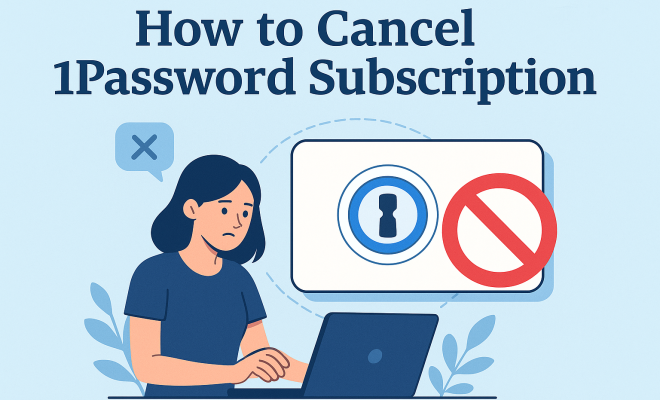
When it comes to managing your passwords, 1Password has built a reputation for being a reliable tool. However, there may come a time when you decide to cancel your 1Password subscription. Whether you’re switching to a different service, taking a break, or simply no longer need the app, navigating the cancellation process can sometimes be confusing. In this article, we’ll guide you through everything you need to know about canceling your 1Password subscription, ensuring that you understand the implications and the steps involved.
1. Understanding 1Password and Its Features
Before diving into the cancellation process, it’s essential to understand what 1Password offers its users. 1Password is a password manager that allows you to store various types of sensitive information, such as passwords, credit card details, and secure notes, all in one place. The service includes features such as:
- Password Generation: Create strong, unique passwords for every account.
- Data Encryption: All your stored information is protected with end-to-end encryption.
- Multi-Device Sync: Access your passwords across different devices seamlessly.
- Sharing Options: Securely share passwords and notes with trusted individuals.
These features contribute to a high level of convenience and security for users. However, individual needs change, and that’s where the need to cancel your 1Password subscription may arise.
2. Reasons for Cancelling Your Subscription
People choose to cancel their subscriptions for various reasons. Understanding your reasons might clarify your decision and help you communicate it effectively if you reach out to customer support. Some common reasons for cancellation include:
- Financial Considerations: Some users may find the subscription fee difficult to maintain, especially if they’re not using the service frequently.
- Switching Services: Others may find alternative password managers that better fit their needs or budget.
- Reduced Usage: With many browsers now offering password management tools built-in, you might not feel the need for a standalone solution anymore.
Identifying your reasons can not only assist in the cancellation process but also inform your future decisions regarding password management.
3. How to Prepare for Cancellation
Before you initiate the cancellation process, it’s advisable to prepare adequately. Here are some steps to consider:
- Backup Your Data: Ensure you have exported or backed up all of your passwords and secure notes. This step is crucial because once you cancel your subscription, you might lose access to your data.
- Review Your Billing Cycle: Check whether you are near your billing cycle end. Canceling right before renewal may prevent being charged for another term.
- Consider Downgrading: If you’re unsure about completely canceling, consider downgrading to a free plan if available or exploring temporary pauses.
Being prepared will make the cancellation process smoother and less stressful.
4. Step-by-Step Guide to Cancel Your 1Password Subscription
To cancel your 1Password subscription, follow these steps:
- Log In: Visit the 1Password website and log into your account.
- Access Account Settings: Go to your account settings, usually found in the dropdown menu under your username or profile.
- Select Subscription: Navigate to the subscription management section where you can view your current plan.
- Cancel Subscription: Click on the option to cancel your subscription. You may be prompted to provide feedback regarding your cancellation.
- Confirm Cancellation: Follow the prompts to confirm the cancellation. Ensure you receive a confirmation email or notification.
By following these steps, you can effectively cancel your subscription without any hiccups.
5. What Happens After Your Subscription Is Canceled?
Once you’ve successfully canceled your subscription, it’s vital to understand what this means for your data and access: (See: Overview of password managers.)
- Access Duration: You usually retain access to your account until the end of your current billing cycle, even after cancellation.
- Data Retention: After the subscription ends, your data may still be available for a limited time, but you should not rely on this. Ensure you’ve backed everything up.
- Potential Account Downgrade: Depending on whether you’ve opted for a free version or are moving to a different service, be prepared for a potential downgrade.
Understanding these implications can help you transition smoothly to your next step, be it finding a new password manager or simply managing your passwords differently.
6. Customer Support: When to Reach Out
If you encounter obstacles during the cancellation process or need more information about your account, reaching out to 1Password’s customer support can be beneficial. Here are scenarios when you might consider doing so:
- Technical Issues: If you face logging in issues, or errors while attempting to cancel, customer support can guide you through resolving them.
- Billing Concerns: If you’re unsure about your billing cycle or charges, contacting support can clarify any confusion.
- Feedback Opportunity: Sometimes, companies appreciate feedback on your reasons for leaving and may offer solutions to retain you.
Utilizing customer support can make your cancellation experience much smoother and provide closure.
7. Alternative Password Managers to Consider
If you’re looking for alternatives after canceling your 1Password subscription, here are some noteworthy contenders:
- LastPass: Offers a free tier with basic password management features, making it an attractive option for budget-conscious users.
- Bitwarden: An open-source password manager with a robust free plan and premium features at a lower cost than many competitors.
- Dashlane: Known for its user-friendly interface and additional features like a dark web monitoring service, but comes at a slightly higher price point.
Choosing the right password manager can depend on various factors, including security features, pricing, and user experience. Consider what best fits your needs before making a decision.
8. Deep Dive: The Importance of Password Management
Understanding the significance of password management goes beyond just convenience; it’s about security and peace of mind. A reliable password manager like 1Password helps prevent unauthorized access to sensitive information, drastically reducing the risk of identity theft. According to a study by the Cybersecurity & Infrastructure Security Agency (CISA), over 80% of data breaches involve compromised passwords. This statistic highlights the importance of using strong, unique passwords for different accounts.
Additionally, research from the Ponemon Institute indicates that the average cost of a data breach can exceed $3.86 million. By investing in a password manager, you are not just paying for convenience but also protecting yourself from potential financial loss associated with data breaches.
9. Expert Perspectives on Password Management Practices
Password security is a hot topic among cybersecurity experts. Many advocate for adopting good practices to safeguard personal information. Security analyst Bruce Schneier emphasizes that “security is not a product, but a process.” This means that using a password manager is just one part of a broader security strategy. Regularly updating passwords, enabling two-factor authentication (2FA), and monitoring accounts for suspicious activity are all essential practices.
Dr. Jessica Barker, a leading cybersecurity expert, notes that “people often underestimate the importance of password management. It’s not just about having strong passwords; it’s about understanding the value of your data and protecting it accordingly.” With a password manager, users can maintain strong password practices without the burden of remembering multiple complex passwords.
10. Common Mistakes to Avoid When Cancelling Your Subscription
Cancelling your 1Password subscription can be straightforward, but there are some common pitfalls to avoid:
- Not Backing Up Data: One of the biggest mistakes is failing to back up your data before cancellation. If you do not export your passwords and secure notes, you risk losing them permanently.
- Ignoring the Billing Cycle: Cancelling too close to your renewal date can lead to unwanted charges. Always check your billing cycle to avoid this issue.
- Overlooking Alternative Options: Before cancelling, consider whether downgrading or pausing your subscription may be a better option. Sometimes, companies offer temporary pauses or discounts for loyal customers.
11. Frequently Asked Questions About Cancelling 1Password Subscriptions
Q1: Can I still access my vault after cancellation?
A1: Yes, you generally retain access to your vault until the end of your current billing cycle. However, it’s crucial to back up your data before cancellation to avoid losing access to your passwords and notes.
Q2: What happens to my data after I cancel?
A2: After cancellation, your data may still be accessible for a limited time, but it’s essential not to rely on this. Always perform a backup before you cancel your subscription. (See: Importance of security in digital tools.)
Q3: Is there a way to reactivate my subscription?
A3: Yes, if you decide to return to 1Password, you can reactivate your subscription at any time. Just log into your account and follow the prompts to resubscribe.
Q4: Will I lose my family/shared accounts if I cancel?
A4: If you have shared accounts or family plans, those will be affected by your cancellation. Ensure that your family members or anyone sharing your account is notified before you proceed.
Q5: Do I need to provide a reason for cancellation?
A5: While you may be prompted to provide feedback on your cancellation, it’s not mandatory. However, sharing your reasons can help 1Password improve their services.
Q6: Are there any fees associated with cancelling my subscription?
A6: Generally, there are no cancellation fees for 1Password. You will only be charged for the billing cycle that you have already committed to. Always check your account for any specific terms related to your subscription.
12. Final Thoughts on Managing Passwords Post-Cancellation
Canceling your 1Password subscription is just one step in your overall journey of managing passwords. As you transition to a different service or method of password management, keep in mind the importance of staying informed about best practices. Ensuring the security of your digital life is an ongoing process that requires diligence and adaptability.
Remember to choose a password management solution that fits your needs best, whether it’s a free tool, another subscription service, or relying on built-in browser features. The right choice can enhance your online security and give you peace of mind in this digital age.
Canceling your 1Password subscription doesn’t have to be a daunting task. By understanding the reasons for cancellation, preparing adequately, and following the steps outlined in this article, you can navigate this process seamlessly. Remember, your data security is paramount, so always ensure you back up your information before proceeding with any cancellations.
13. Exploring the Landscape of Password Managers
In today’s digital age, the importance of password managers can’t be overstated. With the rise in cyber threats and data breaches, many users are looking for secure ways to manage their passwords. While 1Password is a frontrunner, it’s beneficial to explore the broader landscape of password management tools. Some other options to consider include:
- Keeper: Known for its security features, Keeper offers zero-knowledge encryption and a user-friendly interface. It also allows you to securely share files and passwords with trusted contacts.
- NordPass: From the creators of NordVPN, NordPass emphasizes security and convenience. It includes biometric logins and a simple interface, making it great for beginners.
- RoboForm: This password manager has been around for years and is praised for its form-filling capabilities. It’s particularly useful for those who frequently fill out online forms.
- Zoho Vault: Ideal for businesses, Zoho Vault focuses on team and enterprise password management, offering features like role-based access control and reporting.
Whether you prioritize advanced security, user experience, or cost, there’s likely a password manager that meets your specific needs.
14. Security Features to Look for in a Password Manager
When selecting a password manager, it’s essential to evaluate its security features thoroughly. Here are some key aspects to consider: (See: Choosing a password manager.)
- End-to-End Encryption: Look for a password manager that offers end-to-end encryption. This means that your data is encrypted on your device before it’s uploaded to the server, ensuring that even the service provider cannot access your passwords.
- Two-Factor Authentication (2FA): A password manager that supports 2FA adds an extra layer of security by requiring a second form of verification before you can access your account.
- Security Audit Features: Some password managers provide security audit features that analyze your passwords for strength and suggest improvements. This can help you maintain best practices in password security.
- Cross-Platform Compatibility: Ensure the password manager you choose works seamlessly across all your devices, whether it’s a smartphone, tablet, or desktop.
By focusing on these security features, you can make a more informed choice about which password manager will best protect your sensitive information.
15. Understanding the Cost of Password Managers
While many password managers offer free versions, the premium plans provide a range of additional features. Understanding the pricing models can help you choose the best option. Here’s a breakdown of common pricing structures:
- Monthly vs. Annual Plans: Some services charge a monthly fee, while others offer significant discounts for annual subscriptions. If you’re committed to a service, opting for an annual plan can save you money in the long run.
- Family Plans: If you’re looking to share the password manager with family members, many services offer discounted family plans that allow multiple users under one subscription.
- Enterprise Plans: For businesses, many password managers provide tailored enterprise solutions with features for team management, compliance, and data security.
When evaluating costs, consider the value of the features provided and how they align with your needs. A slightly higher price might be worth it for the peace of mind and security that comes with a robust password manager.
16. Tips for Transitioning to a New Password Manager
If you’ve decided to cancel your 1Password subscription and are looking to transition to a new password manager, here are some tips to make the process smooth:
- Identify Your Needs: Before selecting a new password manager, assess your requirements. Do you need advanced sharing options, secure file storage, or simply a reliable password vault?
- Research User Reviews: User reviews and expert opinions can provide insight into a password manager’s performance and reliability. Look for feedback on customer support and ease of use.
- Test Before Committing: Many password managers offer a trial period. Use this time to test the features and interface to ensure it meets your expectations.
- Migrate Your Data Securely: When transferring your passwords from 1Password to a new service, ensure the process is secure. Most password managers provide import tools to facilitate this.
By taking the time to carefully select and transition to a new password manager, you can maintain your security without disruption.
17. The Future of Password Management
The landscape of password management is continuously evolving. With advancements in technology and changing user needs, here are some trends to keep an eye on:
- Biometric Authentication: More password managers are incorporating biometric authentication options like fingerprint recognition and facial recognition, enhancing security while improving user experience.
- AI and Machine Learning: Emerging tools are leveraging AI to analyze user behavior and detect anomalies, alerting users to potential security threats in real-time.
- Integration with Other Security Tools: Expect to see increased integration with other cybersecurity tools, such as VPNs and identity theft protection services, creating a more comprehensive security ecosystem.
Staying aware of these trends can help you choose a password manager that will not only meet your current needs but also adapt as technology evolves.
“`
Trending Now
Frequently Asked Questions
How do I cancel my 1Password subscription?
To cancel your 1Password subscription, log into your account, navigate to the billing section, and select the option to cancel. Follow the prompts to complete the cancellation process. Make sure to review any implications, such as loss of access to your stored data.
What happens when I cancel my 1Password subscription?
When you cancel your 1Password subscription, you will lose access to the premium features and your stored data after the billing period ends. It's important to backup any necessary information before cancellation to avoid losing important passwords and notes.
Can I get a refund after canceling my 1Password subscription?
1Password typically does not offer refunds for unused subscription time once canceled. However, it’s best to check their specific refund policy or contact customer support for detailed information regarding your situation.
Why would someone want to cancel their 1Password subscription?
Users may choose to cancel their 1Password subscription for various reasons, including financial constraints, switching to a different password manager that better suits their needs, or simply not utilizing the service frequently enough to justify the cost.
Is 1Password worth the subscription fee?
Whether 1Password is worth the subscription fee depends on individual needs and usage. It offers robust features like password generation, data encryption, and multi-device sync, which can provide significant convenience and security for those who manage multiple accounts.
What's your take on this? Share your thoughts in the comments below — we read every one.