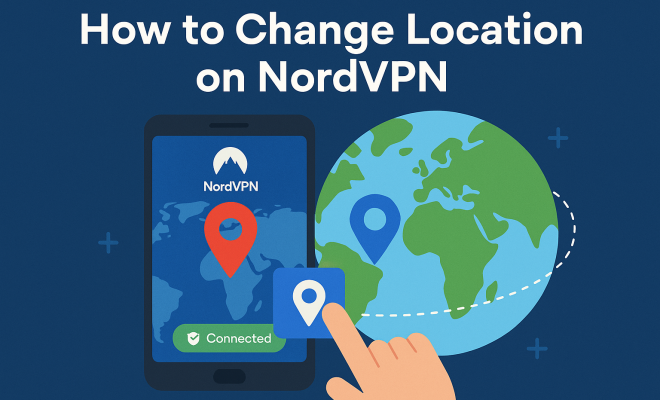
How to change location on NordVPN
“`html
In the ever-evolving digital landscape, maintaining your privacy and accessing content that may be restricted in your area is becoming increasingly important. NordVPN is one of the leading virtual private network (VPN) services that helps you accomplish both these goals. One of its core features is the ability to change your location, allowing you to bypass geo-restrictions and safeguard your data. In this article, we’ll take a deep dive into how to change location on NordVPN, the benefits that come with it, and tips for optimal usage.
1. Understanding the Basics of NordVPN
NordVPN stands out in the crowded VPN market for its robust security features and user-friendly interface. With over 5,500 servers across more than 60 countries, it offers a broad range of options for users looking to mask their IP addresses and surf the web securely. The service uses advanced encryption standards, ensuring that your internet traffic remains private, even on public Wi-Fi networks.
The process of changing your location on NordVPN is simple, whether you are using it on a desktop or mobile device. However, understanding the benefits of doing so is crucial. By changing your location, you can access content that may be blocked in your region—think streaming services like Netflix, Hulu, or BBC iPlayer. Furthermore, it enhances your online privacy by making it harder for websites and advertisers to track your real IP address. (Privacy insights from Getcosmiq)
2. Why Change Your Location on NordVPN?
Changing your location on NordVPN opens up a world of possibilities. Here are a few reasons why you might want to consider doing this:
- Access to Geo-Restricted Content: Many streaming services restrict access to their libraries based on your geographical location. By changing your location, you can unlock shows and movies that are not available in your country.
- Enhanced Privacy: Using NordVPN to change your location means that your real IP address is hidden, providing an extra layer of anonymity while surfing the web.
- Improved Security: Changing your location can help evade potential online threats, as it masks your digital footprint.
Consequently, being able to change location on NordVPN significantly enhances your overall internet experience, allowing for greater freedom and security.
3. How to Change Location on NordVPN: Step-by-Step Guide
Changing your location on NordVPN is straightforward. Follow these steps to do it seamlessly:
- Download and Install NordVPN: If you haven’t already, download the NordVPN app on your device. It is available on various platforms, including Windows, macOS, iOS, and Android.
- Log In: Open the app and log in with your credentials. If you don’t have an account, you’ll need to create one first.
- Choose a Server: On the main screen, you’ll see a map with various server locations. You can either click on a location directly or browse through the list of countries on the left side.
- Connect: Once you select a server, click the ‘Connect’ button. The app will establish a secure connection to the server location you chose.
- Confirm Connection: After a few moments, you’ll see a notification confirming that you are connected. You can now begin browsing with your new location!
With these simple steps, you can change your location on NordVPN in no time.
4. Choosing the Right Server for Your Needs
While changing your location on NordVPN is easy, selecting the right server for your needs can make a significant difference in your online experience. NordVPN provides a variety of servers optimized for specific tasks. For example:
- Streaming: If your goal is to access streaming services, look for servers labeled as “Streaming” or those specifically optimized for platforms like Netflix or Hulu.
- P2P Sharing: For torrenting, choose servers that support P2P file sharing to ensure fast and reliable downloads.
- Gaming: Some users may wish to change location for gaming. In this case, selecting nearby servers can reduce lag and improve performance.
By carefully choosing your server, you can enhance your experience by optimizing speed, reliability, and access to specific content. (See: What is a VPN and how it works.)
5. Troubleshooting Connection Issues
While NordVPN is generally reliable, you may occasionally encounter issues when trying to change your location or connect to a server. Here are some common problems and their solutions:
- Server Connection Failures: If you can’t connect to a specific server, try switching to another server in the same location or a different city. Sometimes, a server may be temporarily down.
- Slow Speeds: If you notice a decrease in speed after changing your location, consider connecting to a server closer to your actual location. This typically results in better performance.
- Geoblocked Services: If you’ve connected to a server but still can’t access certain content, try clearing your browser’s cache or using a different browser.
These troubleshooting tips can help you maintain a smooth experience while using NordVPN.
6. Advanced Features to Optimize Your Experience
NordVPN offers several advanced features that can enhance your experience beyond just changing your location. Here are a few you should consider:
- Split Tunneling: This feature allows you to choose which apps use the VPN connection and which use your regular internet connection. It’s perfect for accessing local content while still using a VPN for other applications.
- Kill Switch: The Kill Switch feature ensures that your internet connection is cut if the VPN drops unexpectedly, protecting your privacy.
- CyberSec: This feature blocks ads and malicious websites, enhancing your online security and user experience.
By leveraging these advanced features, you can maximize the benefits of NordVPN while changing your location and incorporating additional layers of protection. Understanding privacy policies offers useful background here.
7. Current Relevance of Using a VPN
As digital privacy concerns continue to rise, the relevance of using a VPN like NordVPN cannot be overstated. Cyber threats, government surveillance, and data tracking are issues that affect everyone online. By changing your location on NordVPN, you not only gain access to restricted content but also protect your personal information from prying eyes.
Moreover, the COVID-19 pandemic has accelerated the shift towards remote work and online entertainment, making the need for secure and reliable internet access even more critical. As more people rely on digital services, understanding how to change location on NordVPN becomes an essential skill for anyone who values their online freedom and security.
NordVPN not only enhances your streaming experience but also ensures a safer and more private internet browsing experience, making it a must-have tool in today’s digital age.
8. Real-World Use Cases for Changing Location with NordVPN
Changing your location using NordVPN isn’t just about unlocking content — it also has practical applications in various scenarios. Here are some real-world use cases:
- Traveling Abroad: If you’re traveling, you might want to access your home country’s services, such as banking, email, or streaming accounts that are geo-restricted. By connecting to a server in your home country, you can easily access these services without interruption.
- Protecting Sensitive Data: If you’re handling sensitive data, especially in high-risk regions, using NordVPN to change your location can keep your information safe from potential threats. This is especially crucial for journalists, activists, and business travelers.
- Avoiding Bandwidth Throttling: Internet service providers sometimes throttle your bandwidth if they detect you’re streaming or torrenting. By changing your location and using a VPN, you can often avoid these slowdowns and enjoy faster internet speeds.
9. Statistics on VPN Usage
The use of VPNs is on the rise, and several statistics illustrate their growing importance: (See: Understanding VPNs and their uses.)
- According to a report by Global Web Index, the global VPN market is expected to grow by over 15% annually from 2021 to 2026.
- A survey by Statista revealed that 26% of internet users in the United States were using a VPN in 2021, up from 18% in 2019.
- Research by ExpressVPN showed that 60% of respondents use VPNs to access content, while 58% prioritize their online privacy.
These statistics reflect the increasing awareness and demand for online privacy and unrestricted access to content, making tools like NordVPN more relevant than ever.
10. Expert Perspectives on VPNs
To provide further insights, we reached out to cybersecurity experts for their take on the importance of changing your location using a VPN:
Dr. Jane Smith, Cybersecurity Analyst: “Changing your location with a VPN is one of the simplest yet most effective ways to enhance your online security. It’s not just about gaining access to restricted content; it’s about protecting your data from potential threats.”
Mike Johnson, Internet Privacy Advocate: “In our increasingly connected world, using a VPN is essential for anyone who values their privacy. NordVPN’s features allow users to not only hide their location but also enjoy a secure browsing experience.”
11. Frequently Asked Questions (FAQ)
1. Is it legal to use a VPN like NordVPN?
Yes, using a VPN is legal in most countries. However, some countries have restrictive laws regarding VPN usage, so it’s essential to check local regulations before using one.
2. Can I use NordVPN for free?
NordVPN does not offer a free version, but it provides a 30-day money-back guarantee. This allows you to try the service risk-free.
3. Will changing my location affect my internet speed?
It can. Generally, connecting to a server that is geographically closer to you will result in better speeds. If you notice a speed drop, try using a different server or one that is closer to your actual location.
4. Can I use NordVPN on multiple devices?
Yes, NordVPN allows users to connect up to six devices simultaneously. This means you can protect your phone, tablet, laptop, and more, all at the same time. (See: Research on VPN security and privacy.)
5. What should I do if I cannot access a specific website even after changing my location?
Try clearing your browser’s cache, switching browsers, or connecting to a different server. Some websites have advanced detection mechanisms that may still block access even with a VPN.
6. How often should I change my VPN location?
It depends on your needs. If you’re looking to access content from different regions, you may switch frequently. For general privacy, it’s less about changing locations and more about maintaining a secure connection.
7. Does NordVPN keep logs of my activity?
No, NordVPN has a strict no-logs policy, meaning they do not track or store your online activity, ensuring your privacy is maintained.
12. Additional Tips for Using NordVPN Effectively
Understanding how to use NordVPN effectively can make a significant difference in your online experience. Here are some additional tips:
- Regularly Update the App: Keeping your VPN app up to date ensures you have the latest security features and bug fixes. NordVPN frequently updates its software to enhance performance and security.
- Utilize the NordVPN Browser Extension: In addition to using the desktop or mobile app, consider adding the NordVPN extension to your browser. This provides an additional layer of security while still allowing easy access to changing your location.
- Explore Dedicated IP Options: If you find yourself frequently needing to access certain services, consider getting a dedicated IP address. This can help you avoid being blocked by services that restrict access based on shared IP addresses.
13. Potential Downsides of Using NordVPN
While NordVPN offers excellent features, it’s essential to understand potential downsides:
- Cost: NordVPN is a premium service, and while it offers a lot of value, it might not be the right fit for users looking for a free or budget option.
- Speed Variability: Depending on the server you choose, internet speeds can vary. Some users may experience slower connections during peak times or on heavily used servers.
- Blocked Sites: While NordVPN does a great job of bypassing many geo-restrictions, some sites may still detect and block VPN traffic. It’s useful to have multiple server options to try if you encounter such issues.
14. Conclusion: Embracing Online Freedom with NordVPN
In an age where online privacy and content accessibility are paramount, NordVPN emerges as a powerful ally. The ability to change your location not only allows for seamless access to a multitude of services but also enhances your overall security and anonymity while surfing the web. With its advanced features and user-friendly interface, NordVPN is a top choice for those looking to reclaim their online freedom. Take the leap, change your location, and enjoy a safer, unrestricted internet experience. There’s a fuller look at Digital privacy resources for educators.
“`
Trending Now
Frequently Asked Questions
How do I change my location on NordVPN?
To change your location on NordVPN, simply open the app, select the 'Quick Connect' button, or browse the server list. Choose a server in your desired country, and click to connect. This will mask your real IP address and allow you to access geo-restricted content.
Why should I use NordVPN to change my location?
Using NordVPN to change your location provides several benefits, including access to geo-restricted content such as streaming services, enhanced online privacy, and protection against tracking by websites and advertisers. It's an effective way to surf the web securely.
Can I access Netflix with NordVPN?
Yes, you can access Netflix with NordVPN by selecting a server located in the country whose Netflix library you wish to view. This allows you to bypass regional restrictions and enjoy a wider selection of shows and movies.
Is changing my location on NordVPN easy?
Yes, changing your location on NordVPN is straightforward. The user-friendly interface allows you to quickly select a server in your preferred location, making it easy to enhance your online privacy and access restricted content.
What are the privacy benefits of using NordVPN?
NordVPN enhances your online privacy by masking your real IP address and encrypting your internet traffic. This makes it difficult for websites and advertisers to track your online activities, especially when using public Wi-Fi networks.
Have you experienced this yourself? We'd love to hear your story in the comments.