How to use Bitdefender parental controls
“`html
1. Understanding the Importance of Parental Controls
In an age where children have unprecedented access to the internet, ensuring their online safety has become a paramount concern for parents. According to a survey by the Pew Research Center, over 90% of children aged 2 to 17 use the internet in some capacity. With this access comes potential risks, including exposure to inappropriate content, cyberbullying, and privacy concerns. This is where Bitdefender parental controls step in, providing parents with the tools they need to create a safer online environment.
2. How Bitdefender Parental Controls Work
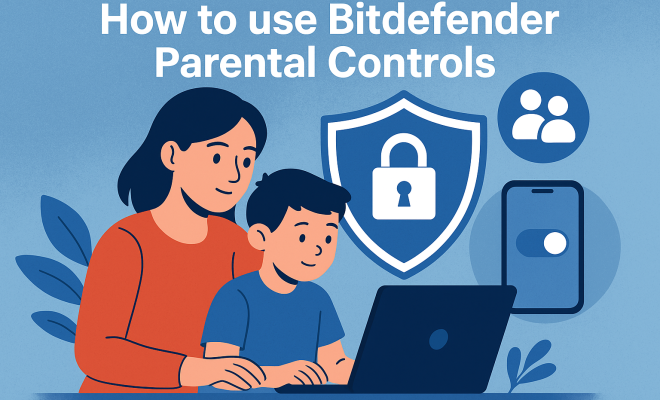
Bitdefender offers a comprehensive suite of parental control tools designed to help parents manage their children’s online activities. These controls allow parents to monitor internet usage, block harmful content, and set time limits on device usage. The features are seamlessly integrated into Bitdefender’s overall security suite, ensuring that your family’s devices are protected from malware while also offering peace of mind regarding online interactions.
To activate these features, users typically need to configure settings through the Bitdefender Central dashboard, which provides a user-friendly interface for managing parental controls. This includes setting up profiles for each child, where parents can customize settings based on age and maturity levels. The platform is compatible with various devices, including Windows, macOS, Android, and iOS, making it a versatile solution for families with diverse tech needs.
3. Setting Up Bitdefender Parental Controls
Getting started with Bitdefender parental controls is straightforward. First, you need to have a Bitdefender subscription that includes parental control features. Once you’ve secured your subscription, follow these steps to set it up:
- Create a Bitdefender Central Account: If you don’t already have one, you’ll need to register for a Bitdefender Central account, which serves as the central hub for all your security management.
- Add Family Members: From the dashboard, you can add family members by entering their email addresses. Each member will receive an invitation to connect their device.
- Set Up Child Profiles: Once family members are added, create individual profiles for your children. Here, you can customize settings such as web filtering, screen time management, and activity reports.
- Configure Web Filtering: Bitdefender allows you to block specific categories of content, such as adult sites or gambling. You can also add specific URLs to the block list.
- Monitor Usage: Lastly, utilize the dashboard features to monitor activity. You can view reports on the websites visited, the time spent online, and even receive alerts for any concerning behavior.
4. Key Features of Bitdefender Parental Controls
What sets Bitdefender apart from other parental control solutions is its extensive array of features. Here are some of the standout capabilities:
- Web Filtering: This feature allows parents to block specific web categories or URLs that may contain inappropriate content. You can also set alerts for attempts to access blocked sites.
- Screen Time Management: Parents can set daily time limits for device usage. You can schedule specific times when devices can be used, promoting a healthy balance between online and offline activities.
- Activity Reports: The dashboard provides detailed reports on your child’s online activities, such as the time spent on various applications and websites, helping parents stay informed about their child’s behavior.
- App Management: You can control which apps can be downloaded or accessed, allowing you to prevent your child from using apps that may not be age-appropriate.
- Location Tracking: For mobile devices, the location tracking feature allows parents to know where their children are. This is especially useful for younger kids who may be exploring their neighborhoods.
5. Benefits of Using Bitdefender Parental Controls
Utilizing Bitdefender parental controls comes with several benefits that contribute to a safer and more productive online experience for children: See also addressing online safety.
- Peace of Mind: Parents can rest easy knowing they have real-time monitoring and control over their children’s online activities, reducing anxiety about potential dangers.
- Encourages Healthy Habits: By setting time limits and monitoring usage, children can develop more balanced habits regarding screen time and online engagement.
- Educational Insights: The activity reports provide valuable insights into your child’s online interests and behaviors, which can help guide discussions about safe internet practices.
6. Challenges and Limitations
While Bitdefender parental controls offer robust features, there are also challenges and limitations to consider. First, the effectiveness of these controls can be affected by the child’s tech-savviness. As children become more adept at technology, they may find ways around restrictions. It’s essential for parents to maintain open communication about internet safety.
Another limitation is the reliance on device compatibility. While Bitdefender works well across many platforms, some older devices may not support all features. This could restrict the level of control you can exert on certain devices. Additionally, parental control features may require an internet connection, which could be a hindrance in areas with spotty connectivity.
7. Comparing Bitdefender Parental Controls to Other Solutions
In a saturated market, it’s vital to know how Bitdefender stacks up against competitors like Norton, Kaspersky, and McAfee. Each solution has its own strengths and weaknesses. For instance, Norton is well-known for its extensive customer support and user-friendly interface, whereas Kaspersky offers advanced security features. (See: CDC Youth Risk Behavior Survey.)
Bitdefender’s unique selling point is its balance of robust security features and user-friendly parental controls. Unlike some competitors that may overwhelm users with complex configurations, Bitdefender strikes a balance, allowing even less tech-savvy parents to manage settings efficiently. Additionally, Bitdefender tends to be more affordable than many alternatives while offering a comprehensive set of features.
8. Staying Updated with Online Trends
Technology and online trends are constantly evolving, and so are the ways children use the internet. As a parent, staying informed about these trends is crucial for effectively using Bitdefender parental controls. For example, social media platforms frequently update their privacy settings and features, and new apps emerge daily. Regularly reviewing these changes can help you adjust your parental controls accordingly. Related reading: preventing cyberbullying threats.
Moreover, engaging with your children about their online experiences fosters an environment of trust. Instead of solely relying on software, discussing their interests and online interactions can lead to more meaningful conversations about safety and responsible usage.
9. Real-Life Experiences: Parents’ Views on Bitdefender Parental Controls
To understand the practical applications of Bitdefender parental controls, consider testimonials from parents who have integrated these tools into their households:
Many parents report increased peace of mind knowing they can monitor their children’s activities without being intrusive. A mother of two shared, “I love the detailed reports I receive; it helps me understand what my kids are interested in, and we can talk about it together.” On the flip side, some parents expressed frustration when their children found ways around the restrictions, highlighting the importance of dialogue about online safety.
10. How to Talk to Your Kids About Online Safety
Implementing Bitdefender parental controls is just one aspect of ensuring your children’s online safety. It’s equally important to have open discussions with your kids about their online activities. Here are some tips on broaching the subject:
- Use Age-Appropriate Language: Tailor your conversations according to your child’s age. Younger children may need simple explanations, while teens can handle more complex discussions.
- Discuss the Dangers: Talk about potential online dangers such as cyberbullying, online predators, and the importance of privacy. This helps children understand why parental controls are in place.
- Encourage Them to Share: Foster an environment where children feel comfortable sharing their online experiences. Whether it’s a new app they want to try or a strange message they received, open communication is key.
- Make It a Team Effort: Instead of imposing restrictions, involve your children in the process. Let them know the reasons for the controls and ask for their input on acceptable screen time and content filters.
11. Statistics on Children’s Online Activity
Understanding the landscape of children’s online activity can provide context for the importance of tools like Bitdefender parental controls. Here are some noteworthy statistics that illustrate current trends:
- According to Common Sense Media, children aged 8 and younger spend an average of 2 hours and 19 minutes on screens daily.
- The Pew Research Center reports that 95% of teens have access to a smartphone, and 45% say they are online almost constantly.
- A study by the California Health Care Foundation found a correlation between excessive screen time and mental health issues, with 73% of parents expressing concern over their children’s internet habits.
12. Common Misconceptions about Parental Controls
There are several misconceptions surrounding parental controls that can hinder their effective use. Addressing these can help parents make informed choices:
- Parental Controls are Just for Young Children: Many parents believe these tools are only necessary for younger kids. In reality, teens also face online risks, and having controls in place can help guide their online behavior.
- They Guarantee Safety: While parental controls are helpful, they don’t ensure complete safety. It’s crucial to combine these tools with education and open communication about online dangers.
- They’re Complicated to Use: Some parents shy away from parental controls, thinking they are too technical. Bitdefender’s user-friendly interface is designed to make setup and management straightforward.
13. Future of Parental Controls
As technology continues to evolve, so too will parental control solutions. Here are some trends to keep an eye on for the future:
- Artificial Intelligence: Future parental control tools are likely to incorporate AI to better understand and adapt to children’s online behaviors, providing more personalized protection.
- Integration with Smart Home Devices: As smart home technology becomes widespread, parental controls may extend beyond devices to include smart TVs and IoT devices, offering a holistic approach to online safety.
- Enhanced Reporting Features: Expect to see more detailed and intuitive reporting features, which can help parents understand their children’s online activities on a deeper level.
14. FAQs about Bitdefender Parental Controls
Here are some frequently asked questions regarding Bitdefender parental controls:
1. Can I use Bitdefender parental controls on multiple devices?
Yes, Bitdefender parental controls can be used across multiple devices, including Windows, macOS, Android, and iOS. This ensures comprehensive coverage for your family’s devices. (See: New York Times on parental controls.)
2. What if my child changes the settings?
It’s advisable to keep the Bitdefender Central account credentials private to prevent your child from changing settings. Discuss the importance of these controls with them to foster understanding. favorite safety apps offers useful background here.
3. Are there any additional costs for using parental controls?
Parental controls are included within the Bitdefender subscription packages. However, ensure you choose a plan that features these tools as not all packages may include them.
4. How often should I check the activity reports?
Regularly checking activity reports can help you stay informed about your child’s online interactions. Depending on your child’s age and online behavior, consider reviewing reports weekly or bi-weekly.
5. Can Bitdefender parental controls prevent all inappropriate content?
While Bitdefender parental controls are effective in blocking a wide range of inappropriate content, no system is perfect. Continuous dialogue about online safety is crucial for reinforcing safe browsing habits.
15. Advanced Features of Bitdefender Parental Controls
Beyond the fundamental features already mentioned, Bitdefender parental controls also provide advanced tools that can further enhance your ability to protect your child’s online experience.
- Customizable Alerts: Parents can set up specific alerts for a variety of activities, such as attempts to access blocked websites, excessive screen time, or the downloading of new apps. This proactive feature keeps you in the loop without needing to constantly monitor your child’s activities.
- Social Media Monitoring: Some plans include the option to monitor social media usage, ensuring that children are engaging safely with their peers online. This is particularly important as social media platforms can be breeding grounds for cyberbullying and other negative interactions.
- Content Time Limits: Not only can you limit the total screen time, but you can also set specific time limits for different categories of content. For instance, you might allow more time for educational activities while restricting entertainment apps during school hours.
- Categorized Content Settings: Bitdefender allows you to specify which categories of content are appropriate for your child. For instance, while some children may be able to handle news websites, others may need to avoid them due to potentially troubling stories.
16. Understanding the Impact of Screen Time
The debate over screen time is ongoing, and understanding its impact is crucial for parents. Research shows that excessive screen time can lead to various physical and mental health problems in children, including issues like obesity, sleep disturbances, and increased risk of anxiety and depression. The American Academy of Pediatrics recommends that children aged 2 to 5 have no more than one hour of high-quality programming each day, and that children under 2 should have no screen time at all.
Using Bitdefender parental controls can help you manage your child’s screen time effectively, ensuring that they engage in a balanced mix of online and offline activities. It encourages children to take breaks from screens, promoting physical play and face-to-face interactions, which are essential for healthy development.
17. Engaging with Children in Digital Learning
As more schools and educational institutions adopt digital learning platforms, parents can leverage Bitdefender parental controls to create a focused learning environment. Engage in your child’s digital education by using the monitoring features to track educational app usage and help them prioritize studies over recreational activities. (cyberbullying prevention for kids)
For instance, if your child is using an educational app for math practice, you can monitor how often they spend time on it and discuss their progress together. This not only supports their learning but also shows them that you value their education, creating a partnership rather than a policing relationship.
18. Creating a Family Media Plan
A structured family media plan can go hand in hand with using Bitdefender parental controls. This plan can outline appropriate media usage, including guidelines for screen time, types of online activities, and family discussions about online content. Consider holding a family meeting to discuss the following points:
- Screen Time Guidelines: Determine how much total screen time is allowed for each family member, tailoring it according to age and responsibility.
- Content Agreements: Agree on what types of content are suitable for different family members. This can be a collaborative effort that respects each individual’s preferences and developmental needs.
- Regular Check-ins: Schedule regular discussions about online experiences, encouraging family members to share both positive and negative encounters they may have had online.
This collective approach fosters a culture of mutual respect and accountability regarding media consumption within the family.
19. The Role of Schools in Digital Safety
Schools play a pivotal role in teaching children about digital safety. Collaboration between parents and educators is vital in reinforcing safe online behaviors. Many schools are beginning to implement digital literacy programs, which can complement parental controls at home.
By staying engaged with your child’s school and understanding the curriculum around digital citizenship, you can further support their learning. Ask educators about what resources they provide for parents, and consider attending workshops or informational sessions to stay informed. This partnership ensures that your child receives consistent messages about the importance of online safety, both at home and in the classroom.
20. Final Thoughts on Bitdefender Parental Controls
Ultimately, Bitdefender parental controls can be an invaluable resource for parents looking to navigate the complexities of their children’s online activities. They offer essential tools for monitoring, controlling, and educating children about safe internet practices. However, these tools should complement, not replace, open communication and education about online safety.
By utilizing Bitdefender’s features and engaging in meaningful conversations, parents can help their children cultivate healthy online habits while ensuring a secure digital environment.
“`
Trending Now
Frequently Asked Questions
How do I set up parental controls on Bitdefender?
To set up parental controls on Bitdefender, first ensure you have a subscription that includes these features. Then, create a Bitdefender Central account and log in. From there, you can set up profiles for each child, customize settings based on age, and manage internet usage through the user-friendly dashboard.
What features do Bitdefender parental controls offer?
Bitdefender parental controls provide a range of features including monitoring internet usage, blocking harmful content, setting time limits on device usage, and customizing settings for each child based on their age and maturity. These tools help create a safer online environment for children.
Is Bitdefender parental control compatible with all devices?
Yes, Bitdefender parental controls are compatible with a variety of devices, including Windows, macOS, Android, and iOS. This versatility makes it an excellent solution for families with different types of technology.
Why are parental controls important for children?
Parental controls are crucial for protecting children online, as they help monitor internet usage, block inappropriate content, and prevent exposure to cyberbullying. With over 90% of children using the internet, these tools provide peace of mind for parents regarding their children's online safety.
Can I customize Bitdefender parental controls for different children?
Yes, Bitdefender allows you to create individual profiles for each child, enabling you to customize parental control settings based on their specific age and maturity levels. This ensures that each child receives the appropriate level of protection and monitoring.
What's your take on this? Share your thoughts in the comments below — we read every one.