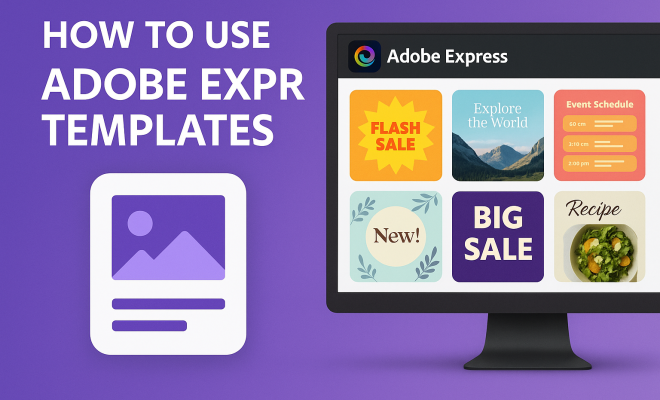
How to use Adobe Express templates
“`html
Adobe Express templates are transforming the way individuals and businesses create stunning visual content. Whether you’re a seasoned designer or someone just starting out, these templates provide an easy and effective way to produce professional-looking graphics, social media posts, presentations, and more. In this comprehensive guide, we’ll explore how to use Adobe Express templates effectively, the benefits they offer, and tips to get the most out of this powerful tool.
1. What are Adobe Express Templates?
Adobe Express templates are pre-designed layouts available within Adobe’s user-friendly design platform, allowing users to create visually appealing content without needing extensive design skills. With a wide variety of templates tailored for different needs—such as marketing materials, social media graphics, and educational presentations—Adobe Express simplifies the design process.
These templates serve as a foundation on which users can build their projects. They include pre-set typography, color schemes, and graphic elements, making it easier to maintain consistency in branding and style. With Adobe Express, even those unfamiliar with design principles can create visually striking materials quickly.
2. Why Use Adobe Express Templates?
One of the primary reasons to consider Adobe Express templates is their accessibility. Unlike traditional design software, Adobe Express is designed for users of all skill levels, making it an ideal choice for entrepreneurs, educators, and marketers alike. The drag-and-drop interface allows users to customize templates easily, ensuring that they can get creative without feeling overwhelmed.
Moreover, these templates save time. Instead of starting a design from scratch, users can simply choose a template that fits their needs, saving hours of work. This efficiency is particularly beneficial for businesses with tight deadlines or content calendars that require frequent updates.
3. How to Access Adobe Express Templates
Getting started with Adobe Express templates is straightforward. First, sign up for an Adobe account if you don’t already have one. Once logged in, navigate to the Adobe Express homepage, where you’ll find a wide range of template categories. These categories can include everything from social media posts to flyers and brochures.
Simply browse through the available options or use the search function to find a template tailored to your specific needs. Once you find a template you like, click on it to open it in the editor. From here, you can start customizing the template to suit your project.
4. Customizing Your Adobe Express Template
Customization is where the magic happens. After selecting a template, you’ll be taken to the Adobe Express workspace, where you can modify various elements. Start by changing text to fit your message. You can edit font styles, sizes, and colors to align with your branding.
Beyond text, Adobe Express allows you to adjust images, colors, and shapes. You can replace images within the template, upload your own visuals, or choose from Adobe’s extensive library. This flexibility ensures that your final product not only looks great but also reflects your personal or brand identity.
5. Best Practices for Using Adobe Express Templates
To maximize the impact of your designs, consider a few best practices when using Adobe Express templates. First, always keep your target audience in mind. Tailor the design’s aesthetics and messaging to resonate with the visitors or customers you wish to attract. There’s a fuller look at exploring animated pedagogy.
Secondly, maintain consistency across your projects. If you’re working on multiple pieces for the same campaign, use similar templates or design elements to create a cohesive look. This approach reinforces brand recognition and professionalism.
6. Leveraging Adobe Express for Social Media
Social media platforms thrive on visual content, making Adobe Express templates particularly beneficial for marketers and business owners. With a vast array of social media-specific templates, you can create posts that stand out in crowded feeds. Each platform has its unique specifications for image size and format, and Adobe Express templates are designed with these requirements in mind. (See: Overview of graphic design principles.)
For example, if you’re creating a Facebook post, select a template optimized for that platform. You can also utilize Adobe Express’s scheduling features to plan when your posts go live, ensuring you maintain an active social media presence without adding to your workload.
7. Utilizing Adobe Express Templates for Presentations
Adobe Express is not just for social media; it’s also a powerful tool for creating presentations. With templates specifically designed for slides, you can build visually engaging presentations that captivate your audience. These templates often come with placeholders for text, images, graphs, and charts, making it easy to convey complex information clearly.
Moreover, Adobe Express allows for easy collaboration. You can share your presentation with team members for feedback or edits, ensuring that everyone’s voice is heard before the final presentation. This feature is particularly useful for remote work environments, where collaboration tools are essential.
8. Saving and Sharing Your Work
Once you’ve finished customizing your Adobe Express template, you’ll want to save and share your work efficiently. Adobe Express offers several options for saving your projects. You can save them directly to your Adobe account, download them in various formats, or even share them directly to social media or through email.
When saving, consider which file format best suits your needs. For instance, if you’re sharing an image-heavy graphic, you might opt for a PNG or JPEG format. For documents or presentations, PDF is often the best choice. The right format can significantly impact how your audience interacts with your content.
9. Staying Updated with Adobe Express
Adobe regularly updates Express, adding new templates and features to enhance user experience. To make the most out of Adobe Express templates, stay informed about the latest updates and trends in design. Subscribe to Adobe’s newsletters, follow design blogs, or engage with Adobe’s community forums to gather inspiration and tips from other users.
By keeping your finger on the pulse of design trends and Adobe’s offerings, you can continuously improve your skills and produce eye-catching content that resonates with your audience. Remember, the world of design is always evolving, and adapting to these changes will keep your content fresh and relevant.
10. Types of Adobe Express Templates You Can Use
Adobe Express offers a plethora of templates suitable for varied purposes. Here’s a look at some popular types: This builds on free Google Slides resources.
- Social Media Templates: These are specifically designed for platforms like Instagram, Facebook, Twitter, and LinkedIn. They often come with preset dimensions that conform to the specifications of each platform, ensuring your visuals display perfectly.
- Marketing Materials: From flyers to brochures, these templates help businesses promote their products and services effectively. They often include eye-catching layouts and sections designed for persuasive text.
- Infographics: Visualizing data can be challenging, but infographic templates make it simpler. With placeholders for statistics, graphs, and icons, you can present complex information in an easily digestible format.
- Event Invitations: Whether it’s a wedding, birthday party, or corporate event, there are templates tailored to help you create stunning invitations that set the tone for your event.
- Presentations: As previously mentioned, Adobe Express provides templates specifically for slide decks, making it easier to create professional presentations that engage your audience.
These categories cover a wide array of needs, making Adobe Express a versatile option for nearly anyone looking to create visual content.
11. Statistics on the Effectiveness of Visual Content
Understanding the impact of visual content can help you appreciate the value of using Adobe Express templates. Various studies reveal that visuals play a crucial role in communication and engagement. For instance:
- Content with visuals: Articles that include relevant images receive 94% more views than those without.
- Social Media Engagement: Posts with images are 650% more likely to engage users than text-only posts, according to research by HubSpot.
- Retention Rates: People remember only 10% of information three days after hearing it, but when a relevant image is paired with that information, retention rises to 65%.
These statistics highlight just how essential it is to utilize visually impactful content, making Adobe Express templates a powerful tool for anyone looking to make a statement.
12. Expert Perspectives on Adobe Express Templates
Several design experts and industry professionals have weighed in on the effectiveness of using templates in Adobe Express. For instance, renowned graphic designer Jane Smith states, “Templates are a game-changer for non-designers. They remove the intimidation factor of starting from scratch and allow people to focus on content rather than layout.”
Another expert, Mark Johnson, a digital marketing strategist, adds, “With Adobe Express templates, businesses can create high-quality visuals quickly, enhancing their marketing efforts without needing a full-time design team. This democratizes design, allowing small businesses to compete on a larger scale.” (See: Effective communication through design.)
The consensus among professionals is clear: Adobe Express templates not only simplify the design process but also empower users to produce professional results.
13. Comparing Adobe Express Templates with Other Design Tools
While Adobe Express is a robust tool for creating visual content, it’s worth considering how it stacks up against other design platforms like Canva, Visme, and Crello.
Adobe Express vs. Canva
Canva is one of the most popular alternatives to Adobe Express. Both platforms offer user-friendly interfaces and a wide selection of templates. However, Adobe Express is integrated with other Adobe products, making it a seamless choice for users already within the Adobe ecosystem. Canva, on the other hand, boasts a larger library of free resources but can sometimes feel cluttered with options, potentially overwhelming new users.
Adobe Express vs. Visme
Visme is another competitor focused on infographics and presentations. It offers more advanced data visualization tools and analytics tracking for presentations, making it ideal for businesses focusing on data-driven content. In contrast, Adobe Express aims for broader visual content creation, which may appeal more to marketers and social media managers.
Adobe Express vs. Crello
Crello, now known as VistaCreate, is similar to Canva and focuses on social media graphics. While it has a good selection of templates and design elements, it lacks some of the more advanced features that Adobe Express offers, particularly in terms of video editing and integration with Adobe’s powerful suite of creative tools.
14. Frequently Asked Questions (FAQ)
Are Adobe Express templates free to use?
Adobe Express offers a range of free templates, but some premium templates and elements may require a subscription to Adobe Express or an Adobe Creative Cloud plan.
Can I use Adobe Express templates for commercial projects?
Yes, you can use Adobe Express templates for commercial projects. Just ensure you comply with Adobe’s licensing agreements regarding any stock images or graphics included in the templates.
What file formats can I export my work in?
You can export your designs in several formats, including PNG, JPEG, GIF, and PDF, depending on your needs. teacher-friendly Google Slides templates offers useful background here.
Can I collaborate with others on my designs?
Absolutely! Adobe Express allows you to share your projects with others for collaboration, making it easy for team members to contribute or provide feedback.
Is there a limit to how many templates I can use?
There’s no inherent limit to how many templates you can use. You can explore and utilize as many as you like, depending on your subscription level.
How often are new templates added to Adobe Express?
Adobe continuously updates Adobe Express with new templates and features, aiming to keep the content fresh and relevant for users. (See: Research on design tools and user engagement.)
15. Final Thoughts
In a world where visual content reigns supreme, Adobe Express templates offer an invaluable resource for anyone looking to elevate their design game. From businesses seeking to maintain a polished brand image to individuals wanting to create eye-catching social media posts, these templates provide the tools needed to succeed. As you explore the possibilities that Adobe Express offers, remember to leverage the features mentioned throughout this guide to maximize your creative potential. Whether you’re crafting a quick social media post or a detailed presentation, Adobe Express templates have you covered.
16. Tips for Maximizing the Use of Adobe Express Templates
To truly harness the power of Adobe Express templates, consider these additional tips:
- Experiment with Styles: Don’t be afraid to mix and match styles. Use multiple templates from the same category to create a synergistic look across your projects. This can help in maintaining a consistent theme while allowing for variety in your designs.
- Utilize Adobe Fonts: Integrating Adobe Fonts into your templates can greatly enhance their visual appeal. You can choose from thousands of fonts that align perfectly with your brand identity.
- Incorporate Brand Colors: Make use of brand colors consistently across all your designs. Adobe Express allows you to save color palettes for quick access, ensuring your branding remains cohesive.
- Test Different Formats: If you’re unsure how a particular template will resonate with your audience, try A/B testing different designs. Use analytics to see which visuals perform better on your platforms.
17. Adobe Express Templates for Event Marketing
Events, whether virtual or in-person, require attention-grabbing designs to attract participants. Adobe Express templates can be particularly effective in this space. Here’s how you can leverage them for event marketing:
- Invitations: Create beautiful digital invitations that can be shared via email or social media. Templates can include RSVP links and event details, making it easy for guests to respond.
- Posters and Flyers: Use templates tailored for promoting your event in local stores or community boards. Eye-catching designs can draw attention and generate interest.
- Social Media Campaigns: Develop a series of themed posts leading up to your event using Adobe Express’s social media templates. This creates a cohesive online presence that keeps your audience engaged.
18. Case Study: Businesses Successfully Using Adobe Express Templates
Many businesses have found success using Adobe Express templates to elevate their branding and marketing efforts. For example, a small bakery utilized social media templates to enhance their online presence. By posting consistently designed graphics featuring their latest products, they increased their Instagram following by 150% over six months.
Another case is a non-profit organization that created templates for event flyers and press releases. This streamlined their communication process and helped them attract more volunteers and donations, ultimately increasing their annual fundraising by 40%.
19. Future Trends in Design and Adobe Express Templates
The world of design is constantly evolving. As technology advances, we see new trends that influence how graphic design tools operate. For Adobe Express templates, the integration of AI and machine learning is on the horizon. This could lead to smarter templates that automatically adjust to optimize designs based on user preferences or trends.
Moreover, the focus on sustainability is shaping design choices. Expect to see more templates that promote eco-friendly practices, such as digital invitations and sustainable marketing materials. As businesses become more conscious of their environmental impact, templates that reflect these values will be crucial.
20. Final Tips for Staying Ahead in Design with Adobe Express
To stay ahead in the design game using Adobe Express, keep these tips in mind:
- Follow Design Influencers: Stay updated by following design leaders on platforms like Instagram and Pinterest. These influencers often highlight new trends and creative uses for templates.
- Engage in Online Learning: Consider enrolling in online design courses that focus on Adobe Express or general design principles. The more you learn, the better you can utilize the templates available to you.
- Network with Other Users: Join Adobe Express communities or forums where users share their works and tips. Engaging with others can provide new ideas and inspiration.
“`
Trending Now
Frequently Asked Questions
What are Adobe Express templates?
Adobe Express templates are pre-designed layouts available in Adobe's design platform, enabling users to create visually appealing content without extensive design skills. They include predefined typography, color schemes, and graphic elements, making it easy to maintain branding consistency.
How do I use Adobe Express templates?
To use Adobe Express templates, simply select a template that suits your project from the platform, customize it using the drag-and-drop interface, and add your content. This process allows for quick and easy creation of professional graphics.
What are the benefits of using Adobe Express templates?
The benefits of using Adobe Express templates include accessibility for all skill levels, time-saving features by eliminating the need to start from scratch, and a user-friendly interface that allows for creative customization without overwhelming complexity.
Can beginners use Adobe Express templates?
Yes, beginners can easily use Adobe Express templates. The platform is designed for users of all skill levels, featuring a drag-and-drop interface that simplifies customization, allowing those without design experience to create professional-looking materials.
Are Adobe Express templates free to use?
Adobe Express offers a selection of free templates, but some premium templates may require a subscription or purchase. Users can explore both free and paid options within the platform to find templates that meet their needs.
What did we miss? Let us know in the comments and join the conversation.