Share Airtable Bases: A Guide to Seamless Collaboration
“`html
Airtable has redefined the way teams collaborate by merging the functionalities of a spreadsheet with the power of a database. With its versatile platform, users can easily create, manage, and share databases known as “bases”. If you’re looking to enhance your team’s productivity, understanding how to effectively share an Airtable base is crucial. This guide will walk you through the various methods, permissions, and best practices to ensure seamless collaboration.
1. Understanding Airtable’s Structure
Before diving into sharing, it’s essential to grasp Airtable’s structure. Each base is made up of tables, fields, and records, similar to a traditional database. You can think of a base as a comprehensive workspace containing everything related to a project or initiative. Each table within a base can hold diverse data types, including text, images, checkboxes, and links to other tables.
When you share an Airtable base, you’re not merely sharing data; you’re providing access to a dynamic workspace where collaborators can contribute, modify, and interact with the data in real-time. This collaborative potential makes it vital to understand how to manage access effectively.
2. How to Share an Airtable Base
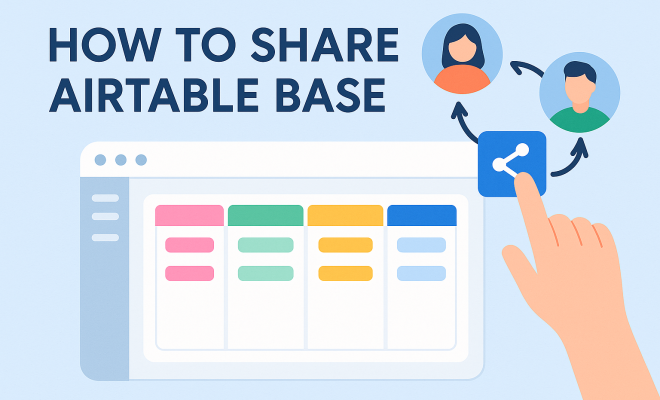
Sharing an Airtable base is straightforward, thanks to its user-friendly interface. To start, open the base you want to share and navigate to the top-right corner where you’ll find the “Share” button. Clicking this will bring up your sharing options.
There are two primary methods for sharing: inviting individuals directly and generating a share link. For direct invitations, you can enter the email addresses of your collaborators, allowing you to grant them specific permissions. Alternatively, generating a share link provides a quick way to invite multiple users, but you’ll have to set the appropriate permissions to control what they can do.
3. Permissions: What You Need to Know
One of the standout features of Airtable is its granular permission settings. You can control whether collaborators can view, comment, or edit the base. This is crucial for maintaining data integrity, especially in projects where multiple users may inadvertently alter important information.
When sharing, you can select between three permission levels:
- Read-Only: Users can view the information but cannot make changes.
- Commenter: Users can view and add comments on records but cannot modify the data itself.
- Editor: Users have full access to make changes, add new records, and adjust the base structure.
This flexibility allows you to tailor access based on the needs and roles of each collaborator.
4. Inviting Users to an Airtable Base
Inviting users to collaborate on your Airtable base is a straightforward process. After clicking the “Share” button, you can input the email addresses of the individuals you wish to invite. Airtable sends an email invitation, which they can accept to gain access to the base.
Once invited, users can start collaborating immediately, provided you’ve set the appropriate permissions. It’s also important to note that you can revoke access at any time, ensuring you maintain control over who can see or edit your data. If someone no longer needs access, simply return to the share settings and remove them from the list. (See: Understanding the concept of spreadsheets.)
5. Generating Share Links for Wider Access
For wider distribution, especially for public projects, generating a share link can be particularly useful. This method allows you to share your base without needing to invite users individually. After clicking the “Share” button, look for the “Create a shareable link” option.
When creating this link, you can set permissions that determine what users can do with the data. For instance, you might allow users to only view the base, making it suitable for presentations or public access. However, be cautious when sharing links broadly, as anyone with the link will have access to the base under the permissions you’ve set.
6. Using Views to Customize Data Sharing
Airtable allows you to create different views within a base, which is incredibly beneficial when sharing with various stakeholders. Different views can present specific data fields, filter records, or sort data differently, tailoring the experience for different users.
This functionality helps minimize confusion and ensures that collaborators focus only on the information relevant to them. For example, if you’re working with a marketing team, you might create a view that showcases only the marketing-related data, hiding unnecessary columns or records.
7. Best Practices for Sharing Airtable Bases
Sharing an Airtable base effectively goes beyond just inviting users. Best practices can enhance collaboration and maintain data integrity. Here are some tips to consider:
- Set Clear Permissions: Always assign the appropriate permission levels based on user roles to prevent unauthorized changes.
- Utilize Comments: Encourage users to comment on records to facilitate discussions and feedback without altering the data.
- Regularly Review Access: Periodically check who has access to your base and adjust permissions as needed.
- Document Changes: Keep a change log or record of significant modifications, which can be helpful for team communication.
- Train Users: Provide a brief training session or resources to help users understand how to navigate and utilize the base effectively.
Implementing these best practices will ensure that your Airtable base remains organized and that collaboration is effective and productive.
8. Integrating Airtable with Other Tools
Airtable’s versatility is amplified through its ability to integrate with various tools, enhancing your sharing capabilities. Popular integrations include Slack, Google Calendar, and Zapier, among others. These integrations allow users to automate processes and share data across platforms effortlessly.
For instance, if you’re using Slack for team communication, you can set up notifications for changes made in an Airtable base, keeping everyone in the loop without needing to constantly check the base. By integrating with other tools, you can streamline workflows and ensure that your Airtable bases are always up-to-date with minimal manual effort.
9. The Importance of Security When Sharing
As with any collaborative tool, security is a significant concern when sharing your Airtable base. Given that sensitive information may be housed within your database, it’s vital to maintain control over who can view or edit the data. Always opt for the most restrictive permissions initially and loosen them only when necessary.
Additionally, consider using Airtable’s enterprise features if your organization requires advanced security measures. These features may include SSO (Single Sign-On), enhanced permission settings, and the ability to audit user activities. Ensuring that your data remains secure while still promoting collaboration is key to using Airtable effectively.
10. Examples of Effective Airtable Base Sharing
Understanding the theory behind sharing is one thing, but seeing practical examples can provide clarity. Here are a few scenarios showing effective Airtable base sharing: (See: Data management and collaboration best practices.)
- Project Management: A project manager uses an Airtable base to track team tasks, timelines, and deliverables. By inviting team members as Editors and creating filtered views for each department, everyone has access to the most relevant data while being able to contribute updates in real time.
- Event Planning: An event coordinator shares an Airtable base with vendors, allowing them to see their roles, deadlines, and payment statuses. Each vendor is given Read-Only access, while the coordinator has Editor rights. This setup ensures vendors can access the information they need without altering critical event details.
- Content Creation: A marketing team uses Airtable to manage a content calendar. Team members can comment on planned posts, and editors can make changes directly. Using different views, the team can filter content by publication status or topic, facilitating seamless collaboration.
11. Statistics: Why Sharing Airtable Bases Matters
Sharing Airtable bases effectively can significantly impact productivity and collaboration. Here are some statistics that highlight the benefits:
- Companies using collaborative platforms report a 25% increase in productivity.
- Teams that communicate effectively are 4.5 times more likely to retain their top talent.
- Organizations that implement integrated tools like Airtable experience a 30% reduction in project completion time.
These numbers reflect the importance of sharing Airtable bases and the impact it can have on team dynamics and project outcomes.
12. Expert Perspectives on Airtable Collaboration
Industry experts recognize the transformative nature of platforms like Airtable for collaboration. According to Dr. Emily Carter, a leading consultant in organizational behavior, “The ability to share a base in real time means teams can operate with a new level of transparency. This transparency fosters trust and accountability, which are essential for successful collaboration.”
In contrast, Mike Johnson, a project management expert, adds, “Tools that provide granular permissions help prevent project mishaps. It’s crucial for team leaders to understand who has access to what data and to adjust as needed. This is often an overlooked aspect of project management that can derail timelines.” These insights emphasize the importance of not only sharing Airtable bases but doing so thoughtfully and strategically.
13. FAQs about Sharing Airtable Bases
Here are some common questions people have when it comes to sharing Airtable bases:
- Can I share an Airtable base with someone who doesn’t have an Airtable account?
Yes, you can share a base via a shareable link. However, if you want to invite someone directly and give them edit permissions, they will need to create an Airtable account. - What happens if I remove someone’s access to the base?
Once you revoke access, that person will no longer be able to view or edit the base. However, any changes they made before their access was revoked will remain in the base. - Are there limits to how many users I can invite?
It depends on your Airtable subscription plan. The free plan has limitations on the number of collaborators, while paid plans allow for more flexibility. - Can I change a collaborator’s permissions after inviting them?
Absolutely! You can modify permissions at any time by going back to the sharing settings in your base. - How does Airtable handle data security when sharing?
Airtable employs encryption and strict access controls to ensure that your data remains secure, even while collaborating with others.
14. The Role of Templates in Airtable Collaboration
Airtable offers a variety of templates that can expedite the setup of new bases and enhance collaboration. Templates cater to different industries and project types, providing a ready-to-use structure that teams can adapt to fit their needs. For instance, you can find templates for project management, content calendars, inventory tracking, and more.
Using templates can save time on initial setup, allowing teams to focus more on content and collaboration. Once a team chooses a template, they can customize it further by adding specific fields, views, and automations that suit their workflow. This can be particularly beneficial for new team members or collaborators, as they can get started quickly without needing extensive onboarding.
15. Understanding Airtable’s API for Advanced Sharing
For teams with technical expertise, Airtable’s API offers a powerful way to automate and enhance sharing capabilities. The API allows developers to build custom applications that can interact with Airtable bases, enabling data syncing and interaction with other software applications.
Using the API, teams can automate repetitive tasks, such as updating records based on external triggers or integrating with existing systems like CRM software. This level of customization can help teams streamline their processes significantly and ensure that all collaborators have access to the most up-to-date information without manual intervention. (See: Airtable's impact on team collaboration.)
16. Exploring Airtable’s Collaboration Features
Airtable is packed with collaboration features that can enhance your team’s productivity. Features like @mentions in comments allow users to tag teammates, drawing their attention to specific records or discussions. This is especially useful in larger teams where keeping everyone informed can be a challenge.
Airtable also allows for file attachments directly within records, meaning you can store relevant documents, images, or other assets right alongside your data. This centralizes information and ensures that all collaborators have access to necessary files without needing to navigate away from the base. (top schools for data modeling)
17. Tips for Encouraging Collaboration in Airtable
While sharing an Airtable base is important, encouraging active collaboration can be equally vital. Here are some tips to foster a collaborative environment:
- Encourage Regular Updates: Set expectations for how often team members should update their records. Regular updates ensure that the base reflects the most current information.
- Host Review Sessions: Schedule regular check-ins where team members can review the base together. This promotes engagement and helps identify any issues or areas for improvement.
- Share Success Stories: Highlight instances where collaboration through Airtable led to positive outcomes. Sharing success stories can motivate team members to engage more actively.
- Provide Feedback Opportunities: Create channels for team members to share feedback about the base and suggest improvements. This can lead to better functionality and user satisfaction.
18. Future Trends in Collaborative Tools Like Airtable
The landscape of collaborative tools is constantly evolving. With advancements in technology, we can expect to see more integrations, AI-powered features, and enhanced user interfaces in platforms like Airtable. These changes will likely make collaboration even more intuitive and efficient.
For instance, integrating AI could provide predictive analytics that help teams make data-driven decisions more easily. Enhanced automation features could further streamline workflows, reducing the time spent on manual tasks. Staying ahead of these trends will help teams leverage the full potential of collaborative platforms.
19. Final Thoughts on Sharing Airtable Bases
Effectively sharing an Airtable base is key to maximizing your team’s productivity and collaboration. By understanding the structure of Airtable, utilizing the various sharing methods and permissions, and adhering to best practices, you can create a collaborative environment that drives success. Whether you’re managing projects, planning events, or creating content, mastering the art of sharing your Airtable base will elevate your team’s capabilities and outcomes.
“`
Trending Now
Frequently Asked Questions
How do I share an Airtable base with others?
To share an Airtable base, open the base and click the 'Share' button in the top-right corner. You can invite individuals by entering their email addresses or generate a share link for broader access. Make sure to set permissions based on what you want collaborators to be able to do.
What permissions can I set when sharing an Airtable base?
Airtable allows you to set granular permissions when sharing a base. You can choose from options like 'Read-only', 'Commenter', or 'Editor' to control what collaborators can view or modify. Understanding these permissions is crucial for effective collaboration.
Can I share an Airtable base with a link?
Yes, you can share an Airtable base using a generated share link. This method is convenient for inviting multiple users at once. However, ensure you configure the permissions appropriately to maintain control over what users can do within the base.
What is an Airtable base?
An Airtable base is a collection of tables, fields, and records that functions as a dynamic workspace for managing data. Each base can store various data types and is designed to facilitate collaboration among team members on projects or initiatives.
How does Airtable enhance team collaboration?
Airtable enhances team collaboration by combining the features of spreadsheets and databases, allowing users to create interactive and shareable bases. Its real-time editing capabilities enable team members to contribute and modify data collaboratively, improving productivity.
Agree or disagree? Drop a comment and tell us what you think.