How to schedule tweets for free
“`html
Social media management has become an essential part of modern marketing strategies, especially for businesses looking to enhance their online presence. One of the most effective ways to maintain a consistent social media strategy is to schedule tweets for free. This empowers users to manage their Twitter accounts proactively, allowing them to reach their audience at optimal times without being glued to their screens. Let’s explore nine powerful ways to schedule your tweets effectively while maximizing engagement.
1. Understanding the Importance of Tweet Scheduling
Before diving into how to schedule tweets for free, it’s crucial to understand why this practice is essential. Proper timing can significantly affect engagement rates. According to studies, tweets published during peak hours can receive up to 50% more interactions compared to those posted at off-peak hours. By scheduling your tweets, you can ensure that your content is seen by a larger audience when they are most active.
Additionally, scheduling allows for better content curation. It enables you to plan thematic campaigns or seasonal promotions over time, ensuring that your messaging aligns with your overall marketing strategy. It also frees up your time, giving you space to focus on other important tasks, such as engaging with followers or creating new content.
2. Using Twitter’s Native Scheduling Feature
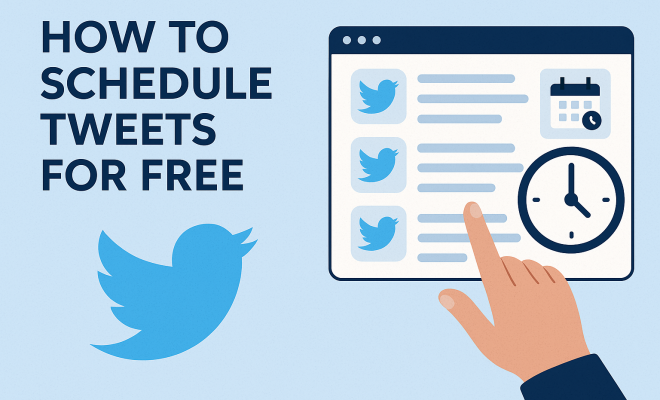
One of the simplest ways to schedule tweets for free is by using Twitter’s native scheduling tool. This feature is integrated into Twitter’s web interface and allows you to schedule up to 2,400 tweets per day. To access this tool, compose a new tweet and click on the calendar icon. You can then choose the date and time you want your tweet to go live.
One major advantage of using Twitter’s native tool is that it directly integrates with your account, meaning you won’t need to share your login information with third-party apps. However, it’s worth noting that this feature is currently only available on the desktop version, so mobile users may need to seek alternatives.
3. Utilizing Free Third-Party Apps
There are numerous free third-party apps designed to help users schedule tweets effectively. Some popular options include Buffer, Hootsuite, and TweetDeck. These platforms offer user-friendly interfaces and advanced scheduling features, allowing you to manage multiple social media accounts.
Buffer, for instance, allows users to create a posting schedule across various social media platforms, including Twitter. You can customize your posting times and even analyze engagement metrics to find out when your audience is most responsive. Hootsuite provides similar features and includes additional analytics tools that can help you refine your content strategy over time.
4. The Power of Content Calendars
Creating a content calendar is another effective strategy for scheduling tweets for free. A content calendar helps you plan your tweets in advance, ensuring a steady stream of content while allowing time to develop quality posts. It can be as simple as a spreadsheet, outlining what you plan to post and when.
By visualizing your content in this way, you can spot potential gaps and opportunities for engagement. For instance, you might notice that you’re tweeting less about a particular product or service, prompting you to create more targeted content. Having a content calendar can also help you align your tweets with larger marketing campaigns, seasonal events, or trending topics.
5. Taking Advantage of Analytics Tools
To effectively schedule tweets, you need to understand when your audience is most active. Free analytics tools, such as Twitter Analytics or platforms like Followerwonk, can provide valuable insights. These tools allow you to analyze your followers’ behavior, including the times they are most active on Twitter.
Once you identify peak engagement times, you can schedule your tweets accordingly. For example, if you discover that your audience is most active on weekdays at noon, you can plan to post during those hours. By leveraging analytics, you ensure that your scheduled tweets reach the largest audience possible, maximizing engagement.
6. Creating Engaging Content
Scheduling tweets for free isn’t just about timing; it’s also about the quality of the content you share. Engaging content drives interaction and can help you grow your follower base. Consider using rich media, such as images, GIFs, or videos, to make your tweets stand out in crowded feeds. (See: CDC Youth Risk Behavior Survey.)
Moreover, incorporating trending hashtags and tagging relevant users can increase visibility. For instance, if you’re tweeting about a trending topic, using its hashtag can significantly boost your reach. Remember, your goal is not just to schedule tweets but to create meaningful interactions that resonate with your audience.
7. Implementing a Consistent Posting Schedule
Consistency is crucial when it comes to social media engagement. By establishing a regular posting schedule, you can create anticipation among your followers. For example, if you decide to tweet daily at 3 PM, your audience will know when to expect new content.
To maintain this consistency, consider using scheduling tools that allow you to queue multiple tweets at once. This way, you won’t have to scramble at the last minute to create content. Instead, you can focus on other aspects of your social media strategy, like interacting with followers and responding to messages.
8. Engaging with Your Audience After Scheduling
Scheduling tweets doesn’t mean you should ignore your account once the posts are live. Engagement doesn’t stop after you hit ‘schedule.’ It’s essential to monitor your tweets’ performance and interact with your audience. Responding to comments, retweeting user-generated content, and participating in conversations are all part of maintaining a vibrant online presence.
By actively engaging with your audience, you can foster a sense of community and encourage others to interact with your scheduled content. This interaction can lead to a snowball effect, where more engagement leads to increased visibility, which in turn leads to even more engagement.
9. Staying Updated with Twitter Changes
Twitter is constantly evolving, and it’s critical to stay informed about any changes that could affect how you schedule tweets for free. New features, policies, or algorithms can all impact your social media strategy. Follow industry news, Twitter’s official updates, and social media marketing blogs to keep your knowledge current.
Furthermore, adapt your strategies based on what you learn. For instance, if Twitter announces a change in its algorithm that favors video content, you might want to adjust your scheduling to include more video-based tweets. By staying informed and flexible, you can ensure your Twitter strategy remains effective and relevant.
10. Best Times to Tweet for Maximum Engagement
While scheduling tweets, knowing the best times to post can significantly enhance your engagement rates. Research from various studies suggests that the ideal times to tweet often fall within business hours, specifically from 11 AM to 1 PM during weekdays. Interestingly, Wednesdays are often recognized as the best day for engagement, as users are more active mid-week compared to Mondays and Fridays.
To fine-tune your posting schedule, consider the industry you’re in. For instance, if you’re in the tech sector, tweeting during the late afternoon might yield better results, as tech enthusiasts often browse during breaks. In contrast, retail brands might find that evenings and weekends work better for engaging shoppers.
Utilizing tools like TweetDeck, you can analyze the best time slots to post your tweets, allowing you to target your audience effectively. Regularly revisiting and recalibrating your posting times based on engagement metrics is key to maintaining a successful Twitter strategy.
11. Utilizing User-Generated Content
User-generated content (UGC) is an excellent way to boost engagement and authenticity on your Twitter account. By encouraging your followers to create content related to your brand, you can build a sense of community and loyalty. Scheduling tweets that highlight this content can be done effectively by establishing a specific hashtag or theme.
For example, a brand could run a weekly contest where followers share photos of their products in use. Scheduling tweets that showcase these entries not only fills your content calendar but also encourages more users to participate, knowing they could be featured. This kind of proactive engagement can significantly increase your reach and establish a more personal connection with your audience.
12. Incorporating Seasonal and Trending Topics
Aligning your tweets with seasonal events or trending topics is an excellent way to capitalize on current conversations. By scheduling tweets around holidays, major events, or trending hashtags, you can engage with a broader audience that is already discussing these topics.
For instance, if Halloween is approaching, you could schedule tweets that share tips, product promotions, or themed content related to the holiday. The same goes for events like the Super Bowl or major tech conferences. Use tools like Google Trends to stay ahead of what’s trending and incorporate these topics into your scheduled tweets. (See: New York Times on Twitter scheduling.)
13. Effectively Utilizing Twitter Lists
Twitter lists can be a game-changer for managing your interactions and ensuring that you never miss important conversations. By creating lists of influencers, competitors, and key audience segments, you can easily monitor what these users are tweeting about and identify opportunities for engagement.
When scheduling tweets, take a look at your lists to find relevant conversations to join. If an influencer in your list tweets about a topic related to your brand, consider crafting a thoughtful response or sharing their content to strengthen your connection with them and their audience.
To schedule tweets that respond to or engage with these lists, you can use scheduling tools that allow you to monitor these interactions in real-time, ensuring that you stay relevant and responsive.
14. FAQ: Scheduling Tweets for Free
Q1: Can I schedule tweets without a Twitter account?
A: You need a Twitter account to schedule tweets. However, you can use third-party scheduling tools to manage multiple accounts if you have them.
Q2: Are there any restrictions when scheduling tweets on Twitter?
A: Yes, Twitter has a limit of 2,400 tweets per day, which includes scheduled and unscheduled tweets. Make sure to stay within this limit to avoid any issues with your account.
Q3: How can I analyze my scheduled tweets’ performance?
A: You can use Twitter’s native analytics or third-party tools like Buffer and Hootsuite to track engagement metrics on your scheduled tweets, such as likes, retweets, and comments.
Q4: Is it better to schedule tweets or post them in real-time?
A: It depends on your strategy. Scheduling tweets allows for better planning and consistency, while real-time posting can help you engage with current trends and events more dynamically. A combination of both might be most effective.
Q5: What types of content should I prioritize in my scheduled tweets?
A: Focus on a mix of engaging content types, including rich media (images and videos), customer testimonials, industry news, and promotional content. Variety can keep your audience interested and engaged.
Q6: How often should I schedule tweets?
A: The frequency of your tweets can depend on your audience and content strategy. A good guideline is to post at least once a day, but you can experiment with different frequencies to find what works best for your goals.
Q7: What should I do if I notice low engagement on my scheduled tweets?
A: If you find that your scheduled tweets are not performing well, analyze which types of content have the most engagement. Consider tweaking your content strategy by incorporating more visual elements, engaging calls to action, or participating in trending topics.
Q8: Can I schedule replies to tweets as well?
A: Most scheduling tools do not allow you to schedule replies directly. However, you can use scheduling apps to remind you to reply at a specific time or draft responses you can send manually. (See: ScienceDirect on social media engagement.)
15. Case Studies: Successful Tweet Scheduling Examples
To illustrate the effectiveness of scheduling tweets, let’s examine a few case studies. Various brands have successfully implemented tweet scheduling into their marketing strategies, yielding impressive results.
Case Study 1: Brand X
Brand X, a sports apparel company, found that their engagement rates peaked during major sporting events. By scheduling tweets in advance around events like the FIFA World Cup, they capitalized on the buzz and increased their engagement rate by 75%. They posted real-time reactions to games, scheduled product promotions tied to the events, and encouraged user-generated content through hashtags specific to the events.
Case Study 2: Non-Profit Organization Y
Non-Profit Organization Y utilized a content calendar to schedule a month-long campaign leading up to their annual fundraising event. By scheduling tweets that shared stories of beneficiaries, volunteer testimonials, and event details, they created anticipation and excitement. Their scheduled tweets helped them reach 150% more followers compared to their previous campaigns, ultimately resulting in a record turnout at their fundraising event.
16. Advanced Strategies for Scheduling Tweets
Moving beyond basic scheduling techniques can give you an edge in maximizing your Twitter strategy. Here are some advanced strategies that can enhance your tweet scheduling efforts:
1. A/B Testing
Consider using A/B testing to determine which tweets resonate best with your audience. Schedule two variations of the same tweet at different times and analyze which one performs better. This approach can help refine your messaging over time, leading to higher engagement rates.
2. Multi-Platform Scheduling
If you manage multiple social media platforms, utilize tools that allow you to schedule across various channels simultaneously. This approach saves you time and keeps your messaging consistent across platforms, ensuring your audience receives a unified brand experience.
3. Creating Thematic Weeks
Implement thematic weeks into your tweet scheduling. For example, dedicate one week to highlighting customer testimonials and another to showcasing new products. This structure not only keeps your content fresh but also makes planning your tweets more manageable.
4. Integrating User Feedback
Encourage and integrate user feedback into your tweet scheduling process. By asking your audience what content they want to see or what times they prefer for engagement, you create a more tailored experience. This can lead to deeper connections with your followers and higher engagement rates.
In summary, scheduling tweets for free is a powerful tool for optimizing your Twitter presence. The strategies outlined above can enhance your engagement, improve your content quality, and streamline your social media management process. Whether you choose to utilize Twitter’s native tools, third-party apps, or a combination of both, taking the time to plan and schedule your tweets will undoubtedly pay off in the long run.
“`
Trending Now
Frequently Asked Questions
How can I schedule tweets for free?
You can schedule tweets for free using Twitter's native scheduling feature. Simply compose a tweet, click on the calendar icon, and select the date and time you want your tweet to be posted. This tool allows you to schedule up to 2,400 tweets per day directly from your Twitter account.
What is the benefit of scheduling tweets?
Scheduling tweets allows you to post content during peak engagement times, potentially increasing interaction rates by up to 50%. It also helps with content curation, enabling you to plan campaigns effectively while freeing up time for other marketing activities.
Can I schedule tweets using third-party tools?
Yes, there are several third-party tools available for scheduling tweets, such as Buffer and Hootsuite. However, using Twitter's native scheduling feature is recommended for security, as it doesn't require sharing your login information with external applications.
How many tweets can I schedule at once?
Using Twitter's native scheduling feature, you can schedule up to 2,400 tweets per day. This allows for extensive planning and consistent posting without needing to be online at all times.
What is the best time to schedule tweets?
The best time to schedule tweets generally aligns with when your audience is most active. Studies suggest that tweets posted during peak hours can receive significantly more engagement. Analyzing your follower activity can help determine optimal posting times.
What’s your take on this? Share your thoughts in the comments below — we read every one.