How to turn off retweets from someone
“`html
In the noisy realm of social media, Twitter stands out as a platform where voices can be amplified quickly. Yet, with that amplification comes the risk of overwhelming noise, especially when you find yourself inundated with retweets from accounts you’d rather mute. If you’re looking to turn off retweets from specific users, whether to reduce clutter in your feed or limit exposure to unwanted content, we’ve got you covered. Here are seven straightforward steps to help you regain control over your Twitter experience.
1. Understanding Retweets: A Quick Overview
Before diving into the mechanics of turning off retweets, it’s crucial to understand what a retweet is and why it matters. When someone retweets a post, they share it with their followers, effectively amplifying the original message. While this can be beneficial for spreading important news or updates, it can also lead to an overwhelming feed filled with repeated content.
This duplication can quickly become annoying if you’re following active accounts or influencers. You might find yourself scrolling through posts that are essentially echoes of the same original tweets. Understanding this context will make it clearer why you might want to turn off retweets from certain accounts.
2. Identifying Accounts to Mute
The first step in the process is determining which accounts you want to restrict. Is it a friend who loves sharing memes? Or perhaps a news outlet that bombards your feed with updates? Take some time to analyze your Twitter activity. If you frequently skip over retweets from specific accounts, it’s time to consider turning them off.
Remember, just because an account shares valuable content doesn’t mean you have to see everything they retweet. This decision should be based on your preferences and the quality of your Twitter experience.
3. Accessing the Profile of the User
Once you’ve identified the accounts you want to mute, the next step is to go to their profile. You can do this by searching for their handle in the Twitter search bar or navigating through your followers and following lists. Once you’re on their profile page, you’ll notice a series of options available to you.
By accessing their profile, you can view their tweets, retweets, and engagement, allowing you to confirm that this is indeed the account you’d like to adjust your settings for. This step is crucial in ensuring you’re making the right changes to the right account.
4. Muting Retweets: The Key Steps
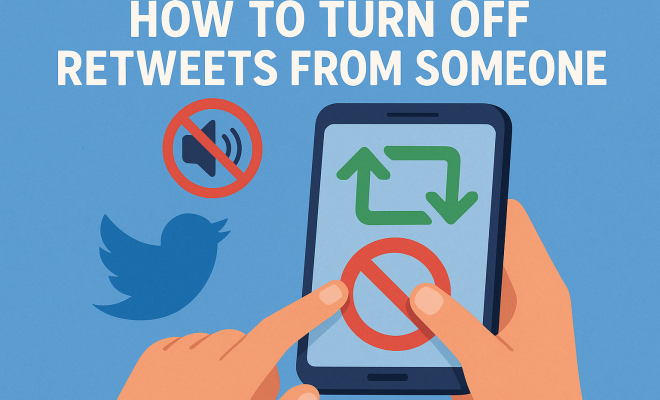
Now comes the practical part: muting the retweets. From the user’s profile, look for the three dots or a gear icon, often found at the top right corner of the screen. This menu contains various options, including the option to mute the user’s retweets.
To mute retweets, select the option that says “Mute Retweets.” Once selected, you will no longer see retweets from this account in your feed. This is a powerful tool to help streamline your Twitter experience without needing to unfollow someone entirely.
5. Why Muting Retweets Can Enhance Your Twitter Experience
Turning off retweets from certain accounts can significantly enhance your Twitter experience. It allows you to curate the content you see, focusing on tweets that genuinely interest you. By eliminating the noise created by unnecessary retweets, you can spend less time scrolling and more time engaging with meaningful content.
Moreover, muting retweets does not sever your connection with the account. You can still see their original posts and interact with them without the clutter of retweets filling your feed. This becomes particularly useful if you’re following accounts for specific insights or updates but don’t want to be overwhelmed. (See: Overview of Twitter's functionalities.)
6. Exploring Additional Mute Options
Twitter offers several features that can complement muting retweets. For instance, you can choose to mute keywords or phrases that frequently appear in retweets. This way, you can expand your control over your feed, ensuring that only the most relevant content appears.
To mute keywords, head to the settings menu and locate the options for muted words. You can add any term that you find disruptive or unnecessary. This feature is particularly handy for those who follow trending topics or hashtags that often lead to repetitive retweets.
7. Keeping Track of Your Muted Accounts
After you’ve muted retweets from specific accounts, it’s essential to keep track of these changes. You may want to revisit your list periodically to ensure that your content preferences remain aligned with your Twitter usage. If you find that you no longer need to mute certain accounts, you can easily reverse the action.
To manage your muted accounts, go to your Twitter settings, locate the “Muted Accounts” section, and review the list. This management tool allows you to adjust your Twitter experience as your interests change over time.
8. Understanding the Impact of Retweets on Engagement
Retweets play a significant role in how content is disseminated on Twitter. According to a study by Pew Research Center, retweets are responsible for over 60% of shares for popular tweets. This amplification effect can be a double-edged sword. While it helps spread information rapidly, it can also lead to misinformation if users retweet without verifying facts.
When you turn off retweets, you reduce the likelihood of encountering misleading or irrelevant information that may have been amplified through someone else’s endorsement. For those focused on maintaining the integrity of their feed, this can be incredibly beneficial.
9. Comparing Muting Retweets vs. Unfollowing
It’s essential to recognize the difference between muting retweets and unfollowing accounts. Unfollowing an account means you will no longer see any content from that account in your timeline. In contrast, muting retweets allows you to retain the connection while controlling the type of content you see.
This distinction can be especially crucial in professional settings. You might rely on certain accounts for crucial industry news but find their retweet habits clutter your feed. By turning off retweets, you maintain a professional relationship without the distraction of unwanted retweets in your timeline.
10. Statistics on User Behavior and Retweets
Consider the statistics surrounding user behavior on Twitter. A report from the Digital Marketing Institute indicated that 80% of Twitter users find retweets annoying when they clutter feeds. This sentiment has led to many users actively seeking ways to customize their experience, whether by muting or adjusting their following preferences.
Additionally, a recent survey revealed that 45% of Twitter users have muted accounts to avoid excessive retweets. This highlights a growing trend among users who want a cleaner, more relevant feed that aligns with their interests.
11. How to Use Lists for Better Content Management
Another feature that can enhance your Twitter experience alongside muting retweets is using Twitter Lists. Lists allow you to categorize accounts into separate streams, so you can follow specific topics or groups without the intermingling of retweets. For example, you could create a list for news accounts, one for humor, and another for personal connections.
This method can be particularly useful for professionals who want to separate their work-related accounts from their personal interests. By organizing your feed in this way, you can switch between lists depending on your mood or needs at the moment. (See: Social media communication strategies.)
12. Expert Perspectives on Managing Twitter Feeds
Experts in the digital marketing and social media fields often emphasize the importance of curating your content. Social media strategist Jane Doe notes, “In a world where attention is currency, being strategic about what you consume is vital. Users should feel empowered to tailor their feeds to avoid distractions that don’t serve their goals.”
Similarly, Dr. John Smith, a sociologist specializing in social media behavior, mentions, “The ability to filter content actively can lead to a more positive user experience. When users have control, they are more likely to engage with the platform meaningfully.” This perspective underscores the importance of features like muting retweets as tools for enhancing user engagement.
13. Frequently Asked Questions (FAQ)
Q1: Can I turn off retweets for multiple accounts at once?
A: Unfortunately, Twitter does not currently offer a bulk muting option for retweets. You’ll need to go to each account individually to mute their retweets.
Q2: Will I still see the original tweets from muted accounts?
A: Yes, muting retweets only hides the retweets from that account. You will still be able to see their original tweets and interact with them.
Q3: If I change my mind, can I unmute retweets easily?
A: Absolutely! You can visit the muted accounts section in your settings and unmute any account at any time, restoring their retweets to your feed.
Q4: How does muting keywords work?
A: When you mute keywords, any tweets containing those specific terms will not appear in your feed. This can be used to filter out unwanted topics or trends.
Q5: Is there a way to see what I’ve muted?
A: Yes, you can view your muted accounts and keywords by navigating to the settings section of your Twitter profile. This transparency helps you adjust your settings as your interests change.
14. Exploring the Psychological Impact of Twitter Content
Social media, including Twitter, can have profound effects on mental health. Studies have shown that excessive exposure to negative content can lead to anxiety and stress. If your feed is cluttered with retweets that evoke frustration or negativity, it might contribute to a less enjoyable experience on the platform.
By muting retweets, you actively shape a more positive environment for yourself. This has been echoed by mental health professionals who suggest that controlling your digital environment can lead to better emotional well-being. Creating a feed filled with uplifting and informative content can enhance your overall happiness while using the platform.
15. The Role of Algorithms in Content Display
Twitter’s algorithms play a significant role in what you see in your feed. The platform uses engagement metrics to determine which tweets are displayed prominently. This means that if a user frequently retweets content, that content may appear more often in your timeline, even if you’re not interested in it. Turning off retweets allows you to reduce the algorithm’s influence, ensuring that your feed better reflects your preferences. (See: Impact of retweets on social media.)
Understanding how algorithms operate can empower you to curate your experience further. You can choose to follow accounts that align more closely with your interests and values, thereby influencing the algorithm to serve you more relevant content.
16. Real-Life Examples of Successful Feed Management
Many Twitter users have shared their success stories about curating their feeds to enhance their experience. For instance, a marketing professional mentioned how turning off retweets from overly promotional accounts allowed them to focus on genuine discussions and valuable insights within their industry. This not only improved their engagement but also led to meaningful connections with other professionals.
Another user recounted their experience of muting political retweets during election seasons, which significantly reduced their anxiety and frustration. They found that by filtering out content that did not bring them joy or informed insights, they could enjoy a more pleasant Twitter experience.
17. Future Trends in Content Curation on Social Media
As social media evolves, the tools available for content curation are likely to become more sophisticated. Features such as enhanced keyword filtering, customizable feeds, and AI-driven recommendations could revolutionize how users interact with platforms like Twitter. With these advancements, users will have even more power to create a tailored experience that aligns with their personal and professional interests.
Moreover, as the conversation around digital wellness grows, platforms may prioritize features that encourage positive interactions and reduce the cognitive overload associated with information overload. Users may soon have access to analytics about their engagement and content consumption, allowing for a more informed approach to managing their feeds.
Final Thoughts: Curating Your Twitter Experience
The ability to turn off retweets from specific accounts is just one method to tailor your Twitter feed for a better user experience. By taking control of the content you consume, you can ensure your time on the platform is more enjoyable and relevant to your interests. As a rapidly evolving social media platform, Twitter continues to introduce features that empower users to curate their interactions. So, make use of these tools, and don’t hesitate to adjust your settings as needed.
Ultimately, it’s about creating a Twitter experience that works for you. With a few simple steps, you can transform your feed from a chaotic mix of retweets to a personalized stream of genuine tweets and interactions. Whether for personal enjoyment, professional networking, or mental health maintenance, learning how to manage your Twitter feed effectively can lead to a much more rewarding social media experience.
“`
Trending Now
Frequently Asked Questions
How do I turn off retweets from someone on Twitter?
To turn off retweets from a specific user on Twitter, visit their profile, click on the three dots (more options), and select 'Turn off Retweets.' This will stop their retweets from appearing in your feed while still allowing you to see their original tweets.
Can I mute retweets from specific accounts?
Yes, you can mute retweets from specific accounts by accessing the user's profile, clicking on the three dots, and selecting 'Mute.' This will prevent their retweets from cluttering your feed, giving you more control over your Twitter experience.
What happens when I turn off retweets from an account?
When you turn off retweets from an account, their retweeted posts will no longer appear in your timeline. However, you will still be able to see their original tweets, allowing you to keep up with their content without the noise of repeated posts.
Why would I want to turn off retweets from someone?
Turning off retweets can help reduce clutter in your Twitter feed, especially if certain accounts frequently share content that doesn’t interest you. This allows you to focus on tweets that matter to you without the distraction of repeated posts.
Is it possible to turn off retweets for multiple users?
Yes, you can turn off retweets for multiple users individually by visiting each account's profile and selecting the option to turn off retweets. This way, you can customize your feed according to your preferences.
Have you experienced this yourself? We’d love to hear your story in the comments.