How to schedule pins on Pinterest
“`html
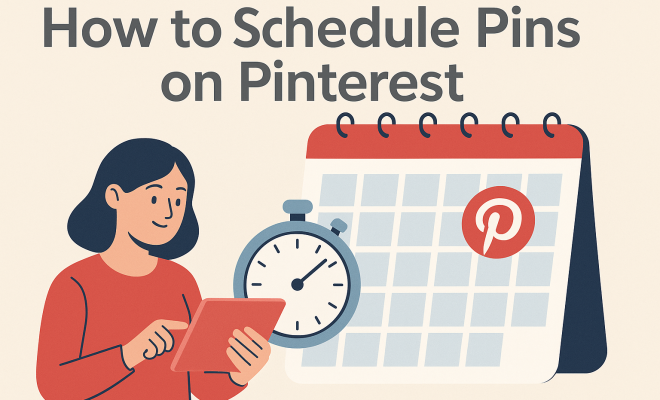
Pinterest has transformed the way we discover and save ideas, making it a vital platform for marketers and content creators alike. One of the most effective strategies to maximize your reach on Pinterest is to schedule pins on Pinterest. This approach allows you to plan your content in advance, ensuring a consistent presence without the stress of posting in real-time. In this article, we’ll explore how to effectively schedule pins on Pinterest, covering everything from the basics to advanced strategies that can enhance your visibility and engagement.
1. Understanding Pinterest Scheduling: Why It Matters
Before diving into the how-to, it’s crucial to grasp the significance of scheduling pins on Pinterest. The platform operates on a unique algorithm that prioritizes fresh content, meaning the timing of your posts can greatly affect their performance. By scheduling, you can ensure your pins go live at optimal times for engagement, even when you’re not online.
Moreover, Pinterest users often browse the platform at various times throughout the day, depending on their location and habits. Scheduling allows you to target different time zones and maximize exposure, making it easier to reach a broader audience. Essentially, by taking advantage of scheduling, you create a strategic advantage that can lead to increased followers, repins, and overall engagement.
2. Choosing the Right Tools for Scheduling
To schedule pins effectively, you’ll need the right tools. While Pinterest previously had a built-in scheduling feature, many users have turned to third-party tools like Tailwind, Buffer, and Later due to their advanced capabilities. Tailwind, in particular, is widely regarded as the go-to platform for Pinterest scheduling because of its intuitive interface and features tailored specifically for Pinterest marketing.
When selecting a scheduling tool, consider factors such as ease of use, pricing, analytics capabilities, and customer support. Tailwind, for example, not only allows you to schedule pins but also provides insights into your pin performance, helping you refine your strategy over time. Additionally, tools like Buffer and Later offer similar functionalities across various social media platforms, making them viable options if you’re looking to manage multiple accounts in one place.
3. Setting Up Your Pinterest Business Account
If you haven’t already, transitioning to a Pinterest Business account is essential for those looking to schedule pins on Pinterest. Business accounts provide access to features like analytics, rich pins, and advertising options. To set up your account, visit the Pinterest Business site, fill out the necessary information, and verify your website.
Once your account is set up, it’s advisable to complete your profile with a clear bio, profile picture, and a board strategy that reflects your brand’s identity. This not only helps in establishing a professional presence but also builds trust with your audience. Remember, a well-optimized profile is crucial for enhancing your visibility on the platform.
4. Crafting Engaging Pins: Best Practices
Before you schedule your pins, you need to create high-quality and engaging visuals. Pinterest is a visually-driven platform, meaning that eye-catching images are key to attracting clicks and repins. Use tools like Canva or Adobe Spark to design your graphics. Aim for vertical images, as they perform better on Pinterest, and incorporate text overlays to convey your message clearly.
In addition to visuals, consider SEO when crafting your pin descriptions. Use relevant keywords—like “schedule pins on Pinterest”—to improve searchability. Including hashtags can also help in reaching a wider audience. Aim for a description that captures attention and provides value, as this can significantly influence user engagement. (See: Learn more about Pinterest.)
5. Creating a Pinning Schedule to Optimize Engagement
To maximize your efforts when you schedule pins on Pinterest, developing a consistent pinning schedule is essential. Analyze your audience’s activity to identify peak engagement times. Tools like Tailwind offer insights into when your pins receive the most interaction. Based on this data, you can strategize your posting times accordingly.
A good rule of thumb is to pin consistently rather than all at once. Spacing out your pins throughout the day helps keep your audience engaged over time, rather than overwhelming them with too much content in a short period. Most experts recommend pinning between 15 to 30 times per day, mixing your content with that of others to create a diverse feed.
6. Monitoring and Analyzing Your Performance
Once you’ve scheduled your pins, monitoring their performance is just as critical as scheduling them in the first place. Pinterest Analytics, available through your business account, provides valuable insights into how your content is performing. You can track metrics such as impressions, saves, clicks, and audience engagement. These insights can inform your future strategies and help identify what types of content resonate the most with your audience.
In addition to Pinterest Analytics, tools like Tailwind can further enhance your understanding of your pin performance. Utilizing these analytics allows you to iterate on your strategy and refine your content based on what’s working best. Remember, the world of social media is constantly changing, and being adaptable is key to maintaining and growing your audience.
7. Staying Updated with Pinterest Trends for Continued Success
The Pinterest landscape is always evolving, with trends that can shift unexpectedly. Staying updated with Pinterest trends is vital to ensure your content remains relevant. This may involve following Pinterest’s own blog, subscribing to industry newsletters, or joining Pinterest-specific groups on social media platforms.
Utilize Pinterest Trends to discover what’s currently popular or emerging on the platform. By aligning your scheduled pins with trending topics, you can increase your chances of engagement. Furthermore, engaging with your community through comments and sharing can foster relationships that benefit your brand in the long run.
8. Utilizing Pinterest Group Boards
One often overlooked tactic when it comes to scheduling pins on Pinterest is the use of group boards. These boards allow multiple users to contribute pins, creating a larger pool of content that can attract diverse audiences. Joining relevant group boards in your niche can exponentially increase your reach, as well as your authority within that community.
To find group boards, you can search Pinterest or use tools like PinGroupie. Once you’ve joined, make sure to follow the group rules and contribute quality content. When scheduling pins for a group board, consider the audience of that board and tailor your content to fit their interests. This approach can lead to increased visibility and engagement, as your pins are shared among a broader community.
9. Experimenting with Different Content Types
When scheduling pins, it’s beneficial to diversify the types of content you share. While traditional images are effective, experimenting with videos, carousel pins, and story pins can lead to higher engagement rates. Videos, in particular, are gaining traction on Pinterest, as they offer a dynamic way to showcase your brand.
According to recent statistics, video pins can lead to a 20% increase in engagement compared to static images. Given this trend, consider creating short, engaging video snippets that capture your audience’s attention. Whether you’re sharing a DIY tutorial, a product showcase, or behind-the-scenes content, making videos part of your scheduled strategy can set you apart from competitors.
10. The Importance of A/B Testing
Another advanced strategy to consider when you schedule pins on Pinterest is A/B testing. This approach involves creating two variations of a pin to see which one performs better. You might experiment with different images, descriptions, or even hashtags. By testing these elements, you can gather data on what resonates more with your audience. (See: Understanding social media engagement.)
For example, if one pin with a blue background performs better than a similar pin with a red background, you can lean into that design choice for future content. A/B testing not only enhances your understanding of your audience but also allows you to optimize your scheduled pins for better results over time.
11. Engaging with Your Audience
Although scheduling pins can save you time, don’t forget the importance of engaging with your audience. Responding to comments, participating in discussions, and repinning others’ content are all ways to build a community around your brand. This engagement can foster loyalty and encourage users to return to your profile consistently.
Additionally, consider hosting contests or engaging challenges that encourage users to pin your content. This not only helps with engagement but also increases the likelihood of your pins being shared, expanding your reach even further.
12. Frequently Asked Questions (FAQ)
Q1: Can I schedule pins directly on Pinterest?
A: Yes, Pinterest has introduced its own scheduling feature that allows users with business accounts to schedule pins directly on the platform. However, many users still prefer third-party tools like Tailwind for added features and analytics.
Q2: What is the best time to schedule pins on Pinterest?
A: The best times can vary based on your target audience’s habits. Generally, weekends and evenings see higher engagement rates. Use analytics tools to discover the most effective times for your specific audience.
Q3: How often should I schedule pins?
A: Most experts suggest pinning between 15 to 30 times per day. This includes a mix of your content and repins from others to create a varied feed.
Q4: Are there tools that help with Pinterest SEO?
A: Yes, tools like Tailwind offer keyword insights and SEO suggestions to optimize your pin descriptions. Additionally, using Pinterest’s guided search can help you identify relevant keywords to include.
Q5: How do I track the success of my scheduled pins?
A: Use Pinterest Analytics to monitor metrics such as impressions, saves, and clicks. Third-party tools like Tailwind also provide detailed reports on your pin performance.
13. Understanding the Pinterest Algorithm
Understanding how the Pinterest algorithm works can significantly enhance your ability to schedule pins effectively. The algorithm prioritizes content based on various factors, including user engagement, the relevance of keywords, and the quality of the visuals. It’s important to regularly update your content and keep your boards fresh. (See: Marketing strategies on Pinterest.)
Research indicates that pins that receive higher engagement shortly after they’re posted are more likely to be seen by a broader audience. This means that scheduling your pins to coincide with peak user activity can be critical. You can use tools like Tailwind to analyze and discover when your target audience is most active. By aligning your pinning schedule with this data, you can significantly increase your chances of going viral. We covered 2026 marketing trends insights in more detail.
14. Advanced Strategies for Scheduling Pins
As you become more comfortable with scheduling pins on Pinterest, consider implementing advanced strategies to further enhance your reach. One effective technique is to create themed boards and seasonal content. Timely content, such as holiday-related pins or seasonal tips, tends to attract more engagement due to its relevance. You can plan your pinning schedule months in advance for holidays or events, ensuring that your content is ready to go when users are searching for ideas related to those topics.
Also, think about collaborating with influencers in your niche. Partnering with influencers can amplify your reach. When influencers pin your content or collaborate on boards, their followers gain exposure to your brand. This not only increases engagement but can also lead to a significant boost in followers.
15. Visual Storytelling on Pinterest
Visual storytelling is a powerful strategy that can make your scheduled pins stand out. Rather than just posting images, consider creating a narrative that resonates with your audience. This could involve sharing the journey of a product, behind-the-scenes looks at your brand, or tips and tricks for using your product effectively.
For instance, if you’re a baker, instead of just pinning a picture of a cake, share a series of images that show the baking process, including the ingredients, steps, and the final product. Such storytelling not only captures attention but also encourages users to engage with your content. They’re more likely to save this kind of valuable information, leading to more repins and increased visibility.
16. Conclusion
Effectively scheduling pins on Pinterest is an invaluable strategy for anyone looking to enhance their presence on the platform. By understanding the tools at your disposal, creating engaging content, and continually analyzing your performance, you can leverage this powerful platform to grow your brand and connect with your audience. The success of your Pinterest marketing strategy hinges on not just the content you create but also how you distribute it through scheduling. So why not take the plunge and start scheduling those pins today? Your future self will thank you!
“`
Trending Now
Frequently Asked Questions
How do I schedule pins on Pinterest?
To schedule pins on Pinterest, you can use third-party tools like Tailwind, Buffer, or Later. These platforms allow you to plan and automate your pinning process, ensuring your content is posted at optimal times for engagement.
What are the benefits of scheduling pins on Pinterest?
Scheduling pins on Pinterest helps maintain a consistent posting schedule, maximizes reach by targeting different time zones, and allows you to post at times when your audience is most active, ultimately increasing engagement and visibility.
What tools can I use to schedule Pinterest pins?
Popular tools for scheduling Pinterest pins include Tailwind, Buffer, and Later. Tailwind is particularly favored for its Pinterest-specific features, user-friendly interface, and robust analytics capabilities.
Why is timing important for Pinterest posts?
Timing is crucial for Pinterest posts because the platform’s algorithm favors fresh content. By scheduling your pins to go live at optimal times, you can enhance visibility and engagement, reaching a broader audience.
Can I schedule pins directly on Pinterest?
While Pinterest previously offered a built-in scheduling feature, many users now prefer third-party tools like Tailwind for their advanced functionalities. However, you can still use Pinterest’s native scheduling option if available.
What did we miss? Let us know in the comments and join the conversation.