Replace Your Thermostat: A DIY Guide to Smart Home Comfort
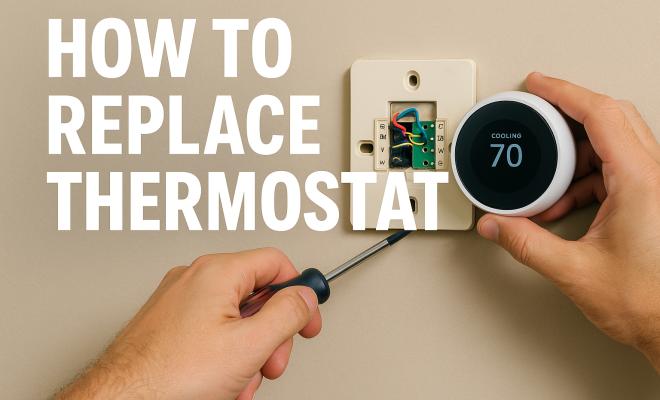
Replacing your thermostat can seem daunting, but with the right information and tools, you can tackle this project with ease. Whether you’re upgrading to a smart thermostat, troubleshooting a malfunctioning unit, or just trying to enhance your home’s energy efficiency, understanding how to replace a thermostat is an invaluable skill. In this guide, we will break down the steps you need to know, while also providing insights and tips that can make the process smoother.
1. Understand Your Thermostat Type
The first step to successfully replace your thermostat is to determine what type you currently have. There are primarily two types: mechanical and digital. Mechanical thermostats use a bimetallic strip to sense temperature changes, while digital thermostats utilize electronic sensors and can often be programmed for different settings throughout the day.
Moreover, smart thermostats, like the Nest or Ecobee, are increasingly popular due to their ability to learn your habits and adjust the heating or cooling settings accordingly. Knowing the type of thermostat you have will help you understand the specific replacement steps and potential compatibility issues with new devices.
Let’s dive a bit deeper into these types. Mechanical thermostats are the oldest style, often recognized by their mercury switch or coiled bimetallic strip. They’re incredibly simple, reliable, and don’t require batteries or external power, making them a good fit for basic heating systems. However, their precision is limited, and they offer no programming capabilities, meaning you have to manually adjust the temperature every time you want a change.
Digital thermostats, on the other hand, brought programmability into the mainstream. These typically run on batteries or are powered by your HVAC system’s 24V common wire (C-wire). They allow you to set different temperatures for various times of the day and days of the week, offering a significant step up in energy savings and convenience. You’ll find models ranging from basic 5-2 day programming to more advanced 7-day or even 4-period-per-day options.
Then there are smart thermostats, the latest evolution. These devices leverage Wi-Fi connectivity to offer advanced features. Beyond basic programming, they can learn your schedule, detect when you’re home or away (geofencing), integrate with voice assistants like Alexa or Google Assistant, and provide detailed energy usage reports. Some even offer features like remote sensors to average temperatures across different rooms, or advanced algorithms that factor in local weather forecasts to optimize your home’s climate control. Brands like Nest, Ecobee, Honeywell Home, and Lennox iComfort are leading this charge.
Understanding the nuances of these types is crucial because it directly impacts compatibility. For instance, many smart thermostats require a C-wire to maintain consistent power for their Wi-Fi and advanced features. If your old thermostat doesn’t have a C-wire, you might need to run a new wire, use a power extender kit (often included with the smart thermostat), or opt for a model that can operate on batteries (though this often limits features).
2. Gather Your Tools
Before you begin the replacement process, make sure you have all the necessary tools at hand. Typically, you’ll need a screwdriver (flathead and Phillips), a voltage tester, and possibly a drill. Having these tools ready will save you time and frustration during the project.
Additionally, it’s wise to invest in a level and a pencil for marking the position of the new thermostat. If you’re replacing a wired model, a wire stripper may also come in handy. Preparation is key, and having the right tools will facilitate a smoother installation.
Let’s elaborate on this toolkit. A good set of screwdrivers is non-negotiable. You’ll likely encounter both Phillips head screws (cross-shaped recess) and flathead screws (single slot) when removing the old thermostat and mounting the new one. Sometimes, smaller precision screwdrivers are needed for terminal screws, especially on newer, more compact units.
The voltage tester is critical for safety. You can get a non-contact voltage tester, which simply lights up or beeps when it detects live electricity without needing to touch the bare wire. This is invaluable for confirming the power is off at the thermostat wires before you touch them. For a more precise check, a multimeter can also verify the absence of voltage, but a simple non-contact tester is usually sufficient for this task.
A drill might be needed if your new thermostat’s mounting holes don’t align with the old ones. In such cases, you’ll drill new pilot holes for the mounting screws. Always use a drill bit slightly smaller than your screw diameter to prevent stripping the wall material. A level ensures your new thermostat looks aesthetically pleasing and functions correctly, as some older mechanical units could be sensitive to being mounted off-kilter.
Wire strippers are essential if you need to expose fresh wire ends, which is common if the old wire ends are frayed or corroded. A good pair will have multiple gauges to match different wire thicknesses. Small wire nuts might also be useful to cap off any unused wires or extend short wires, though this is less common for a straightforward thermostat replacement.
Finally, don’t forget masking tape and a marker. These are invaluable for labeling wires after you photograph them but before you disconnect them. This redundancy ensures you have multiple references for proper reconnection, especially if your wiring doesn’t perfectly match the standard color codes.
3. Turn Off Power to Your HVAC System
Safety is paramount when working with electrical components. Before you start, ensure that you turn off the power to your heating and cooling systems at the circuit breaker. This helps to prevent any electrical shocks or damage to your HVAC system during the replacement process.
After shutting off the power, it’s a good idea to check that the power is indeed off by using a voltage tester. This step is essential — no one wants to deal with unexpected surprises while working on their thermostat!
This step cannot be stressed enough. Locating your circuit breaker box is the first part of this. It’s typically found in your basement, garage, utility closet, or even outside your home. Inside, you’ll see a series of switches. Look for labels that indicate “Furnace,” “Air Conditioner,” “HVAC,” or similar. Sometimes, heating and cooling might be on separate breakers, so turn off both if you have a combined system. (See: Wikipedia on thermostats.)
If your breakers aren’t labeled, you might need to turn off the main breaker for your entire home. While this is less convenient, it’s the safest option if you can’t identify the specific HVAC breakers. Once you’ve flipped the breaker(s) to the “off” position, don’t just assume the power is cut. Head back to the thermostat.
This is where your voltage tester comes in. With the old thermostat’s cover removed and the wires exposed, carefully touch the tip of your non-contact voltage tester to each individual wire. If the tester remains silent and dark, it indicates no power. If it lights up or beeps, the power is still on, and you need to go back to your breaker box to find the correct switch. Never proceed until you’ve confirmed that all wires are completely de-energized.
An extra safety tip: If your HVAC system has an outdoor unit (for air conditioning or heat pump), it’s also a good practice to turn off the disconnect switch located near that unit. This provides an additional layer of safety and ensures no power can accidentally flow to the low-voltage control wires you’ll be working with.
4. Remove the Old Thermostat
With the power safely off, it’s time to remove your old thermostat. Start by taking off the cover plate, which usually snaps off or is held in place by screws. Next, you should identify the wires attached to your thermostat. Take a photo or label the wires to ensure you know where they connect for the new unit.
Once you’ve documented the wiring, you can disconnect the wires from the old thermostat. Be gentle to avoid damaging the connections. If the thermostat has batteries, remove those as well. It’s crucial to handle everything carefully to maintain the integrity of your HVAC system.
Removing the cover plate can vary. Some covers have small tabs you press, others might require a slight upward or downward tug, and some are held by small screws on the sides or bottom. Take your time to figure out the specific mechanism for your model.
Once the cover is off, you’ll see the wiring terminal block. This is the most critical part of this step. Before you touch anything, grab your smartphone and take several clear, well-lit photos of the wiring. Get a close-up shot showing each wire and its corresponding terminal label (R, W, Y, G, C, O/B, etc.). Take another wider shot to show the overall layout. These photos are your absolute best reference.
After photos, use your masking tape and marker to physically label each wire with the letter of the terminal it was connected to. For example, if a red wire is connected to the ‘R’ terminal, put a piece of tape on that wire and write ‘R’ on it. This provides a backup in case your photos aren’t clear or you accidentally delete them. It also helps if the wire colors don’t match standard conventions, which occasionally happens.
Now you can disconnect the wires. Most thermostats use screw terminals; you’ll loosen the screw, pull the wire straight out, and then tighten the screw back down slightly so it doesn’t fall off. Some newer models might have push-in terminals, where you press a small tab to release the wire. Be gentle. The wires themselves are usually thin and can be fragile, and you don’t want to accidentally pull them out of the wall entirely.
As you disconnect each wire, make sure the labeled tape stays securely attached. Once all wires are free, you can unscrew the old thermostat’s backplate from the wall. Gently pull the entire unit away, being careful not to let the wires disappear back into the wall cavity. If they seem loose, you can temporarily tape them to the wall above the opening to prevent them from falling.
Finally, remove any batteries from the old unit. Not only does this ensure they don’t leak, but it’s also a good reminder that some digital thermostats are battery-powered, which can impact your choice of replacement if you don’t have a C-wire.
5. Prep the Wall and Install the New Thermostat Base
Now that the old thermostat is out, take the time to prepare the wall for the new unit. Clean the area to remove dust and debris that may have accumulated. If the mounting holes differ between the old and new thermostat, fill in any unnecessary holes with wall putty and sand it down for a smooth finish.
Next, position the new thermostat base against the wall. Use a level to ensure it’s straight, and mark the screw holes with a pencil. Once you’re satisfied with the placement, use a drill or screwdriver to secure the base to the wall. This step sets the foundation for your new thermostat, so take your time to get it right.
Often, the footprint of the new thermostat won’t perfectly match the old one. This can expose unpainted wall sections, old screw holes, or discolored areas. A quick clean with a damp cloth can remove surface grime. If there are old holes, a small amount of spackle or wall putty can quickly fill them. Once dry, a light sanding will make the surface smooth. You might consider a quick touch-up with paint if the new thermostat is significantly smaller than the old one and exposes a large, unsightly area.
When positioning the new base, hold it up to the wall, making sure the opening for the wires is centered and accessible. Thread the wires through the opening in the new baseplate. Then, place your level on top of the base. Adjust it until the bubble is perfectly centered, indicating it’s straight. With a pencil, mark the spots where the new mounting screws will go. Most new thermostats come with a mounting plate or base that has specific screw holes.
If you’re drilling new pilot holes, select a drill bit that is slightly smaller in diameter than the screws provided with your new thermostat. Drill carefully into the wall at your pencil marks. If you’re drilling into drywall, you might need to use the plastic anchors provided with the thermostat for a secure fit. Push these anchors into the drilled holes before inserting the screws. This prevents the screws from stripping the drywall and ensures a solid mount.
Once the pilot holes are ready or the anchors are in place, align the baseplate again, thread the wires through, and then use your screwdriver to firmly attach the base to the wall. Don’t overtighten the screws, as this can crack the plastic base. Just make it snug and secure so the base doesn’t wobble. A properly installed base is crucial for the new thermostat to sit flush and function correctly.
6. Connect the Wires
The next crucial step in how to replace a thermostat is to connect the wires to the corresponding terminals on the new unit. Refer back to the photo or labels you made earlier. Typically, you’ll find wires labeled with letters such as R, W, Y, and G. Each letter corresponds to a specific function, like R for power, W for heating, Y for cooling, and G for the fan.
Carefully connect each wire to its designated terminal. Some thermostats may have a different color code, so always follow the instructions provided with your new thermostat. Double-check the connections before moving on, as improper wiring can lead to malfunction or damage. (See: Energy.gov on thermostats.)
This is where your meticulous documentation from step 4 pays off. Take out your photos and double-check your wire labels. The new thermostat’s terminal block will have similar letter designations. Common wire assignments are:
- R (Red): This is the power wire, usually for heating (Rh) or cooling (Rc). Many modern thermostats have a jumper between Rh and Rc, or automatically detect it. If you have separate transformers for heating and cooling, you’ll have both Rh and Rc wires.
- W (White): Connects to the heating system.
- Y (Yellow): Connects to the cooling system (compressor).
- G (Green): Controls the fan.
- C (Blue/Black): The common wire, providing continuous 24V power to the thermostat. Essential for most smart thermostats. If your old thermostat didn’t have a C-wire and your new one requires it, you may need to find an unused wire in the bundle or install a power extender kit.
- O/B (Orange/Brown): Used for heat pump systems to reverse the valve for heating or cooling. O is typically for cooling mode, B for heating mode, but this can vary by heat pump manufacturer.
- Aux/E (Auxiliary/Emergency): For auxiliary or emergency heat in heat pump systems.
When connecting the wires, ensure that the bare copper end of each wire is straight and clean. If the ends are frayed or corroded, use your wire strippers to cut off the bad section and strip about 3/8 inch (approximately 1 cm) of insulation to expose fresh wire. Insert each wire firmly into its corresponding terminal. If it’s a screw terminal, tighten the screw until the wire is held snugly and cannot be easily pulled out. Don’t overtighten and strip the screw head or damage the wire.
After connecting all the wires according to your labels and the new thermostat’s instructions, give each wire a gentle tug to confirm it’s secure. Visually inspect all connections to ensure no stray strands of wire are touching other terminals, which could cause a short circuit. This attention to detail here prevents frustrating troubleshooting later on.
7. Attach the Thermostat Cover
After connecting all the wires, it’s time to attach the thermostat cover. Gently snap it into place or secure it with screws, depending on your model. Your new thermostat will often have an alignment feature that helps ensure a snug fit.
This step is also a good time to review the manufacturer’s instructions for any additional setup requirements. Some digital or smart thermostats may require additional setup, such as connecting to Wi-Fi or configuring initial settings, so be sure to follow those guides closely.
Before snapping on the cover, do a final visual check of the wiring. Make sure all wires are neatly tucked into the wall cavity or routed within the baseplate so they don’t get pinched when the cover goes on. Most thermostat covers are designed to align with specific tabs or slots on the baseplate. Carefully line these up and then gently press or slide the cover into place until you hear a click or feel it seat securely.
For smart thermostats, this is often just the beginning of the setup. Once the physical installation is complete, you’ll likely need to power it up and follow the on-screen prompts. This usually involves:
- Initial Configuration: Setting up basic parameters like your heating/cooling system type (furnace, heat pump, boiler), fan type (gas, electric), and number of stages.
- Wi-Fi Connection: Connecting your thermostat to your home’s wireless network. You’ll typically select your network from a list and enter your Wi-Fi password.
- App Integration: Downloading the manufacturer’s mobile app (e.g., Nest app, Ecobee app) and creating an account. You’ll then link your new thermostat to the app, which enables remote control, scheduling, and access to advanced features.
- Smart Features Setup: Configuring learning algorithms, geofencing, voice assistant integration, or adding remote sensors.
Don’t skip reading the manual for these digital and smart thermostat features. They often contain critical information about optimizing performance and accessing all the benefits your new unit offers. Rushing through this part can lead to frustration and missed opportunities to save energy or enhance comfort.
8. Restore Power and Test the System
With the new thermostat installed, the next step is to restore power to your HVAC system by turning the circuit breaker back on. Before you test your thermostat, ensure it’s correctly programmed and ready for operation.
Adjust the temperature setting to ensure that the heating or cooling system responds correctly. Monitor the system for a few minutes to ensure it’s functioning as expected. If you experience any issues, double-check your connections and settings.
Head back to your circuit breaker panel and flip the relevant breaker(s) back to the “on” position. Your new thermostat should power on, and a display will light up. If it’s a smart thermostat, it might go through a boot-up sequence and then prompt you for initial setup, as mentioned in the previous step.
Once the thermostat is fully powered and configured, it’s time for testing. Start with the fan. Set your thermostat to “Fan On” (or “Continuous Fan”) and listen for the fan to start running. If it does, great! If not, check the ‘G’ wire connection.
Next, test the heating. Set the mode to “Heat” and raise the temperature setting significantly higher than your current room temperature (e.g., if it’s 70°F, set it to 80°F). You should hear your furnace or boiler kick on, and warm air should start coming from your vents. Allow it to run for a few minutes to confirm it’s heating effectively. Then, lower the temperature setting to turn the heat off.
Finally, test the cooling. Set the mode to “Cool” and lower the temperature setting significantly below your current room temperature (e.g., if it’s 70°F, set it to 60°F). You should hear your outdoor AC unit or heat pump compressor turn on, and cool air should start coming from your vents. Again, let it run for a few minutes. Then, raise the temperature setting to turn the cooling off.
If you have a heat pump system, also test the auxiliary or emergency heat function if your thermostat has one. This ensures all stages of your system are properly connected and functioning. During these tests, listen for any unusual noises from your HVAC system and confirm that the air coming from your vents is indeed the correct temperature.
If anything isn’t working, immediately turn off the power at the breaker again. Review your wiring connections against your photos and the thermostat manual. Pay close attention to the C-wire if you installed a smart thermostat, as an improper or missing C-wire is a common source of power issues.
9. Enjoy Enhanced Comfort and Efficiency
Congratulations! You’ve successfully replaced your thermostat. Take a moment to enjoy the satisfaction of completing a DIY project. If you opted for a smart thermostat, explore its features, which may include scheduling, energy usage reports, and remote control via an app.
Replacing your thermostat not only enhances your home’s comfort but can also lead to improved energy efficiency. Smart thermostats, in particular, can help you save on energy bills by optimizing HVAC usage based on your habits and preferences. Keep an eye on the performance over the coming weeks, and don’t hesitate to consult the manual or manufacturer’s website if you have any questions. (See: CDC on indoor temperature control.)
The immediate benefit you’ll notice is often a more accurate temperature reading and consistent comfort, especially if you upgraded from an old mechanical unit. With a digital or smart thermostat, you gain precision that mechanical units simply can’t offer.
For smart thermostat users, the journey doesn’t end with installation. Spend some time customizing your schedules, exploring geofencing options, and setting up energy-saving features like “eco mode” or “away mode.” Many smart thermostats provide detailed reports on your energy consumption, allowing you to identify trends and make further adjustments to optimize savings. Some even offer tips based on your usage patterns or local weather.
Integrating your new smart thermostat with other smart home devices, like smart lighting or smart speakers, can create a more cohesive and automated home environment. Imagine telling your voice assistant to adjust the temperature without getting up, or having your lights dim when your thermostat switches to “away” mode.
Over time, you should notice a reduction in your energy bills. The Department of Energy estimates that you can save as much as 10% a year on heating and cooling by simply turning your thermostat back 7°-10°F for 8 hours a day from its normal setting. Programmable and smart thermostats make this effortless and automatic, ensuring you’re only heating or cooling your home when it’s truly necessary.
Advanced Considerations When You Replace Thermostat
While the basic steps cover most thermostat replacements, some situations call for a deeper understanding or specialized approach. These include dealing with multi-zone systems, low-voltage vs. line-voltage systems, and troubleshooting specific issues.
Multi-Zone Systems
If your home has multiple thermostats controlling different areas, you have a multi-zone system. Each thermostat in a multi-zone setup controls a specific zone’s damper and potentially a dedicated HVAC unit or a shared unit with zone valves. When replacing a thermostat in such a system, the core steps remain the same for each individual unit. However, it’s crucial to understand that each thermostat operates independently within its zone. If you’re upgrading to smart thermostats, ensure they are compatible with multi-zone configurations and can communicate with each other or a central zone controller. Some smart thermostat brands offer specific multi-zone kits or allow you to manage multiple thermostats from a single app interface.
The wiring for multi-zone systems can be more complex, often involving additional wires for zone dampers or communication between thermostats and a zone control panel. Always consult the specific wiring diagram for your zone control system if you’re unsure. Taking extra photos and labeling every wire meticulously is even more critical here.
Low-Voltage vs. Line-Voltage Thermostats
Most residential HVAC systems use low-voltage (24V) thermostats, which is what this guide primarily addresses. These are easily identifiable by the thin wires and the common R, W, Y, G, C terminal designations. However, some older homes or specific heating systems (like electric baseboard heaters, radiant floor heating, or some wall heaters) use line-voltage (120V or 240V) thermostats. These are much more dangerous to work with due to the higher voltage and typically involve thicker wires that are directly connected to the home’s electrical mains.
NEVER attempt to replace a line-voltage thermostat if you are unsure how to identify it or lack experience with high-voltage electrical work. Line-voltage thermostats often have only two thick wires (sometimes four if it’s a double-pole break) and no distinct R, W, Y, G, C labels. If you suspect you have a line-voltage system, it’s strongly recommended to call a qualified electrician or HVAC professional. Incorrect wiring of a line-voltage thermostat can lead to severe electrical shock, fire, or damage to your heating system.
Heat Pump Systems with Auxiliary/Emergency Heat
Heat pump thermostats have additional terminals like O/B (reversing valve), Aux (auxiliary heat), and E (emergency heat). When replacing a heat pump thermostat, ensure your new unit is specifically designed for heat pump systems and can handle these additional functions. The O/B wire determines whether the heat pump operates in heating or cooling mode. Auxiliary heat (often electric resistance coils or a gas furnace) kicks in when the outdoor temperature drops too low for the heat pump to efficiently heat the home alone. Emergency heat is a manual override to force the auxiliary heat on, typically used if the heat pump itself malfunctions.
Correctly wiring the O/B terminal is crucial. Some heat pumps energize the reversing valve for cooling (O), while others energize it for heating (B). Your new thermostat will have a setting to configure this, so make sure it matches your heat pump’s specific requirements as outlined in its manual. Miswiring this can lead to your heat pump blowing hot air when it should be cooling, or vice-versa.
Common Thermostat Replacement Challenges and Troubleshooting Tips
Even with careful preparation, you might encounter issues. Here are some common problems and how to troubleshoot them:
No Power to the New Thermostat
- Check Breaker: First, confirm the circuit breaker for your HVAC system is indeed “on.”
- C-Wire: If you installed a smart thermostat, a missing or improperly connected C-wire is the most frequent culprit. Verify the C-wire is securely connected at both the thermostat and the furnace/air handler control board. If no C-wire is present, consider installing one, using a power extender kit, or opting for a battery-powered smart thermostat.
- Transformer: Less common, but a blown low-voltage transformer in your furnace/air handler could be the issue. If you have a multimeter, you can test for 24V AC across the R and C terminals at the control board. If there’s no voltage, it’s likely a transformer problem, which usually requires professional help.
HVAC System Not Responding (No Heat/Cool/Fan)
- Wiring Check: This is almost always a wiring issue.
Trending Now
What’s your take on this? Share your thoughts in the comments below — we read every one.