How to recover deleted photos iPhone
“`html
If you’ve ever accidentally deleted precious photos from your iPhone, you know the sinking feeling that comes with it. Whether it’s a family vacation snapshot or a cherished moment with friends, losing photos can be heartbreaking. Fortunately, there are several methods available to help you recover deleted photos on your iPhone. This comprehensive guide will walk you through the necessary steps, tools, and tips to maximize your chances of retrieving lost images.
1. Understanding How Your iPhone Handles Deleted Photos
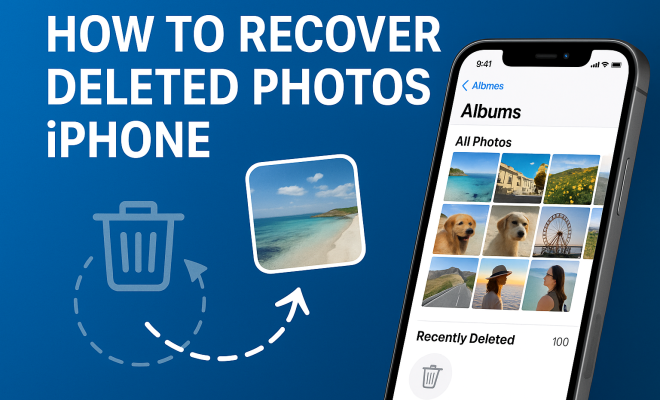
When you delete a photo from your iPhone, it doesn’t disappear immediately. Instead, it moves to a temporary storage area called the “Recently Deleted” folder, where it remains for 30 days before being permanently erased. This feature acts as a safeguard, allowing users to recover deleted photos easily within that time frame.
To access this folder, simply open the Photos app, navigate to “Albums,” and scroll down to find “Recently Deleted.” Here, you can view and recover photos that you’ve deleted in the past month. However, if 30 days have already passed, or if you’ve manually emptied the folder, you’ll need to consider other recovery methods.
2. Recovering Photos from the ‘Recently Deleted’ Folder
The easiest and most straightforward method to recover deleted photos on an iPhone is through the Recently Deleted folder. To do this:
- Open the Photos app.
- Tap on “Albums” at the bottom of the screen.
- Scroll down and select “Recently Deleted.” This will show all your deleted photos.
- Select the photos you wish to recover by tapping on them.
- Tap the “Recover” button on the bottom right of the screen, then confirm your choice.
Remember, photos remain in this folder for only 30 days, so it’s crucial to act quickly if you want to recover a recently deleted image.
3. Using iCloud to Restore Deleted Photos
If you use iCloud to back up your photos, you may be in luck. iCloud provides an efficient way to recover deleted photos, as long as you have previously enabled iCloud Photo Library. To restore photos from iCloud:
- Visit iCloud.com and log in with your Apple ID.
- Click on “Photos” to access your iCloud Photo Library.
- Check the “Recently Deleted” album within iCloud Photos.
- Select and recover any photos you find.
If your photos aren’t there, you might need to restore an entire backup. This can be done directly from your iPhone, provided you have an iCloud backup that contains the lost photos. Go to “Settings > General > Reset” and select “Erase All Content and Settings.” After your device restarts, choose “Restore from iCloud Backup” during the setup process.
4. Recovering Deleted Photos via iTunes Backup
If using iCloud isn’t an option, you might be able to recover deleted photos from an iTunes backup. Many iPhone users regularly back up their devices through iTunes, which creates a snapshot of your phone’s data at that moment. Here’s how to retrieve your photos:
- Connect your iPhone to the computer where you usually back it up.
- Open iTunes (or Finder on macOS Catalina and later).
- Select your device when it appears in the interface.
- Click on “Restore Backup.” Choose the most recent backup that likely contains your deleted photos.
Bear in mind that restoring from backup will replace all current data on your device with the data from the backup, which might lead to the loss of any new information collected since the last backup.
5. Third-Party Software Tools for Photo Recovery
If the standard recovery methods don’t work, several third-party software tools can help recover deleted photos from your iPhone. Applications such as Dr.Fone, EaseUS MobiSaver, and Tenorshare UltData specialize in retrieving lost data from iOS devices. Here’s how they generally work:
- Download and install the software on your computer.
- Connect your iPhone to your computer using a USB cable.
- Launch the software and follow the on-screen instructions to scan your device.
- After the scan completes, browse the recoverable files and select the photos you want to recover.
- Click to restore those photos to your iPhone or your computer.
While many of these tools offer free trials, most require a purchase for complete functionality. Make sure to choose reputable software to avoid issues or data loss.
6. Preventing Future Photo Loss: Best Practices
While knowing how to recover deleted photos on your iPhone is essential, prevention is always better than cure. Here are some best practices to minimize the risk of losing photos in the future: (See: Wikipedia iPhone Overview.)
- Regular Backups: Consistently back up your iPhone using iCloud or iTunes. Set your iCloud Photos to automatically upload, so your images are continually saved.
- Organize Your Photos: Regularly organize your photo library by removing duplicates or unwanted images, making it easier to locate important files.
- Use External Storage: Consider transferring your photos to an external hard drive or cloud storage like Google Drive or Dropbox for additional safety.
Implementing these strategies can help you safeguard precious memories and lessen the impact of accidental deletions.
7. What to Do If You Can’t Recover Deleted Photos
Sometimes, despite your best efforts, you may not be able to recover your deleted photos. In such cases, here are some actions you can take:
- Consult Professionals: Data recovery specialists can sometimes retrieve lost files that conventional methods cannot. While this can be costly, it might be worth it for particularly precious photos.
- Accept the Loss: It’s important to come to terms with the loss of your photos. Focus on creating new memories and snapshots instead of dwelling on the past.
- Spread Awareness: Share your experiences with friends and family about the importance of regular backups to prevent them from going through the same ordeal.
While losing photos can be painful, taking these steps can aid in your recovery process.
8. Staying Updated: iOS Features and Changes
Apple continuously updates iOS, introducing new features and enhancements related to data management and recovery. Staying informed about these changes can improve your chances of successful photo recovery. For example, recent iOS updates have improved how iCloud handles photo storage, offering more flexibility and efficiency.
Make it a habit to review the release notes of each iOS update. Enhancements may include additional recovery options or changes in how the Recently Deleted folder operates. Knowing these updates can help you stay ahead of potential issues related to data loss.
9. Learning from Mistakes: User Stories
Hearing real-life experiences from others can provide valuable insights into the importance of data management. Consider the story of Sarah, who lost hundreds of vacation photos when her iPhone crashed during a software update. She had neglected to back up her device, and despite her efforts to recover the photos, she couldn’t retrieve them.
After this experience, she began to back up her photos regularly and even transferred her favorites to a cloud storage service. Stories like Sarah’s underline the importance of being proactive and diligent when it comes to managing digital memories.
10. Final Thoughts on Photo Recovery
Recovering deleted photos on your iPhone can be a straightforward process if you act promptly and utilize the right tools and methods. Whether you turn to the Recently Deleted folder, iCloud, iTunes backups, or third-party software, knowing your options empowers you to tackle this common issue effectively. Remember to implement preventive measures to safeguard your cherished memories in the future.
Ultimately, while some losses may feel devastating, every day presents new opportunities to capture and hold onto special moments. Stay vigilant, back up regularly, and enjoy creating new memories!
11. Statistics on Photo Loss
Understanding how common photo loss is can help emphasize the importance of recovery methods. According to surveys, around 70% of smartphone users have experienced accidental deletion of photos at least once. Additionally, research shows that about 30% of users do not back up their photos regularly, leaving them vulnerable to loss. These statistics highlight the necessity of not only knowing how to recover deleted photos on an iPhone but also being proactive about data management.
12. Expert Opinions on Photo Recovery
Experts in data recovery emphasize the need for regular backups and the importance of using reliable software for recovery. Dr. Lisa Thompson, a data recovery specialist, states, “The first step in preventing photo loss is understanding how your device works. Many users don’t realize that their photos aren’t truly gone until the Recently Deleted folder is emptied.”
Another expert, Mark Ramirez, a tech analyst, adds, “When it comes to recovery, time is of the essence. The sooner you attempt to recover lost files, the better your chances. Utilize all available methods, including backups and third-party tools, to maximize your success.” Their insights underline the crucial role of education and preparedness in the digital age.
13. Common Causes of Photo Deletion on iPhone
Understanding what leads to photo deletion can help you avoid such situations in the future. Some common causes include: (See: CDC Youth Risk Behavior Survey.)
- Accidental Deletion: This is the most frequent reason, often happening when users are managing their photo library.
- Software Updates: Occasionally, software updates can lead to glitches that may result in lost data.
- Device Damage: Physical damage, such as water exposure or drops, may lead to data corruption.
- Malware and Viruses: Although less common on iOS, malicious software can still affect your device and lead to data loss.
Awareness of these causes can help you take preventive measures, ensuring that your precious memories remain safe.
14. FAQs About Recovering Deleted Photos on iPhone
What should I do if I can’t find my photos in the Recently Deleted folder?
If your photos aren’t in the Recently Deleted folder and you haven’t backed them up to iCloud or iTunes, consider using third-party recovery software. These tools can sometimes retrieve photos that have been deleted beyond the Recently Deleted folder.
How can I ensure my iPhone photos are backed up?
To ensure your photos are backed up, enable iCloud Photos in your settings. For additional safety, regularly back up your iPhone using iTunes or Finder. You can also consider using alternative cloud services like Google Photos.
Can I recover deleted photos without a backup?
Recovering deleted photos without a backup is challenging but not impossible. Third-party recovery software may provide you with some options, but success rates can vary based on how long ago the photos were deleted and how much new data has been written to your device since.
Is there a risk of losing other data when restoring from a backup?
Yes, restoring from a backup can overwrite existing data on your device. Make sure to back up your current data before restoring to avoid losing anything that you don’t want to lose.
Are third-party recovery tools safe to use?
While many third-party recovery tools are effective, it’s crucial to choose reputable software to avoid potential security risks. Research the software, read reviews, and consider downloading from trusted sources.
15. Additional Resources
If you’re looking for more help with photo recovery or data management on your iPhone, consider checking out:
Utilizing these resources can provide you with further insights and tips to manage your digital memories effectively.
16. Understanding iCloud Photo Library Settings
For many iPhone users, the iCloud Photo Library is a lifesaver when it comes to recovering deleted photos. However, it’s essential to understand how to set this feature up correctly. By enabling iCloud Photo Library, your photos are automatically uploaded to iCloud and synced across all devices using the same Apple ID, ensuring you have access to your pictures wherever you are.
To enable iCloud Photo Library, go to Settings, tap on your name at the top, select iCloud, then Photos. Here, you’ll have the option to turn on iCloud Photos. Consider selecting “Optimize iPhone Storage” to save space on your device while keeping high-resolution versions in iCloud.
It’s also wise to regularly check your iCloud storage capacity. If you’re running low, photos may not upload successfully. Upgrading your storage plan can be a small price to pay for peace of mind when it comes to your cherished memories.
17. Exploring Other Cloud Storage Options
While iCloud is a fantastic option, there are several other cloud storage solutions available that can complement or serve as alternatives to Apple’s ecosystem. Google Photos, for instance, offers free storage for photos at a compressed quality and affordable plans for original quality storage. It also features advanced search capabilities, making it easier to find specific images.
Dropbox is another option that allows you to organize photos into folders and share them easily with others. It integrates with various apps and provides good collaboration features.
Each cloud service comes with unique features, so consider your specific needs—like storage capacity, cost, and ease of access—when deciding on a solution. Diversifying your photo storage methods can enhance your protection against data loss.
18. Best Practices for Using Third-Party Recovery Tools
If you choose to go the route of third-party recovery tools, here are some best practices to follow:
- Research Before You Download: Always look for user reviews and expert recommendations. Trusted sources will usually have detailed reviews on their platforms regarding the effectiveness of recovery tools.
- Check for Compatibility: Ensure that the software you’re considering is compatible with your specific iPhone model and iOS version.
- Use Free Trials Wisely: Many recovery programs offer free trials. Make sure to use them to assess whether the software can detect your deleted files before committing to a purchase.
- Backup First: Before using any recovery software, back up your current data. This ensures you don’t inadvertently lose any new files that you may have saved since the deletion.
Using third-party tools can be a great way to recover lost photos, but doing it carefully is crucial to avoid further complications.
19. What to Consider When Choosing a Photo Recovery Software
Choosing the right photo recovery software can significantly impact your success rate. Here are some factors to consider:
- Success Rates: Look for software that boasts a high success rate in recovering deleted files. Some tools are more effective than others, depending on the specific situation.
- User Interface: A user-friendly interface can make the recovery process much smoother. Opt for software that provides clear instructions and an intuitive design.
- Technical Support: Good customer support can make a difference, especially if you encounter issues during the recovery process. Ensure the provider offers support through various channels like chat, email, or phone.
- Cost: Compare the pricing of different tools and what features they offer for that price. Some tools may charge a one-time fee, while others operate on a subscription model.
Taking the time to choose the right recovery software can save you frustration in the long run and increase your chances of getting your lost photos back.
20. Importance of Regular Data Management
Regular data management goes hand in hand with photo recovery. Keeping your iPhone’s storage organized not only helps in maintaining performance but also reduces the chances of accidental deletions. Here are a few strategies to consider:
- Regular Clean-ups: Schedule periodic clean-ups of your photo library. Delete unwanted images and create albums for easier navigation.
- Labeling and Tagging: If your photo app allows, label and tag your photos. This can make searching for specific images much easier in the future.
- Setting Reminders for Backups: Setting a monthly reminder to back up your iPhone can ensure you stay consistent with your data protection efforts.
By adopting these habits, not only will you enhance your photo management, but you’ll also create a more efficient experience while using your iPhone.
“`
Trending Now
Frequently Asked Questions
How can I recover deleted photos from my iPhone?
You can recover deleted photos from your iPhone by checking the 'Recently Deleted' folder in the Photos app. Open the app, go to 'Albums,' select 'Recently Deleted,' and choose the photos you want to recover. Tap 'Recover' to restore them within 30 days of deletion.
Where do deleted photos go on iPhone?
When you delete photos on your iPhone, they move to the 'Recently Deleted' folder, where they remain for 30 days. After this period, they are permanently erased. You can access this folder through the Photos app to recover images before they are permanently deleted.
Can I recover photos after 30 days on iPhone?
Unfortunately, once photos have been in the 'Recently Deleted' folder for 30 days, they are permanently deleted and cannot be recovered through the Photos app. You may explore third-party recovery tools or check if you have an iCloud backup available for restoration.
How do I use iCloud to recover deleted photos?
To recover deleted photos using iCloud, ensure you have iCloud backup enabled. Go to 'Settings,' tap on your name, select 'iCloud,' then 'Photos.' You can restore from an iCloud backup if your deleted photos were saved there before deletion.
What should I do if I can't find my deleted photos?
If you can't find your deleted photos in the 'Recently Deleted' folder, check your iCloud account for backups. Additionally, consider using reputable third-party recovery software specifically designed for iPhone data recovery as a last resort.
Agree or disagree? Drop a comment and tell us what you think.