How to record audio on computer
“`html
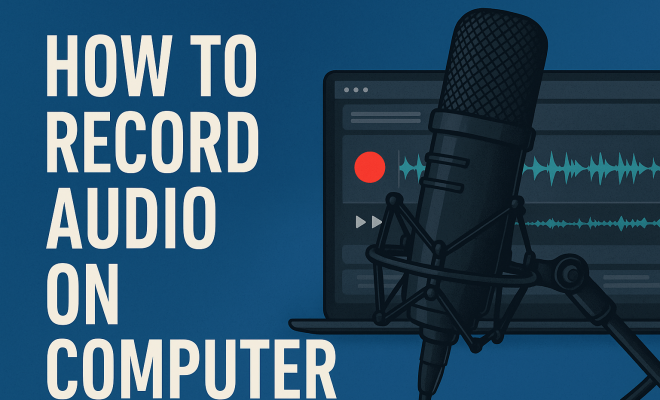
Recording audio on a computer has become an essential skill in our increasingly digital world. Whether you’re a musician laying down tracks, a podcaster capturing interviews, or someone who simply wants to save voice memos, knowing how to record audio on a computer can elevate your projects. In this article, we’ll explore the tools, software, and techniques you’ll need to master audio recording, ensuring your sound quality is top-notch.
1. The Importance of Audio Recording
Audio recording is everywhere. From the rise of podcasts that engage millions to musicians sharing their work online, the ability to record audio is no longer limited to professionals. With the right tools and knowledge, anyone can create high-quality recordings. In 2020 alone, the podcast industry saw a tremendous growth, with over 1.7 million shows available, highlighting just how crucial audio skills have become.
Not only is audio recording vital for entertainment, but it’s also essential in fields like education and business. Teachers utilize recorded lectures for online courses, and companies often record meetings for clarity and reference. In short, the ability to record audio on a computer gives you a voice in a world that increasingly values digital content.
2. Choosing the Right Equipment
One of the first steps in your audio recording journey is selecting the right equipment. While high-end microphones and mixers are available, many affordable options can still deliver excellent quality. For beginners, a USB microphone is a great choice. These devices connect easily to your computer and often come with built-in features that improve sound quality.
For more advanced users, consider investing in an audio interface. An audio interface connects professional microphones to your computer, offering better sound capture and lower latency. Brands like Focusrite and PreSonus are popular among musicians and podcasters, providing a range of options depending on your needs and budget.
Another piece of essential equipment is headphones. Closed-back headphones are ideal for recording because they block out external noise and prevent sound leakage during playback. Look for models that are comfortable for long sessions and have good frequency response, such as the Audio-Technica ATH-M50 or the Sony MDR-7506.
3. Software for Recording Audio
Next, you’ll need audio recording software. There are several options available, ranging from free programs to professional-grade software. For beginners, Audacity is a widely recommended choice. It’s open-source, user-friendly, and works on multiple operating systems. With features like multi-track editing and various audio effects, it provides a solid foundation for those learning how to record audio on a computer.
If you’re looking for something more advanced, consider software like Adobe Audition or Logic Pro X. These programs come packed with features that professionals use, but they also come with a steeper learning curve and a price tag. However, they offer extensive capabilities, including advanced mixing, mastering, and numerous plugins that enhance audio quality.
There are also specialized software options for specific tasks. For instance, if you’re focused on music production, Ableton Live or FL Studio might suit you better. These programs feature a range of virtual instruments and loops that can help you create everything from electronic music to full-band recordings.
4. Setting Up Your Recording Environment
Your recording environment plays a crucial role in the quality of your audio. To minimize background noise, choose a quiet space with minimal echoes. Soft furnishings can help absorb sound, making your recordings clearer. If you’re recording vocals, consider using a pop filter to reduce plosive sounds caused by certain consonants, like ‘p’ and ‘b’.
Additionally, maintaining a consistent distance from the microphone can make a significant difference in sound quality. If you’re too far away, your recordings may lack clarity; too close, and you risk distortion. Experiment with distances until you find the sweet spot that works for you.
Acoustic treatment is another vital aspect of your recording environment. Consider adding sound panels, bass traps, or even heavy curtains to reduce reflections and improve sound quality. This is particularly important in small rooms, where sound can bounce off walls and create an uneven recording.
5. Best Practices for Recording
Once your equipment and environment are ready, it’s time to record. Before hitting that record button, here are some best practices to keep in mind. First, always do a test recording. This allows you to check levels and make adjustments before committing to a full session. (See: importance of audio recording.)
Additionally, monitor your audio levels throughout the recording process. Most software provides visual feedback on levels, helping you avoid clipping, which occurs when your audio peaks past the maximum level. Aim for levels that are strong but not hitting the red zone on your meters.
It’s also useful to have a checklist of items to verify before starting your recording session. Check the functionality of your microphone, ensure your software is up to date, and make sure your computer has sufficient storage space for the recording. These small steps can prevent issues during more extended recording sessions.
6. Editing Your Audio
Once you’ve finished recording, the next step is editing. This is where you can refine your audio to meet your standards. Using software like Audacity or Adobe Audition, you can cut out mistakes, add effects, and improve overall sound quality. Familiarize yourself with tools like equalization (EQ), compression, and reverb to enhance your recordings.
Editing can also involve organizing your audio into a coherent format. This is especially important for podcasts and music albums. Make sure to listen to your recording in full after editing to catch any missed errors or awkward transitions.
Don’t hesitate to seek feedback from others. Sometimes, a fresh pair of ears can catch issues you might overlook. Sharing your edits with friends or colleagues can provide valuable insights and help you improve your audio quality.
7. Exporting Your Audio
After editing, you’ll need to export your audio file in a format that suits your needs. Common formats include MP3 and WAV. MP3 files are compressed, making them smaller and more suitable for sharing online, while WAV files maintain higher quality, making them better for professional use.
When exporting, consider the bit rate. A higher bit rate means better sound quality but larger file sizes. For most online uses, a rate of 128 kbps is sufficient, but for professional music, aim for at least 320 kbps.
It’s also essential to label your files clearly. Include details like the project name, date, and version number in the file name. This practice will save time and prevent confusion when you revisit your projects in the future.
8. Sharing Your Recordings
Once your audio is recorded and edited, it’s time to share it with the world. Whether you’re uploading a podcast episode, sharing a song, or sending a voice memo, there are various platforms to consider. For podcasts, platforms like Spotify and Apple Podcasts are ideal, while musicians can explore SoundCloud or Bandcamp.
Don’t forget about social media! Sharing snippets or teasers can help generate interest and drive traffic to your full recordings. Engaging with your audience through platforms like Instagram or TikTok can also be beneficial in building a following.
Consider creating a dedicated website or blog to host your audio content. This not only provides a professional touch but also allows you to engage with your audience through written content, such as show notes, behind-the-scenes stories, and tips related to your recordings.
9. Common Challenges and Solutions
As with any skill, recording audio on a computer comes with its challenges. One common issue is background noise. If you find that noise is a persistent problem, consider investing in soundproofing solutions or using noise-canceling microphones.
Another challenge is dealing with technical difficulties, such as software glitches or hardware malfunctions. Always keep your software updated, and familiarize yourself with troubleshooting resources. Forums and community support can often provide quick solutions to common issues.
Finally, remember that recording can sometimes lead to creative blocks. If you find yourself stuck, take a break and come back with fresh ears. Listening to other audio content can also inspire new ideas and help you discover techniques you might want to try.
10. Keeping Up with Trends
Finally, to stay relevant in the audio recording space, keep an eye on emerging trends and technologies. The rise of virtual reality and immersive audio is changing how we think about sound. Additionally, AI is now being integrated into audio production, offering tools that help with everything from mixing to mastering.
By staying updated on these trends, you’ll not only improve your skills but also ensure your recordings resonate in an ever-evolving digital landscape. Whether you’re just starting or looking to refine your skills further, the journey of learning how to record audio on a computer is a rewarding one. (See: podcast industry growth statistics.)
11. Advanced Techniques for Recording Audio
If you’re already comfortable with the basics, it’s time to explore advanced techniques that can elevate your recordings even further. Techniques such as multi-track recording allow you to lay down different audio elements separately and mix them together later. This approach is widely used in music production, enabling musicians to layer vocals, instruments, and sound effects for a rich, full sound.
Another technique to consider is the use of dynamic range compression. Compression smooths out volume discrepancies, making softer sounds louder and louder sounds softer. This is particularly useful in podcasting to maintain a consistent listening experience. When using compression, it’s important to apply it judiciously to avoid making your audio sound unnatural.
Experimenting with microphone placement and using multiple microphones can also enhance your recordings. For instance, using a close mic for vocals while incorporating a room mic can create a more dynamic sound that captures both clarity and ambiance.
12. How to Record High-Quality Vocals
Vocal recordings can be particularly tricky. To achieve professional-sounding vocals, take time to consider mic placement and acoustic treatment. As mentioned earlier, using a pop filter is critical. Additionally, consider the type of microphone you select—condenser microphones tend to capture vocals with greater detail than dynamic ones.
When recording vocals, encourage the person speaking to maintain a relaxed posture. Good posture can affect vocal delivery and clarity. Experiment with different takes and techniques until you feel you’ve captured the best performance. Remember, editing can enhance vocal tracks, but starting with a solid recording is key.
Using vocal effects during the recording process can also add depth. Reverb can create a sense of space, while slight delay can enhance richness. However, apply these effects sparingly to avoid overwhelming the main vocals.
13. Statistics on Audio Consumption
The demand for audio content is growing rapidly. According to recent studies, 55% of the U.S. population has listened to a podcast, while the average podcast listener consumes seven different shows weekly. This surge highlights the rising importance of audio content across various sectors, including marketing, education, and entertainment. Moreover, the total estimated podcast advertising revenue is projected to exceed $2 billion by 2023, further emphasizing the potential for growth in audio production.
In addition to podcasts, audiobooks have seen a significant increase in popularity, with the global audiobooks market expected to reach $35 billion by 2026. This upward trend signifies a shift in how audiences prefer to consume information and entertainment, reinforcing the need for individuals to learn how to record audio on a computer effectively.
Furthermore, music streaming services have reported unprecedented growth. Over 60% of the U.S. population subscribes to at least one music streaming service, illustrating how audio recording and production skills can have a far-reaching impact in today’s content-driven environment.
14. Expert Perspectives
Industry professionals offer valuable insights into the evolving landscape of audio recording. According to audio engineer and producer Jane Doe, “The ability to record high-quality audio at home has democratized the music and podcasting industries. Everyone has the potential to share their voice, and it’s exciting to see how this has led to more diverse stories and sounds.”
Moreover, audio technician John Smith emphasizes the importance of learning the ins and outs of your equipment. “Understanding your tools can make a significant difference in your recordings. Spend time experimenting with different setups and techniques; you’ll be surprised at what you can achieve.” Such perspectives underline the importance of both knowledge and creativity in the world of audio recording.
Additionally, many experts recommend continuous learning through workshops or online courses. Platforms like Coursera and LinkedIn Learning offer courses on audio production that can help expand your skill set and keep you updated on the latest tools and techniques. (See: audio recording in education.)
15. Frequently Asked Questions
Q1: What is the best microphone for recording audio on a computer?
A1: The best microphone depends on your specific needs. For beginners, a USB microphone like the Blue Yeti or Audio-Technica ATR2100x is often recommended for its ease of use and sound quality. More advanced users might prefer an XLR microphone, which requires an audio interface but offers greater flexibility and quality.
Q2: Do I need special software to record audio?
A2: While you can use basic recording applications that come with your computer, dedicated audio recording software provides advanced features and better control over your recordings. Programs like Audacity, GarageBand, or Adobe Audition offer extensive tools for editing and refining your audio.
Q3: How can I reduce background noise when recording?
A3: To minimize background noise, record in a quiet environment, use sound-absorbing materials, and employ noise-canceling microphones. Additionally, turning off any unnecessary electronics and using soundproofing techniques can also help improve your audio quality.
Q4: What formats should I use when exporting my recordings?
A4: The format you choose to export your recordings should depend on your end goal. For high-quality projects, WAV is preferred due to its uncompressed nature. For sharing online or casual listening, MP3 is a suitable choice due to its smaller file size.
Q5: Can I record audio on my laptop?
A5: Absolutely! Most laptops come equipped with built-in microphones and audio software. However, for better quality, consider investing in an external microphone and audio interface, as discussed earlier in the article.
Q6: How can I improve my audio editing skills?
A6: To enhance your audio editing skills, practice regularly using different software tools. There are many online tutorials available that can guide you through specific techniques and features. Joining audio production forums or communities can also provide helpful feedback and resources.
Q7: What should I do if my recordings sound distorted?
A7: Distortion can occur for several reasons, including recording at too high a volume. Always monitor your audio levels while recording and make adjustments as necessary. If distortion persists, check your equipment for issues or consider using a different microphone.
Q8: What are some common audio effects I should know about?
A8: Common audio effects that can enhance your recordings include reverb, delay, EQ (equalization), and compression. Each effect can help shape your sound and achieve a polished final product. Familiarize yourself with how to apply and adjust these effects within your audio software.
Q9: How do I choose the right recording setup for my needs?
A9: Your recording setup should align with your objectives. For simple voice recordings like podcasts, a USB microphone and basic editing software may suffice. For music production, an XLR microphone, audio interface, and a more advanced DAW will likely be necessary. Consider the type of content you’re producing and the quality you aim for when making your selection.
Q10: What kind of maintenance do I need to perform on my recording equipment?
A10: Regular maintenance is crucial for ensuring the longevity of your recording equipment. Keep microphones clean and dust-free, check cables for wear and tear, and ensure connections are secure. Additionally, storing your equipment in a cool, dry place can help prevent damage from humidity and temperature fluctuations.
“`
Trending Now
Frequently Asked Questions
What equipment do I need to record audio on my computer?
To record audio on your computer, essential equipment includes a microphone, audio interface, and possibly headphones. Beginners can start with a USB microphone, while advanced users may benefit from an audio interface for better sound quality and lower latency.
How do I record audio on my computer?
To record audio on your computer, connect your microphone, choose suitable recording software, and set your input preferences. Popular software options include Audacity and GarageBand, which allow you to easily capture and edit your recordings.
Can I record audio without expensive equipment?
Yes, you can record audio without expensive equipment. Many affordable USB microphones provide excellent sound quality. Additionally, free software like Audacity allows you to produce high-quality recordings without breaking the bank.
What software is best for recording audio on a computer?
Some of the best software for recording audio on a computer includes Audacity, GarageBand, and Adobe Audition. Each offers unique features, with Audacity being free and user-friendly, while GarageBand is great for Mac users and Adobe Audition offers professional-grade tools.
Why is audio recording important?
Audio recording is important for various fields including entertainment, education, and business. It enables content creation for podcasts, online courses, and meeting documentation, making it a valuable skill in today's digital landscape.
Agree or disagree? Drop a comment and tell us what you think.