The Tech Edvocate

Top Menu

  • Advertisement
  • Apps
  • Home Page
  • Home Page Five (No Sidebar)
  • Home Page Four
  • Home Page Three
  • Home Page Two
  • Home Tech2
  • Icons [No Sidebar]
  • Left Sidbear Page
  • Lynch Educational Consulting
  • My Account
  • My Speaking Page
  • Newsletter Sign Up Confirmation
  • Newsletter Unsubscription
  • Our Brands
  • Page Example
  • Privacy Policy
  • Protected Content
  • Register
  • Request a Product Review
  • Shop
  • Shortcodes Examples
  • Signup
  • Start Here
    • Governance
    • Careers
    • Contact Us
  • Terms and Conditions
  • The Edvocate
  • The Tech Edvocate Product Guide
  • Topics
  • Write For Us
  • Advertise

Main Menu

  • Start Here
    • Our Brands
    • Governance
      • Lynch Educational Consulting, LLC.
      • Dr. Lynch’s Personal Website
      • Careers
    • Write For Us
    • The Tech Edvocate Product Guide
    • Contact Us
    • Books
    • Edupedia
    • Post a Job
    • The Edvocate Podcast
    • Terms and Conditions
    • Privacy Policy
  • Topics
    • Assistive Technology
    • Child Development Tech
    • Early Childhood & K-12 EdTech
    • EdTech Futures
    • EdTech News
    • EdTech Policy & Reform
    • EdTech Startups & Businesses
    • Higher Education EdTech
    • Online Learning & eLearning
    • Parent & Family Tech
    • Personalized Learning
    • Product Reviews
  • Advertise
  • Tech Edvocate Awards
  • The Edvocate
  • Pedagogue
  • School Ratings

logo

The Tech Edvocate

  • Start Here
    • Our Brands
    • Governance
      • Lynch Educational Consulting, LLC.
      • Dr. Lynch’s Personal Website
        • My Speaking Page
      • Careers
    • Write For Us
    • The Tech Edvocate Product Guide
    • Contact Us
    • Books
    • Edupedia
    • Post a Job
    • The Edvocate Podcast
    • Terms and Conditions
    • Privacy Policy
  • Topics
    • Assistive Technology
    • Child Development Tech
    • Early Childhood & K-12 EdTech
    • EdTech Futures
    • EdTech News
    • EdTech Policy & Reform
    • EdTech Startups & Businesses
    • Higher Education EdTech
    • Online Learning & eLearning
    • Parent & Family Tech
    • Personalized Learning
    • Product Reviews
  • Advertise
  • Tech Edvocate Awards
  • The Edvocate
  • Pedagogue
  • School Ratings
  • Why Millions Are Ditching Degrees for These Microcredential Programs

  • The Astonishing Truth: Why Microcredentials Could Be Your Career’s Secret Weapon

  • Why Employers Are Paying 15% More for This One Credential – Not Your Degree

  • 7 Critical Steps to Safeguard Students When Implementing AI in Your Classroom

  • The Astonishing Truth: Your School’s Data Security Might Be a Time Bomb – 7 LMS Platforms That Are Actually Safe for K-12

  • The Troubling Truth: AI in Education Could Be Compromising Your Child’s Privacy

  • Revealed: The Brutal Truth About IronCircle vs Other Cybersecurity Boot Camps

  • This One Thing About University Boot Camps Is Infuriating — Don’t Fall For It

  • Revealed: The Brutal Truth About University Boot Camp Debt

  • Revealed: The 7 Tools EdTech Pros Are Using to Dominate Remote Work in 2026

Digital & Mobile Technology
Home›Digital & Mobile Technology›How to Make a Brochure Using Google Docs

How to Make a Brochure Using Google Docs
By Matthew Lynch
April 28, 2023
0
Spread the love

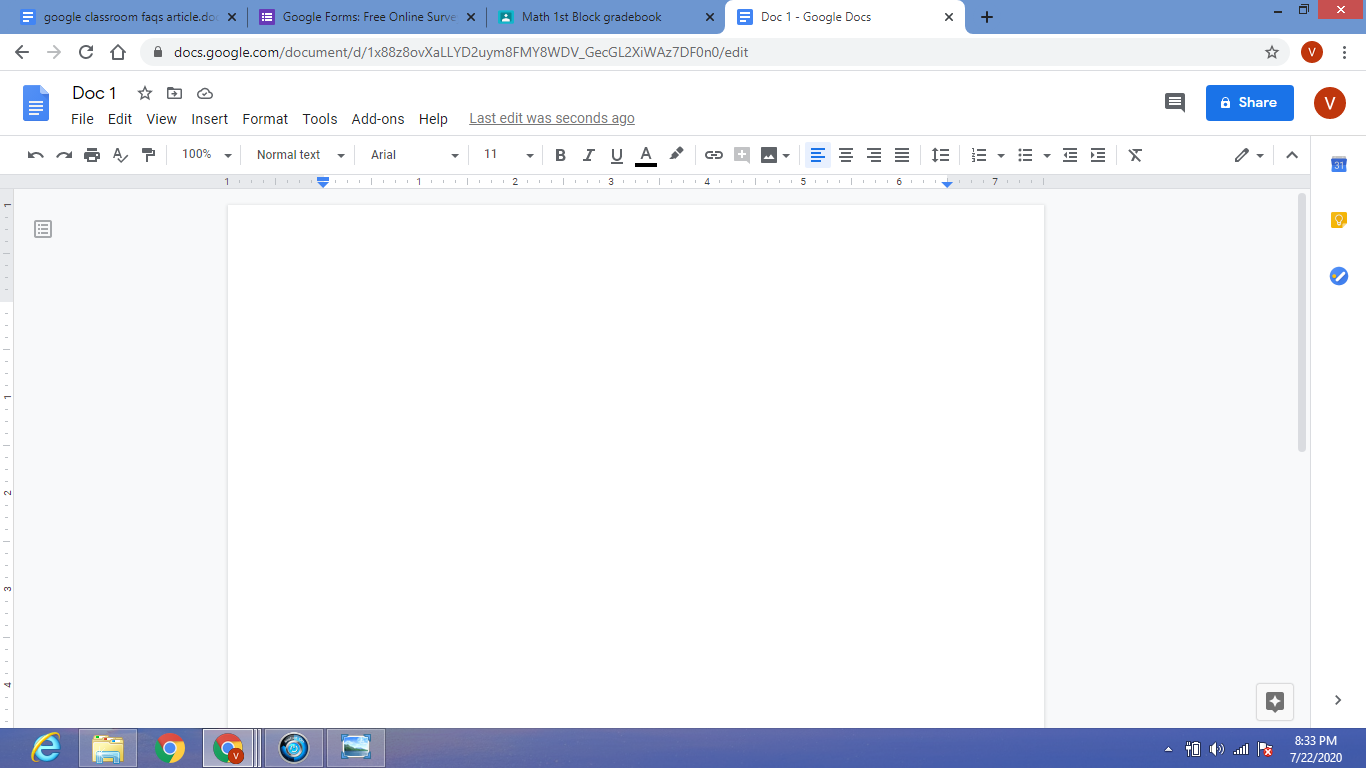
You can create professional-looking brochures using Google Docs, a free and versatile online word processor that allows you to collaborate with other people and save your work in the cloud. Here is how to make a brochure using Google Docs.

Step 1: Choose the Brochure Template

Google Docs offers several pre-designed brochure templates that you can customize to fit your needs. To access them, go to the Google Docs homepage and click on the Template Gallery icon (the one that looks like a blue box with a white star in it) on the right side of the screen. Alternatively, you can click on the “New Document” button and then select “From Template” from the dropdown menu.

In the Template Gallery, search for “brochure” or narrow down the search results by using the filters on the left (e.g., color, size, type). You can preview each template by clicking on it and see its details and instructions. Once you find a template that you like, click on the “Use Template” button to make a copy of it and start editing.

Step 2: Customize the Brochure

The template you chose is just a starting point for your brochure. You can change its text, images, colors, fonts, and layout to reflect your brand and messaging. To edit the template, simply click on the text boxes, images, or shapes and replace them with your own content. You can use the formatting tools at the top of the screen to change the font style, size, color, alignment, spacing, and effects.

To add your own images, click on the “Insert” menu and select “Image.” You can upload images from your computer, Google Drive, or search for them on the web. You can also crop or resize the images, add borders or shadow effects, and position them on the page. To change the color or style of the brochure, click on the “Background” option and pick a color, pattern, or image.

Step 3: Organize the Content

A brochure should have a clear and logical structure that guides the reader through the information and highlights the main points. To organize your content, use headings, subheadings, bullet points, or columns. You can also use icons, graphs, or charts to illustrate statistics, features, or benefits. Make sure that the text is readable and the visuals are relevant, high-quality, and sized correctly.

Step 4: Review and Share the Brochure

Before printing or sharing your brochure, take a moment to review it for spelling, grammar, and consistency. You can use the built-in spellchecker in Google Docs or ask a colleague or friend to proofread it. You can also preview how the brochure will look like in print by clicking on the “File” menu and selecting “Print Preview.”

To save and share the brochure, click on the “File” menu and select “Make a copy” or “Download” if you want to keep it on your computer. You can also share the brochure by clicking on the “Share” button and specifying the email addresses or the groups of people who should have access to it. You can choose whether they can only view it or edit it, and whether they need a Google account or not.

In conclusion, making a brochure using Google Docs is easy, free, and flexible. You can create a professional-looking brochure that showcases your business’s strengths and uniqueness without relying on expensive software or hiring a design team. With a bit of creativity and strategic thinking, you can make a brochure that speaks to your audience and drives your goals forward. 

Previous Article

How to Make a Bootable Windows 11 ...

Next Article

How to Make a Cell Phone Forward ...

Matthew Lynch

Related articles More from author

  • Digital & Mobile Technology

    How to Forget a Network on Mac

    June 9, 2023
    By Matthew Lynch
  • Digital & Mobile Technology

    Free Excel Templates to Help Manage Your Budget

    April 10, 2023
    By Matthew Lynch
  • Digital & Mobile Technology

    What is RAW Photography?

    June 2, 2023
    By Matthew Lynch
  • Digital & Mobile Technology

    How to Remap Your Xbox One Controller Buttons

    June 14, 2023
    By Matthew Lynch
  • Digital & Mobile Technology

    How to Unblock Someone on Instagram

    May 30, 2023
    By Matthew Lynch
  • Digital & Mobile Technology

    Google’s Super Bowl Ad Shows Off the Pixel 7’s Camera Tricks: Watch Here

    June 13, 2023
    By Matthew Lynch

Search

Login & Registration

  • Log in
  • Entries feed
  • Comments feed
  • WordPress.org

Newsletter

Signup for The Tech Edvocate Newsletter and have the latest in EdTech news and opinion delivered to your email address!

About Us

Since technology is not going anywhere and does more good than harm, adapting is the best course of action. That is where The Tech Edvocate comes in. We plan to cover the PreK-12 and Higher Education EdTech sectors and provide our readers with the latest news and opinion on the subject. From time to time, I will invite other voices to weigh in on important issues in EdTech. We hope to provide a well-rounded, multi-faceted look at the past, present, the future of EdTech in the US and internationally.

We started this journey back in June 2016, and we plan to continue it for many more years to come. I hope that you will join us in this discussion of the past, present and future of EdTech and lend your own insight to the issues that are discussed.

Newsletter

Signup for The Tech Edvocate Newsletter and have the latest in EdTech news and opinion delivered to your email address!

Contact Us

The Tech Edvocate
910 Goddin Street
Richmond, VA 23231
(601) 630-5238
[email protected]

Copyright © 2026 Matthew Lynch. All rights reserved.