Go Live on TikTok: Boost Your Engagement & Visibility Now!
“`html
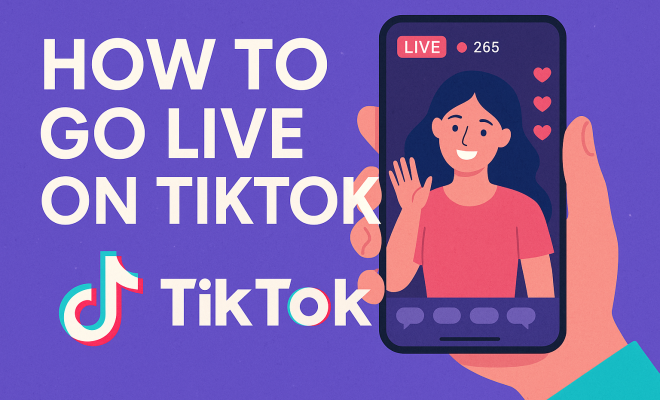
In recent years, TikTok has emerged as a social media powerhouse, captivating millions of users worldwide. One of its most engaging features is the ability to go live on TikTok, allowing creators to connect with their audience in real time. Whether you’re an aspiring influencer, a brand representative, or just someone wanting to share their creativity, going live can significantly boost your visibility and engagement. But how do you actually do it? Let’s break it down.
1. Understanding the Basics of TikTok Live
Before diving into the specifics of how to go live on TikTok, it’s crucial to understand what TikTok Live is all about. This feature allows users to broadcast live video streams to their followers, enabling real-time interaction through comments and gifts. Engaging with your audience in this manner can create a stronger connection and foster community.
Not everyone has access to TikTok Live immediately. As of now, you need to meet certain criteria to start a live stream. Specifically, you must be at least 16 years old to go live, and if you want to send virtual gifts to other creators, you must be 18 or older. This age restriction helps maintain a level of safety and responsibility on the platform.
In addition to age requirements, TikTok also monitors user engagement and activity to ensure that the platform maintains a positive environment. Users with a consistent posting history and genuine interaction with followers are more likely to gain access to the live feature sooner.
2. Setting Up Your Account
To prepare for a successful live stream, you need to ensure your TikTok account is set up correctly. First, if you haven’t already, download the TikTok app from the App Store or Google Play. Once you’ve created your account and gained some followers, you can explore the live feature.
To check if you have access to go live on TikTok, tap on the ‘+’ icon at the bottom of your screen, which you normally use to create a new video. If you see the option to ‘Live’ among your video options, congratulations! You’re ready to go live. If not, focus on building your follower count and engaging with your audience until you meet the requirements.
Don’t forget to customize your profile to reflect your personality or brand. A captivating profile picture and bio can help attract more followers, which will improve your chances of gaining access to the live feature sooner.
3. Preparing for Your Live Stream
Preparation is key when it comes to going live. Start by planning your content. Consider the following: What do you want to discuss? Are you hosting a Q&A, showcasing a talent, or perhaps doing a tutorial? Having a clear purpose will keep your audience engaged.
Additionally, think about your setting. Choose a well-lit area with minimal background noise. Good lighting will enhance your video quality, making it easier for viewers to see you clearly. If possible, use a tripod or stable surface to keep your phone steady during the stream, which will significantly improve the viewing experience.
Another vital aspect of preparation is familiarizing yourself with the TikTok Live interface. Before your official stream, consider doing a test run with friends or family to ensure everything works smoothly. This practice can help you feel more comfortable when it’s time to go live.
4. Best Practices for Engaging with Your Audience
Going live on TikTok is all about engagement. When you start your stream, greet your viewers and encourage them to leave comments or questions. Acknowledge them by name when they join or interact. This personal touch helps build a rapport and makes your audience feel valued.
Don’t forget to keep the conversation flowing! Ask your viewers questions, create polls, or involve them in discussions. This not only keeps them engaged but also encourages them to stay longer, increasing your overall viewership. (See: Learn more about TikTok.)
It’s also a good idea to plan some interactive activities in advance. For instance, you could set up a trivia game or a challenge related to your niche. This kind of activity invites viewers to participate actively and share the stream with their friends, potentially expanding your reach.
5. Technical Considerations
Aside from content, technical aspects play a crucial role in the success of your live streams. Before you hit the go live button, ensure your internet connection is stable. Streaming over Wi-Fi is generally more reliable than mobile data.
Consider testing your audio and video quality before going live. You can do this by recording a private video to see how you look and sound. Adjust your settings accordingly to ensure a smooth streaming experience. Poor audio or video quality can drive viewers away quickly.
Using headphones with a built-in microphone can also enhance sound clarity and reduce background noise, which is especially useful if you’re in a less-than-quiet environment. You might also want to invest in a good ring light or softbox to improve your lighting setup.
6. Using TikTok’s Features to Your Advantage
When you go live on TikTok, take advantage of the platform’s features. For instance, you can invite guests to join your live stream. This is a great way to collaborate with other creators, diversify content, and engage both your audiences.
Additionally, utilize the ability to create a title for your live stream. A catchy title can entice more viewers to join. Always remember to be descriptive but concise. Setting expectations helps draw in an audience that is genuinely interested in your content.
Another great feature is the ability to moderate comments. You can set up filters for inappropriate language or assign a trusted friend as a moderator during the stream to help manage comments, allowing you to focus on delivering your content rather than monitoring the chat.
7. Understanding TikTok Analytics
After your live stream, take the time to analyze your performance. TikTok provides insights into how your live streams perform, including viewer counts, engagement rates, and comments. This information can help you understand what works and what doesn’t.
Use this data to refine your future live streams. For example, if you notice that your audience tends to drop off after a certain amount of time, consider shortening your streams or changing your content strategy. Continuous improvement is key to building a loyal audience on TikTok.
Additionally, keep an eye on the demographics of your viewers. Knowing who your audience is can help you tailor future content to meet their interests and preferences, making your streams even more beneficial for both you and your viewers.
8. Promoting Your Live Stream
Just going live isn’t enough; you need to promote your stream beforehand to gather an audience. Utilize your other social media platforms to announce when you’ll be going live. Posting reminders a few hours or even a day in advance can build anticipation.
Engage with your audience leading up to your live stream. You can create teaser videos or polls on TikTok to get them excited. The more you involve your audience before the event, the more likely they are to tune in.
Consider collaborating with other creators for cross-promotion. By doing this, you can tap into their audience and potentially gain new followers who are interested in your content.
9. Common Mistakes to Avoid
While going live can be fun and rewarding, there are some common pitfalls to steer clear of. First, avoid reading comments while talking. This can disrupt your flow and distract from your content. Instead, prioritize your main message and interact with comments during breaks. (See: Safety guidelines for social media.)
Secondly, don’t forget to have fun! The live streaming environment can be nerve-wracking, but your energy translates to your audience. If you’re enjoying yourself, your viewers are more likely to enjoy the experience as well. Embrace the spontaneity of live interactions and don’t be afraid to show your personality!
Another mistake is underestimating the power of a good introduction. Starting your live stream with a clear, engaging introduction can set the tone for the rest of the session and grab your audience’s attention right away.
10. Content Ideas for Your Live Stream
Thinking of what to do during your live stream can be challenging. Here are some content ideas to keep your streams fresh and engaging:
- Live Tutorials: Share your skills in real time, whether it’s cooking, drawing, or makeup application. Demonstrating your process can help viewers learn while keeping them entertained.
- Q&A Sessions: Invite your followers to ask you anything. This is a great way to interact with your audience and share your knowledge on topics that matter to them.
- Behind-the-Scenes Looks: Show your followers what goes into making your content or what a day in your life looks like. This personal touch can help humanize your brand.
- Collaborative Streams: Partner with other TikTok creators to bring diverse viewpoints to your stream. This not only introduces your audience to new faces but can also expand your reach.
- Challenges: Engage with trending challenges or create your own. This can encourage participation from your viewers and can lead to fun, spontaneous moments.
- Live Performances: If you have a musical talent, consider performing live. This can captivate an audience and create a memorable experience for viewers.
- Fitness Sessions: If you’re passionate about fitness, host live workout sessions or yoga classes. Interactive fitness sessions can motivate your audience to join in and participate actively.
11. Going Live With Purpose
Having a clear intention behind your live stream can influence its success. Consider the following purposes:
- Building Community: Think about fostering a sense of belonging among your followers. Use your live stream to create an inclusive atmosphere where everyone feels welcome to participate.
- Brand Promotion: If you’re representing a brand, make sure to create content that showcases products or services naturally without coming off as overly promotional.
- Feedback Gathering: Use live streams to solicit feedback from your audience on your content, products, or services. This can improve your offerings while making your followers feel valued.
- Networking Opportunities: Going live can also serve as a networking opportunity. By inviting guest speakers or industry experts, you can provide your audience with valuable insights while expanding your professional connections.
12. Understanding Your Audience
Knowing your audience is essential for a successful live stream. Utilize TikTok’s analytics tools to gather insights about your followers. Pay attention to what content resonates the most with them. Are they more engaged during certain times of the day? Do they prefer specific topics? Understanding these nuances can help tailor your content to their preferences.
Additionally, consider conducting polls or surveys on your TikTok profile to directly ask your audience what they’d like to see in your live streams. This proactive approach can lead to higher engagement rates and more successful streams.
Encouraging feedback not only enhances your content but also builds loyalty among your audience. When viewers see that their opinions are valued, they’re more likely to continue supporting your streams in the future.
13. Maximizing Your Reach After Going Live
Once your live stream ends, don’t just let the content fade away. Share highlights on your TikTok feed or create short clips to post on other social media channels. This can attract viewers who missed the live event and create buzz for your next stream.
Additionally, consider creating a recap video where you summarize the key points or moments from your live session. This not only keeps your content alive but also allows you to reach new audiences who may not have been able to join live.
You could also engage with your audience post-stream by replying to comments and questions they may have left during the live session. This can continue the conversation and strengthen connections.
14. FAQs About Going Live on TikTok
What is the minimum follower count to go live on TikTok?
You need at least 1,000 followers to access the TikTok Live feature. This requirement helps ensure that live streams have a viable audience who are genuinely interested in the content. (See: Insights on TikTok Live feature.)
Can I go live with friends on TikTok?
Yes! TikTok allows you to invite friends or other creators to join your live stream. This can create a more dynamic viewing experience and can involve multiple perspectives on a topic.
What type of content performs best during live streams?
Content that encourages interaction tends to perform best. This includes Q&A sessions, tutorials, and behind-the-scenes looks. Engaging your audience with questions and discussions encourages them to stay longer.
How can I improve my stream quality?
To enhance stream quality, ensure you have a strong internet connection and optimal lighting. Test your audio and video settings before going live and consider using external microphones or cameras for better quality.
Is there a time limit for live streams on TikTok?
Currently, TikTok allows live streams to last up to 90 minutes. This provides ample time to engage with your audience, but it’s essential to keep the content interesting throughout the stream’s duration.
What should I do if I face technical issues during my live stream?
If you encounter technical issues, try to stay calm. Acknowledge the issue with your audience and inform them that you are troubleshooting. If possible, consider restarting the stream. Having a backup plan, like a pre-recorded video, can also help fill the gap if necessary.
How do virtual gifts work during live streams?
During your live stream, viewers can send you virtual gifts as a way of showing appreciation for your content. These gifts are purchased using TikTok coins, which can be converted into diamonds and ultimately into real money. Encouraging your audience to send gifts can enhance your earnings on the platform.
Can I save my live stream to share later?
After your live stream ends, TikTok gives you the option to save it to your device. This way, you can edit and repost the stream, allowing those who missed it to catch up on the content later.
Do I need a certain number of views to keep going live?
No, there’s no minimum view requirement to continue going live on TikTok. However, maintaining viewer engagement can help grow your audience over time.
Ultimately, knowing how to go live on TikTok can significantly enhance your social media presence. It’s not just about broadcasting; it’s about building connections, creating community, and enjoying the process. So, gear up, prepare your content, and get ready to engage with your audience!
“`
Trending Now
Frequently Asked Questions
How do you go live on TikTok?
To go live on TikTok, tap the '+' icon at the bottom of your screen. If you meet the age requirement of at least 16 years old and have enough followers, you will see the option to start a live stream. Ensure your account is set up properly to access this feature.
What are the requirements to go live on TikTok?
To go live on TikTok, you must be at least 16 years old. Additionally, to send virtual gifts, you need to be 18 or older. TikTok also considers your user engagement, so having a consistent posting history can help you gain access to the live feature sooner.
Can anyone go live on TikTok?
Not everyone can go live on TikTok. You need to be at least 16 years old, and you must have a sufficient number of followers. TikTok monitors user activity, so consistent engagement can increase your chances of accessing the live feature.
What is TikTok Live?
TikTok Live is a feature that allows users to broadcast live video streams to their followers, facilitating real-time interactions through comments and gifts. This feature helps creators connect more closely with their audience and build a community.
How can I prepare for a TikTok live stream?
To prepare for a TikTok live stream, ensure your account is properly set up and you have the TikTok app installed. Gain some followers and check for the live option by tapping the '+' icon. Engaging with your audience beforehand can also boost your live stream's success.
Have you experienced this yourself? We’d love to hear your story in the comments.