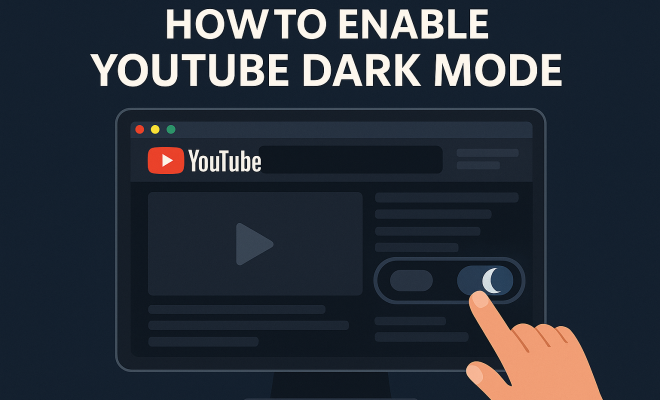
How to enable YouTube dark mode
“`html
The digital age has brought with it a wave of changes, and one of the most noticeable is how we consume content on platforms like YouTube. Among the various features that enhance the user experience, enabling YouTube dark mode stands out as a popular option. This feature has garnered attention not just for its aesthetic appeal but also for its many benefits. In this article, we’ll explore what YouTube dark mode is, why it’s beneficial, and a step-by-step guide on how to enable it on various devices.
1. Understanding YouTube Dark Mode
YouTube dark mode is a visual interface option that changes the background color of the YouTube app or website to dark gray or black. This feature is designed to reduce eye strain, especially in low-light environments, and provides a more immersive viewing experience. The dark theme not only looks sleek but can also help to conserve battery life on OLED screens.
Initially rolled out in 2017, YouTube dark mode was part of a series of updates aimed at enhancing user experience. For many users, particularly those who spend hours watching videos, dark mode has become a necessary feature. With eye health gaining more attention, dark mode options across various platforms have surged in popularity, making it vital for users to understand how to utilize this setting effectively.
2. Benefits of Using Dark Mode on YouTube
There are several compelling reasons to enable YouTube dark mode. First and foremost, it significantly reduces eye strain. Bright screens can be harsh on the eyes, especially in dark rooms. Dark mode provides a softer contrast to the surrounding environment, making it easier to watch videos without discomfort.
Additionally, dark mode can enhance battery performance on devices with OLED displays. Since black pixels are turned off on these screens, using dark mode can lead to prolonged battery life. Finally, many users simply prefer the aesthetics of dark mode, finding it more visually appealing and modern compared to the traditional bright interface.
Interestingly, studies suggest that dark mode may also improve focus and concentration. With fewer visual distractions, users often find it easier to immerse themselves in the content. This is particularly beneficial for students or professionals who use YouTube for educational purposes, as a better focus can enhance learning outcomes.
3. How to Enable YouTube Dark Mode on Desktop
Enabling YouTube dark mode on a desktop is straightforward. Here’s how you can do it:
- Open YouTube in your preferred web browser.
- Click on your profile picture in the top right corner.
- Select ‘Appearance’ from the dropdown menu.
- Choose ‘Dark theme’ to activate it.
Once activated, you’ll notice that the background changes to a darker shade, providing a more comfortable viewing experience. If you ever want to revert back to the light mode, you can simply follow the same steps and select ‘Light theme.’
It’s worth noting that if you’re using YouTube on a browser with extensions, some may interfere with dark mode settings. In such cases, disabling the extension temporarily can help restore dark mode functionality.
4. Enabling Dark Mode on Mobile Devices
Enabling YouTube dark mode on mobile devices is equally simple. Whether you’re using an Android or iOS device, follow these steps:
- Open the YouTube app on your mobile device.
- Tap on your profile icon in the top right corner.
- Select ‘Settings’ from the menu.
- Tap on ‘General,’ and then find the ‘Appearance’ option.
- Select ‘Dark theme’ to turn it on.
After you enable YouTube dark mode on your mobile device, you’ll enjoy the same benefits of reduced eye strain and a more visually appealing interface. Remember, you can toggle back to the light theme anytime by following the same steps.
For those who enjoy multitasking on their mobile devices, dark mode can make text easier to read while browsing through comments or searching for videos. The reduced glare allows for a smoother experience when switching between tasks within the app.
5. Enabling Dark Mode on Smart TVs and Streaming Devices
Many users enjoy watching YouTube on larger screens via smart TVs or streaming devices. The good news is that you can also enable dark mode in these settings. Here’s how:
- Open the YouTube app on your smart TV or streaming device.
- Navigate to the left-hand menu and scroll down to ‘Settings.’
- Look for ‘Theme’ or ‘Appearance’ options.
- Select ‘Dark Theme’ to enable it.
Each device may have slightly different navigation, so it’s worth checking the specific instructions for your device. Enabling dark mode on a larger screen not only enhances viewing comfort but also adds a touch of sophistication to your streaming experience. (See: benefits of dark mode for eye health.)
Moreover, this setting can be especially beneficial for families or groups watching together in a darkened room, as it minimizes distractions from bright screens which can disrupt the viewing ambiance.
6. Accessibility Features and Dark Mode
Accessibility is an essential aspect of modern digital platforms, and YouTube is no exception. Enabling YouTube dark mode aligns with the platform’s commitment to making content accessible to all users. Dark mode not only helps those with visual impairments but also serves users who may suffer from conditions like photophobia, where bright lights can cause discomfort.
Moreover, YouTube offers additional accessibility features, such as closed captions and screen reader compatibility, ensuring that all users can navigate and enjoy content. Incorporating dark mode is just one of the many ways YouTube is prioritizing inclusiveness in its design.
Furthermore, dark mode can assist users with dyslexia or other reading difficulties, as the softer contrast can improve text readability. By providing a comfortable viewing environment, YouTube enhances the overall experience for a diverse range of users.
7. Customizing Your YouTube Experience Beyond Dark Mode
While enabling YouTube dark mode is a great start, there are several other ways to customize your YouTube experience. Users can adjust playback settings, explore different quality options, and even create playlists to curate their favorite content.
Additionally, YouTube provides options for notifications, allowing users to stay updated on their subscribed channels. By tweaking these settings, you can tailor your YouTube experience to fit your preferences, ensuring a more enjoyable time watching videos.
Many users also take advantage of features like the “Watch Later” playlist, which allows them to save videos they’re interested in for later viewing. This can be particularly handy when browsing in dark mode, as it allows you to easily manage your content with minimal eye strain.
8. The Impact of Dark Mode on User Engagement
Research indicates that dark mode can positively affect user engagement. Many users find that a dark interface makes it easier and more enjoyable to spend extended periods on a platform. This trend has been evident across various apps and websites, contributing to a preference shift among users.
For YouTube, enabling dark mode may enhance retention rates, as users are more likely to stay engaged with content that doesn’t strain their eyes. This aspect is crucial for content creators who rely on viewer engagement to grow their channels and improve reach.
In fact, a survey from the Digital Media Association found that 78% of users reported increased satisfaction with their viewing experiences when using dark mode. This satisfaction can lead to longer watch times and increased interaction with content, further benefiting creators and advertisers alike.
9. Future of Dark Mode on YouTube
The future of dark mode and similar features on YouTube looks promising. As technology evolves, YouTube is likely to continue refining its interface to enhance user experience further. This may include additional themes or improved customization options that allow users to tailor their viewing experience even more.
Moreover, as user feedback continues to drive changes and improvements on the platform, it’s essential for YouTube to stay responsive to the needs of its audience. Features like dark mode are just the beginning of a more visually accessible future, making it easier for everyone to enjoy the diverse content available on YouTube.
As social media trends evolve, YouTube might also explore user-generated themes, enabling audiences to choose visual styles that resonate with their tastes. This could open up a new level of personalization that enhances the overall user experience.
10. Final Thoughts on Enabling YouTube Dark Mode
In conclusion, enabling YouTube dark mode is a simple process that can significantly enhance your viewing experience. Whether you’re watching late at night or in a dimly lit room, dark mode offers comfort for the eyes and extends battery life on OLED devices. With a growing focus on accessibility and user comfort, dark mode is more than just an aesthetic choice; it’s a practical feature for millions of users around the world.
If you haven’t yet tried it out, now’s the perfect time to enable YouTube dark mode and enjoy a more pleasant and immersive way to watch your favorite videos. So, go ahead and make the switch; your eyes will thank you!
11. Comparative Analysis: Dark Mode vs. Light Mode
In the ongoing debate of dark mode versus light mode, users often have strong preferences guided by their personal experiences and usage contexts. Here’s a breakdown of the key differences and potential advantages of each setting. (See: effects of screen brightness on vision.)
- Eye Strain: Dark mode is known to alleviate eye strain, particularly in low-light conditions. Conversely, light mode may be more suitable for well-lit environments, where a bright background can enhance readability.
- Battery Usage: For OLED screens, dark mode conserves battery by using less power on black pixels. On traditional LCDs, the difference in battery usage is negligible, making light mode equally functional.
- Content Consumption: Dark mode can be more immersive for video content, while light mode may help in situations where users need to interact with text-heavy content or perform detailed tasks.
Ultimately, the choice between dark and light mode comes down to user preference and context. Many users toggle between the two based on their environment and the time of day, and preferences can change based on the type of content being consumed.
12. Expert Insights on Dark Mode
Design experts have weighed in on the benefits of dark mode. According to Dr. William Wong, an optometrist specializing in visual ergonomics, “The contrast provided by dark mode reduces glare, making it easier for users to focus on content, especially during extended viewing sessions.”
Additionally, tech influencers have highlighted how dark mode aligns with user trends. “With more people consuming content at night or in dim settings, dark mode serves both aesthetic and practical purposes,” says Lisa Tran, a digital content creator.
These insights underline the significance of dark mode as a user-centric feature that addresses both comfort and functionality in a content-rich environment like YouTube.
Furthermore, behavioral psychologists emphasize the psychological impact of color schemes on mood and focus. Dark mode may foster a more relaxed viewing environment, thereby promoting prolonged engagement with content.
13. Statistics on Dark Mode Usage
Recent surveys and studies shed light on dark mode’s rising popularity:
- According to a 2023 user survey by Statista, over 70% of respondents prefer applications with a dark mode option.
- Research from Pew Research Center indicates that 56% of smartphone users have enabled dark mode on at least one of their applications.
- Furthermore, a study by the Nielsen Norman Group found that users reported increased satisfaction and longer viewing times when using dark mode in video applications.
The data reflects a shift in user preferences, highlighting the importance of platforms like YouTube to continue offering such features to meet consumer demands.
Interestingly, another study revealed that dark mode users are 30% more likely to recommend platforms that offer it, underscoring its importance in user retention and brand loyalty.
14. Frequently Asked Questions About YouTube Dark Mode
What devices support YouTube dark mode?
YouTube dark mode is available on various devices, including desktop computers, smartphones (both iOS and Android), smart TVs, and streaming devices. As long as the YouTube app or the website is up-to-date, you should be able to enable dark mode on these platforms.
Can I schedule dark mode to turn on automatically?
As of now, YouTube does not offer a built-in feature to schedule dark mode. However, some devices, like certain smartphones, allow you to set a system-wide dark mode that can be scheduled based on sunrise and sunset times.
Is enabling dark mode related to accessibility features?
Yes, enabling dark mode is a step toward enhancing accessibility for users with visual impairments or sensitivity to bright lights. It forms an integral part of YouTube’s ongoing efforts to provide a more inclusive viewing experience.
Will dark mode save battery life on all devices?
Dark mode primarily conserves battery life on devices with OLED screens. For LCD screens, the impact on battery life is less noticeable. However, using dark mode can still reduce overall strain on the eyes, making viewing more comfortable.
Can I enable dark mode on the YouTube Kids app?
Yes, the YouTube Kids app also supports dark mode. You can enable it following similar steps as the main YouTube app, ensuring a comfortable viewing experience for younger audiences. (See: importance of eye health awareness.)
What if I don’t see the dark mode option?
If you don’t see the dark mode option, ensure your app or browser is updated to the latest version. Sometimes, features are rolled out in phases, so if it’s not available yet, it may be in your app’s next update.
Can I disable dark mode quickly?
Yes, disabling dark mode is just as easy as enabling it. You can follow the same steps used to enable it and choose the light mode option to switch back to the traditional interface.
15. Community Feedback on Dark Mode
User feedback about dark mode has been overwhelmingly positive across social media platforms and forums. Many users express appreciation for the comfort it provides during late-night viewing sessions. YouTube’s community tab often features discussions about dark mode, with users sharing their preferences and experiences.
For instance, on Reddit, one user commented, “Dark mode has transformed my late-night YouTube binge-watching sessions! It feels much easier on my eyes.” Such sentiments reflect the growing trend of users advocating for dark mode as a standard feature across all platforms.
Additionally, platforms like Twitter serve as a hotspot for users sharing their thoughts on dark mode. Hashtags like #DarkMode and #YouTubeDarkMode have gained traction, indicating a community that values improved user experiences.
16. The Environmental Impact of Dark Mode
While the personal benefits of dark mode are clear, there’s also an environmental angle worth considering. By reducing battery consumption on OLED devices, dark mode can contribute to lower energy use overall. With the growing concerns around energy conservation and carbon footprints, every little bit helps.
According to the Energy Saving Trust, if more users enabled dark mode on their OLED devices, it could theoretically lead to a significant reduction in overall energy consumption. This makes dark mode not just a personal choice but also a step towards more sustainable technology usage.
17. Future Enhancements to Dark Mode
Looking ahead, YouTube might explore more customization features within dark mode. Users may soon be able to adjust brightness levels or choose from a selection of dark themes to better fit their personal preferences.
Integration with external services could also pave the way for sophisticated features. For instance, platforms could allow users to sync dark mode with their device’s night mode settings or even their circadian rhythms, enhancing not just comfort but overall well-being while using the platform.
As the digital landscape continues to evolve, the need for user-friendly features like dark mode will only increase. It’s evident that enabling YouTube dark mode is not merely a matter of aesthetics; it’s also about enhancing user comfort and accessibility, making it a valuable addition to the platform.
“`
Trending Now
Frequently Asked Questions
What is YouTube dark mode?
YouTube dark mode is a visual interface option that changes the background color of the YouTube app or website to dark gray or black. This feature aims to reduce eye strain in low-light environments and provides a more immersive viewing experience.
How do I enable dark mode on YouTube?
To enable dark mode on YouTube, go to your account settings, select 'Appearance,' and choose 'Dark theme.' This option is available on both the YouTube app and website, making it easy to adjust your viewing experience.
What are the benefits of using dark mode on YouTube?
Using dark mode on YouTube reduces eye strain, especially in dimly lit environments. It also conserves battery life on OLED screens and many users find the dark aesthetic more visually appealing.
Is dark mode better for your eyes?
Yes, dark mode can be better for your eyes, particularly in low-light settings. It reduces glare and provides a softer contrast, which helps minimize eye strain during extended viewing sessions.
When was YouTube dark mode introduced?
YouTube dark mode was initially rolled out in 2017 as part of a series of updates aimed at enhancing user experience. It has since become a popular feature among users who prefer a darker interface.
What’s your take on this? Share your thoughts in the comments below — we read every one.