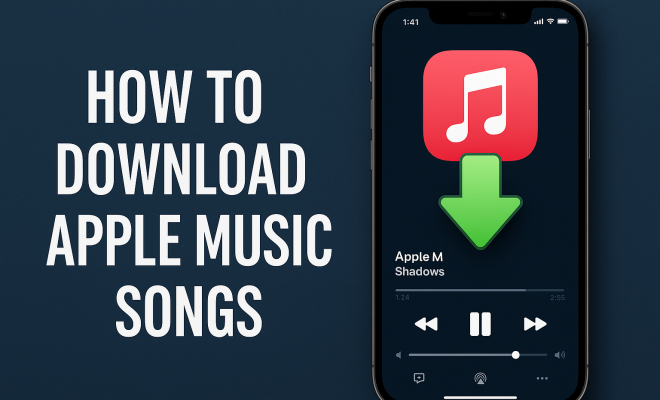
How to download Apple Music songs
“`html
In a world where streaming is king, being able to download Apple Music songs for offline listening is a game changer. Whether you’re commuting, working out, or just relaxing at home, having your favorite tracks available without an internet connection can enhance your experience. This piece will guide you through the most effective ways to download songs from Apple Music, ensuring you can access your tunes anytime, anywhere.
1. Understanding Apple Music: A Brief Overview
Before diving into the downloading process, it’s essential to understand what Apple Music is and the benefits it offers. Launched in June 2015, Apple Music quickly became a strong competitor in the streaming service arena. Boasting over 100 million songs, curated playlists, and exclusive content, users have a vast library at their fingertips.
Apple Music is subscription-based, meaning you have to pay a monthly fee to access its features. With a family plan, individual subscriptions, and even discounts for students, Apple ensures that there’s an option for everyone. Importantly, the service allows users to download songs for offline listening, a vital feature for many music lovers.
2. How to Download Apple Music Songs on iOS Devices
Using an iPhone or iPad? Downloading songs from Apple Music is straightforward. First, ensure you have an active Apple Music subscription. To download a song, simply follow these steps:
- Open the Apple Music app.
- Browse or search for the song or album you wish to download.
- Tap the plus (+) button next to the song to add it to your library.
- Once added, tap the download icon (a downward arrow) to save it for offline listening.
This process makes it easy to compile playlists and albums that you can enjoy without using your data plan.
3. Downloading Apple Music Songs on Mac and PC
If you’re using a Mac or PC, downloading music follows a similar process, though there are some variations depending on the operating system. For Mac users with macOS Catalina or later, you’ll use the Music app. For those with earlier versions or Windows users, the iTunes app is your go-to:
- Launch the Music app or iTunes.
- Search for your desired track or album.
- Click on the plus (+) button to add it to your library.
- Then, click the download icon to save the track to your computer.
Having your music library on multiple devices ensures you can enjoy your favorite songs whether you’re working on a project or relaxing at home.
4. Creating Playlists for Easy Downloads
One of the advantages of Apple Music is the ability to create custom playlists. Not only does this keep your music organized, but it also simplifies the downloading process. You can download entire playlists with just a tap:
- Open the Apple Music app and go to your library.
- Select the playlist you wish to download.
- Tap the download icon at the top of the playlist.
This method is particularly useful for travel, workouts, or any situation where you want a specific vibe without the hassle of searching for individual tracks.
5. Using Offline Listening Modes
Once you’ve downloaded songs, you’ll want to make sure you can access them easily when offline. Apple Music’s offline listening mode is designed for this purpose. After downloading music, you can turn on the “Offline Mode” feature:
- Go to your settings in the Apple Music app.
- Toggle the Offline Mode on. This will limit your library to only downloaded tracks.
This is perfect for saving battery life and ensuring you’re only listening to your saved songs when you’re out of range of Wi-Fi or cellular data.
6. Troubleshooting Download Issues
Sometimes you might encounter issues when trying to download Apple Music songs. Here are some common problems and solutions: (See: Apple Music overview on Wikipedia.)
- Not Enough Storage: If your device doesn’t have enough storage space, you won’t be able to download new songs. Check your available storage and delete unnecessary files or apps to clear space.
- Subscription Problems: Ensure your Apple Music subscription is active. If it’s expired, you’ll lose access to download new songs.
- Network Issues: Downloading requires a stable internet connection. If you’re having trouble, check your Wi-Fi or cellular connection.
Addressing these issues promptly can save you time and frustration, allowing you to enjoy your music without interruption.
7. Exploring Alternatives to Apple Music Downloads
If you find yourself dissatisfied with Apple Music’s features or limitations, there are alternative methods and services available for downloading music. Services like Spotify and Amazon Music provide similar functionalities, each with unique features catering to different audiences.
Additionally, you can consider music conversion software that allows you to download music from various streaming platforms. However, it’s crucial to ensure you’re not violating any terms of service or copyright agreements when using third-party software.
8. Apple Music vs. Other Streaming Services
When it comes to music streaming, there are several platforms available, each with its strengths and weaknesses. Understanding these differences can help you choose the one that best suits your needs.
Spotify is one of the major competitors to Apple Music. It offers a free tier, allowing users to access music with ads, which can be appealing for those who don’t want to commit financially. However, the paid version offers fewer restrictions compared to Apple Music. Spotify’s algorithm is also praised for its personalized playlists and discovery features.
Amazon Music is another strong contender. If you’re an Amazon Prime member, you already have access to a substantial library of songs without any additional cost. For heavy users, Amazon Music Unlimited offers a vast selection similar to Apple Music. One feature worth noting is its integration with Alexa devices, which can enhance your listening experience through voice commands.
When comparing these platforms, it’s essential to consider factors like music library size, audio quality, user interface, and exclusive content. For instance, Apple Music often secures exclusive album releases or artist collaborations that aren’t available on other platforms. If you’re a fan of pop culture and big-name artists, this could sway your decision.
9. How to Manage Your Downloaded Music
Managing your downloaded music effectively is crucial, especially if you have a large library. Here are some tips to keep your music organized and accessible:
- Regularly Update Playlists: As your musical taste evolves, don’t forget to refresh your playlists. Remove songs you no longer listen to and add new tracks that appeal to you.
- Utilize the “Recently Added” Feature: Apple Music has a feature that allows you to quickly access the songs you’ve added recently. This is handy when you want to revisit new music or keep your playlist dynamic.
- Use Folders: If you’re someone who enjoys various genres, creating folders can help segment your music into categories. For instance, you can have folders for workout playlists, relaxing music, or party anthems.
10. Understanding Apple Music’s Family Plan
Apple Music’s family plan is a great option for households with multiple music lovers. It allows up to six family members to share one subscription for a monthly fee. Each family member gets their own personal music library, so everyone’s preferences are kept separate.
To set up a family plan:
- Open the Music app.
- Go to settings and select Subscriptions.
- Choose the Family Plan option.
- Follow the prompts to invite family members to join.
This plan is not only cost-effective but also encourages family bonding over music, allowing different tastes to coexist peacefully in one household.
11. Expanding Your Musical Horizons
One of the joys of using a streaming service like Apple Music is discovering new music. Here are some ways to expand your musical horizons:
- Explore Curated Playlists: Apple Music offers a variety of playlists put together by music experts. From “Today’s Hits” to “Classic Rock Essentials,” these playlists can help you find genres and songs you might not have considered.
- Follow Artists and Influencers: Following your favorite artists can keep you updated about their latest releases. Additionally, influencers often share their music preferences, which can introduce you to new genres or tracks.
- Participate in Music Challenges: Engaging with music challenges on social media platforms can lead to discovering hidden gems. Whether it’s a hashtag for a specific genre or a viral trend, this can be a fun way to learn about new artists.
12. Frequently Asked Questions (FAQ)
1. Can I download Apple Music songs on a Windows PC?
Yes, you can download Apple Music songs on a Windows PC using iTunes. Make sure you’re logged into your Apple Music account, search for the songs or albums you want, and click the download icon.
2. How many songs can I download with my Apple Music subscription?
With an Apple Music subscription, you can download up to 100,000 songs for offline listening on your devices. (See: CDC Youth Risk Behavior Survey.)
3. Will downloaded songs expire?
Yes, downloaded songs can expire if your subscription lapses or if you don’t connect to the internet at least once every 30 days. Make sure to renew your subscription to maintain access to your downloaded music.
4. Can I transfer my downloaded songs to another device?
No, downloaded Apple Music songs are encrypted and can only be played within the Apple Music app on your authorized devices. However, you can sync your library across devices using the same Apple ID.
5. What happens if I delete a downloaded song?
If you delete a downloaded song, it will remove it from your device but not from your library. You can always redownload it as long as you have an active subscription.
6. How can I manage my downloaded music storage?
You can manage your downloaded music storage by going to the Settings in the Apple Music app. From there, you can choose to delete music you no longer listen to, or check how much space your downloads are taking up.
7. Is there a way to download songs from Apple Music without a subscription?
Downloading songs from Apple Music without a subscription is not possible. Apple Music songs are protected by DRM (Digital Rights Management) and require an active subscription to download for offline listening.
8. Can I listen to downloaded Apple Music songs on other music apps?
No, downloaded Apple Music songs are locked to the Music app and cannot be played on other music apps due to encryption. If you want to use other music apps, you would need to purchase those songs through a different service.
9. What should I do if I encounter a “song not available” message?
If you see a “song not available” message for a downloaded song, it may be due to licensing issues or if the song has been removed from the Apple Music library. In such cases, you might need to search for the song again or find an alternative track.
10. Are there any limitations when downloading Apple Music songs?
Yes, there are limitations. You can only download songs for offline listening as long as your subscription is active, and you need to connect to the internet at least once every 30 days to maintain access to your downloaded music.
11. Can I share my downloaded songs with friends?
No, you cannot share your downloaded Apple Music songs with friends. The downloaded songs are tied to your Apple ID and cannot be transferred or shared due to copyright restrictions.
12. What happens to my downloaded songs if I cancel my subscription?
If you cancel your subscription, you will lose access to all downloaded songs. They will become unavailable for playback until you resubscribe to Apple Music.
In summary, knowing how to download Apple Music songs can significantly enhance your listening experience, providing easy access to your favorite tracks whenever and wherever you want. From navigating the app on different devices to troubleshooting common issues, being informed empowers you to make the most of your Apple Music subscription. Enjoy your music journey, and don’t hesitate to explore new playlists and artists along the way!
13. Understanding Apple Music’s Exclusive Content
One of the standout features of Apple Music is its exclusive content. Apple Music often collaborates with artists to release exclusive albums, tracks, or even music videos. This can be a huge draw for fans who want access to content that isn’t available on other streaming platforms. For instance, if an artist decides to release their new album exclusively on Apple Music for a limited time, subscribers get a unique opportunity to enjoy the music before it becomes available elsewhere. (See: New York Times article on Apple Music.)
Moreover, Apple Music has a series of original shows and documentaries that delve into artists’ lives, providing a behind-the-scenes look at the music industry. These exclusive pieces often feature interviews, live performances, and personal insights, making them a valuable addition to the platform. For music lovers, this can enhance their connection to the music and artists they love.
14. Enhancing Your Apple Music Experience with Siri
If you’re an Apple user, integrating Siri into your Apple Music experience can elevate how you interact with the app. You can use voice commands to play songs, albums, or playlists without needing to search manually. Simply say, “Hey Siri, play my workout playlist,” and Siri will do the rest.
You can also ask Siri for recommendations based on your listening habits. For instance, asking, “Hey Siri, what should I listen to?” can lead to personalized suggestions that suit your taste. This hands-free approach is convenient, especially while driving or when your hands are full.
15. How to Discover New Music on Apple Music
Apple Music is not just about downloading songs; it’s also a powerful platform for discovering new music. Here’s how you can uncover new tracks:
- For You Section: This personalized section curates music recommendations based on your listening habits. You can find new albums, playlists, and songs tailored to your tastes.
- Radio Stations: Apple Music provides a variety of radio stations, including genre-specific and artist-based stations. Tuning into these stations can help you discover tracks you might not have encountered otherwise.
- Trending Playlists: Regularly updated playlists showcase the latest hits and emerging artists. Keeping an eye on these can ensure you’re always in the loop with new releases.
16. Music Sharing Features in Apple Music
Apple Music allows users to share their favorite tracks and playlists with friends and family easily. You can create a shared playlist that multiple users can edit, making it a fun way to collaborate on a music collection. To create and share a playlist:
- Create a new playlist in the Apple Music app.
- Add your favorite tracks to the playlist.
- Tap the share icon to send it to your friends via text, email, or social media platforms.
This feature fosters a sense of community and allows users to bond over shared musical interests, making music a collective experience.
17. The Future of Music Streaming
As music streaming continues to grow, services like Apple Music are evolving to meet the needs of their users. Industry experts predict that the future could see more integration of artificial intelligence to curate even more personalized music experiences. Imagine getting real-time recommendations based on your mood or the time of day!
Additionally, as technology advances, the quality of streaming audio is expected to improve. Apple Music has already introduced lossless audio and spatial audio features, setting a standard for sound quality. The goal is to make music as accessible and high-quality as possible, allowing users to enjoy every note as intended by the artists.
Staying informed about these trends can help you make the most of your Apple Music subscription and keep your listening experience fresh and exciting.
“`
Trending Now
Frequently Asked Questions
How do I download songs from Apple Music?
To download songs from Apple Music, open the app, find the song or album you want, tap the plus (+) button to add it to your library, and then tap the download icon (a downward arrow) to save it for offline listening.
Can I download Apple Music songs to my computer?
Yes, you can download Apple Music songs to your Mac or PC. Open the Apple Music app, find the song or album, add it to your library, and then click the download icon to save it for offline use.
Do I need an Apple Music subscription to download songs?
Yes, an active Apple Music subscription is required to download songs. The service offers various plans, including individual, family, and student options, allowing users to access and download music for offline listening.
What devices can I use to download Apple Music songs?
You can download Apple Music songs on iOS devices like iPhones and iPads, as well as on Mac and PC. Simply follow the steps in the app to save your favorite tracks for offline listening.
Is it possible to listen to Apple Music offline?
Yes, Apple Music allows you to listen offline by downloading your favorite songs and albums. This feature is essential for enjoying music without an internet connection during commutes or workouts.
Agree or disagree? Drop a comment and tell us what you think.