How to create footnotes in Google Docs
“`html
Whether you’re drafting a research paper, an academic essay, or just a detailed report, footnotes play a crucial role in providing clarity and context to your readers. In the digital age, using tools like Google Docs can simplify the task of creating footnotes. If you’re looking to create footnotes in Google Docs, this guide will walk you through the process step-by-step, while also exploring the significance and best practices related to footnotes.
1. Understanding Footnotes: The Basics
Footnotes are annotations placed at the bottom of a page in a document, providing additional information about a reference or citation. They can include explanations, comments, or citations, giving readers a deeper understanding without cluttering the main text. This is particularly useful in academic writing where sources must be cited, or in any writing where complex ideas need further clarification.
The practice of using footnotes dates back centuries, with the term itself derived from the Latin word ‘foot’, referring to the bottom of a page. Today, footnotes are a standard element in many forms of writing, especially in research and scholarly articles. They help maintain the flow of the main text while allowing for the inclusion of pertinent details that would otherwise disrupt the narrative.
2. Why Use Footnotes?: The Advantages
Incorporating footnotes into your documents serves several important purposes. Firstly, they enhance the reader’s understanding by allowing for expanded discussions on certain points without detracting from the primary narrative. Secondly, footnotes can help maintain academic integrity by properly attributing ideas and data to their original sources.
Moreover, footnotes can improve the overall aesthetic of your document. Instead of cluttering your paragraphs with citations or lengthy explanations, footnotes keep your writing clean and organized. This is especially valuable in lengthy academic papers, where the sheer volume of citations can overwhelm the main argument if included inline.
Another significant advantage of footnotes is their ability to guide readers who may not be familiar with the subject matter. For example, if you mention a specific theory or concept, a footnote can provide a brief explanation or refer them to additional resources without interrupting the flow of your argument.
3. How to Create Footnotes in Google Docs: A Step-by-Step Guide
Creating footnotes in Google Docs is an intuitive process. Here’s how you can do it:
- Open Your Document: Start by opening the Google Docs document where you want to add footnotes.
- Insert Footnote: Navigate to the place in your text where you want the footnote to appear. Go to the top menu, click on Insert, and then select Footnote. Alternatively, you can use the keyboard shortcut Ctrl + Alt + F (Windows) or Command + Option + F (Mac).
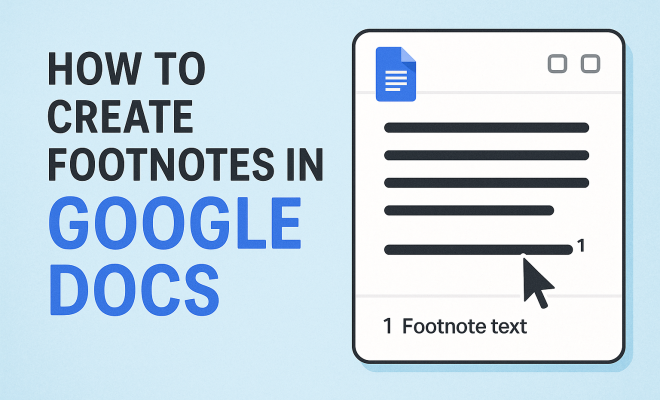
- Type Your Footnote: Once you insert the footnote, your cursor will automatically jump to the bottom of the page where a footnote number has been created. Here, you can type the information that you want to provide as a footnote.
- Repeat as Needed: You can repeat this process for additional footnotes throughout your document. Each time you insert a footnote, Google Docs automatically numbers them sequentially.
Footnotes in Google Docs are dynamic; if you delete or move a footnote, the numbering will adjust automatically. This feature is particularly helpful for lengthy documents where footnotes are plentiful.
4. Formatting Footnotes: Best Practices
While Google Docs automatically formats footnotes for you, understanding some best practices can enhance their effectiveness. Footnotes should be concise and relevant, providing just enough information to clarify or supplement the main text. Aim for a balance: if a footnote becomes too lengthy, consider whether that information might be better placed in the body of the text.
Additionally, maintain a consistent format for citations within your footnotes. If you’re using MLA, APA, or Chicago style, ensure that each footnote adheres to the guidelines specific to that format. Consistency not only aids clarity but also enhances the professionalism of your document.
Consider also the use of numbering in footnotes. Typically, footnotes are numbered sequentially throughout the document. However, in some cases, you may want to use symbols (like asterisks) for distinguishing footnotes from endnotes, depending on your audience’s familiarity with the subject material.
5. Editing and Managing Footnotes: Tips for Efficiency
As your document evolves, you may need to edit or adjust footnotes. Google Docs makes this easy. To edit a footnote, simply click on the footnote number in the text, and it will take you directly to the footnote at the bottom of the page where you can make your changes. (See: Footnote definition and usage.)
If you need to delete a footnote, just remove the number from the main text. Google Docs will automatically renumber the remaining footnotes. This helps to keep your document organized and prevents any confusion in footnote referencing.
Beyond simple edits, organizing your footnotes can enhance clarity. Grouping related footnotes together or providing thematic footnotes can help streamline complex documents. For instance, if multiple footnotes pertain to the same source, consider summarizing that information in one comprehensive footnote for brevity.
6. Using Endnotes vs. Footnotes: When to Choose What
While footnotes appear at the bottom of a page, endnotes are gathered at the end of a chapter or document. Deciding between footnotes and endnotes depends on the context of your writing. For quick clarifications or brief citations, footnotes are ideal as they allow readers to refer back to the relevant information without having to flip pages.
On the other hand, if you have extensive commentary or citations that could distract from the main text, consider using endnotes. They can provide a cleaner layout for larger documents, such as thesis papers or books, where keeping the reader focused on the main narrative is crucial.
Ultimately, the choice can also be influenced by the academic discipline you are writing for. In humanities, footnotes are often preferred for their immediacy, while in sciences, endnotes may be more common due to the density of references and data.
7. Common Mistakes to Avoid: Ensuring Clarity
When creating footnotes, there are several common pitfalls to avoid. One of the biggest mistakes is neglecting to check that your footnotes are properly formatted. Inconsistent citation styles can confuse readers and detract from the credibility of your work.
Another mistake is filling footnotes with excessive information. Remember, footnotes are meant to enhance the reader’s understanding, not overwhelm them. Keep footnotes succinct, and ensure that the information is directly relevant to the text it supplements. Lastly, do not forget to proofread your footnotes; typos and errors can undermine your professionalism.
Be cautious about reliance on footnotes for your main arguments. They should complement your text, not replace substantive content. Overusing footnotes may also signal to your readers that the main text lacks depth or clarity.
8. Using Footnotes in Collaborative Projects: Google Docs Advantages
One of the standout features of Google Docs is its collaborative capabilities. When working in teams, footnotes can be particularly useful for providing context without derailing discussions. Each collaborator can add their own footnotes, making it easy to track different points of view or sources.
Moreover, since Google Docs allows real-time editing, you can see how footnotes are adjusted or revised as the document evolves. This feature is essential for maintaining clarity and coherence in collaborative documents, as it ensures that all contributors are on the same page regarding citations and explanations.
In collaborative projects, establishing guidelines for footnote usage can help streamline the process. Consider creating a shared document that outlines how footnotes should be formatted, what types of information should be included, and who is responsible for compiling them.
9. Footnotes in Various Fields: Tailoring Your Approach
Different fields have unique conventions regarding footnotes, and it’s important to tailor your approach based on the specific audience and purpose of your document. In the humanities, for instance, footnotes often contain extensive commentary and analysis, whereas in scientific writing, they may serve strictly as references or brief annotations.
For legal documents, footnotes can be critical for citing case law or statutes. It’s common for legal writers to use footnotes extensively, as they often require precise citations to support their arguments. Understanding these nuances can help you create more effective footnotes that resonate with your intended readers. (See: Importance of footnotes in health writing.)
When writing for online platforms, footnotes can also be adapted for hyperlinked references, allowing readers to click directly to sources without leaving the document. This approach is increasingly common in digital journalism and blogging, where brevity and immediate access to information are key.
10. FAQs About Creating Footnotes in Google Docs
What is the main purpose of footnotes?
The main purpose of footnotes is to provide additional information, context, or citations related to specific parts of your text. They help maintain the flow of the main narrative while still offering readers valuable insights.
Can I change the numbering style of footnotes in Google Docs?
No, Google Docs automatically numbers footnotes sequentially. However, you can choose to use symbols instead of numbers for footnotes by manually inserting them, though this requires extra formatting.
Are there any limits to the number of footnotes I can use in Google Docs?
There are no specific limits to the number of footnotes you can use in Google Docs. However, be mindful of overloading your document with footnotes, as this can overwhelm readers and dilute the impact of your writing.
How do I convert footnotes to endnotes in Google Docs?
Currently, Google Docs does not have a built-in feature to automatically convert footnotes to endnotes. You would need to copy the text from the footnotes and paste them into an endnote section at the end of your document, then delete the original footnotes.
Can I use footnotes in Google Docs on mobile devices?
Yes, you can create and edit footnotes in Google Docs on mobile devices. The interface is slightly different, but the process is similar. Tap on the text where you want the footnote, select the option to insert footnote, and type your content.
What will happen to my footnotes if I share my Google Doc?
When you share your Google Doc, all footnotes will remain intact and accessible to the readers. They will see the footnote references in the text and can click to view the corresponding notes at the bottom of the page.
11. Comparing Footnotes and Inline Citations: Pros and Cons
When it comes to academic writing, authors often face the choice between footnotes and inline citations. Both methods serve the purpose of providing references, but they come with their own set of advantages and disadvantages.
Using footnotes can lead to a cleaner reading experience as they keep the main text free from clutter. This is particularly useful in lengthy documents where seamless reading is paramount. However, some readers may find it disruptive to constantly glance down at the bottom of the page. In contrast, inline citations allow readers to see references immediately without needing to shift their focus, although this can interrupt the flow of reading.
When deciding which to use, consider your audience and the conventions of your field. For example, humanities often favor footnotes for their detailed commentary, while social sciences might prefer inline citations for their straightforwardness.
12. Footnotes in Digital Publishing: Trends and Innovations
The digital landscape has transformed how footnotes are used in publishing. With the advent of eBooks and online articles, footnotes can be hyperlinked, allowing readers to access sources with a simple click. This innovation not only enhances user experience but also encourages deeper engagement with the material. (See: Harvard's writing resources.)
Furthermore, digital publishing allows for multimedia integration in footnotes. Authors can include videos, images, or interactive elements in their notes, offering readers a richer context. This is particularly beneficial in fields like education and journalism, where the ability to present complex information dynamically is crucial.
As digital formats continue to evolve, we may see even more creative uses of footnotes that enhance not only academic rigor but also accessibility and engagement for diverse audiences.
13. Tips for Effective Footnote Writing: Making the Most of Your Notes
Writing effective footnotes is a skill that can significantly enhance your documents. Here are several tips to consider:
- Be Specific: Ensure your footnotes directly address the point made in the main text. Vague or generic footnotes can confuse readers and detract from the clarity of your writing.
- Use Clear Language: Avoid jargon or overly complex sentences in your footnotes. Aim for clarity, as footnotes are often read quickly.
- Limit Length: Keep footnotes brief. If more detailed information is necessary, consider if it’s appropriate to include that information in the main text instead.
- Maintain Relevance: Only include footnotes when they add value. If a note doesn’t enhance understanding, it might be better to remove it.
- Check for Errors: Just like any section of your document, footnotes should be proofread. Typos or incorrect citations can undermine your credibility.
14. Footnotes as a Learning Tool: Enhancing Reader Engagement
Footnotes aren’t just for citations; they can also serve as effective learning tools. By providing additional context or definitions, footnotes can help readers grasp complex concepts more easily. For instance, if you’re discussing a term that may not be familiar to all readers, a footnote can succinctly explain it without interrupting your argument.
In educational materials, well-crafted footnotes can facilitate self-paced learning. Students can choose to delve deeper into specific topics based on their interests, which can lead to a more engaged and interactive learning experience.
Consider incorporating footnotes into your writing as a means to foster curiosity. Rather than simply citing sources, use footnotes to pose questions or suggest further reading, encouraging readers to explore the subject matter beyond your text.
15. Conclusion: Mastering Footnotes for Better Writing
Mastering how to create footnotes in Google Docs is an invaluable skill for anyone involved in writing, research, or academia. By effectively using footnotes, you can enhance the clarity and professionalism of your documents, making them more accessible and informative for readers.
As you incorporate footnotes into your work, remember to focus on clarity, consistency, and relevance. With practice, you’ll find that footnotes not only improve the quality of your writing but also enrich the reader’s experience. As the landscape of writing evolves, staying informed about effective practices and innovations will ensure your work remains engaging and credible.
“`
Trending Now
Frequently Asked Questions
How do you insert footnotes in Google Docs?
To insert footnotes in Google Docs, place your cursor where you want the footnote number to appear. Then, go to the 'Insert' menu and select 'Footnote.' Google Docs will automatically add a number and create a corresponding space at the bottom of the page for your footnote text.
What is the purpose of footnotes?
Footnotes serve to provide additional information, citations, or explanations without cluttering the main text. They enhance reader understanding, maintain academic integrity by attributing sources, and improve document aesthetics by keeping lengthy explanations out of the main narrative.
Can you edit footnotes in Google Docs?
Yes, you can edit footnotes in Google Docs. Simply click on the footnote number in the text or the footnote itself at the bottom of the page to modify the content. Changes will automatically reflect in both locations.
Are footnotes the same as endnotes?
No, footnotes and endnotes are different. Footnotes appear at the bottom of the page, while endnotes are collected at the end of a chapter or document. Both serve similar purposes, but their placement varies based on the writer's preference or style guidelines.
How do you format footnotes in Google Docs?
In Google Docs, footnotes are automatically formatted with a superscript number in the text and a corresponding note at the bottom. You can change the font style, size, and alignment of the footnote text just like any other text in your document.
Have you experienced this yourself? We’d love to hear your story in the comments.