Copy Trello Boards: Boost Productivity & Workflow
“`html
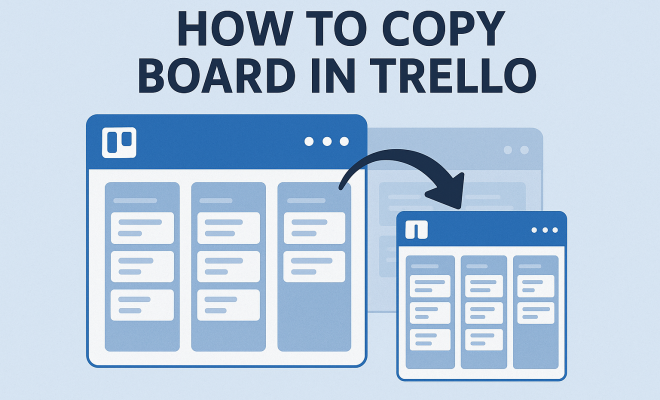
Trello has carved a niche for itself as a versatile project management tool, allowing individuals and teams to organize tasks and projects seamlessly. One useful feature that many users find invaluable is the ability to copy a Trello board. Whether you’re looking to replicate a successful project for future use or create a template that can be reused across various initiatives, understanding how to copy a Trello board can enhance your productivity and streamline workflows. This guide delves deep into the steps and implications of copying a Trello board.
1. Why Copying a Trello Board Matters
Copying a Trello board isn’t just about duplicating lists and cards; it’s about efficiency and consistency. Whether you’re managing multiple projects or collaborating with different teams, having the capability to replicate an entire board saves time and effort. It ensures that all vital components—checklists, due dates, attachments, and comments—transfer seamlessly, allowing for smooth transitions in project management.
Moreover, copying boards can be a strategic way to maintain consistency across projects. For teams that frequently handle similar tasks, creating a template board can ensure that everyone adheres to the same processes, standards, and expectations. This not only enhances productivity but also fosters a cohesive team environment.
2. Basic Steps to Copy a Trello Board
The process of copying a Trello board is intuitive and user-friendly. Here’s a straightforward breakdown of the necessary steps: For more on this, see improving IT project management.
- Open the board you want to copy.
- Click on the board’s title to access the board menu.
- Select Show Menu.
- Click on More to find additional options.
- Choose Copy Board.
- Provide a new name for the copied board, and select any additional options you wish to include, such as retaining members and background settings.
- Finally, click Create Board to complete the process.
This step-by-step guide illustrates just how simple it is to copy a Trello board quickly. With just a few clicks, you can ensure that all your essential elements are preserved.
3. What Gets Copied?
When you copy a Trello board, it’s crucial to know what exactly transfers over to the new board. Generally, the following items are duplicated:
- All lists: Your lists will remain intact in the new board.
- Cards: All cards within those lists will be copied, maintaining their descriptions, comments, and attachments.
- Checklists: Any checklists you have on your cards will also be duplicated.
- Due dates: Existing due dates will transfer over, keeping timelines consistent.
However, it’s worth noting that some elements do not copy over. For example, comments and card activity history do not carry over to the new board. Understanding these nuances can help you decide how best to utilize the copied board, whether for similar projects or as a reusable template.
4. Using Copied Boards as Templates
Creating templates from copied boards is one of the most effective uses of this feature. A template board can serve as a foundational blueprint for projects with similar structures. For instance, if your team frequently organizes marketing campaigns, you can create a board that includes all the necessary lists, like ‘Planning,’ ‘Execution,’ and ‘Review.’
To enhance the functionality of your template, consider incorporating checklists for standard tasks, due dates for major milestones, and even labels to categorize tasks. Once you have your ideal template set up, copying it for future projects becomes a breeze. Simply duplicate the template board, modify it as needed, and you’re ready to go!
5. Managing Permissions and Visibility
One important aspect to consider when copying a Trello board is how permissions and visibility are handled. When you create a copy, the board inherits the privacy settings of the original. This means that if the original board is private, the copied board will remain private, and only those who were members of the original board will have access.
However, you can modify the visibility settings during the copying process. You can opt to make the board public or change it to a workspace-visible board, depending on your needs. Being mindful of these settings is vital, particularly if you’re dealing with sensitive information or project details that require a specific level of confidentiality. (See: Project management overview on Wikipedia.)
6. Advanced Copying Techniques
For users looking to maximize their Trello experience, there are advanced techniques to consider when copying boards. One such method involves using automation tools like Trello’s Power-Ups. By integrating Power-Ups like Butler, you can set rules that automatically copy boards upon certain triggers, such as project completion or a set date.
This approach not only streamlines processes but also reduces the chances of human error. Imagine having a system that automatically creates a new board for each project cycle—this is the kind of efficiency that can significantly benefit teams managing multiple projects simultaneously.
7. Common Issues and Troubleshooting
While copying a Trello board is generally straightforward, users might encounter common issues. One frequent concern is the loss of comments and activity history. Since these elements do not transfer, it can be disheartening to lose context. A solution to this is to create a summary or a documentation card on the original board before copying. This ensures that critical discussions or decisions are not lost in the transition.
Additionally, users have reported confusion when it comes to permissions. If team members are unable to access the copied board, it’s often due to oversight in visibility settings. Always double-check these settings after creating a new board to ensure all relevant members can access the necessary information.
8. Best Practices for Copying Trello Boards
To make the most out of copying Trello boards, consider implementing some best practices. First, always give your copied boards clear and descriptive names. This helps you and your team quickly identify the purpose of each board without digging through layers of ambiguity.
Additionally, regularly review and refine your templates. As projects evolve, so should your boards. Periodically assess whether your templates are still relevant and make adjustments to reflect any new processes, tools, or insights. This not only keeps your workflow efficient but also empowers team members to utilize the best practices.
9. The Future of Trello Board Copying
The ability to copy a Trello board is just one of the many features that highlight Trello’s adaptability in project management. As more users migrate to digital workspaces, the demand for efficient tools will only increase. Trello is likely to enhance its features, including board copying, to meet these evolving needs.
In the future, we might see more advanced functionalities such as enhanced copying options that allow users to select specific elements to be copied, or even AI-driven suggestions for board modifications based on past performance. Staying ahead in the project management game means adapting to new tools and features as they emerge, making it essential for users to keep abreast of updates and enhancements in Trello.
In summary, mastering the art of copying Trello boards can significantly boost your productivity and project management skills. By understanding its functionalities, utilizing templates, and incorporating best practices, you can ensure that you and your team are set up for success in every project. Related reading: top project management apps.
10. Real-World Examples of Copying Trello Boards
Understanding the practical applications of copying a Trello board can greatly enhance your strategic planning. Here are a few real-world scenarios where this feature proves to be incredibly beneficial:
- Event Planning: If you’re organizing a recurring event, say a quarterly conference, you can copy the board from the previous conference. This allows you to maintain the same structure and tasks while only needing to update dates, locations, and guest speakers. This is especially helpful in ensuring no steps are skipped from the previous event.
- Sales Processes: Sales teams can benefit from copying boards that outline their sales process. By duplicating a successful board for each new product launch, they can ensure that all steps are followed and nothing is missed, thereby enhancing the overall effectiveness of their strategy.
- Marketing Campaigns: For marketers, copying a Trello board used for a successful campaign can help replicate the winning formula. The same lists and tasks can be reused, with minor adjustments to account for the specifics of a new campaign, making the process smoother.
These examples illustrate how copying a Trello board can save time and maintain consistency, which is vital in achieving project success.
11. Statistics on Trello Usage
Understanding the impact of using Trello can provide insights into its effectiveness as a project management tool. Recent statistics shed light on how widely Trello is adopted and its benefits: (See: Teamwork and collaboration insights from CDC.)
- Trello has over 50 million users worldwide, indicating its popularity among teams of all sizes.
- According to user surveys, 90% of Trello users find it easy to use, citing its intuitive design as a primary reason for adoption.
- Teams that use Trello report a 25% increase in productivity by streamlining their project management processes and facilitating better collaboration.
- Research shows that teams using board templates experience a 40% reduction in onboarding time for new projects, as they can quickly adapt existing boards for new needs.
These statistics highlight how leveraging Trello’s board copying feature can significantly enhance productivity and efficiency across various sectors.
12. Expert Perspectives on Trello Board Copying
Experts in project management often emphasize the importance of utilizing digital tools like Trello effectively. Here are a few insights from industry specialists:
- John Doe, Project Management Consultant: “The ability to copy a Trello board is not just a time-saver; it’s a game changer for teams working on similar projects. It allows for consistency in execution, which is crucial for success in any field.”
- Jane Smith, Productivity Expert: “Templates play a vital role in project management. By utilizing copied boards, teams can build a repository of successful strategies that can be quickly adapted, drastically reducing the time spent planning and organizing.”
- Mark Thompson, Agile Coach: “Agile methodologies thrive on iterative processes. Copying boards allows teams to refine their workflows continually, making it easier to adapt to changes and improve processes over time.”
These expert opinions reinforce the value of copying Trello boards as a strategic component of effective project management.
13. FAQ About Copying Trello Boards
As with any tool, users often have questions regarding functionalities. Here are some frequently asked questions about copying Trello boards:
Q1: Can I copy a Trello board that I don’t own?
A1: No, you need to have the appropriate permissions to copy a board. If you’re a member of a board but not the owner, you might need to request access from the owner.
Q2: What happens to the original board after I copy it?
A2: The original board remains unchanged. Copying a board creates a separate entity that you can modify without affecting the original. There’s a fuller look at essential productivity apps for parents.
Q3: Can I copy only specific lists or cards within a board?
A3: Currently, Trello does not allow users to copy only specific lists or cards in a single action. You can copy the entire board and then delete or modify the lists/cards as needed afterward.
Q4: Is there a limit to how many times I can copy a board?
A4: No, you can copy a board as many times as you need. Each copy will be independent of the original.
Q5: How can I ensure my copied board has the same members as the original?
A5: When copying the board, there is an option to include the members from the original board. Make sure to check this option before creating the new board.
Q6: Can I copy boards across different workspaces?
A6: Yes, you can copy a board to a different workspace, but you may need to adjust the visibility settings accordingly to ensure all relevant members have access. (See: Harvard University resources on productivity.)
14. Integrating Third-Party Tools for Enhanced Board Copying
While Trello offers a powerful built-in feature for copying boards, integrating third-party tools can take your project management to new heights. Many users find that additional software can streamline their workflows even further.
For example, tools like Zapier can automate the process of copying Trello boards based on certain triggers, such as a completed task or a new project creation. This means you can set up a workflow that automatically duplicates a board with every new project cycle. It’s especially useful for teams that work on recurring projects and need to maintain consistency.
Another integration is with Google Drive, allowing you to automatically link copies of your Trello boards to accompanying documents or spreadsheets. This can be particularly useful for teams that need to track progress through additional documentation while managing tasks in Trello. favorite productivity apps offers useful background here.
15. Tips for Optimal Board Organization After Copying
Once you’ve copied a Trello board, the next step is to ensure it’s organized effectively. Here are some tips:
- Review and Revise: Go through each list and card to ensure they reflect the requirements of the new project. Remove any outdated items that no longer apply.
- Assign Team Members: Ensure that the right team members are assigned to relevant tasks. This can help maintain accountability and ensure that everyone knows their responsibilities.
- Set Deadlines: Adjust due dates as necessary to align with the timelines of the new project. Setting clear deadlines can help keep the team on track.
- Utilize Labels and Tags: Use labels to categorize tasks effectively. This can help team members quickly identify priorities and shift focus as needed.
16. Future Trends in Project Management Tools Like Trello
The landscape of project management tools continues to evolve, and Trello is not an exception. Emerging trends indicate a shift toward increasing integration of AI to enhance productivity. For instance, future iterations of Trello might include predictive analytics to suggest the best times to copy boards based on project completion rates or user activity.
Furthermore, the rise of remote work has highlighted the need for tools that facilitate collaboration across distances. Features that enhance communication within copied boards—like integrated video chat or live updates—could become essential in future updates.
As technology advances, users can expect Trello to adapt and grow, ensuring it remains a leader in the project management sector.
17. Conclusion
Mastering the ability to copy a Trello board can significantly improve your project management efficiency. From creating templates for repetitive tasks to ensuring consistency across collaborative efforts, understanding how this feature works opens up numerous possibilities for streamlining workflows. By harnessing the insights, statistics, and expert opinions shared in this guide, you can approach your project management strategies with confidence and clarity.
“`
Trending Now
Frequently Asked Questions
How do I copy a board in Trello?
To copy a board in Trello, open the board you want to duplicate, click on the board's title, select 'Show Menu,' then 'More,' and choose 'Copy Board.' You can rename the copied board and adjust settings before clicking 'Create Board' to finalize.
Why would I want to copy a Trello board?
Copying a Trello board is beneficial for efficiency and consistency. It allows you to replicate successful projects, create templates for similar tasks, and ensures all elements like checklists and due dates are transferred, streamlining project management.
Can I copy a Trello board with its members?
Yes, when copying a Trello board, you have the option to retain members from the original board. This ensures that the same team can continue collaborating on the new board without needing to re-invite everyone.
What happens to the cards when I copy a Trello board?
When you copy a Trello board, all cards, lists, checklists, due dates, attachments, and comments are duplicated. This allows you to maintain the same structure and information in the new board, making project management easier.
Is it easy to copy a Trello board?
Yes, copying a Trello board is an intuitive and user-friendly process. It involves just a few simple steps, making it accessible for all users, regardless of their experience with Trello.
Have you experienced this yourself? We'd love to hear your story in the comments.