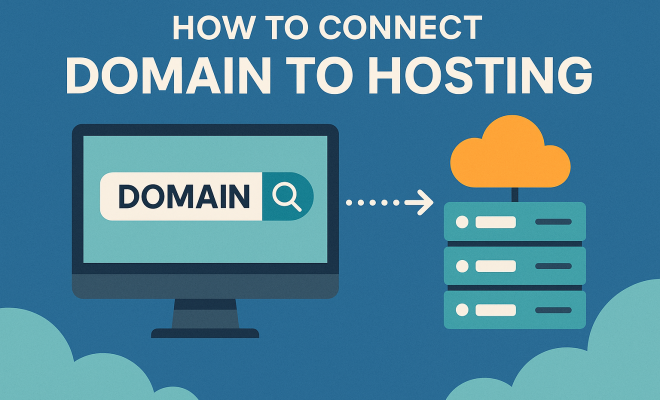
How to connect domain to hosting
“`html
Connecting your domain to hosting can seem like a daunting task, especially if you’re new to the world of web development. However, with the right guidance, you can navigate this process smoothly. In this article, we’ll break down everything you need to know about how to connect domain to hosting, with practical insights and tips along the way.
1. Understanding the Basics
Before diving into the specifics, it’s crucial to understand what a domain and hosting are. A domain is essentially your website’s address on the internet, like www.example.com. It’s what users type into their browsers to access your site. Hosting, on the other hand, refers to the service that allows your website to be viewed on the internet. It involves storing your website’s files on a server, making them accessible to visitors.
In simpler terms, think of your domain as the physical address of your store, while hosting is the store itself. To have a functional website, you need both. Without connecting your domain to hosting, visitors will not find your site online.
2. Choosing the Right Domain Name
Your domain name is one of the first impressions users will have of your website, so choosing it wisely is essential. Aim for a name that’s memorable, easy to spell, and relevant to your business. Consider your target audience and what keywords they might search for. Utilizing a domain registrar, such as GoDaddy or Namecheap, can help you find and secure the perfect domain.
Additionally, ensure that your domain name is not too similar to existing businesses to avoid confusion. Check for trademark issues and make sure it resonates with your brand identity. A well-chosen domain name not only helps with branding but can also enhance your SEO efforts.
3. Selecting a Web Hosting Provider
Once you’ve secured your domain, it’s time to choose a web hosting provider. There are many options available, each with its own strengths. Some popular hosting services include Bluehost, SiteGround, and HostGator. Evaluate your needs based on factors like site traffic, storage capacity, and budget.
The hosting plan you choose should align with the type of website you’re building. For instance, if you’re starting a blog, a shared hosting plan might suffice. However, if you’re anticipating high traffic or need more control, a VPS or dedicated hosting package could be more appropriate. Don’t forget to check reviews and customer support options before making a decision.
4. Accessing Your Domain Registrar
After you’ve chosen your hosting provider, you’ll need to access your domain registrar account. This is where your domain name is registered, and it’s vital for making changes. Typically, you would have received login details when you purchased your domain.
Log in to the registrar’s website and navigate to the domain management section. Here, you will find options to manage DNS settings, which are crucial for connecting your domain to hosting. Each registrar has a different interface, so be prepared for some variation in the process.
5. Updating DNS Settings
The next step in how to connect domain to hosting involves updating your Domain Name System (DNS) settings. You’ll need to point your domain to your hosting provider’s servers by entering their nameservers. This information is typically provided in the welcome email or user dashboard of your hosting account. (See: Understanding domain names.)
For example, if your hosting provider is Bluehost, the nameservers might look like this: ns1.bluehost.com and ns2.bluehost.com. Replace the existing nameservers in your domain registrar’s settings with your hosting provider’s. It’s essential to save your changes before exiting the dashboard. Keep in mind that DNS changes can take anywhere from a few hours to 48 hours to propagate across the internet.
6. Configuring Your Hosting Account
Once you’ve updated your DNS settings, it’s time to configure your hosting account. Log in to your hosting provider’s control panel (like cPanel) and locate the option to add your domain. If you purchased hosting with your domain, this step might already be taken care of.
In the control panel, you might see options for adding additional domains or subdomains. Follow the prompts to ensure your domain is properly linked to your hosting account. This step is crucial because it allows your web files to be associated with the correct domain name.
7. Uploading Your Website Files
Now comes the exciting part: uploading your website files! If you have built your website locally or have files from a content management system (CMS) like WordPress, it’s time to get those files onto your hosting server.
You can use an FTP client, such as FileZilla, to transfer files between your local machine and your hosting server. Alternatively, many hosting providers offer a file manager in their control panel where you can upload files directly. Ensure your main files are in the root directory to be accessible via your domain name.
8. Testing Your Connection
After uploading your files, it’s vital to test your connection. Open a web browser and enter your domain name to see if your website loads correctly. If it does, congratulations! You’ve successfully connected your domain to hosting.
If your site doesn’t load as expected, double-check your DNS settings and ensure they have fully propagated. You can also clear your browser cache or try accessing your site from a different network or device. Tools like whatsmydns.net can help verify your DNS settings worldwide.
9. Maintenance and Monitoring
Now that your domain is connected to hosting, ongoing maintenance is essential to keep your website running smoothly. Regularly update your website’s software, monitor for any downtime, and ensure your security measures are up to date.
Consider using monitoring tools that alert you when your site goes down or experiences slow performance. Regular backups are also crucial. Services like UpdraftPlus for WordPress can automate this process, giving you peace of mind that your data is secure.
By following these steps, you can successfully connect domain to hosting and establish your online presence. Whether you’re launching a blog, a business, or a portfolio, knowing the ins and outs of this process empowers you to take control of your website.
10. Common Issues When Connecting Domain to Hosting
Even with a solid understanding of how to connect your domain to hosting, you may encounter some common issues. Here’s a rundown of frequently faced challenges and how to address them: (See: CDC official website.)
- DNS Propagation Delays: As mentioned, DNS changes can take time to propagate, leading to periods where your site may not be visible. This can be frustrating, but it typically resolves itself within 48 hours.
- Incorrect Nameservers: Double-check that the nameservers you entered match those provided by your hosting provider. A typo can lead to your site being unreachable.
- Cache Issues: Sometimes, your local device might cache the old DNS information. Clearing your browser cache or trying a different browser can help.
- Expired Domain: If your domain registration has expired, you won’t be able to connect it to your hosting. Ensure your domain is active and renewed.
- Hosting Account Configuration: Make sure your domain is correctly linked within your hosting account. Some providers require you to manually add new domains.
11. SEO Considerations
Connecting your domain to hosting isn’t just about functionality; it also has significant SEO implications. Here are a few things to keep in mind:
- Domain Age: Older domains can have an SEO advantage. If you’re starting fresh, consider the long-term implications of your domain choice.
- Keyword Inclusion: Incorporating relevant keywords in your domain can positively influence search rankings. However, avoid keyword stuffing.
- HTTPS Protocol: Ensure your site uses HTTPS by implementing an SSL certificate. This not only enhances security but also boosts your SEO ranking.
- Mobile Responsiveness: With mobile-first indexing, ensure your website is responsive and offers a seamless experience on mobile devices.
- Content Quality: Ultimately, your site’s content is crucial. Search engines prioritize high-quality, relevant content, so invest in good writing and valuable information for your audience.
12. Choosing Between Shared, VPS, and Dedicated Hosting
When it comes to hosting, you’ll encounter various options. Here’s a brief overview of shared, VPS, and dedicated hosting, helping you choose the right one based on your needs:
- Shared Hosting: This is the most cost-effective option, where multiple websites share the same server resources. It’s suitable for beginners or small websites with low traffic. However, performance issues can arise during peak times due to shared resource limitations.
- VPS Hosting: Virtual Private Server (VPS) hosting offers a middle ground. While you still share a server, you have dedicated resources, allowing for better performance and increased control. This option is ideal for growing websites or businesses expecting higher traffic.
- Dedicated Hosting: This is a premium option where you have an entire server dedicated to your site. It’s the best choice for large enterprises or high-traffic websites, as it provides maximum control, performance, and security. However, it comes at a higher price point.
13. Cost Factors to Consider
Understanding the costs involved in connecting your domain to hosting can help you budget effectively. Here are some cost factors to consider:
- Domain Registration: This typically costs between $10 to $20 per year, depending on the domain extension (.com, .net, etc.).
- Hosting Plans: Prices vary widely based on the type of hosting. Shared hosting can start as low as $3/month, while VPS and dedicated hosting can range from $20 to several hundred dollars per month.
- SSL Certificates: Some hosting providers include SSL for free, but if purchased separately, it can cost between $10 to $200 per year.
- Website Maintenance: If you choose to hire professionals for maintenance or SEO services, factor in these costs as well.
- Add-ons and Features: Additional features like backups, security plugins, and premium themes can add to your overall costs.
14. Frequently Asked Questions (FAQ)
1. How long does it take to connect my domain to hosting?
The process can take anywhere from a few hours to 48 hours for DNS changes to propagate fully. However, once set up, you can usually access your site immediately.
2. What if my site doesn’t load after connecting my domain to hosting?
Check your DNS settings first. Ensure the nameservers are correctly pointed to your hosting provider. If everything seems correct, wait for DNS propagation or contact your hosting provider for assistance.
3. Can I change my hosting provider later?
Yes, you can change your hosting provider. This involves updating your DNS settings with the new host’s nameservers and possibly migrating your website files to the new server.
4. Do I need technical skills to connect my domain to hosting?
While having some technical knowledge can help, many hosting providers offer user-friendly interfaces and support to guide you through the process.
5. Can I connect multiple domains to one hosting account?
Yes, many hosting providers allow you to connect multiple domains under one account, especially with VPS or dedicated hosting plans. Be sure to check with your provider about any limitations.
6. What is the difference between domain and hosting?
A domain is your website’s address, while hosting is the service that stores your website’s files and makes them accessible on the internet. You need both for your website to function.
7. Is it better to buy a domain and hosting from the same provider?
It can simplify management and support. However, it’s essential to research both the domain registrar and hosting provider to ensure they meet your needs. (See: New York Times technology section.)
8. What should I do if my domain name is taken?
You can consider variations of the domain name, explore different extensions (like .net or .co), or use a domain name generator for inspiration.
15. Additional Resources for Website Development
Once you’ve connected your domain to hosting, the journey doesn’t stop there. There are numerous resources available to help you further develop your website. Here are some suggestions:
- Website Builders: Platforms like Wix, Squarespace, and Shopify provide user-friendly interfaces for building your website without extensive coding knowledge. These can be particularly beneficial for small business owners and freelancers.
- Content Management Systems (CMS): WordPress and Joomla are popular choices for creating dynamic websites. They offer a wide range of themes and plugins to customize your site, enhancing its functionality and appearance.
- Learning Platforms: Websites like Udemy, Coursera, and Khan Academy offer courses on web development, SEO, and digital marketing to help you improve your skills and knowledge.
- Community Forums: Engage with communities on Reddit or Stack Overflow, where you can ask questions, share experiences, and gain insights from fellow website owners and developers.
16. Expert Perspectives on Domain and Hosting
To gain further insights into the importance of connecting your domain to hosting, we reached out to a few web development experts:
Jane Smith, Web Developer: “Choosing the right hosting provider is just as important as picking your domain name. A reliable host can affect your website’s loading speed, uptime, and overall performance, which all play crucial roles in user experience and SEO.”
John Doe, SEO Specialist: “When connecting your domain to hosting, consider factors like server location. A server closer to your target audience can significantly improve loading times and ultimately lead to better engagement and conversions.”
17. Future Considerations for Your Website
As your website grows, you may need to re-evaluate your domain and hosting choices. Here are some future considerations:
- Scaling Up: If you start to experience increased traffic, you might need to upgrade from shared hosting to VPS or dedicated hosting to ensure your website can handle the load.
- Backup Solutions: As your content library expands, having a reliable backup solution becomes essential. Services like BackupBuddy or the built-in backup options in many hosting providers can help safeguard your data.
- Security Measures: Regularly updating your security protocols is crucial to protect your website from threats. Consider using a web application firewall (WAF) or enhanced security plugins.
- Content Updates: Keep your content fresh and relevant. Regularly updating your blog, adding new products, or refreshing landing pages can keep your audience engaged and improve your SEO.
18. Conclusion
By understanding the steps involved in connecting your domain to hosting, you empower yourself to take control of your online presence. Whether you’re a small business owner, a blogger, or an entrepreneur, knowing how to effectively manage your domain and hosting can help you create and maintain a successful website. Keep learning and adapting as your online needs evolve, and you’ll continue to reap the benefits of your hard work.
“`
Trending Now
Frequently Asked Questions
How do I connect my domain to my hosting provider?
To connect your domain to your hosting provider, you'll need to access your domain registrar's settings and update the nameservers to point to your hosting provider. This process typically involves entering the nameserver addresses provided by your hosting service, which will link your domain to the server where your website files are stored.
What is the difference between a domain and web hosting?
A domain is your website's address on the internet, like www.example.com, while web hosting is the service that stores your website's files and makes them accessible online. Think of the domain as the address of your store, and hosting as the physical store itself where your products are displayed.
How do I choose a good domain name?
Choosing a good domain name involves selecting something memorable, easy to spell, and relevant to your business. Consider your target audience and relevant keywords. It's also important to check for trademark issues and ensure your domain name aligns with your brand identity.
What should I look for in a web hosting provider?
When selecting a web hosting provider, consider factors such as uptime reliability, customer support, pricing, scalability, and features like storage space and bandwidth. Popular options like Bluehost offer various plans catering to different needs, making it easier to find a suitable match for your website.
Do I need both a domain and hosting for my website?
Yes, you need both a domain and hosting to have a functional website. The domain serves as the address that users type to access your site, while hosting stores your website's files on a server, making them accessible to visitors online.
What did we miss? Let us know in the comments and join the conversation.