
The Tech Edvocate

Top Menu

  • Advertisement
  • Apps
  • Home Page
  • Home Page Five (No Sidebar)
  • Home Page Four
  • Home Page Three
  • Home Page Two
  • Home Tech2
  • Icons [No Sidebar]
  • Left Sidbear Page
  • Lynch Educational Consulting
  • My Account
  • My Speaking Page
  • Newsletter Sign Up Confirmation
  • Newsletter Unsubscription
  • Our Brands
  • Page Example
  • Privacy Policy
  • Protected Content
  • Register
  • Request a Product Review
  • Shop
  • Shortcodes Examples
  • Signup
  • Start Here
    • Governance
    • Careers
    • Contact Us
  • Terms and Conditions
  • The Edvocate
  • The Tech Edvocate Product Guide
  • Topics
  • Write For Us
  • Advertise

Main Menu

  • Start Here
    • Our Brands
    • Governance
      • Lynch Educational Consulting, LLC.
      • Dr. Lynch’s Personal Website
      • Careers
    • Write For Us
    • The Tech Edvocate Product Guide
    • Contact Us
    • Books
    • Edupedia
    • Post a Job
    • The Edvocate Podcast
    • Terms and Conditions
    • Privacy Policy
  • Topics
    • Assistive Technology
    • Child Development Tech
    • Early Childhood & K-12 EdTech
    • EdTech Futures
    • EdTech News
    • EdTech Policy & Reform
    • EdTech Startups & Businesses
    • Higher Education EdTech
    • Online Learning & eLearning
    • Parent & Family Tech
    • Personalized Learning
    • Product Reviews
  • Advertise
  • Tech Edvocate Awards
  • The Edvocate
  • Pedagogue
  • School Ratings

logo

The Tech Edvocate

  • Start Here
    • Our Brands
    • Governance
      • Lynch Educational Consulting, LLC.
      • Dr. Lynch’s Personal Website
        • My Speaking Page
      • Careers
    • Write For Us
    • The Tech Edvocate Product Guide
    • Contact Us
    • Books
    • Edupedia
    • Post a Job
    • The Edvocate Podcast
    • Terms and Conditions
    • Privacy Policy
  • Topics
    • Assistive Technology
    • Child Development Tech
    • Early Childhood & K-12 EdTech
    • EdTech Futures
    • EdTech News
    • EdTech Policy & Reform
    • EdTech Startups & Businesses
    • Higher Education EdTech
    • Online Learning & eLearning
    • Parent & Family Tech
    • Personalized Learning
    • Product Reviews
  • Advertise
  • Tech Edvocate Awards
  • The Edvocate
  • Pedagogue
  • School Ratings
  • Revealed: The Unseen Dangers of Your EcoSense Smart Home Energy Monitor

  • Unbelievable: Disney Buys AI Startup After Teen Suicide Link, Bankruptcy

  • Uncovering the Shocking Truth Behind the OpenEvidence-Doximity AI Legal Battle

  • Xbox Cloud Gaming Price Hike: The Unspoken Truth Behind Microsoft’s Latest Move

  • Unprecedented: Tech Firm Offers Cash for Law Firm Emails – Is Privilege Dead?

  • 40% of Young Investors Trust This Unseen Danger — Are You One of Them?

  • This Elite University’s AI Ban Reveals a Bizarre Truth About Learning

  • This One Regulation Could Cost Your Business Millions – Are You Ready?

  • 84% of Ransomware Attacks Now Use AI — Here’s Why You’re a Target

  • Why a Court Just Stymied Buyers Suing Over Tesla Self-Driving Claims

How To
Home›How To›How to Cite a PDF File in APA: 9 Steps

How to Cite a PDF File in APA: 9 Steps
By Matthew Lynch
March 31, 2024
0
Spread the love

Step 1: Locate the Source Information

When citing a PDF file in APA format, it’s important to gather all relevant information about the document. This includes the author(s), publication date, title, and the source URL or DOI (Digital Object Identifier).

Step 2: Determine the Type of Document

PDF files can come in various types, such as books, articles, reports, brochures, or other documents. Knowing the document type will help you create an accurate citation.

Step 3: Begin with Author Information

Start your citation with the author’s last name, followed by their initials. If there are multiple authors, separate each name with a comma and an ampersand (&) before the final author.

Example: Smith, J. A., & Jones, B. B.

Step 4: Add Publication Date

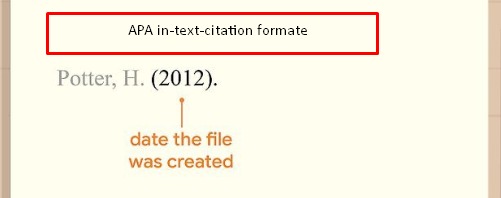
After the author information, include the publication date in parentheses and follow it with a period.

Example: (2020).

Step 5: Include the Document Title

Type the title of the document in italics and sentence case (only capitalize the first word and proper nouns). If there is a subtitle, separate it from the main title with a colon.

Example: The ultimate guide to distance learning: Techniques for online education

Step 6: Describe Document Type

If necessary, indicate the type of document in brackets immediately after the title but before any punctuation marks. Some examples of document types include [Ebook], [Brochure], or [White paper].

Example: [Ebook]

Step 7: Provide Source Information

Include either a URL or DOI at the end of your citation if available. Use “Retrieved from” for URLs and “https://doi.org/” for DOIs.

Example(URL): Retrieved from https://www.example-website.com/ultimate_guide.pdf

Example(DOI): https://doi.org/10.1000/1.9876543

Step 8: Organize Your In-Text Citation

When citing a PDF in the text of your paper, include the author’s last name and the publication date in parentheses. For example: (Smith & Jones, 2020).

Step 9: Double-Check Your Citation

Proofread your citation for any mistakes and ensure that it follows APA formatting guidelines. Consult the Publication Manual of the American Psychological Association for further guidance.

Following these nine steps will help you create accurate and properly formatted APA citations for PDF files. Always ensure that you adhere to academic integrity guidelines by appropriately citing your sources.


Previous Article

4 Ways to Call Australia from the ...

Next Article

How to Grow Healthy Plants: 10 Steps

Matthew Lynch

Related articles More from author

  • How To

    3 Ways to Make a Girl Jealous

    February 7, 2024
    By Matthew Lynch
  • How To

    3 Ways to Talk in an Arranged Marriage Meeting

    April 8, 2024
    By Matthew Lynch
  • How To

    4 Ways to Escape the Friend Zone

    October 10, 2023
    By Matthew Lynch
  • How To

    3 Simple Ways to Charge an Electric Bike

    April 3, 2024
    By Matthew Lynch
  • How To

    How to Stain Stairs

    October 18, 2023
    By Matthew Lynch
  • How To

    Easy Ways to Recover from Top Surgery

    January 7, 2024
    By Matthew Lynch

Search

Login & Registration

  • Log in
  • Entries feed
  • Comments feed
  • WordPress.org

Newsletter

Signup for The Tech Edvocate Newsletter and have the latest in EdTech news and opinion delivered to your email address!

About Us

Since technology is not going anywhere and does more good than harm, adapting is the best course of action. That is where The Tech Edvocate comes in. We plan to cover the PreK-12 and Higher Education EdTech sectors and provide our readers with the latest news and opinion on the subject. From time to time, I will invite other voices to weigh in on important issues in EdTech. We hope to provide a well-rounded, multi-faceted look at the past, present, the future of EdTech in the US and internationally.

We started this journey back in June 2016, and we plan to continue it for many more years to come. I hope that you will join us in this discussion of the past, present and future of EdTech and lend your own insight to the issues that are discussed.

Newsletter

Signup for The Tech Edvocate Newsletter and have the latest in EdTech news and opinion delivered to your email address!

Contact Us

The Tech Edvocate
910 Goddin Street
Richmond, VA 23231
(601) 630-5238
[email protected]

Copyright © 2026 Matthew Lynch. All rights reserved.