Change Your Discord Avatar: A Step-by-Step Guide
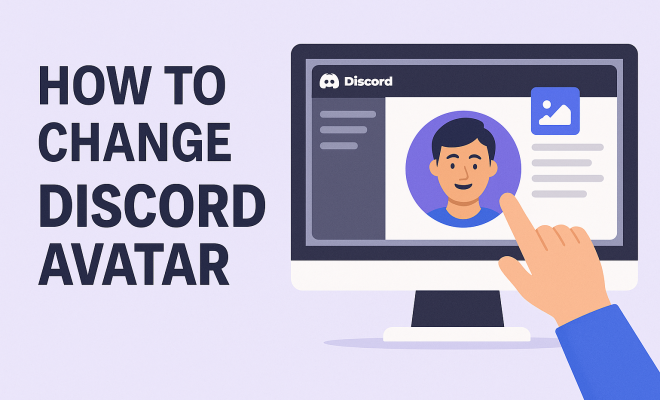
“`html
Discord, the popular communication platform for gamers and communities, allows you to personalize your profile with an avatar. Changing your Discord avatar not only gives you a unique identity but also enhances your engagement within the platform. In this comprehensive guide, we’ll delve into the step-by-step process to change your Discord avatar, explore the significance of avatars, and provide tips for selecting the perfect image. Let’s explore how to effectively change your Discord avatar and make a lasting impression.
1. Understanding Discord Avatars
Avatars are graphical representations of individuals in digital environments. On Discord, your avatar serves as your first impression to other users. It’s the image that represents your personality, interests, and even your gaming style. Users can choose anything from personal photographs to artistic illustrations, creating a unique digital persona.
In a platform where communication and community interaction are paramount, your avatar plays a crucial role in how others perceive you. A well-chosen avatar can spark conversations, convey your interests, or even represent your favorite game. It’s not just decoration — it’s an essential part of your digital identity.
2. Why Change Your Discord Avatar?
Changing your Discord avatar can be motivated by several factors. Perhaps you want to refresh your look or reflect a new interest. As you evolve, so should your avatar. Additionally, special events or milestones, such as birthdays or game releases, can inspire changes in your avatar to match the occasion.
Another significant reason to change your avatar is to increase engagement with your friends or community. An eye-catching avatar can catch the attention of users, prompting them to interact with you. Whether you’re looking to represent your favorite character or showcase your artistic side, changing your Discord avatar is a simple yet effective way to make your mark.
3. How to Change Your Discord Avatar on Desktop
Changing your Discord avatar on desktop is straightforward. Follow these steps for a seamless experience:
- Open Discord and log into your account.
- Click on the gear icon at the bottom left corner of the screen, next to your username. This opens the User Settings menu.
- In the User Settings, look for the 'My Account' section.
- Click on the 'Edit' button next to your avatar.
- Select 'Upload Avatar' and choose the image file you want to use from your computer. Ensure that the image meets Discord’s size restrictions of 128×128 pixels or larger.
- After uploading, you can reposition the image as needed, then click 'Save Changes.'
And just like that, you’ve successfully changed your Discord avatar! This process can be repeated anytime you wish to update your profile picture.
4. How to Change Your Discord Avatar on Mobile
For those who prefer using Discord on mobile devices, the process is quite similar but with slight variations. Here’s how you can change your avatar on the Discord mobile app:
- Open the Discord app and log into your account.
- Tap the three horizontal lines in the upper left corner to open the menu.
- Tap on your profile icon at the bottom right corner to access User Settings.
- In the 'User Profile' section, tap on your avatar.
- Select 'Change Avatar' and choose an image from your gallery or take a new photo.
- Once selected, you can crop the image if necessary and then tap 'Done' to save your changes.
With these simple steps, you can easily change your Discord avatar on your mobile device, keeping your profile fresh and engaging wherever you go.
5. Best Practices for Creating a Discord Avatar
While choosing an avatar may seem straightforward, there are a few best practices to keep in mind to ensure your image stands out: (See: Understanding digital avatars.)
- High Quality: Use a high-resolution image to avoid pixelation. A blurry avatar can give a poor impression.
- Keep It Simple: Opt for images that are easy to recognize at smaller sizes. Intricate designs might lose detail when viewed in Discord’s chat interface.
- Reflect Your Personality: Choose an image that showcases your interests or personality. Whether it’s a favorite game character, a beloved pet, or a personal logo, make it represent you.
- Consider Color and Contrast: Bright colors and strong contrasts can make your avatar pop in chat, making it more noticeable.
By following these tips, you can create an avatar that not only looks great but also resonates with others in the Discord community.
6. Common Issues When Changing Your Avatar
While changing your Discord avatar is usually a smooth process, users may encounter a few issues along the way. Here are some common problems and solutions:
- Image Size Restrictions: Discord has specific size requirements for avatars. If your image is too large or small, it won’t upload. Ensure your image is at least 128×128 pixels.
- File Type Compatibility: Discord accepts several file types, including .jpg, .png, and .gif. Make sure your image is in one of these formats to avoid upload issues.
- Cache Problems: Sometimes, changes may not appear immediately due to cached data. Try clearing the cache of your Discord app or refreshing the page to see the new avatar.
If you encounter any of these issues, remember that they’re generally easy to fix with a little patience and attention to detail.
7. How to Make Your Discord Avatar Stand Out
To truly make your avatar memorable, consider using unique elements that set it apart from the rest. Here are a few strategies:
- Incorporate Text: Add your gaming tag or a short phrase to your avatar to give it a personal touch.
- Use Filters or Effects: Edit your image with filters or effects to create a distinctive look that catches the eye.
- Animate Your Avatar: Consider using a GIF for your avatar. Animated avatars can add an extra layer of personality and make your profile more dynamic.
These tactics can help you create an avatar that not only represents you but also engages your audience and fosters interaction within your Discord community.
8. Examples of Creative Discord Avatars
To inspire your own avatar creation process, let’s take a look at some examples of creative Discord avatars:
- Fan Art: Many users opt for fan art of their favorite characters from games, anime, or movies, which can showcase creativity and fandom.
- Minimalist Designs: Some users prefer clean, minimalist designs with simple shapes or colors that communicate their identity without overwhelming detail.
- Personal Illustrations: If you have artistic skills, creating your own avatar can be a unique way to express yourself and stand out.
These examples illustrate the diversity of avatar choices on Discord, and they can serve as a springboard for your own creative ideas.
9. Advanced Tips for Choosing an Avatar
As you continue to customize your Discord experience, you might want to take your avatar selection to the next level. Here are some advanced tips:
- Consider Seasonal Changes: Just as you might change your wardrobe with the seasons, think about switching your avatar to reflect holidays or seasons. A festive avatar during the holidays can spread cheer and resonate well with others.
- Showcase Achievements: If you’ve reached a milestone in a game, like hitting a high rank or completing a tough quest, consider changing your avatar to reflect that achievement. This can be a point of pride and conversation starter.
- Seek Feedback: Don’t hesitate to ask friends for their opinions on your avatar choices. Getting a fresh perspective can help you choose something that truly represents you.
- Join Avatar Communities: There are online communities where users share their avatars and discuss design choices. Engaging with these groups can inspire you to try something new and different.
With these tips, you can create a more dynamic and engaging presence on Discord that evolves alongside your interests and achievements.
10. Statistics on Discord Avatars
Understanding the trends surrounding Discord avatars can provide insights into user preferences and behaviors. Here are some notable statistics: (See: Impact of technology on youth.)
- Approximately 70% of Discord users change their avatar at least once a year, showing a strong inclination towards personalization.
- Users with unique avatars report a 50% higher engagement rate than those with default avatars, indicating the importance of custom imagery.
- Among gamers, 65% prefer avatars that represent their favorite game characters, highlighting the influence of gaming culture on avatar choices.
- Over 40% of users express that their avatar is crucial for their online identity, emphasizing the psychological importance of a digital persona.
These statistics underline the significance of choosing the right avatar and how it can impact your interactions within the Discord community.
11. Frequently Asked Questions (FAQ)
If you’re still curious about some aspects of changing your Discord avatar, here are answers to common questions:
1. Can I use any image as my Discord avatar?
While you can use many different images, it’s essential to ensure they comply with Discord’s content policy. Avoid using copyrighted material or anything inappropriate.
2. What is the maximum file size for a Discord avatar?
Discord does not specify a maximum file size for avatars, but the image should be at least 128×128 pixels. Keeping the file size under 8 MB is advisable for optimal performance.
3. Can I revert to my old avatar after changing it?
Absolutely! You can change your avatar back to a previous image anytime by following the same steps you used to upload a new one.
4. How often should I change my Discord avatar?
There’s no set rule for how often to change your avatar. Some people like to change theirs frequently based on mood or season, while others may keep the same avatar for years. It’s entirely up to you!
5. How can I create a custom avatar?
There are various online tools and applications like Canva or Adobe Spark that allow you to design custom avatars. You can also hire artists on platforms like Fiverr to create a unique image for you.
6. Will changing my avatar impact my friends’ perception of me?
Yes, your avatar can influence how others perceive you. A well-chosen avatar can convey interests, personality, and creativity, fostering connection and engagement.
12. The Psychology of Avatars
The choice of avatar can significantly impact your interactions within Discord. Psychological research indicates that avatars act as extensions of ourselves, allowing users to express aspects of their personality and identity in a virtual space. A well-chosen avatar can create a sense of belonging, allowing users to connect more deeply with others who share similar interests or aesthetics. (See: Research on online identity and avatars.)
Moreover, research in social psychology shows that visual representation can enhance communication. Users with avatars that reflect their interests or personalities tend to foster stronger connections and conversations. For example, a gamer sporting an avatar of their favorite character may find that they attract like-minded individuals who share similar gaming experiences.
13. Finding the Right Avatar for Different Communities
Discord hosts a variety of communities, each with its own culture and expectations. For instance, an avatar in a professional gaming server might differ significantly from one in a casual gaming chat. It can be beneficial to tailor your avatar to fit community standards. Here are some ideas:
- Gaming Communities: Use representations of your favorite game characters, or art that reflects the gaming culture you belong to. For example, League of Legends players often adopt character art from the game.
- Creative Communities: Consider using original artwork or fan art that reflects your creative pursuits. This not only showcases your artistic side but also invites collaboration and discussion.
- Professional Networks: In more formal settings, opt for avatars that present a polished image, such as a personal logo or a professional photo. This can enhance your credibility.
By aligning your avatar with the community’s culture, you can enhance your acceptance and facilitate more engaging interactions.
14. Trends in Avatar Design
As with any form of digital art, avatar design trends evolve over time. Staying abreast of current trends can help your avatar appear fresh and appealing. Here are some trends to consider:
- 3D Avatars: With advancements in technology, 3D avatars are becoming increasingly popular, providing a more immersive and realistic representation.
- Custom Emojis: Integrating custom emojis into your avatar can add a fun, expressive element, capturing your emotions and reactions more effectively.
- Environmentally Conscious Designs: A growing trend is to reflect eco-conscious values in avatar designs, such as using symbols of sustainability or nature.
Keeping your avatar design aligned with contemporary trends can boost its appeal and relatability within the community.
15. Conclusion
In a platform rich in communication and community, your Discord avatar serves as more than just a digital image; it’s a representation of your identity and interests. By following the steps outlined in this guide, you can effortlessly change your Discord avatar, making it a true reflection of who you are. Remember to consider quality, relevance, and creativity when choosing your avatar, and don’t hesitate to update it as your interests evolve.
Taking the time to curate a unique avatar not only enhances your online presence but also encourages interaction and engagement with others. So go ahead, change your Discord avatar, and let your personality shine through!
“`
Trending Now
Frequently Asked Questions
How do I change my Discord avatar?
To change your Discord avatar, open Discord and go to User Settings by clicking on the gear icon. Under 'My Account', click on 'Edit' next to your current avatar. From there, you can upload a new image from your device. Once selected, save your changes to update your avatar.
What are the requirements for a Discord avatar?
Discord avatars should be at least 128×128 pixels in size and can be in formats such as JPG, PNG, or GIF. It's important to choose a clear and visually appealing image that represents your personality or interests effectively.
Can I use a GIF as my Discord avatar?
Yes, you can use a GIF as your Discord avatar if you have a Discord Nitro subscription. This allows for animated avatars, adding a fun element to your profile. However, standard users can only upload static images.
Why should I change my Discord avatar?
Changing your Discord avatar can reflect your evolving interests or commemorate special occasions. A fresh avatar can enhance engagement with friends and the community, making it easier for others to recognize and interact with you.
What makes a good Discord avatar?
A good Discord avatar is visually striking, easily recognizable, and represents your personality or interests. Consider using an image that resonates with your gaming style or personal brand, and ensure it is high quality for the best impression.
Agree or disagree? Drop a comment and tell us what you think.