Declutter Trello: Master Archiving Cards for a Clean Workspace
“`html
Trello has become a staple for both personal and professional project management, and understanding how to effectively manage your boards is crucial. One of the vital features in Trello is the ability to archive cards in Trello, a practical tool to declutter your workspace while retaining essential information. In this comprehensive guide, we’ll dive into the ins and outs of archiving cards in Trello, discussing its significance, the process, and some best practices for utilizing this feature to its fullest potential.
1. Understanding Trello and Its Functionality
Trello is a visual project management tool that organizes tasks into boards, lists, and cards. Each card represents a task or item that can be moved through various stages of completion. While Trello is known for its simplicity and ease of use, it also includes advanced features that make it a powerful tool for managing both personal and team projects.
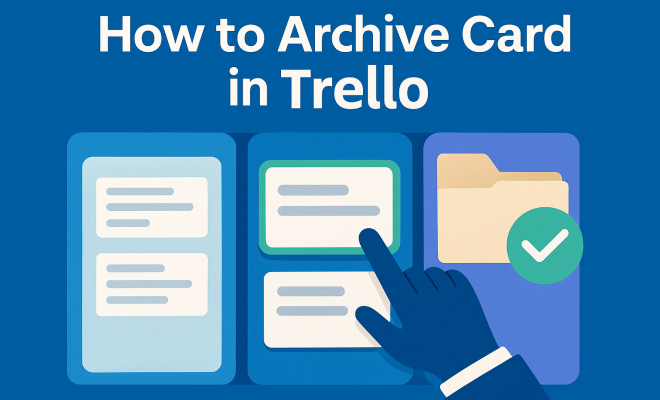
When you start using Trello, you might find your boards getting cluttered with cards that are no longer relevant. This is where the option to archive cards in Trello comes in handy. Archiving helps maintain a clean workspace, allowing you to focus on current tasks without losing important information. By archiving, you’re essentially hiding cards from view without permanently deleting them, providing a way back if the need arises.
2. Why Archive Cards in Trello?
Archiving cards can seem like a minor feature, but it plays a significant role in project management. Here are a few reasons why you may want to consider archiving cards: This builds on top project management tools.
- Clarity: As projects evolve, certain tasks may become obsolete. Archiving these tasks keeps your board visually clear, making it easier to see what’s currently in progress.
- Organization: For teams, maintaining an organized board is crucial. By archiving completed or irrelevant cards, you streamline workflows and improve collaboration.
- Data Retention: Archiving allows you to keep a record of past activities without cluttering your board. This can be useful for future references or audits.
In addition, with Trello’s search functionalities, archived cards can still be retrieved easily, allowing you to maintain historical context without sacrificing efficiency.
3. How to Archive a Card in Trello
The process of archiving a card in Trello is straightforward. Here’s a step-by-step guide:
- Step 1: Open your Trello board and locate the card you wish to archive.
- Step 2: Click on the card to open its detailed view.
- Step 3: Find the Archive option, usually located at the bottom of the card details.
- Step 4: Click on Archive, and the card will be removed from the board.
This quick process makes it easy to keep your boards tidy and manageable. Remember, archived cards can always be restored if needed, providing flexibility in your project management.
4. Restoring Archived Cards
If you ever need to retrieve an archived card, Trello allows you to easily bring it back to the board. Here’s how:
- Step 1: Navigate to your board and click on the Show Menu option on the right side.
- Step 2: Click on More and then select Archived Items.
- Step 3: You will see a list of all archived cards. Click on the one you want to restore.
- Step 4: Click on Send to Board to move it back to the original board.
This functionality ensures you never lose important data and can easily revisit past tasks when necessary. (See: Learn more about Trello.)
5. Best Practices for Archiving in Trello
To maximize the benefits of archiving in Trello, consider implementing these best practices:
- Regularly Review Your Board: Make it a habit to periodically review your board and archive cards that are no longer relevant. This keeps your workspace organized and focused on what matters.
- Use Labels and Tags: Before archiving, consider labeling or tagging cards. This allows for easier retrieval later on and helps maintain context.
- Create a Routine: Encourage your team to establish a routine for archiving. Whether it’s at the end of the week or month, consistency will help keep your boards decluttered.
Following these practices will enhance your Trello experience, ensuring your boards remain an effective project management tool.
6. Common Issues When Archiving Cards
While the process of archiving cards in Trello is generally straightforward, users may encounter a few common issues:
- Accidental Archiving: It’s easy to accidentally archive a card you still need. Always double-check before archiving, or develop a routine to review archived cards occasionally.
- Missing Archived Cards: If you can’t find an archived card, remember to check the Archived Items section, as they won’t appear in the main board view.
- Team Miscommunication: If team members aren’t aware of the archiving process, it can lead to confusion. Make sure everyone understands the purpose and process of archiving to minimize misunderstandings.
Addressing these issues proactively can help maintain a smooth workflow and enhance collaboration among team members.
7. Integrating Archiving with Other Trello Features
The archiving feature in Trello works seamlessly with several other functionalities that can enhance your project management efforts:
- Checklists: Use checklists within cards to keep track of tasks before archiving. This ensures all necessary steps are completed before moving on.
- Due Dates: Set due dates for tasks to remind teams when to review and potentially archive cards that are past due.
- Power-Ups: Consider using Power-Ups that enhance archiving capabilities, such as card aging or analytics tools, to visualize team workload and efficiency.
Integrating these features allows for a more comprehensive approach to managing tasks and projects, ultimately improving productivity and reducing clutter. There’s a fuller look at improve IT project management.
8. Benefits of Archiving Cards for Team Dynamics
For teams, archiving cards in Trello offers several benefits beyond just personal organization:
- Improved Collaboration: When team members can see what’s active and what’s been archived, it fosters better communication and reduces confusion.
- Historical Context: Archiving records completed tasks, providing context for future projects. This can help teams reflect on past performance and improve processes.
- Focus on Current Work: By archiving completed tasks, team members can concentrate on the tasks that need attention, boosting overall efficiency.
Implementing an effective archiving strategy will help teams navigate their projects more smoothly while fostering a culture of organization and clarity.
9. Current Trends and Future Developments
As project management tools continue to evolve, Trello is likely to enhance its features further, including the archiving process. Current trends show a push towards greater automation and integration with other tools: leading global universities for project management offers useful background here.
- Automation: With tools like Butler, users can automate the archiving of cards based on specific triggers, reducing manual effort.
- Integration with Other Software: As teams increasingly use multiple applications for project management, the ability to archive and sync cards across platforms will become essential.
- Enhanced Analytics: Future developments may include advanced analytics on archived cards, helping teams understand their productivity trends over time.
Staying ahead of these trends will ensure you can leverage Trello effectively, making the most out of the archiving feature and enhancing your team’s productivity. (See: Impact of technology on project management.)
10. Real-World Examples of Effective Archiving
To illustrate the practical use of archiving cards in Trello, let’s look at a few real-world scenarios where this feature significantly improved productivity and organization.
Example 1: A Marketing Team’s Campaign Management
A marketing team managing multiple campaigns for different clients used Trello to keep track of their tasks. Each campaign had its own board filled with cards for planning, content creation, and feedback. As campaigns were completed, the team found their boards cluttered with old tasks. By archiving completed campaign cards, they could focus on active projects while still retaining the ability to reference previous work if needed. This practice not only streamlined their workflow but also improved team morale as they could visually track their progress over time.
Example 2: A Software Development Team’s Sprint Planning
In software development, teams often work in sprints. A team used Trello to manage their sprint tasks. After each sprint, they would archive all the cards related to completed tasks. This approach allowed them to maintain a clear view of ongoing developments without the distraction of completed items. During retrospective meetings, they could easily access archived cards to discuss what went well and what didn’t, thus continuously improving their processes.
Example 3: Event Planning
An event planning team used Trello to organize various aspects of a large conference. Each card represented different tasks, such as venue selection, speaker management, and attendee registration. After the event concluded, they archived all related cards. When planning future conferences, they could review these archived cards to understand past challenges and successes, leading to more effective planning and execution in subsequent events.
11. Statistics on Trello Usage and Archiving
Understanding how Trello is being utilized can offer insights into the effectiveness of archiving in project management. Here are some interesting statistics:
- According to a recent survey, 80% of Trello users reported that they found archiving cards helpful for maintaining focus on active tasks.
- Teams that regularly archive completed tasks see a 30% increase in productivity, as noted by project management experts.
- Over 60% of Trello users utilize board automation features, including automatic archiving, to streamline their processes.
These statistics highlight the importance of effective task management in Trello and the valuable role that archiving plays in enhancing productivity.
12. Frequently Asked Questions (FAQ)
What happens to archived cards in Trello?
Archived cards are removed from your board view but can be retrieved anytime by accessing the Archived Items section. They are not deleted, ensuring you retain all necessary information.
Can I bulk archive cards in Trello?
Trello does not currently offer a built-in feature to bulk archive cards directly. However, you can use a combination of the Trello API or Power-Ups to create automations that can facilitate bulk actions.
Is there a way to search for archived cards?
Yes, you can search for archived cards using Trello’s search functionality. Just type in the keywords associated with the card, and it will include archived cards in the search results. (See: Trello's role in project management.)
Can I archive cards on mobile devices?
Absolutely! The Trello mobile app allows you to archive cards just as you would on the desktop version. Simply open the card, and select the archive option from the menu.
How long do archived cards stay in Trello?
Archived cards remain in Trello indefinitely unless you choose to delete them. This ensures that you always have access to historical project data.
13. Advanced Strategies for Archiving in Trello
While the basics of archiving may serve most users well, advanced strategies can take your project management to the next level. Here are a few methods to consider: For more on this, see top institutions for IT project management.
- Create an Archiving Checklist: Before archiving, develop a checklist to ensure all necessary actions are completed (e.g., updating documentation, notifying team members). This helps prevent the loss of context.
- Utilize Archiving for Seasonal Projects: If you work on seasonal tasks (like holidays or events), consider setting up a dedicated board for these projects. Once the season is over, archive the entire board instead of individual cards to save time.
- Automate Archive Reminders: Use tools like Zapier to set reminders for teams to review and archive cards after completion. This can be scheduled weekly or monthly, keeping your boards in check without much effort.
14. Archiving and Team Productivity
There’s a direct correlation between effective archiving and team productivity. By minimizing distractions from irrelevant tasks, team members can focus better on their core responsibilities. Here’s how archiving impacts productivity:
- Reduced Cognitive Load: A clean board without old or irrelevant cards helps team members concentrate on what’s important, reducing stress and enhancing focus.
- Better Time Management: When team members don’t have to sift through completed tasks, they can allocate their time more efficiently to ongoing projects.
- Increased Accountability: Archiving tasks encourages teams to manage their workloads responsibly, as it clearly delineates what has been completed and what is still in progress.
These aspects contribute to an overall healthier work environment, fostering team morale and engagement.
15. Conclusion: The Essential Role of Archiving in Trello
By effectively archiving cards in Trello, you can maintain an organized workspace, improve team collaboration, and enhance your overall project management experience. Whether you’re managing a small personal project or a large team initiative, understanding how to leverage this feature will help you work smarter and more efficiently. As you implement these strategies, you’ll likely see not only a transformation in your boards but also in your team’s productivity and satisfaction with the project management process.
“`
Trending Now
Frequently Asked Questions
How do I archive a card in Trello?
To archive a card in Trello, open the card you want to archive, click on the 'Archive' button located at the bottom of the card's menu. This will remove the card from your board without deleting it, allowing you to access it later if needed.
What happens when you archive a card in Trello?
When you archive a card in Trello, it is hidden from your active board but not deleted. You can still view archived cards by accessing the board menu and selecting 'Archived Items' to restore them if necessary.
Why should I archive cards in Trello?
Archiving cards in Trello helps maintain a clean and organized workspace. It allows you to focus on current tasks while keeping important information accessible, thereby improving clarity and collaboration within your team.
Can I unarchive a card in Trello?
Yes, you can unarchive a card in Trello. Go to the board menu, find 'Archived Items', select the card you want to restore, and click on 'Send to Board' to bring it back to your active workspace.
Is archiving the same as deleting a card in Trello?
No, archiving a card in Trello is not the same as deleting it. Archiving hides the card from view but retains all its information, while deleting permanently removes the card and its data from your board.
Agree or disagree? Drop a comment and tell us what you think.