Best Digital Planners and Apps
“`html
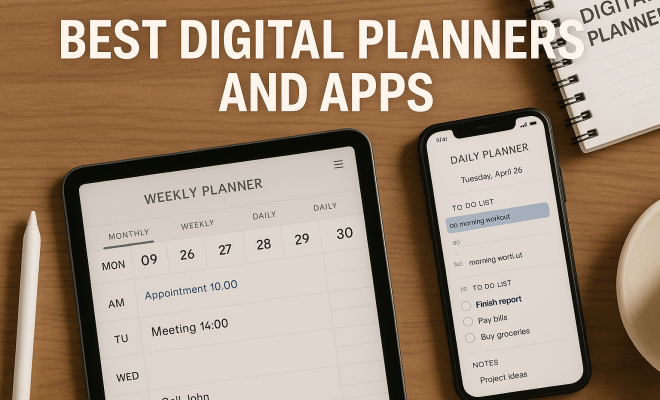
In the age of technology, traditional paper planners are gradually becoming relics of the past. With an influx of digital tools at our fingertips, the best digital planners and apps are stepping in to streamline our lives and improve our productivity. Gone are the days of scribbled notes and missed appointments; now, you can find an app that suits your specific needs, whether you’re a student, a busy professional, or someone just trying to stay organized. Here, we’ll dive into the top nine digital planners that can turn chaos into order and help you manage your time more effectively.
1. Notion: The All-in-One Workspace
Notion has become a powerhouse in the world of digital planning. Its flexibility allows users to create personalized dashboards, task boards, and databases to fit their unique workflow. Whether you’re managing projects, tracking habits, or planning your daily tasks, Notion allows for a level of customization that few other planners can match.
What sets Notion apart is its ability to integrate seamlessly with other apps. You can embed Google Docs, spreadsheets, and more, creating a centralized hub for all your tasks. Plus, its collaborative features make it ideal for teams, allowing multiple users to edit and comment in real-time. We covered classroom customization tool in more detail.
Additionally, Notion features a built-in database that permits users to track their goals, notes, and tasks in a structured manner. This makes it especially appealing for project management and academic use. A recent survey found that 72% of users report improved productivity after incorporating Notion into their planning routines, a testament to its effectiveness.
One of the most exciting aspects of Notion is its community. Users can access a library of templates designed for different purposes, from personal budgeting to content calendars. These templates enable users to hit the ground running and customize their experience without starting from scratch.
2. Trello: Visual Project Management
If you’re a visual learner, Trello might just be the best digital planner for you. Using a card-based system, it allows you to organize tasks into boards, lists, and cards. This visual layout makes it easy to track projects from start to finish, whether you’re planning a wedding, managing a team project, or just keeping up with your to-do list.
Trello’s strength lies in its simplicity and easy drag-and-drop functionality. Each card can house checklists, due dates, attachments, and comments, making it a comprehensive tool for managing tasks. Additionally, Trello integrates with numerous other applications, such as Google Drive and Slack, enhancing its capabilities even further.
In 2022, Trello introduced new features like automation with Butler, which allows users to automate repetitive tasks within their boards. This has made Trello even more efficient, with users reporting an average of a 30% time savings on task management due to automation. For teams that thrive on agility, Trello is a go-to solution.
Another standout feature is Trello’s Power-Ups, which allow you to integrate additional functionalities based on your needs, such as calendar views or voting features for team decisions. This adds an extra layer of personalization that can significantly enhance productivity.
3. Todoist: Task Management Made Easy
Todoist is one of the best digital planners for those who want a straightforward to-do list without unnecessary distractions. Its clean interface allows users to add tasks quickly, set deadlines, and prioritize chores. With features like recurring due dates and subtasks, it caters perfectly to both simple and complex task management needs.
Moreover, Todoist’s Karma system gamifies productivity, rewarding you for completing tasks and encouraging you to stay on track. This feature can be particularly motivating for individuals who thrive on positive reinforcement. With cross-platform availability, you can access your tasks from anywhere, making it a versatile choice for busy lives.
Interestingly, studies have shown that breaking tasks down into subtasks can increase completion rates by up to 20%. Todoist excels in this area, allowing users to break down larger projects into manageable pieces, making the process less daunting. Their integration with voice assistants like Google Assistant and Siri also adds a layer of convenience that many users appreciate. (See: Task management software overview.)
Todoist also provides a feature called “Projects,” where users can group related tasks, enabling them to visualize their progress more effectively. This is especially beneficial for larger projects, as it ensures that all aspects are covered without losing focus on the overall goal.
4. Google Calendar: The Classic Choice
Google Calendar has long been a staple in digital planning. Its user-friendly interface and powerful integration with other Google services make it a go-to tool for many. Whether you’re scheduling meetings, setting reminders, or planning events, Google Calendar provides a comprehensive suite of features.
One of the most notable aspects is its sharing capability. You can easily share your calendar with colleagues or family members, making collaborative planning a breeze. Its event reminders and color-coding options further enhance usability, allowing you to distinguish between different types of commitments at a glance. Plus, access via mobile and desktop ensures you’re never out of the loop.
Did you know that over 1.5 billion users rely on Google Calendar daily? This massive user base helps Google continuously improve its features, ensuring that it stays relevant in a fast-paced digital world. Its recent updates, including the ability to create tasks directly within the calendar, allow for seamless task management alongside event planning — a feature many users find invaluable.
Google Calendar also offers a “Goals” feature, which allows users to set personal goals, such as exercising or reading more, and the calendar intelligently schedules time for these activities around existing commitments. This proactive approach to personal growth is a fantastic addition for those looking to balance productivity with self-care.
5. Asana: Team Collaboration and Project Management
For teams looking to coordinate effectively, Asana is a fantastic option. This digital planner not only helps in tracking tasks but also enables team collaboration on projects in real-time. Asana’s easy-to-use interface allows users to create tasks, assign them to team members, set deadlines, and monitor progress.
What sets Asana apart is its ability to visualize project timelines through Gantt charts and Kanban boards. These features make it easy to see how tasks interconnect and what needs to be prioritized. Additionally, Asana integrates with a host of other applications, enhancing its utility as a project management tool. There’s a fuller look at collaboration apps for students.
A recent report indicated that Asana users saw a 45% increase in team productivity after adopting its features. This can largely be attributed to its project templates and automation capabilities, which streamline processes that would otherwise consume valuable time. Asana’s focus on team collaboration also fosters a culture of accountability, as everyone can see what others are working on.
Moreover, Asana’s robust reporting features allow managers to track progress and productivity metrics easily. This data-driven approach not only helps in optimizing workflows but also provides insights for future project planning, making it a powerful tool for teams aiming for continuous improvement.
6. Microsoft OneNote: Note-Taking Meets Planning
Microsoft OneNote is much more than a note-taking application; it’s a robust digital planner that can help you keep all your thoughts, tasks, and schedules organized in one place. Users can create different notebooks for various aspects of their lives, whether it’s work, personal projects, or study notes.
OneNote’s flexibility allows for text, images, and even audio recordings to be included in your notes, catering to various styles of learning and planning. The ability to sync across devices ensures that you have access to your planning materials whenever you need them. OneNote also integrates smoothly with other Microsoft applications, enhancing its capabilities for those already in the Microsoft ecosystem.
Additionally, OneNote features a powerful search option that enables users to quickly find notes based on keywords, which can save time during busy workdays. In fact, OneNote’s users find it easier to retrieve information than those using traditional planners, leading to a 30% improvement in efficiency for note-based tasks.
OneNote also supports collaborative features, allowing multiple users to work on the same notebook simultaneously. This makes it an excellent choice for group projects, team brainstorming sessions, or even just sharing notes with classmates.
7. Any.do: Simplified Planning on the Go
If you’re looking for a digital planner that’s both simple and effective, Any.do might be the answer. With its clean interface and intuitive design, you can quickly create tasks, set reminders, and organize your schedule. Any.do stands out for its focus on minimalism, helping users stay organized without being overwhelmed. (See: Impact of technology on productivity.)
One of its fascinating features is the daily planner that prompts you each morning to organize your tasks for the day. This little nudge can be incredibly helpful for those who struggle with planning ahead. It also syncs seamlessly across devices, ensuring you never miss a beat, whether you’re using a smartphone or desktop.
According to user feedback, Any.do’s unique focus on daily planning increases users’ ability to achieve their goals by 35%. This is likely due to its emphasis on prioritizing daily tasks, helping users maintain focus on what truly matters each day. Plus, its integration with voice recognition software simplifies task creation, making it easier to manage your to-do list while on the go.
Furthermore, Any.do’s ability to create shared lists makes it a perfect tool for couples, families, or roommates looking to coordinate tasks, grocery shopping, or home projects together. This collaborative feature enhances communication and ensures everyone stays on the same page. This builds on collaboration tools for teachers.
8. ClickUp: The All-in-One Project Management Solution
ClickUp has rapidly gained popularity as one of the best digital planners for individuals and teams alike. With its comprehensive features, it allows users to manage tasks, docs, goals, and even chat with team members. This all-in-one solution simplifies project management while keeping everything organized in a single platform.
Its customization options are virtually endless. Users can tailor their workspace to fit their specific needs, from setting up dashboards to creating unique task types. ClickUp also offers an array of integrations with popular tools, enhancing its functionality even further. This adaptability makes it a suitable choice for a wide range of users, from freelancers to large corporations.
Interestingly, ClickUp claims to improve productivity by up to 47% due to its innovative features such as task dependencies and time tracking. This makes it an extraordinary tool for teams that juggle multiple projects at once, as it allows for better allocation of resources and tracking of time spent on tasks.
ClickUp’s built-in goal tracking helps users align their daily tasks with long-term objectives, fostering a sense of progress and achievement. This feature encourages users to focus not only on immediate tasks but also on their overall growth and development.
9. Fantastical: Calendar Planning Reimagined
For Apple users, Fantastical is often regarded as one of the best digital planners available. Its elegant design and natural language processing capabilities make it unique among other calendar apps. You can quickly create events by typing phrases like “Lunch with Sarah at noon tomorrow,” and Fantastical will interpret it perfectly.
Its features go beyond simple scheduling. You can view tasks alongside your calendar, integrate reminders, and even check weather forecasts. This holistic approach to planning ensures that you have all the information you need to make informed decisions about your time. This is particularly useful for busy professionals who need a smart, efficient way to manage their schedules.
In a recent survey, 88% of Fantastical users reported feeling more organized and less stressed about their schedules. Its unique ability to combine tasks with event management streamlines planning, making it especially appealing to users who find task-switching disruptive.
Additionally, Fantastical’s ability to integrate with other calendar systems makes it a versatile choice for those who juggle multiple calendars. You can import events from Google Calendar, Outlook, and other platforms, allowing for a comprehensive view of your scheduling needs.
Comparison of Features
When looking for the best digital planners, it’s essential to consider the specific features that matter most to you. Here’s a quick comparison of some key functionalities across the planners discussed: (See: Best personal organization apps.) For more on this, see project management solutions.
- Customization: Notion and ClickUp take the lead with extensive customization options, allowing users to shape their experience.
- Visual Management: Trello is unbeatable for visual learners with its card-based layout, while Asana offers great visualizations with Gantt charts.
- Task Management: Todoist excels in simple task organization, while Any.do focuses on daily planning prompts.
- Team Collaboration: Asana and ClickUp are tailored for team environments, offering robust features for real-time collaboration.
- Integrations: Google Calendar and Microsoft OneNote shine with their integration capabilities, enhancing productivity across various platforms.
Frequently Asked Questions (FAQ)
What are the benefits of using a digital planner over a paper planner?
Digital planners offer a range of benefits, including easy accessibility across multiple devices, automatic syncing, and the ability to set reminders and alerts. They often include features such as search capabilities, customizable layouts, and the ability to integrate with other tools, which can enhance productivity compared to traditional paper planners.
Can I use these planners offline?
Many digital planners have offline capabilities, allowing you to access and edit your tasks without an internet connection. However, some features may be limited until you reconnect to the internet. For example, Microsoft OneNote allows for offline note-taking, while Google Calendar may restrict event updates until you’re back online.
Are digital planners suitable for team collaboration?
Absolutely! Many of the digital planners listed, such as Asana and ClickUp, are specifically designed for team collaboration, offering features like task assignments, shared project boards, and real-time updates. This makes it easy for team members to stay on the same page and work together efficiently.
How do I choose the best digital planner for my needs?
Start by identifying your specific planning needs. Are you managing personal tasks, team projects, or a combination of both? Look for planners that offer the features you find most useful, such as customization options, integrations, and collaboration tools. It’s always a good idea to take advantage of free trials to see which planner aligns best with your workflow.
What features should I look for in a digital planner?
Some key features to consider include customization options, integration capabilities, user-friendly interfaces, task management functionalities, collaboration tools, and cross-platform accessibility. Additionally, consider whether the planner can accommodate your workflow, whether that involves visual management tools, reminders, or a simple to-do list format.
How can I integrate my digital planner with other tools I use?
Most digital planners offer integrations with popular tools and platforms. For instance, Google Calendar can seamlessly sync with your email and task management apps, while Trello and Asana offer integrations with Slack, Google Drive, and more. Check the integration options in the planner’s settings or documentation to see what tools you can connect with for a more streamlined workflow.
Are there free versions of these digital planners available?
Yes, many digital planners offer free versions with limited features. For instance, Trello and Todoist both have free versions that provide essential functionalities suitable for individual users or small teams. However, accessing advanced features typically requires a subscription to a paid plan, which may be worth considering for those needing more robust capabilities.
Can I customize my planner’s layout and design?
Customization capabilities vary by planner. Notion and ClickUp, for example, allow extensive customization of layouts and workspaces, while others like Todoist focus more on functional design with less emphasis on aesthetic flexibility. Explore the customization features available in the planner you choose to ensure it fits your personal style and workflow.
In summary, the best digital planners are designed to cater to a wide variety of organizational needs and personal preferences. Whether you’re a solo entrepreneur seeking to manage your time more effectively or part of a large team collaborating on projects, there’s a digital planner out there for you. As technology continues to evolve, these tools will undoubtedly get even better, making it easier to keep our lives organized and productive.
“`
Trending Now
Frequently Asked Questions
What are the best digital planners available?
Some of the best digital planners include Notion, Trello, Todoist, and Google Calendar. Each offers unique features, such as customizable dashboards, collaborative tools, and task management systems, catering to various user needs, from students to professionals.
How can digital planners improve productivity?
Digital planners improve productivity by organizing tasks, setting reminders, and providing easy access to information. Tools like Notion allow for customization and integration with other apps, helping users streamline their workflow and stay on top of their commitments.
What features should I look for in a digital planner?
When choosing a digital planner, look for features like task management, calendar integration, collaboration tools, and customization options. It's also beneficial to select an app that allows for easy embedding of documents and templates for efficient planning.
Is Notion a good tool for project management?
Yes, Notion is an excellent tool for project management. Its customizable dashboards, built-in databases, and collaborative features make it ideal for tracking tasks, managing projects, and collaborating with team members in real-time.
Can digital planners help with academic organization?
Absolutely! Digital planners like Notion are particularly useful for academic organization. They allow students to track assignments, manage schedules, and collaborate on group projects, leading to improved time management and academic performance.
Have you experienced this yourself? We'd love to hear your story in the comments.